
Managing Your WhatsApp Business Profile
Your WhatsApp Business profile is how families see your childcare center when they message you. A professional profile picture and complete business information help build trust with prospective families and make your center look credible and welcoming.
This guide shows you how to update your WhatsApp Business profile picture in Enrollio and explains what families see when they view your profile.
How to Update Your Profile Picture
Follow these steps to change your WhatsApp Business profile picture:
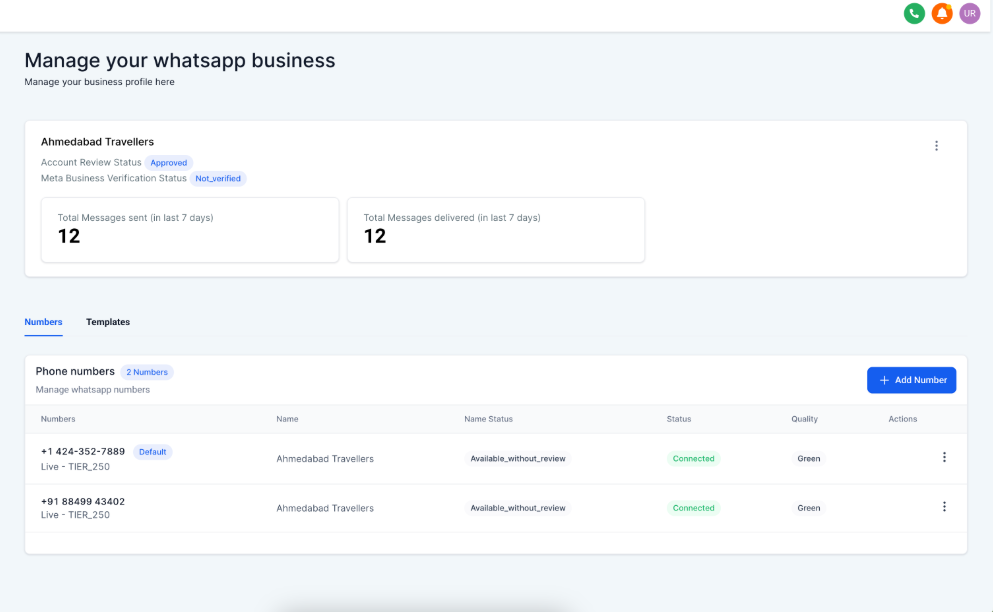
Step 1: Navigate to WhatsApp Settings
Go to Settings WhatsApp Numbers in your Enrollio dashboard.
Step 2: Access Business Profile Settings
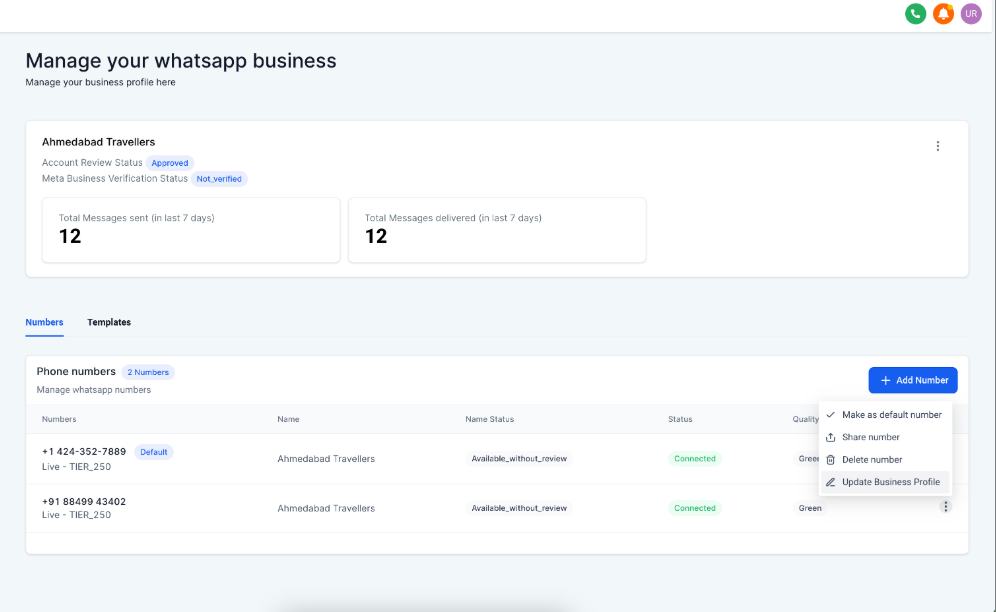
Click the three dots under Actions next to your WhatsApp number, then select Update Business Profile.
Step 3: Upload Your New Image
Under Display Image, click Click to Upload. Select your image file, then click Save.
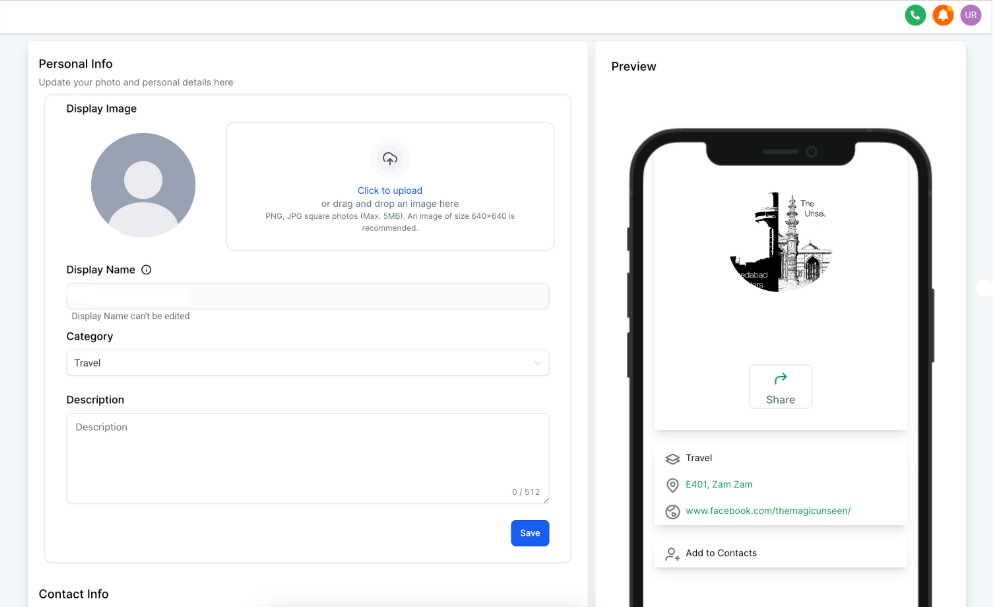
Image Requirements
- Recommended size: 640x640 pixels (square)
- Maximum file size: 5MB
- Minimum dimensions: 192px on each side (smaller images may not display properly)
How Families View Your Profile
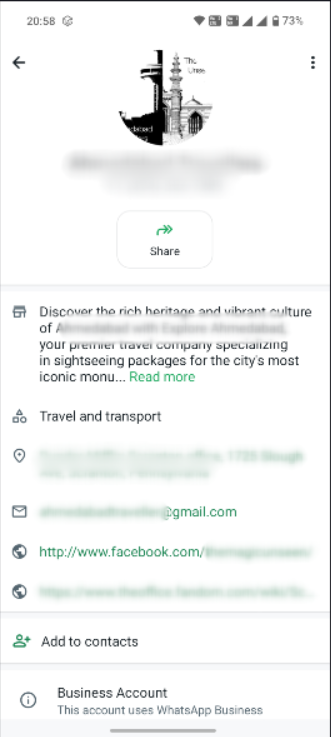
When a parent messages your center on WhatsApp, they can tap your business name or number at the top of the conversation to view your complete profile. This shows them:
- Your profile picture
- Business name and category
- Business address
- Description of your center
- Contact email and website
Keeping this information current helps families find your location, understand your programs, and feel confident they're contacting the right center.
Frequently Asked Questions
Why should I update my WhatsApp Business profile picture?
Your profile picture is the first thing families see when they message you. A professional, current image—like your center's logo or a welcoming photo of your facility—builds trust and reinforces your brand identity.
What makes a good WhatsApp profile picture for a childcare center?
Your center's logo works great, or use a bright, welcoming photo of your facility's exterior or play area. Avoid busy images with too much detail—remember, it displays as a small circle in chat threads.
What are the recommended dimensions for my profile picture?
Use a square image that's 640x640 pixels. This ensures your image looks crisp and displays correctly without unwanted cropping.
Why does my complete business profile matter?
Your WhatsApp Business profile lets families quickly find essential information like your address, hours, website, and what programs you offer. A complete profile makes it easier for prospective families to learn about your center and take the next step—like scheduling a tour.