
Facebook Pages Don't Show or Won't Connect
If you're having trouble connecting your childcare center's Facebook page to Enrollio or your pages aren't appearing in the list, here's how to fix it.
Common Causes
Facebook connection issues typically happen for one of these reasons:
- Expired Facebook token: Facebook requires you to reauthorize access every 60 days
- Missing page permissions: You need admin access to the Facebook page you want to connect
- Business account not connected: Your Facebook Business account must be properly linked to Facebook Ad Manager
- Browser cookies/cache issues: Stored data can interfere with the connection process
Step-by-Step Fix
1. Check Your Facebook Permissions
Before connecting to Enrollio, make sure you have the right access:
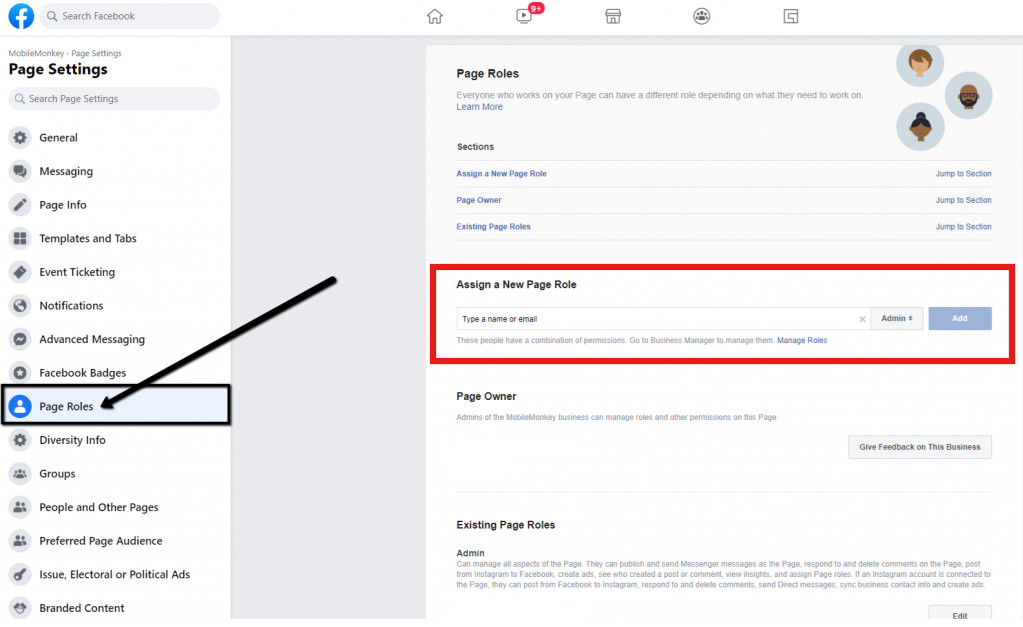
- Go to your Facebook page
- Click Settings in the left menu
- Select Page Roles
- Confirm you're listed as an Admin
If you're not an admin, ask the page owner to grant you admin access before proceeding.
2. Disconnect and Reconnect Facebook
A fresh connection often resolves display issues:
- In Enrollio, go to Settings → Integrations
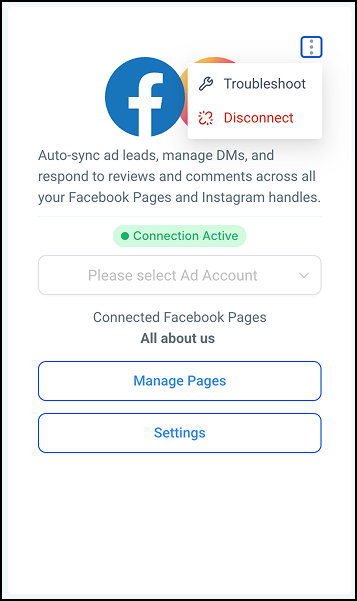
- Find Facebook and click Disconnect
- Clear your browser cache and cookies
- Return to Settings → Integrations
- Click Connect Facebook
- Log in with the Facebook account that has admin access to your page
- When prompted, make sure to select all permissions Enrollio requests
Pro Tip: Use an incognito/private browser window when reconnecting. This prevents cached login data from causing conflicts.
3. Verify Facebook Business Account Connection
If you're using Facebook Lead Ads or running campaigns, your Business account must be connected:
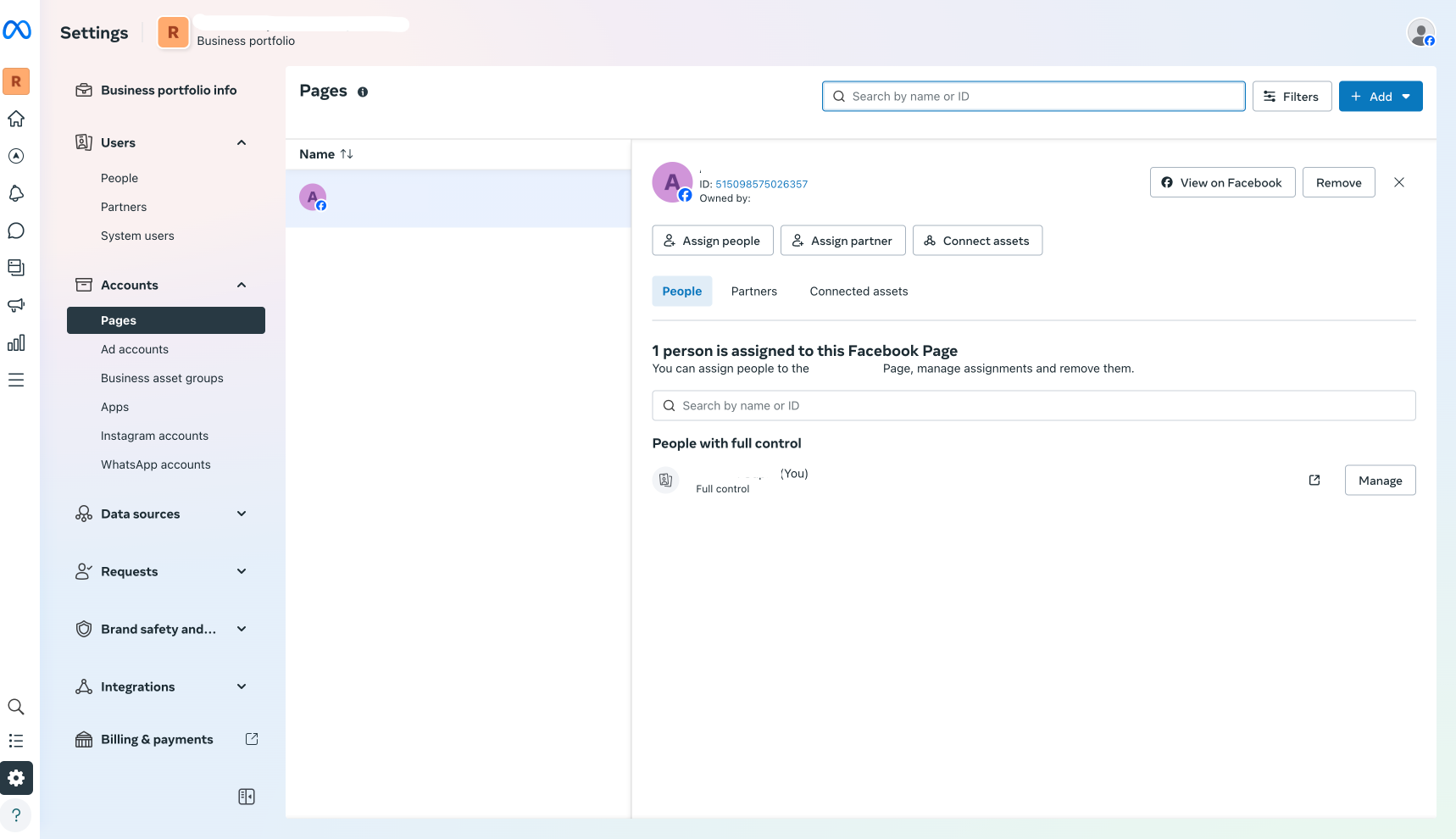
- Go to business.facebook.com
- Select your Business account
- Click Business Settings
- Under Accounts, select Pages
- Confirm your childcare center's page is listed
- Check that your page is also connected to Ad Accounts
4. Refresh Your Facebook Token
Facebook access tokens expire regularly. If you see an error about an expired token:
- Go to Settings → Integrations in Enrollio
- Find the Facebook integration
- Click Reconnect or Refresh Token
- Follow the Facebook authorization prompts
Still Not Working?
If your Facebook pages still don't appear after trying these steps:
- Try a different browser: Sometimes browser-specific issues cause connection problems
- Check Facebook for outages: Visit Facebook's status page to see if there are known issues
- Review Facebook's permissions: Go to your Facebook Settings → Business Integrations and remove Enrollio, then reconnect from scratch
- Contact support: If you've tried everything, reach out to Enrollio support with screenshots of any error messages
Preventing Future Issues
Keep your Facebook connection healthy:
- Refresh your Facebook token every 45-60 days (Enrollio will remind you)
- Don't remove team members who connected Facebook without first transferring the connection
- When changing Facebook page admins, reconnect the integration afterward
Note: If multiple team members manage your Facebook page, make sure the person who connects it to Enrollio maintains admin access. If they lose access or leave your center, you'll need to reconnect Facebook.