
WhatsApp Template Statuses and Best Practices
Templates are pre-approved message formats that let you start conversations with parents and families through WhatsApp. They're essential for reaching out to prospective families who haven't messaged you yet, or current families you haven't contacted in the last 24 hours.
Unlike regular messages, templates must be approved by WhatsApp before you can use them. Templates can also be disabled automatically based on how families respond to them, so monitoring their performance is important.
Table of Contents
- Approval Process
- Common Template Rejection Reasons
- Sending WhatsApp Templates
- WhatsApp Template Statuses
- FAQs
Approval Process
Once you create a template, WhatsApp reviews it before you can send it to families. This typically takes up to 24 hours.
If approved, your template's status becomes "Active - Quality pending" and you can start using it immediately. If rejected, you can edit and resubmit it, or appeal the decision.
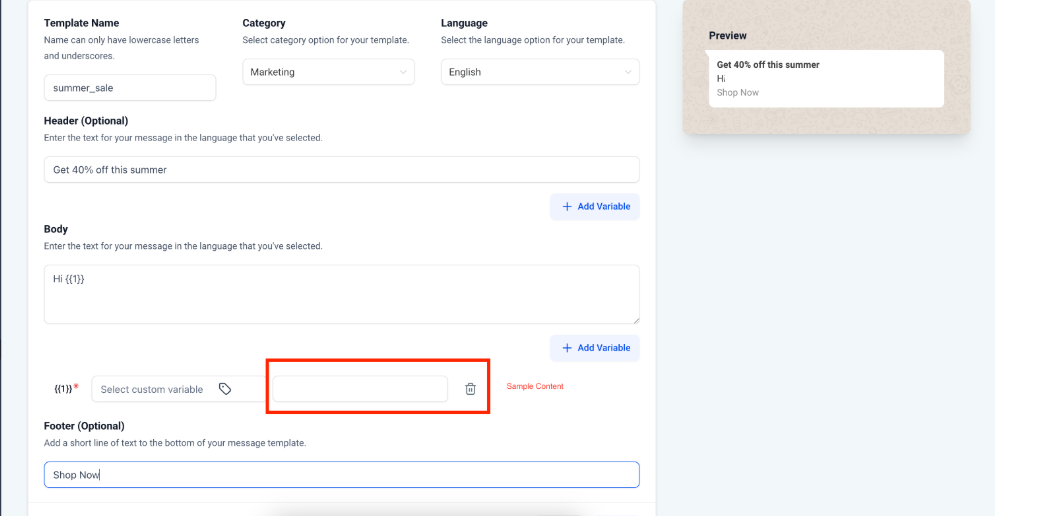
Creating Templates with Samples
When you submit a template, include sample values for any variables. This helps WhatsApp reviewers see exactly how your message will appear to families.
Common Template Rejection Reasons
Avoid these common mistakes that cause rejections:
Variable Formatting Issues
-
Missing or mismatched curly braces: Use the correct format:
{{1}} - Special characters in variables: Don't use #, $, or % in variable parameters
-
Non-sequential variables: If you use
{{1}},{{2}},{{4}}, you must include{{3}}
Policy Violations
Commerce Policy violations: If your template mentions enrollment fees, tuition rates, or payment terms, all pricing information must comply with WhatsApp's Commerce Policy. This includes accurate pricing, required legal disclosures, and transparent fee structures.
Business Policy violations: Never request sensitive information like full payment card numbers, bank account numbers, or Social Security numbers. You can request partial identifiers (like the last 4 digits of a card), but not complete sensitive information.
Threatening or Abusive Content
Don't threaten families with legal action or public shaming. Keep all communication professional and supportive.
Duplicate Templates
If you submit a template with identical body and footer text to an existing template, it will be rejected. Each template must be unique.
Sending WhatsApp Templates
Once your template status is set to "ACTIVE," you can send it to families. However, template statuses can change automatically based on how families respond.
We recommend monitoring your templates regularly. If a template becomes paused or disabled, you'll need to address the issues before you can use it again.
WhatsApp Template Statuses
Your templates can have these statuses:
In-Review
Your template is currently being reviewed by WhatsApp. Review typically takes up to 24 hours.
Rejected
The template violated WhatsApp's policies or had formatting issues. You can edit and resubmit it, or file an appeal.
Active - Quality Pending
Your template is approved and ready to use. It hasn't received enough feedback yet to determine its quality rating. You can send this template to families.
Active - High Quality
Your template has received positive feedback from families with high read rates. You can send this template to families.
Active - Medium Quality
Your template has received some negative feedback or lower read rates. You can still send it, but it may be paused soon if feedback doesn't improve.
Active - Low Quality
Your template has received significant negative feedback or low read rates. You can still send it, but it's at risk of being paused or disabled. Review the content and consider improvements.
Paused
Your template has been paused due to negative feedback or low engagement. You cannot send this template until you edit and resubmit it for approval.
Disabled
Your template has been disabled due to recurring negative feedback. You cannot send this template until you significantly improve it and get it re-approved.
Appeal Requested
You've submitted an appeal for a rejected or disabled template. Wait for WhatsApp's response before taking further action.
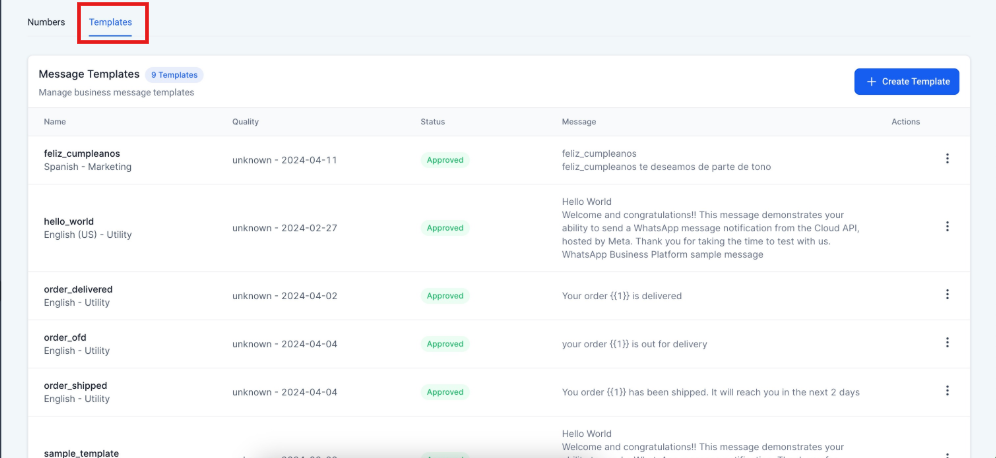
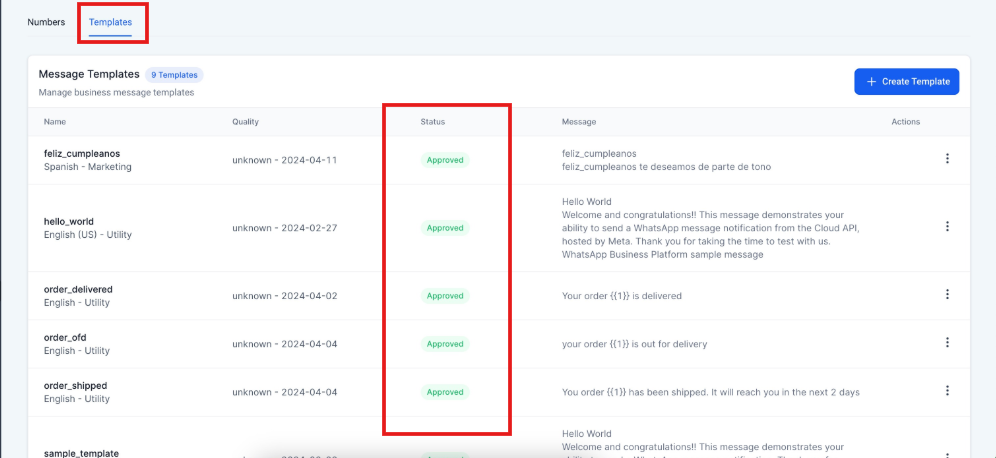
To check a template's status: Go to WhatsApp > Templates > Status
Frequently Asked Questions
What are WhatsApp message templates and why do I need them?
WhatsApp message templates are pre-approved message formats that let you start conversations with families who haven't messaged you recently. They're essential for reaching prospective families, sending tour reminders, sharing enrollment updates, and maintaining communication with current families.
How are message templates different from regular WhatsApp messages?
You can send regular WhatsApp messages freely to families who have messaged you within the last 24 hours. Templates require approval but let you reach families who haven't contacted you recently or who are brand new prospective families.
How long does the template approval process take?
Template approvals typically take up to 24 hours. Enrollio will notify you once WhatsApp makes a decision on your template.
What are the common reasons my template might get rejected?
The most common reasons are formatting errors with variables, content that violates WhatsApp's policies, or templates that are too similar to existing ones. Double-check your variable formatting and review WhatsApp's Commerce and Business policies before submitting.
My template's status changed. What does that mean?
Template statuses like "Active - Low Quality" or "Paused" reflect how families are responding to your messages. Low read rates or negative feedback will lower your template's quality rating. Monitor these statuses regularly to maintain good communication with families.
What happens if my template receives negative feedback or low engagement?
If your template receives negative feedback or low engagement, WhatsApp may pause it automatically. This protects your phone number's overall quality rating. Pausing durations vary based on the template's quality rating, and Enrollio will notify you when a template is paused.
Can I edit a paused template?
Yes, you can edit a paused template to improve its content and address the issues causing negative feedback. Once you edit and resubmit it, the status changes to "In Review" until WhatsApp approves it again.