
What is the Blog Template Library?
The Blog Template Library gives you ready-made blog layouts that make content creation faster and easier. Instead of starting from scratch, you can choose from pre-designed templates that fit common content goals — like educational guides, promotional announcements, or family stories.
Each template is built specifically to help childcare centers communicate effectively with parents and the community.
Key Benefits of Using Blog Templates
Blog templates streamline your workflow and help you publish consistent, professional content that keeps families engaged.
- Save time by starting with a structured format
- Choose from professionally designed blog layouts
- Maintain visual and structural consistency across all your posts
- Customize each template easily in the editor
- Ensure your content looks great on mobile and desktop
- Skip the blank-page problem with content inspiration built in
How to Use the Blog Template Library
The Template Library is easy to access and gets you started with a structured blog post in seconds.
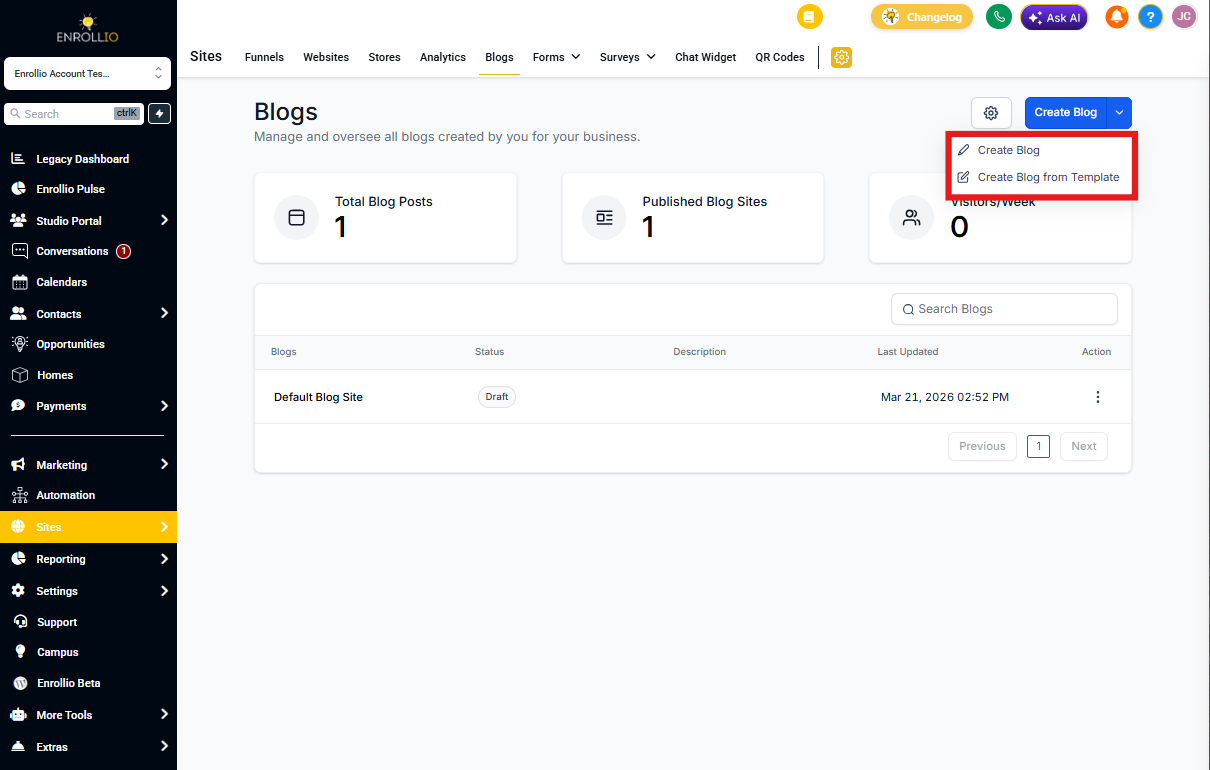
- Click Sites in the left sidebar, then select Blogs
- Click the Create Blog button in the top-right corner
- Select Create Blog From Template
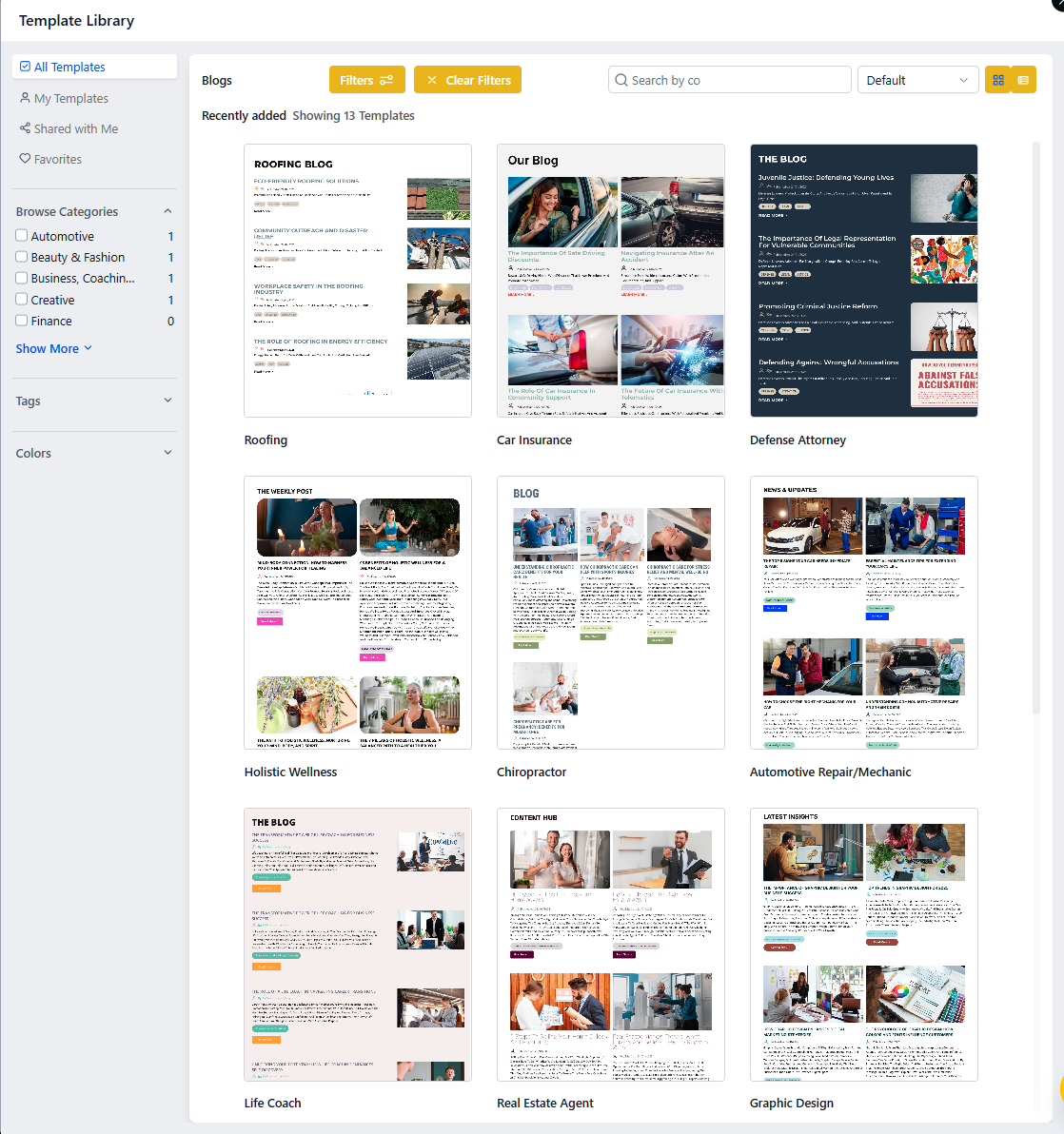
- Browse the available templates — click any template to preview it
- Once you've chosen a template, click Continue
- The template opens in the blog editor where you can customize content, formatting, and media
- When you're ready, click Save or Publish
Types of Blog Templates Available
Each template is professionally structured to guide your content flow in a way that's clear, engaging, and visually appealing. The variety of layouts helps you align your blog content with specific goals — whether you're sharing updates with current families, promoting enrollment, or building community trust.
Frequently Asked Questions
Can I edit the layout of a template after selecting it?
Yes. Once you choose a template, you have full control in the blog editor. You can modify the layout, text, images, and any other elements.
Will a template limit my SEO options?
No. Templates are built with SEO best practices in mind, but you still need to fill in your SEO metadata manually — like title tags, meta descriptions, and image alt text — for optimal search visibility.
Can I save custom templates for future use?
Not currently. The library includes only system-provided templates at this time.
Are blog templates responsive on mobile devices?
Yes. All templates are designed to display beautifully on both desktop and mobile devices, so parents can read your content anywhere.
What happens if I want to switch templates mid-edit?
You can't change templates once you've started editing a post. To use a different template, create a new blog post and select the template you want from the start.