
New quick-launch buttons in WhatsApp and Social Planner let you turn conversations and social posts into paid ads with one click—no need to dig through Ad Manager menus.
What Are the Quick Ad Launch Buttons?
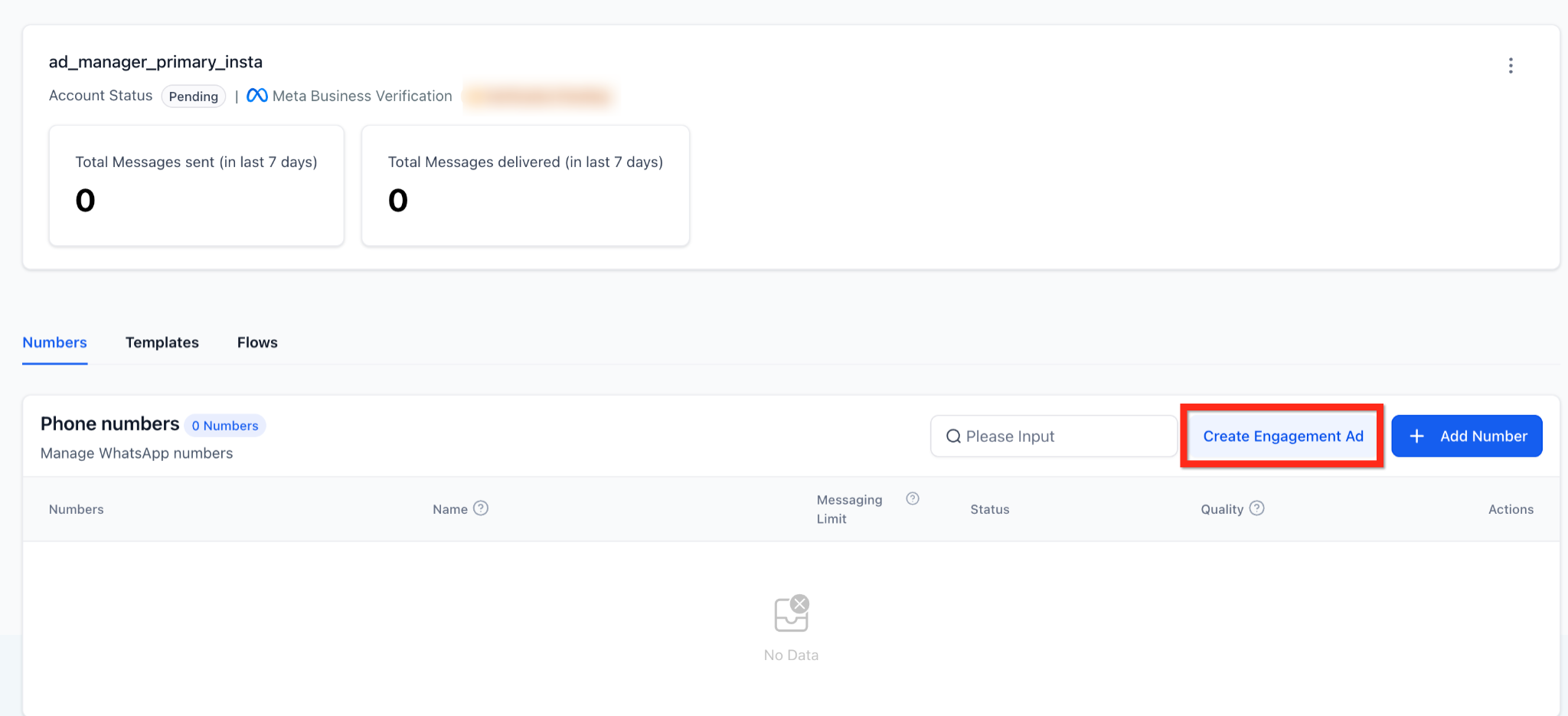
Enrollio now places shortcut buttons directly in WhatsApp and Social Planner that open Ad Manager with your campaign already pre-configured. These context-aware buttons—"Create Engagement Ad" in WhatsApp and "Run as Ad" in Social Planner—automatically fill in the campaign objective and content, saving you several manual steps.
Why This Matters
- Faster setup: Pre-filled objectives, destinations, media, and copy mean less form-filling
- Easier adoption: Upgrade prompts appear right where you're already working
- Smoother workflow: Move from organic content to paid promotion in a single click
- Fewer mistakes: The correct objective (Engagement) and channel (WhatsApp/Facebook/Instagram) are applied automatically
Create Engagement Ad from WhatsApp
Turn any WhatsApp number into an engagement campaign instantly.
Where to find it: Settings → WhatsApp → Numbers tab, next to "Add Number"
What gets pre-filled in Ad Manager:
- Objective: Engagement
- Destination: WhatsApp
- Budget, audience, and creative remain fully editable
If you don't have Ad Manager yet: You'll see a prompt explaining the benefits with a "Connect Ad Manager" button.
If you have Ad Manager but no connected ad account: You'll see a "Connect Account" button.
Run as Ad from Social Planner
Promote published or scheduled Facebook and Instagram posts without re-uploading anything.
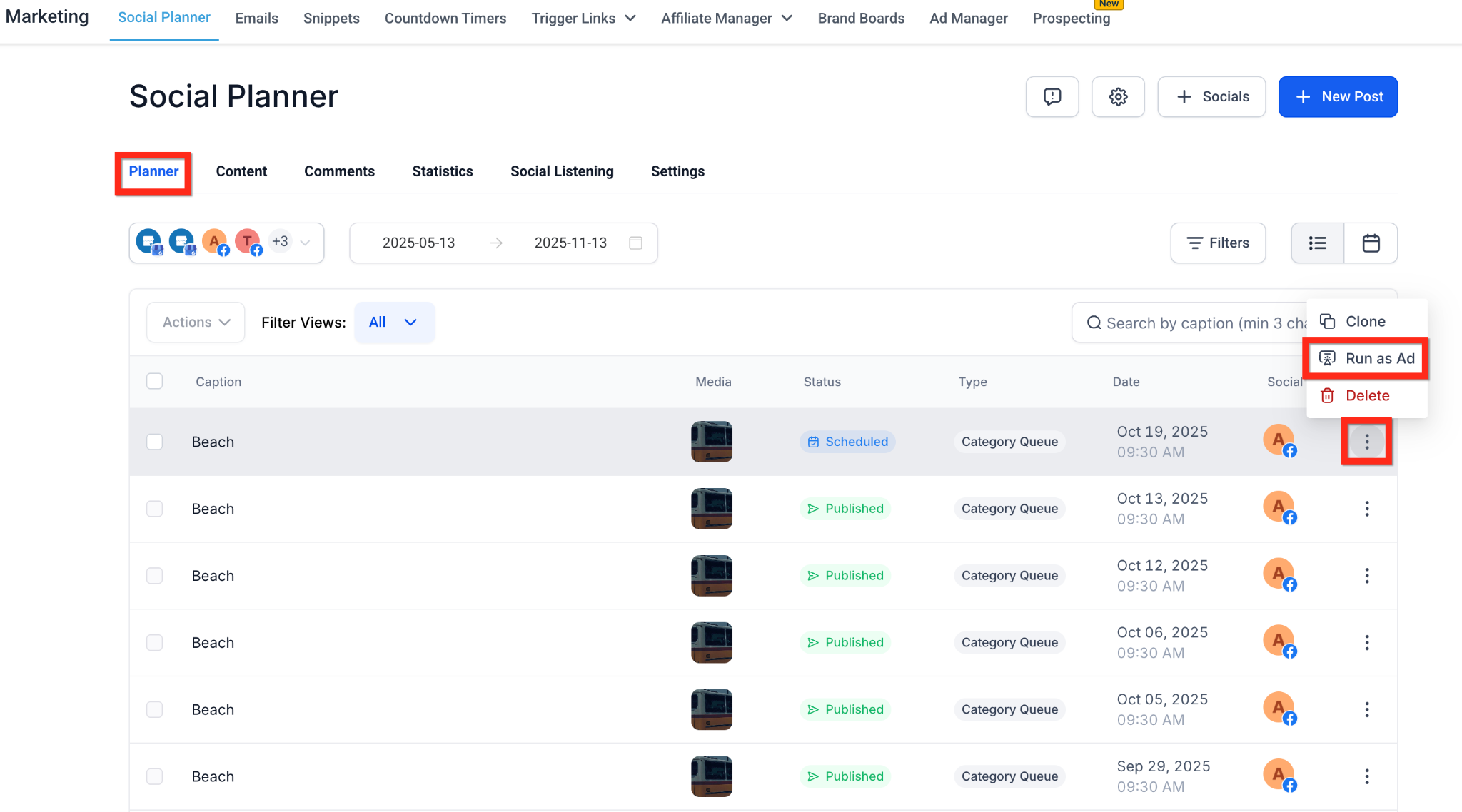
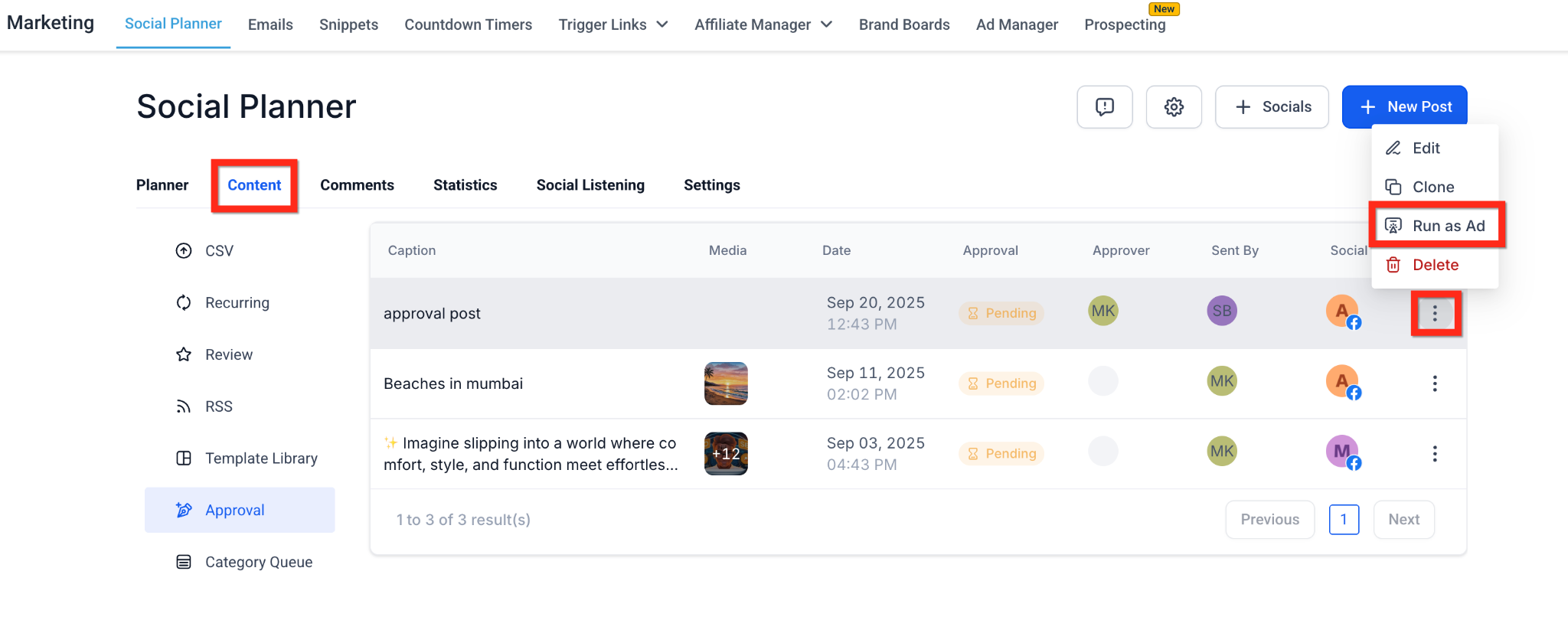
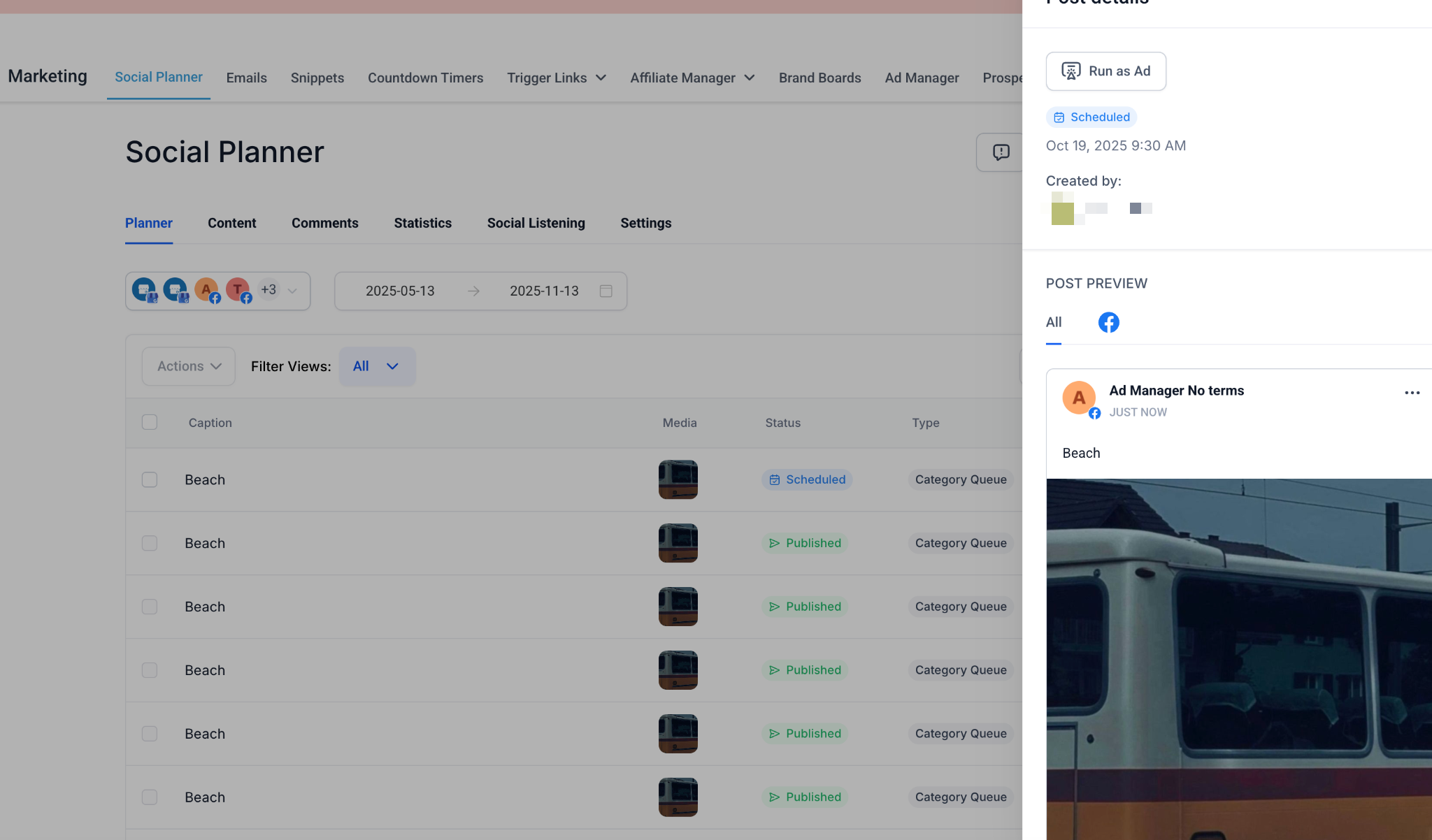
Where you'll find "Run as Ad":
- Marketing → Social Planner → Planner tab → 3-dot menu on any post
- Marketing → Social Planner → Content tab → Approval tab → 3-dot menu
- Post detail sidebar
Supported post types: Published, Scheduled, or In Review posts (not Drafts or Recurring posts)
How it works:
- Click "Run as Ad" from the 3-dot menu
- Confirm in the modal that appears
- Ad Manager opens → choose Google or Meta
- Your campaign opens pre-filled with the post's media and caption (text-only posts remain editable)
Frequently Asked Questions
Does this cost extra?
No. The feature is free, but your account must have an active Ad Manager subscription or pay-as-you-go plan to create ads.
Can I use "Run as Ad" for TikTok or LinkedIn posts?
Not yet. This feature currently supports Facebook and Instagram posts only.
What happens if I edit a post after turning it into an ad?
Changes made in Social Planner won't sync to the live ad. Edit the creative directly inside Ad Manager instead.
Why don't I see the "Create Engagement Ad" button in WhatsApp?
Make sure you're on the Numbers tab and that WhatsApp is enabled for your location. Standard user permissions also apply.
Can I skip the confirmation modal?
No. The modal prevents accidental clicks and confirms you're entering the Ad Manager flow.
Pro tip: Use "Run as Ad" to test how organic posts perform as paid ads before investing in custom creative. It's a fast way to validate what resonates with prospective families.