
If you manage multiple social media accounts for your childcare center—Facebook, Instagram, LinkedIn, and more—selecting each one individually every time you post can slow you down.
Social Groups let you bundle profiles together so you can post to multiple networks with a single click.
Creating a Social Group
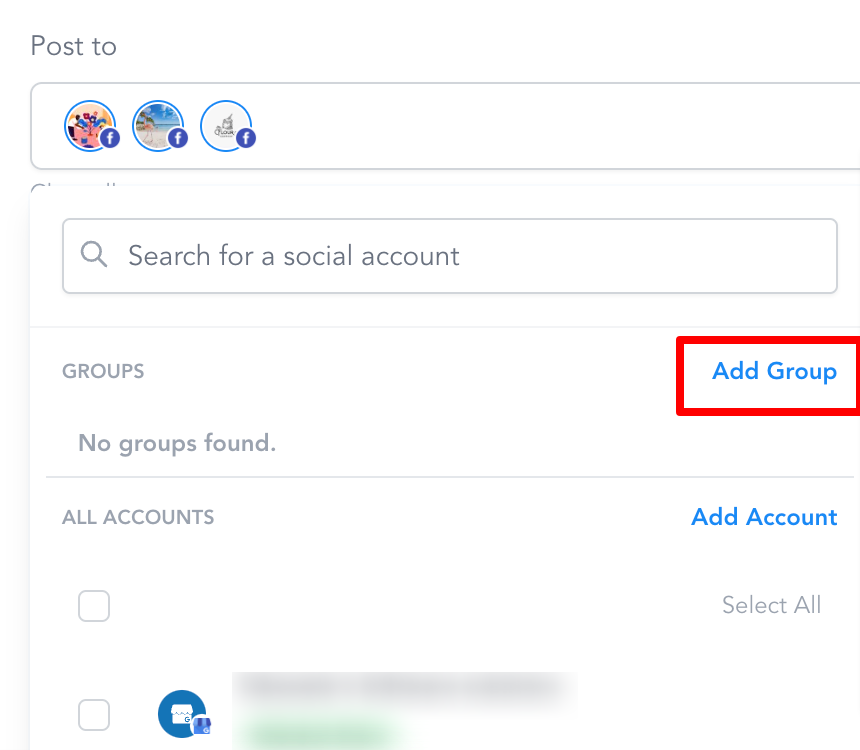
You can create groups from three places in Enrollio:
- The Social Planner overview page
- While composing a new post
- In Social Planner Settings
Each social profile can only belong to one group at a time.
Step-by-Step
- Click Add Group
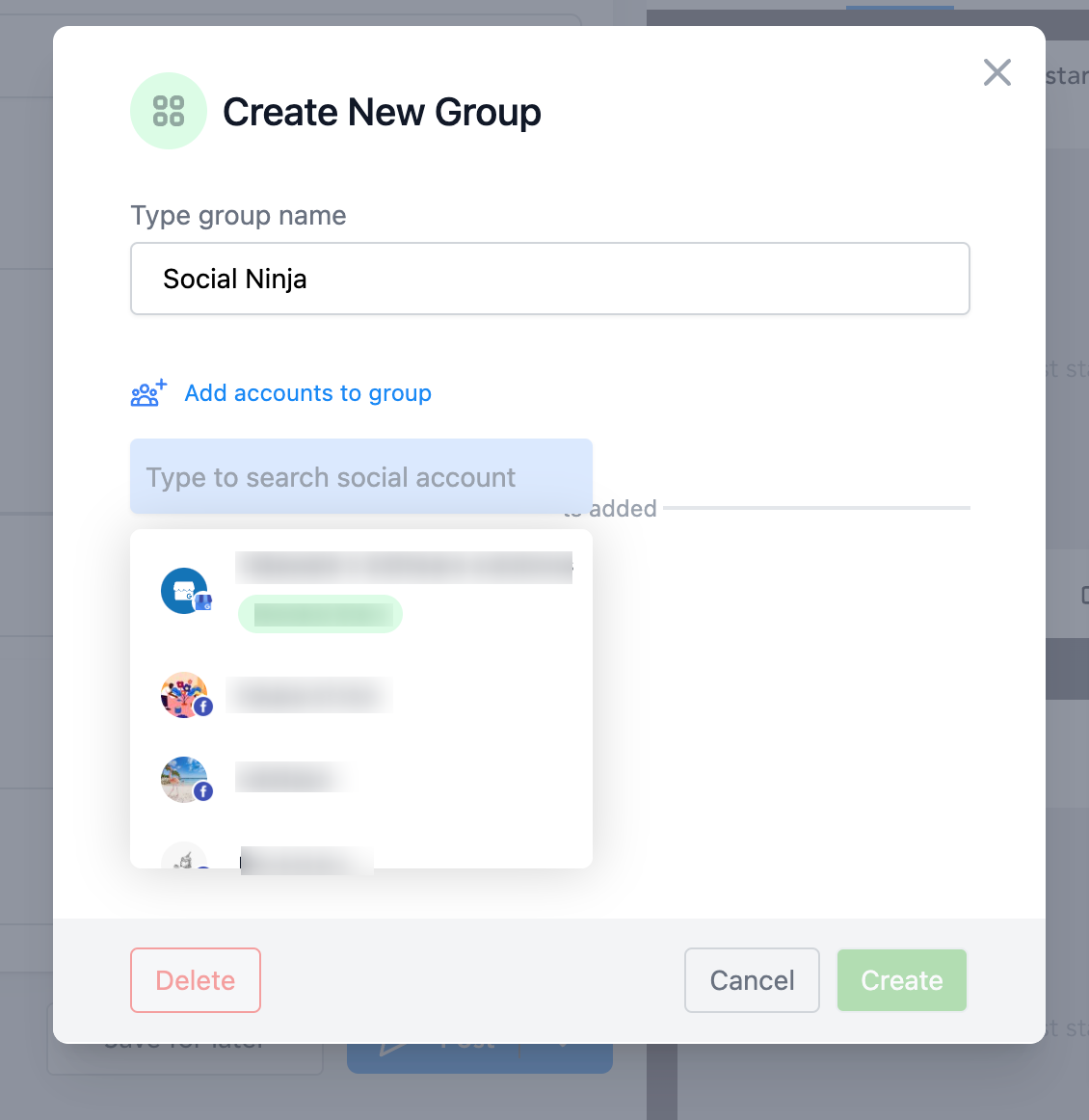
- Enter a name for your group (e.g., "Main Accounts" or "Instagram + Facebook")
- Click Add accounts to group and select the social channels you want to bundle together
- Click Add Group to save
Managing Your Groups
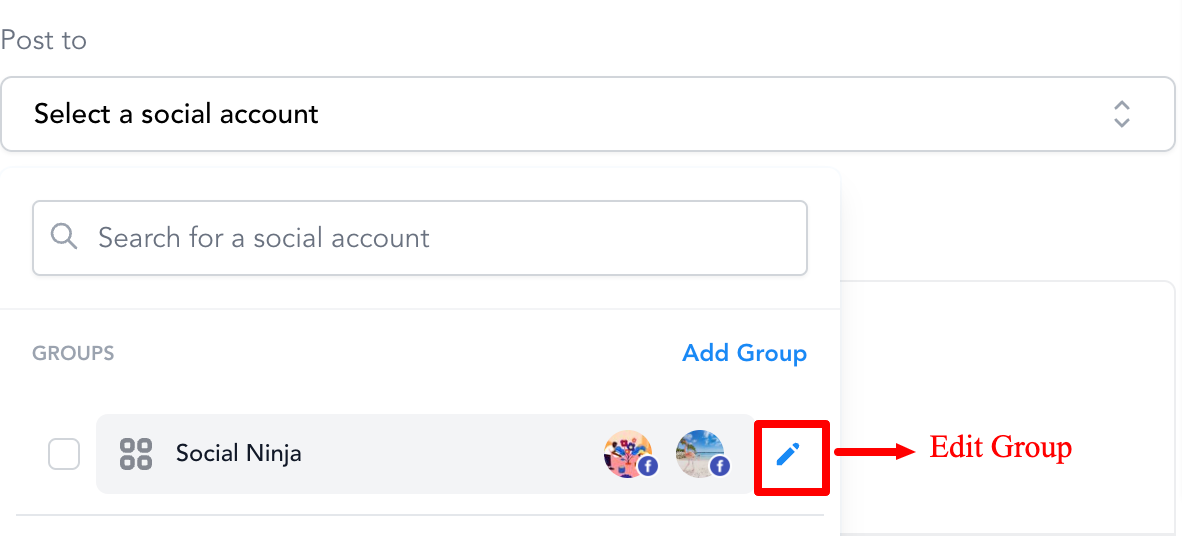
Need to add or remove accounts from a group? Click the pencil icon next to any group to edit it.
Pro Tip: Create separate groups for different posting strategies—one for parent engagement (Facebook + Instagram), another for staff recruiting (LinkedIn + Facebook), and so on.