
Shared your childcare center's website link on LinkedIn, but the preview shows the wrong title, description, or image? Even after updating your site, LinkedIn might still display the old preview. That's because LinkedIn caches link previews for up to 7 days.
The Solution: LinkedIn Post Inspector
LinkedIn's Post Inspector tool lets you refresh your link preview immediately. Here's how to use it:
Step 1: Open the Post Inspector
Visit https://www.linkedin.com/post-inspector/
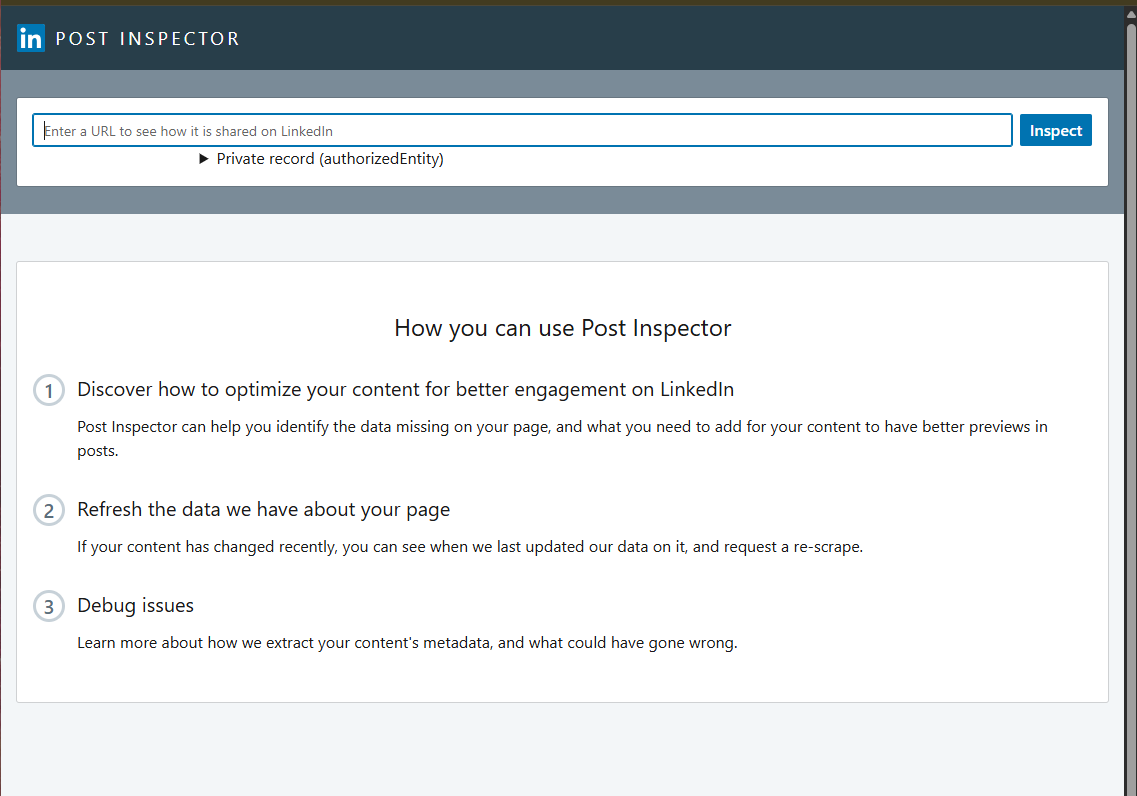
Step 2: Inspect Your URL
Enter your enrollment site's URL in the text field and click Inspect. You'll see the updated preview with your new title, description, and image.
Step 3: Share on LinkedIn
Now when you share your URL on LinkedIn, it will display the correct preview content.
Why This Matters for Childcare Marketing
First impressions count when parents discover your center on LinkedIn. A clean, updated link preview with your latest photos and messaging helps you stand out and drive more tour bookings.