
Featuring a hero post at the top of your blog helps you highlight important content — like enrollment tips, program updates, or popular articles — so parents and families see it first.
Why Feature a Blog Post?
A featured post keeps your most important content front and center:
- Highlight Key Updates — Keep enrollment announcements, new program details, or important policy changes visible
- Boost Engagement — High-value posts get more views when they're pinned at the top
- Improve Parent Experience — Make it easy for families to find your most helpful or frequently referenced articles
- Promote Evergreen Content — Keep timeless resources (like enrollment guides or FAQs) accessible
How to Add a Featured Post
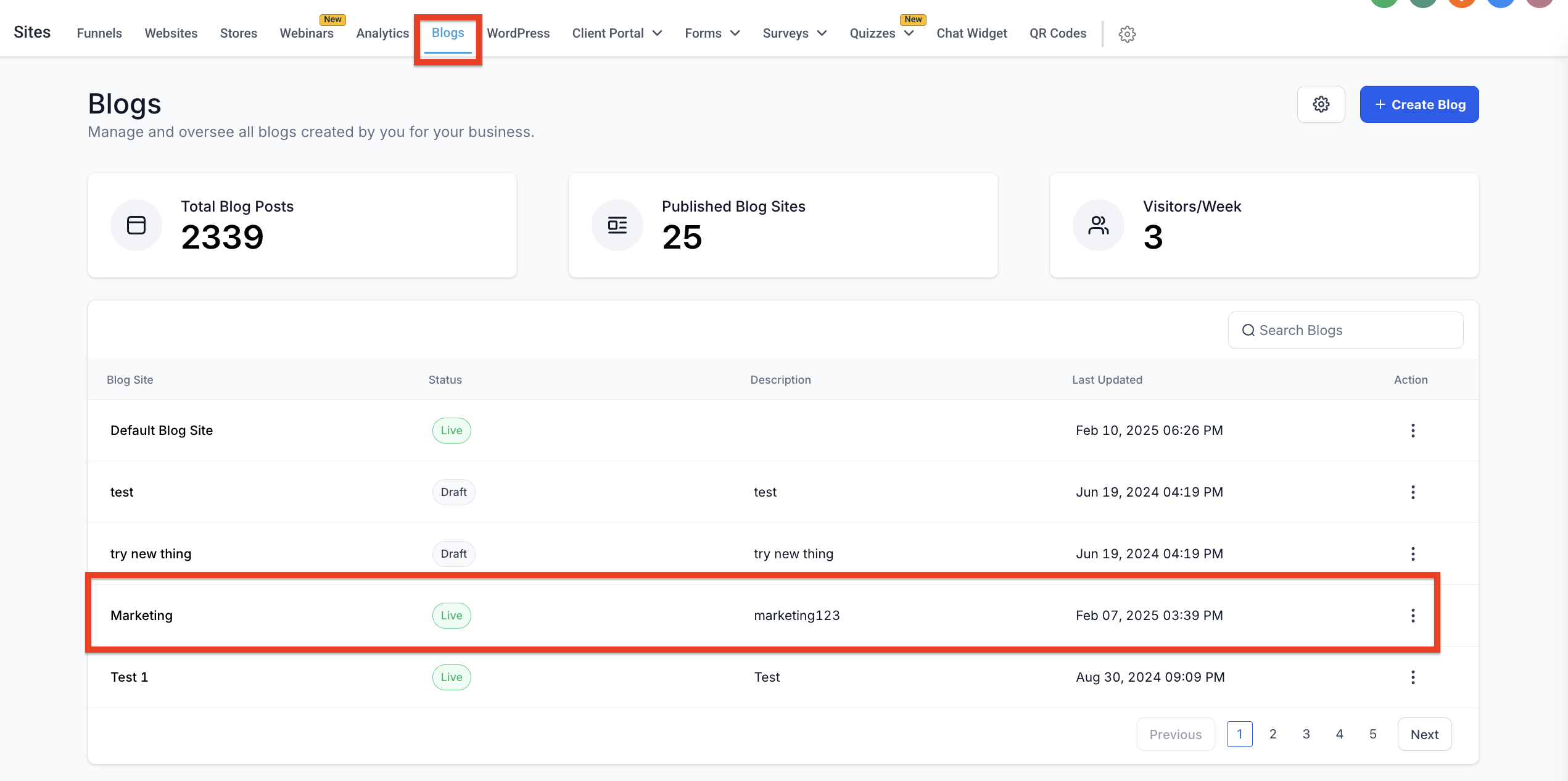
- Navigate to Sites > Blogs
- Click on your blog name from the list
- Click Edit to open the blog editor
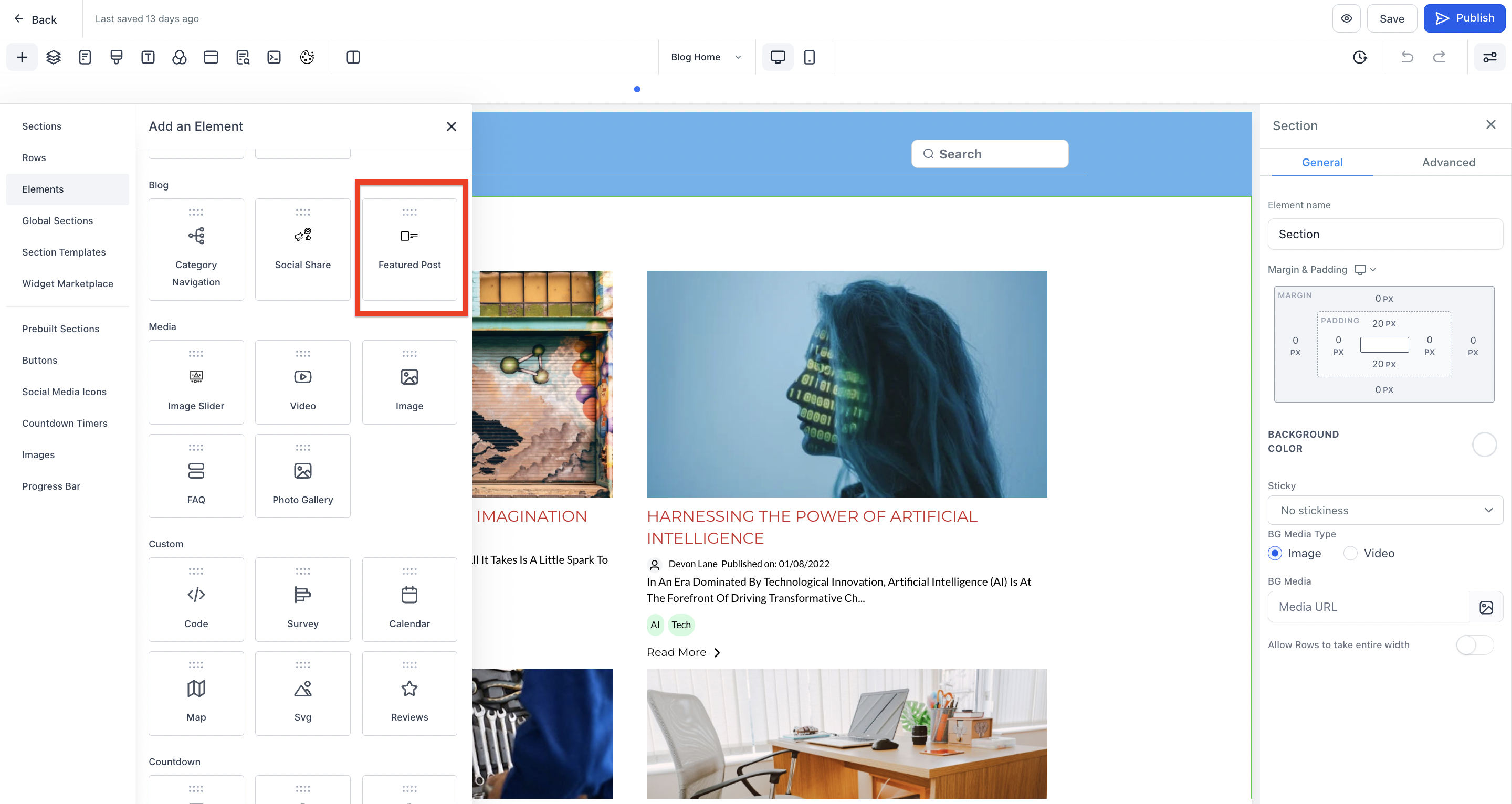
- Add the Featured Post element to your blog layout
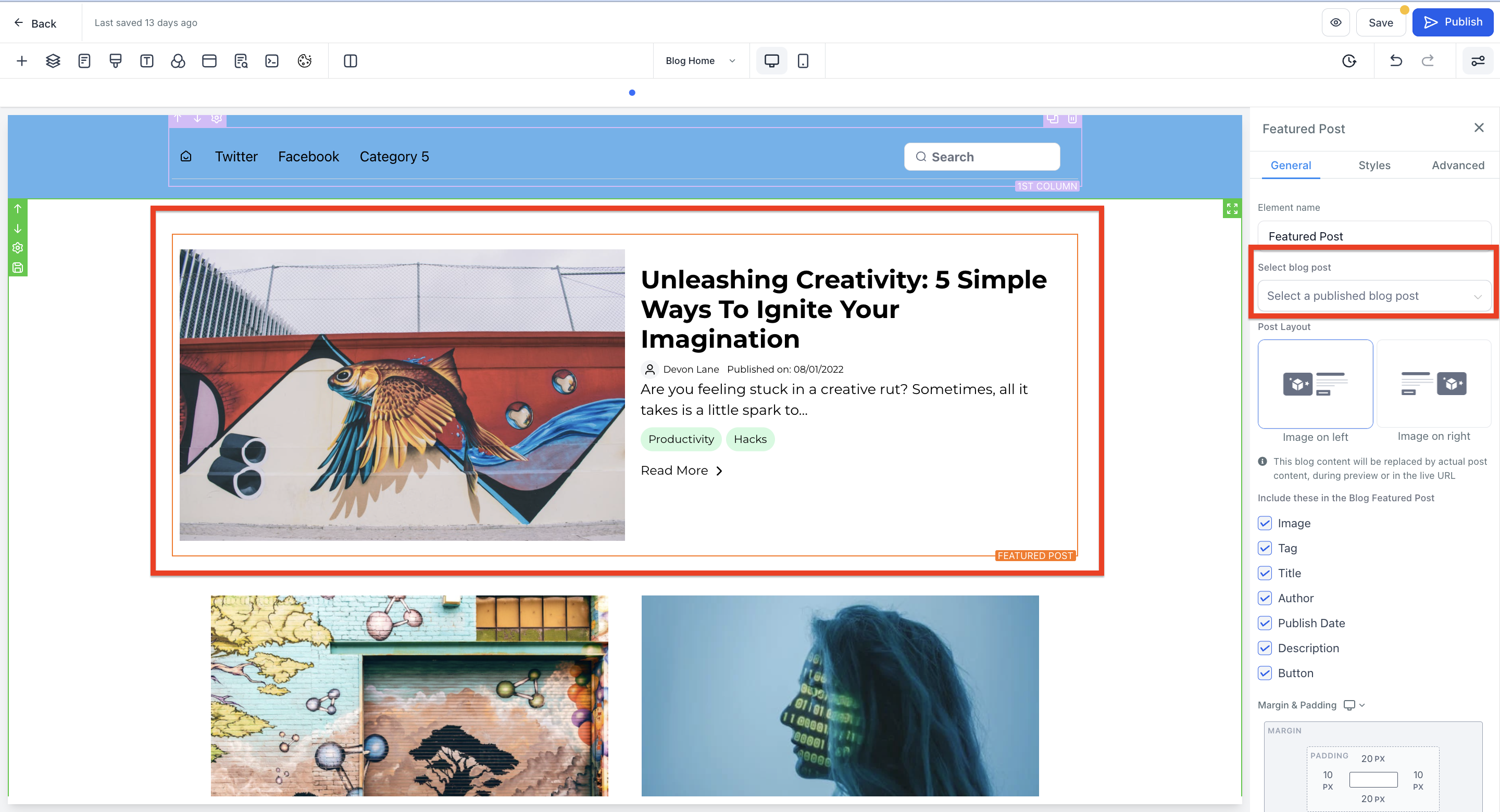
- Select which blog post you want to feature
- Choose your layout and customize what displays in the featured section (title, excerpt, image, etc.)
- Click Publish to make your changes live
Pro Tip: Use your featured post to spotlight seasonal content — like summer enrollment deadlines or back-to-school updates — then swap it out when the season changes.
What to Feature
Not sure what to pin? Try featuring:
- Your latest enrollment announcement
- A popular "How to Enroll" guide
- Program spotlights or virtual tour posts
- Parent testimonials or success stories
- Important policy updates or holiday schedules
Your featured post stays at the top until you change it, so you can set it and forget it — or update it as often as you like.