
Overview
Social media is essential for staying connected with current and prospective families. Our Media Optimization feature ensures your images are always formatted correctly for each platform—no manual adjustments needed.
Upload an image, toggle on optimization, and Enrollio handles the rest. Focus on creating great content while we take care of the technical details.
Key Benefits
- Automatic Resizing: Images are instantly adjusted to meet each platform's requirements.
- Enhanced Quality: Your images look sharp without compromising visual appeal.
- Better Compatibility: Images are automatically formatted for Facebook, Instagram, LinkedIn, Pinterest, and Google Business Profile.
- Faster Uploads: Optimized images are smaller, so they upload faster.
- Error Prevention: Common issues like incorrect dimensions or unsupported formats are fixed automatically.
How to Use Media Optimization
- Navigate to Marketing > Social Planner
- Click New Post
- Upload your image
- You'll see a toggle for Media Optimization (turned on by default)
- When enabled, Enrollio will:
- Analyze your image for compatibility issues
- Automatically adjust format, size, aspect ratio, and dimensions
- Prepare it for smooth posting across all selected platforms
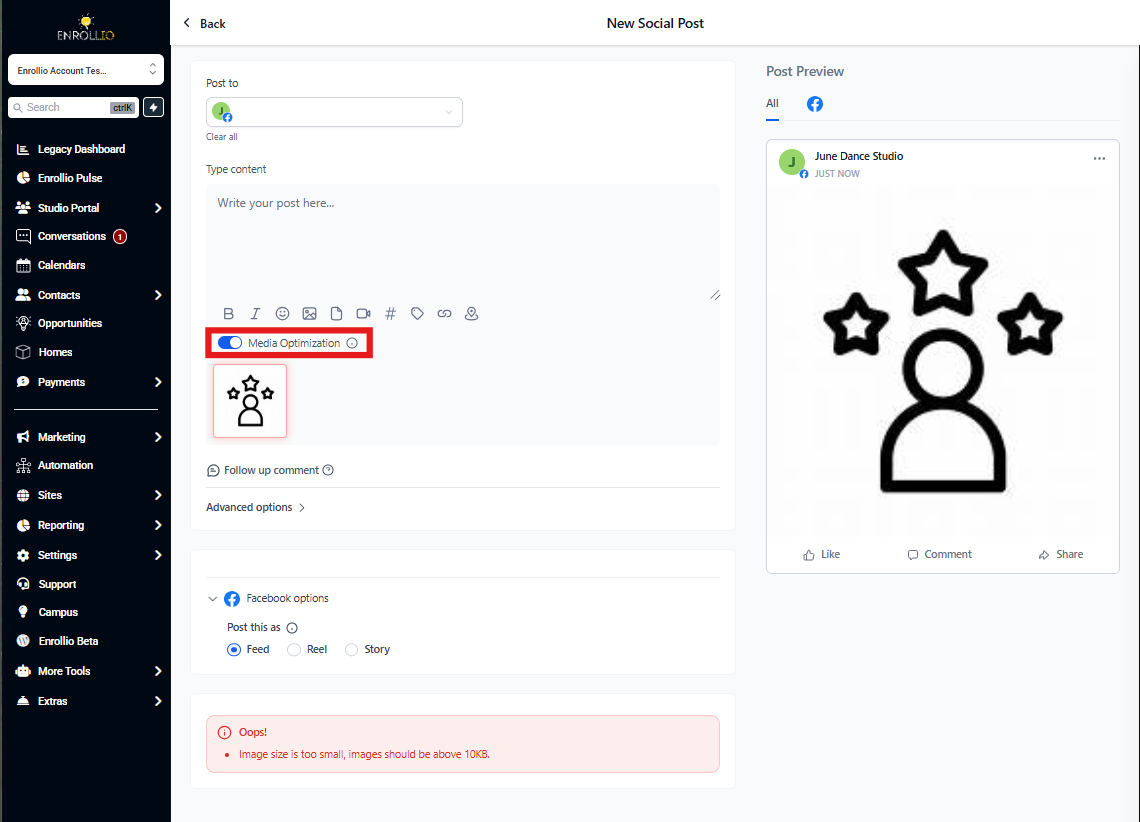
Pro Tip: You can manage this feature from the Settings tab if you need to disable optimization and use original media.
What Gets Optimized
Media Optimization automatically fixes platform-specific issues related to:
- Format: Converts to supported file types (JPEG, PNG, GIF)
- Size: Reduces file size to meet platform limits
- Aspect Ratio: Adjusts proportions for optimal display
- Dimensions: Resizes to meet minimum and maximum requirements
Platform-Specific Requirements
Facebook Posts
- Supported formats: JPEG, PNG, GIF
- Max file size: 10MB
Facebook Stories
- Supported formats: JPEG, PNG, GIF
- Max file size: 4MB
Instagram Posts
- Supported formats: JPEG, PNG, GIF
- Max file size: 8MB
- Aspect ratio: Between 4:5 and 1.91:1
Instagram Stories
- Supported formats: JPEG
- Max file size: 8MB
Google Business Profile
- Supported formats: JPEG, PNG
- Max file size: 5MB
- Dimensions: Minimum 720x720, maximum 3000x3000
- Supported formats: JPEG, PNG, GIF
- Max file size: 8MB
- Dimensions: Minimum 250x250, maximum 6012x6012
- Supported formats: JPEG, PNG
- Max file size: 10MB
Important Notes
- Optimization changes won't be visible in the preview—you'll see them in the actual published post on each platform
- Video optimization is coming soon
- If you need to post original, unoptimized media, you can disable this feature in Settings
Why This Matters: Childcare marketing relies on authentic, engaging visuals—photos of your facility, activities, and happy families. Media Optimization ensures these images always look their best, no matter which platform your families prefer.