
Hashtags help your childcare center reach more families on social media. They categorize your content and make it easier for parents in your community to discover you.
Instead of typing the same hashtags every time you post, you can create hashtag groups in Social Planner. Save sets like "#ToddlerActivities #PlayBasedLearning #ChildcareTips" and apply them with one click.
Create a Hashtag Group
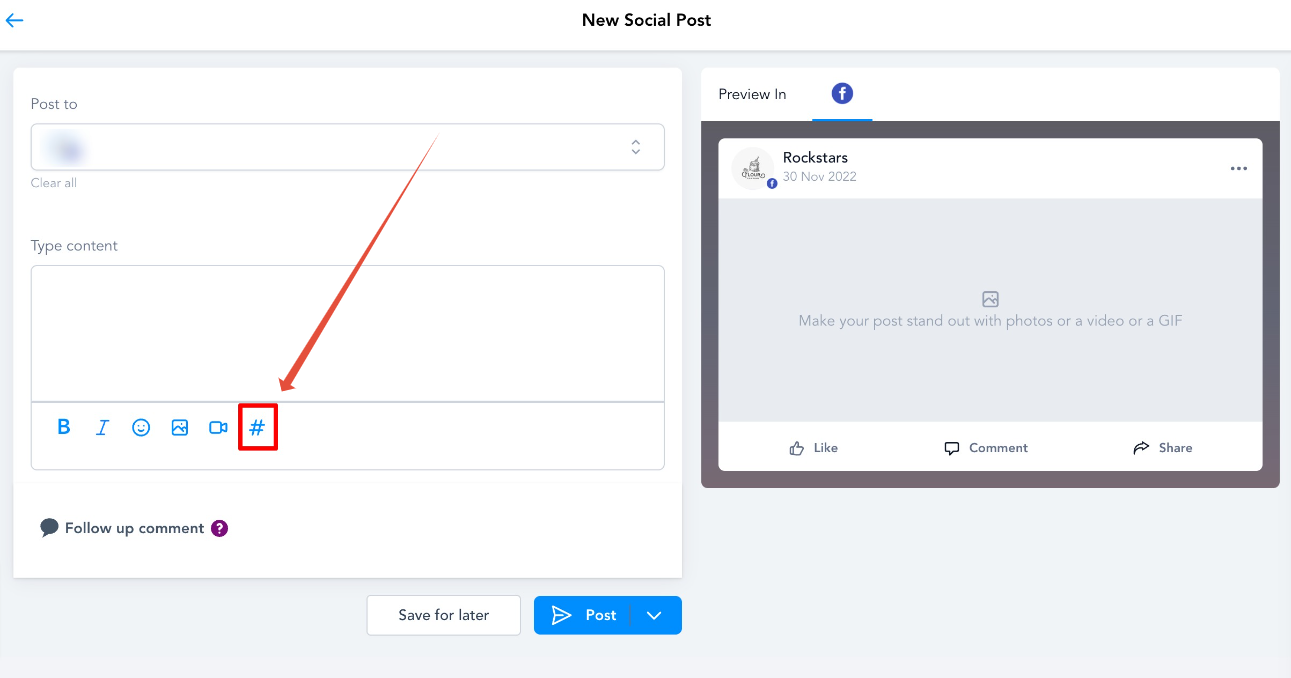
- Go to Marketing > Social Planner
- Click Create New Post
- Click the # hashtag icon in the post composer
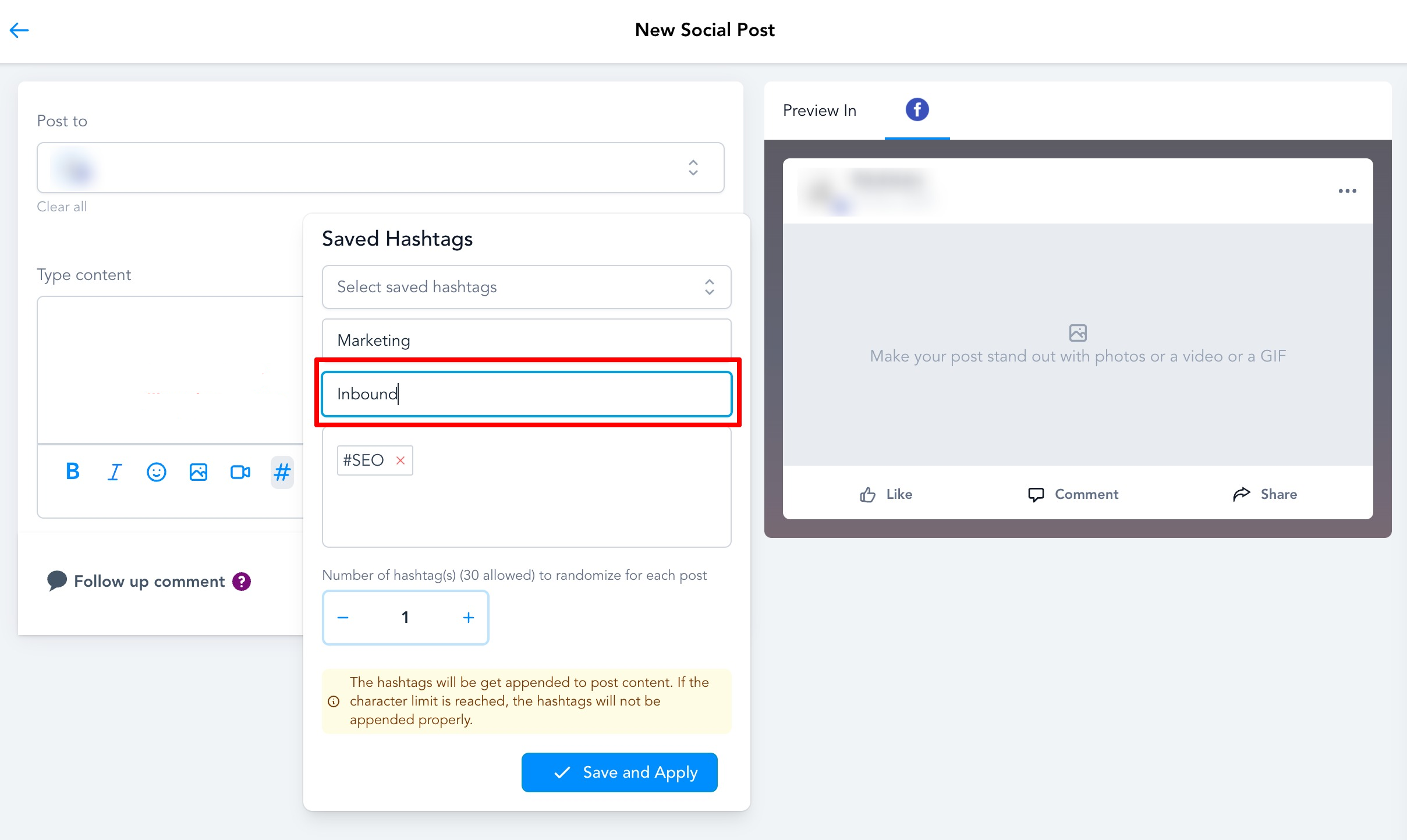
- In the popup, enter:
- Group Name — something like "Enrollment Season" or "Daily Activities"
- Hashtags — add up to 30 hashtags for this group
- Click Save and Apply
Use Your Saved Hashtag Groups
When creating any new social post, click the # icon and select one of your saved hashtag groups. All hashtags in that group will be added to your post automatically.
Pro Tip: Create different hashtag groups for different types of content — one for parent tips, one for enrollment announcements, one for community events. This saves time and keeps your social strategy organized.
Note: Most social platforms allow up to 30 hashtags per post, but best practice for engagement is 5-10 relevant hashtags rather than maxing out the limit.