
Social Planner lets you connect your TikTok personal or business account to schedule and manage posts directly from Enrollio. This helps you maintain an active social media presence while focusing on running your childcare center.
Before You Start
Make sure you have your TikTok login credentials ready. You can connect either a personal or business TikTok account.
Connect Your TikTok Account
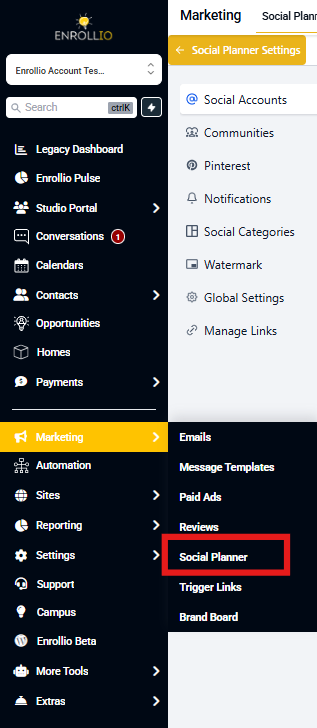
Step 1: Log into your Enrollio account, navigate to Marketing, and click Social Planner.
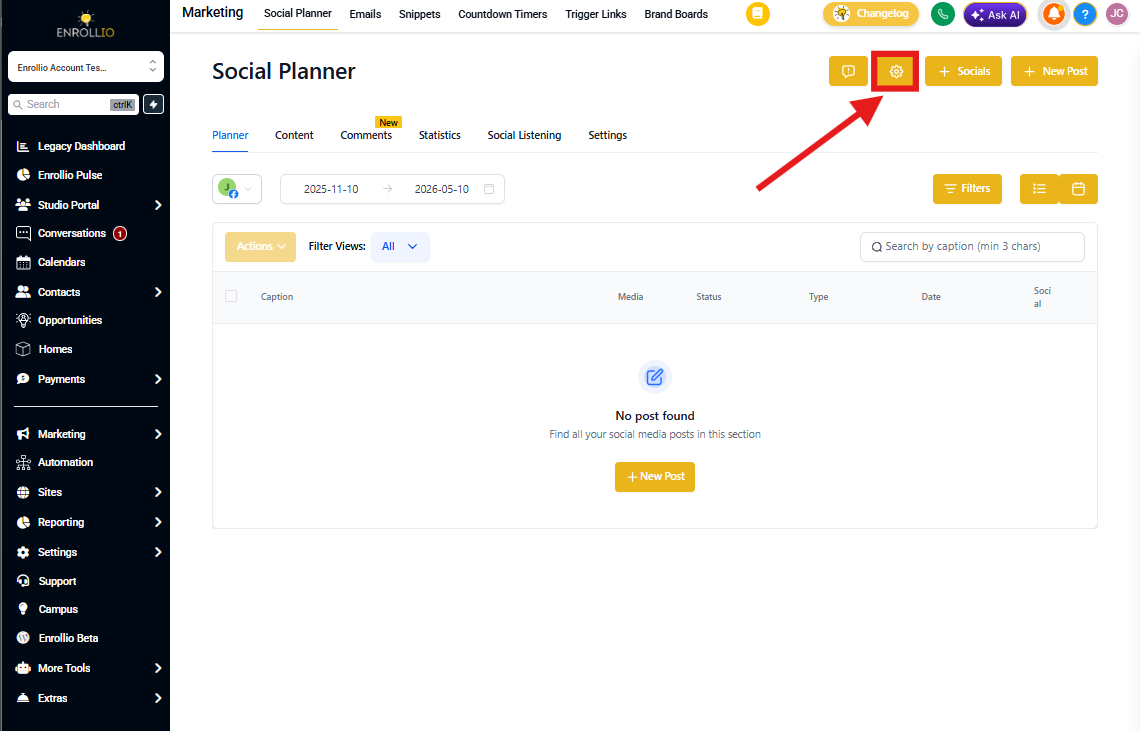
Step 2: If this is your first time using Social Planner, you'll see a setup wizard with a connect option. If you've already set up Social Planner, click the Settings icon (gear icon) in the top right corner.
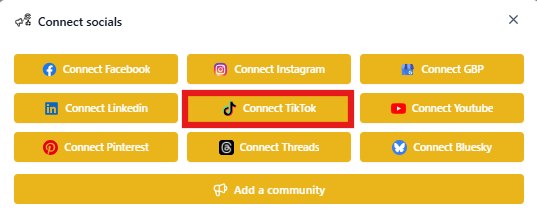
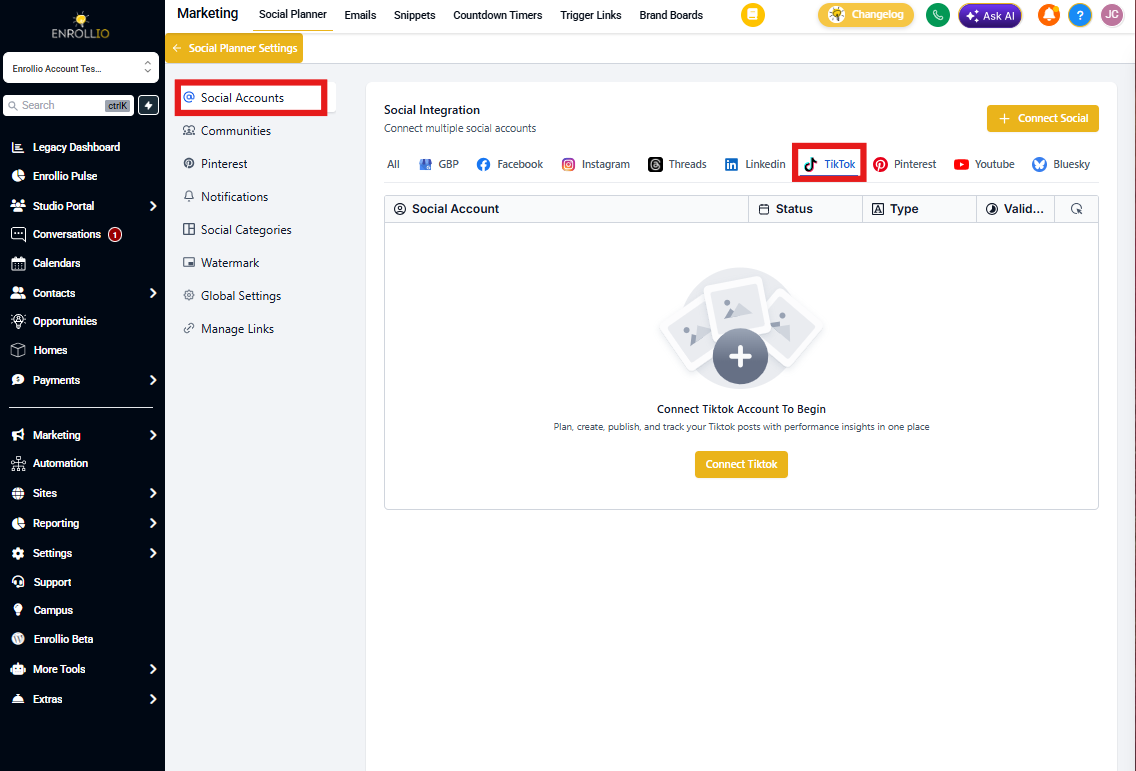
Step 3: Click Add Account. You'll see options to connect different social media platforms. Select TikTok.
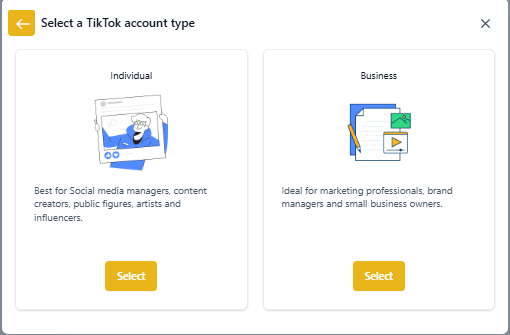
Step 4: Choose whether you're connecting a Personal Account or Business Account, then log into your TikTok account when prompted.
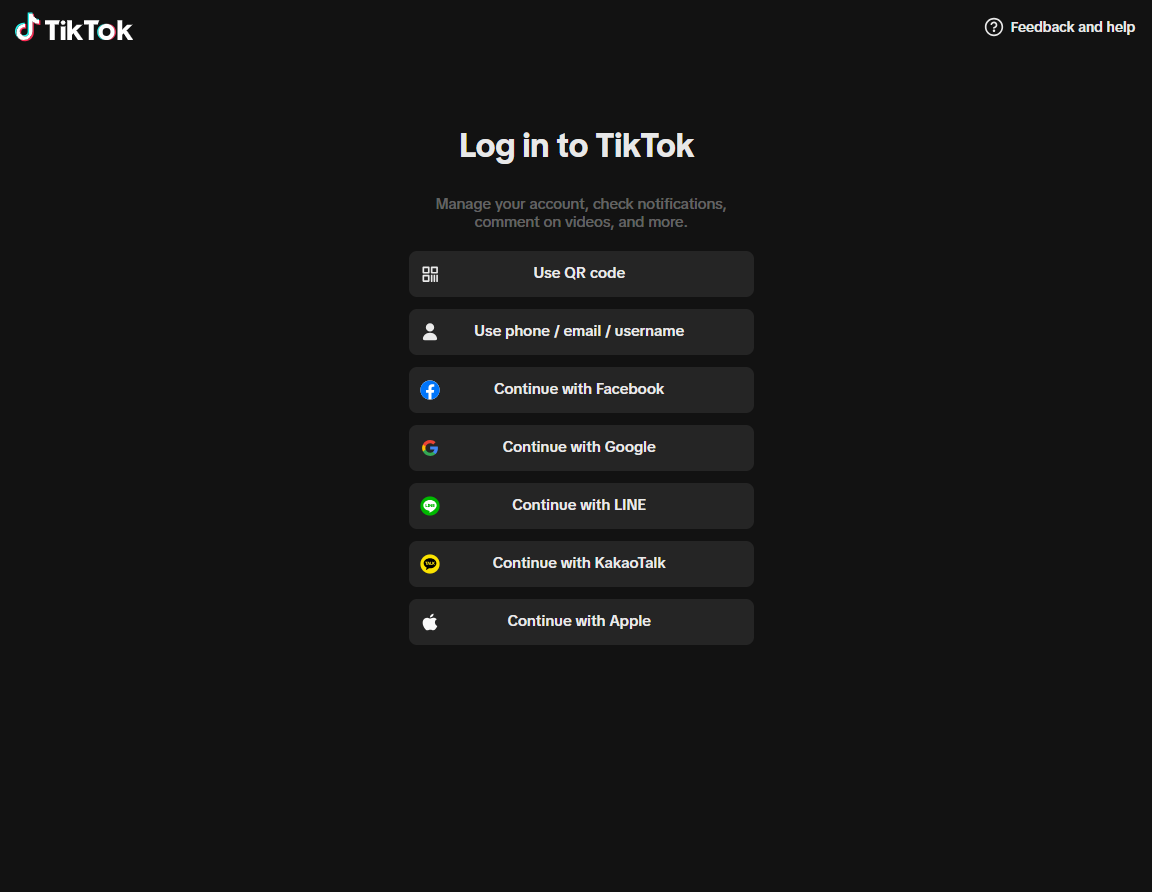
Step 5: Select which TikTok account you want to connect to Social Planner (if you manage multiple accounts on TikTok).
Step 6: Click Authorize to complete the connection. Your TikTok account is now connected!
Manage Your Connected Accounts
You can view and manage all your connected social accounts anytime by clicking the Settings icon in Social Planner. From there, you can add more accounts, disconnect accounts, or update permissions.
Pro Tip: Connect your center's TikTok account to share virtual tours, staff highlights, and day-in-the-life content that helps prospective families get to know your program. Consistent posting helps build trust and awareness in your community.
What's Next?
Now that your TikTok account is connected, you can schedule posts, track performance, and manage all your social media from one place. Check out our guide on scheduling TikTok posts to get started.