
Purpose
This guide introduces the new Best Time to Post feature in Enrollio’s Social Planner. This tool helps you automatically schedule your social media posts at the times when your audience is most active, improving engagement and reach.
What It’s For
Dance studio owners often struggle to figure out the best time to share updates, promotions, or class content. Instead of guessing, Enrollio now analyzes your audience’s past engagement and recommends the optimal times to post for maximum impact.
Key Features & Benefits
-
Smart Recommendations – Enrollio suggests the best posting times based on real audience data.
-
Simple Workflow – When creating a post, just select Post Now or Schedule, and Enrollio will recommend the best time.
-
Boost Engagement – Posts are automatically aligned with when your audience is most likely to interact.
-
Cross-Platform Support – Works with all connected social media accounts.
-
Future-Ready – Will expand into more formats over time.
Step-by-Step Instructions
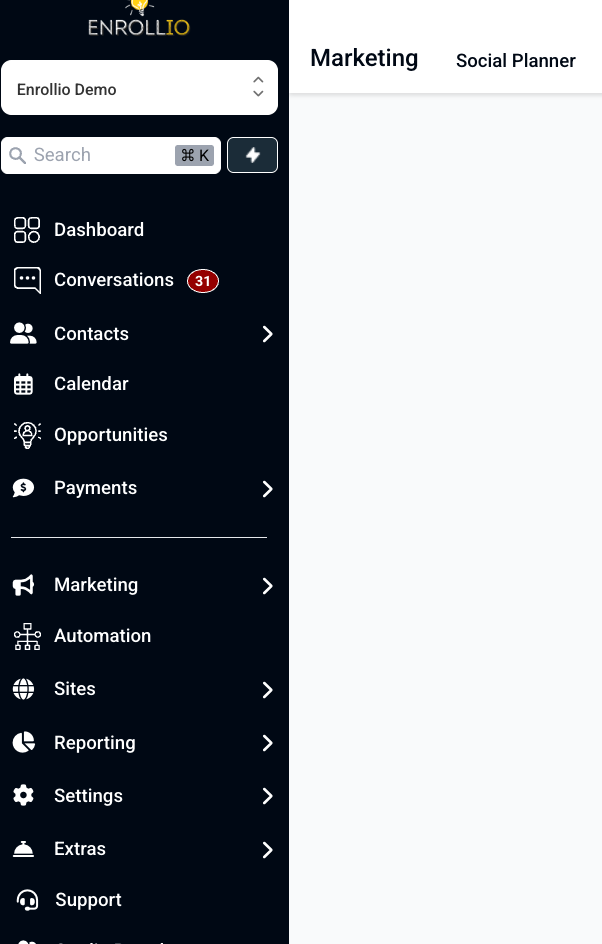
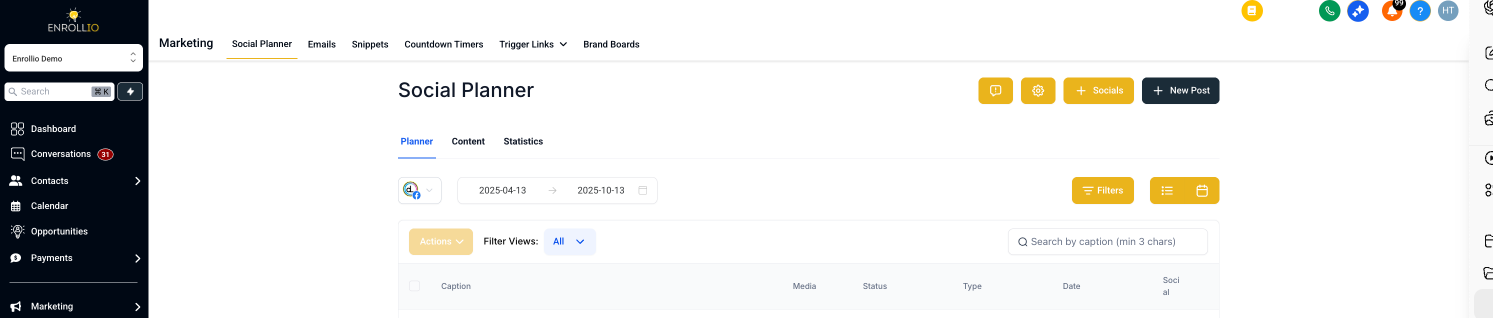
- Go to Marketing > Social Planner in your Enrollio account.
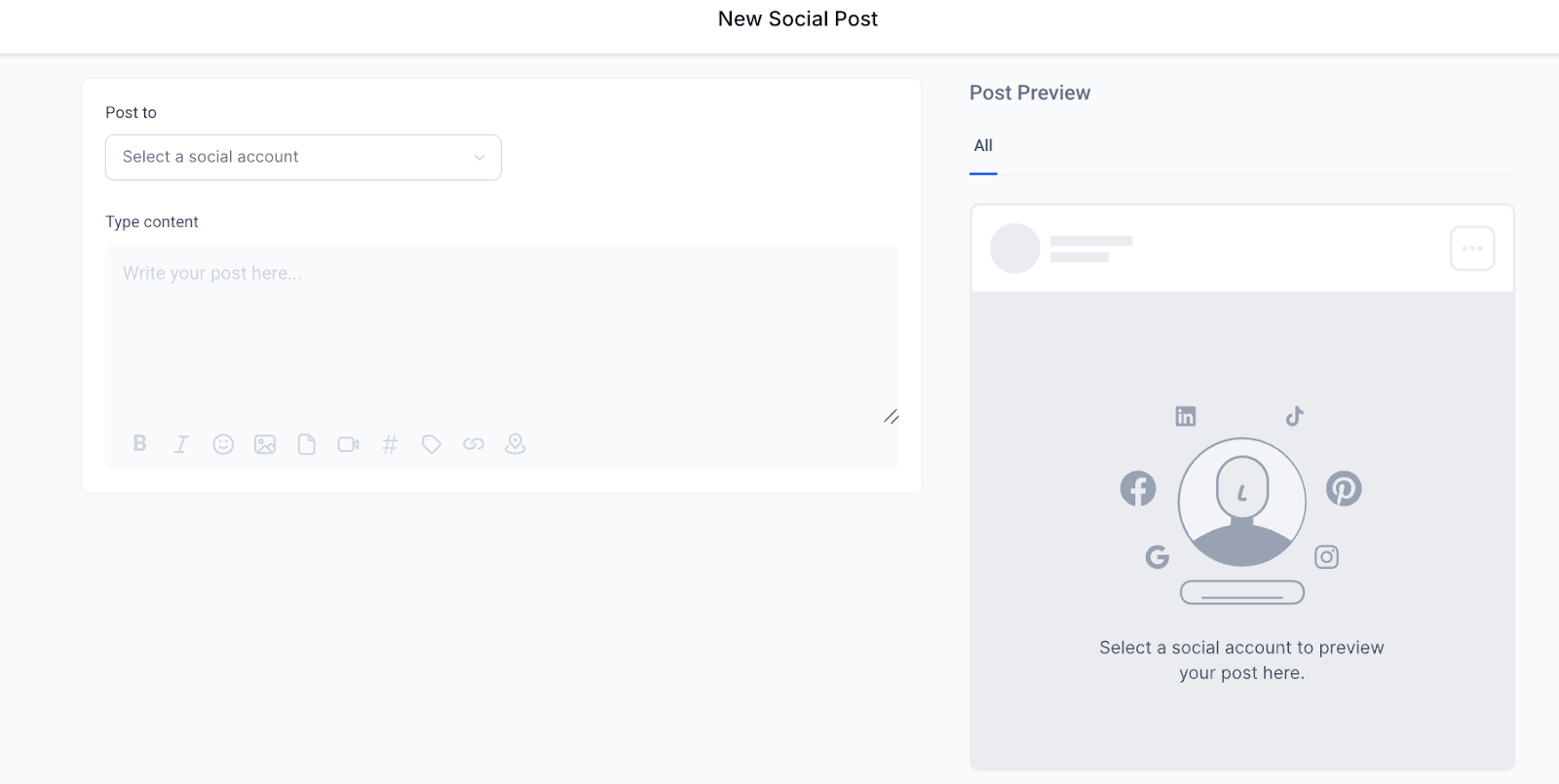
- Create a new post (text, image, or video).
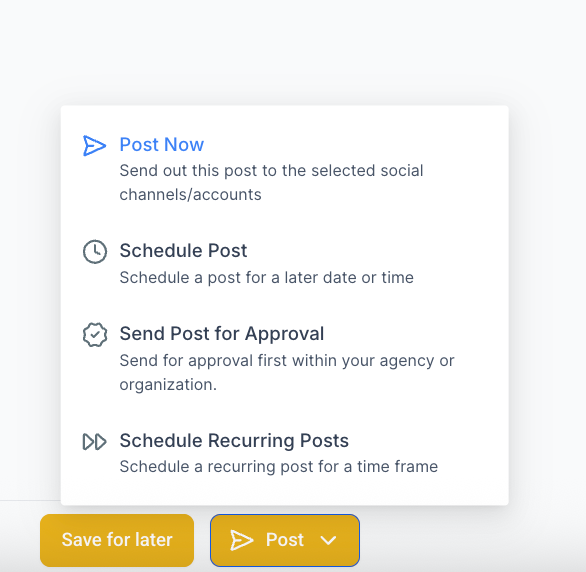
- When ready to publish, select:
-
Post Now – Enrollio will suggest the best immediate time.
-
Schedule – Enrollio will recommend future times for optimal reach.
-
Post Now – Enrollio will suggest the best immediate time.
-
Confirm and save.
Notes / Tips
📌 Currently, the Best Time to Post feature is not available on the mobile app, but support will be added in the future.
📌 You can always override recommendations if you prefer a custom posting schedule.
📌 For more details, check the full Help Center article on Social Planner Posting Options.
Why It Matters
By posting when your audience is most engaged, you’ll maximize visibility, increase likes and comments, and get better results from every post — without the guesswork.
Support Reminder
If you have any questions, please reach out to support@enrollio.ai and our team will be happy to help.