
Attachments make communication with parents, students, and staff more effective by letting you share files, documents, images, and videos. In Enrollio, attachments can be included in emails, texts, or accessed via the media library, ensuring smooth sharing across your communication channels.
What Are Attachments?
Attachments allow you to send and receive files directly in conversations. For dance studios, this includes:
Contracts with parents and staff
Class schedules and event flyers
Dance performance videos and images
Files can be uploaded from your device or selected from the media library. Files too large for texts or over 20MB for emails are automatically sent via the media library link.
Key Benefits of Attachments:
Enhanced Communication: Share important documents, photos, and videos.
Flexible Upload Options: Upload from your device or media library.
Automatic Media Library Uploads: Large files are automatically uploaded and shared via links.
Engaging Email Thumbnails: Videos generate GIF thumbnails for interactive emails.
How to Use Attachments:
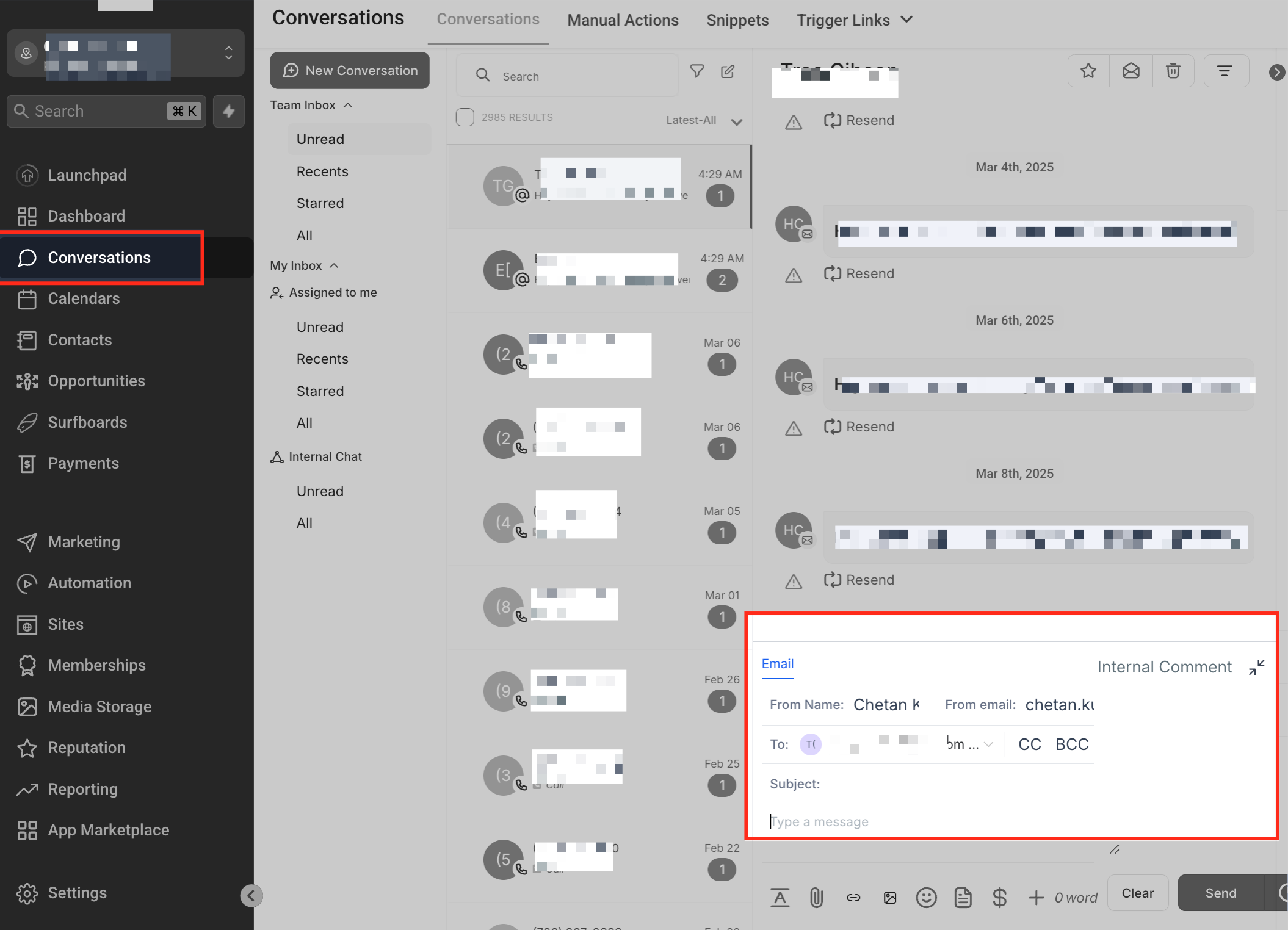
Access the Conversations Section
Go to the Conversations tab in Enrollio. Open an existing conversation or start a new message.
-
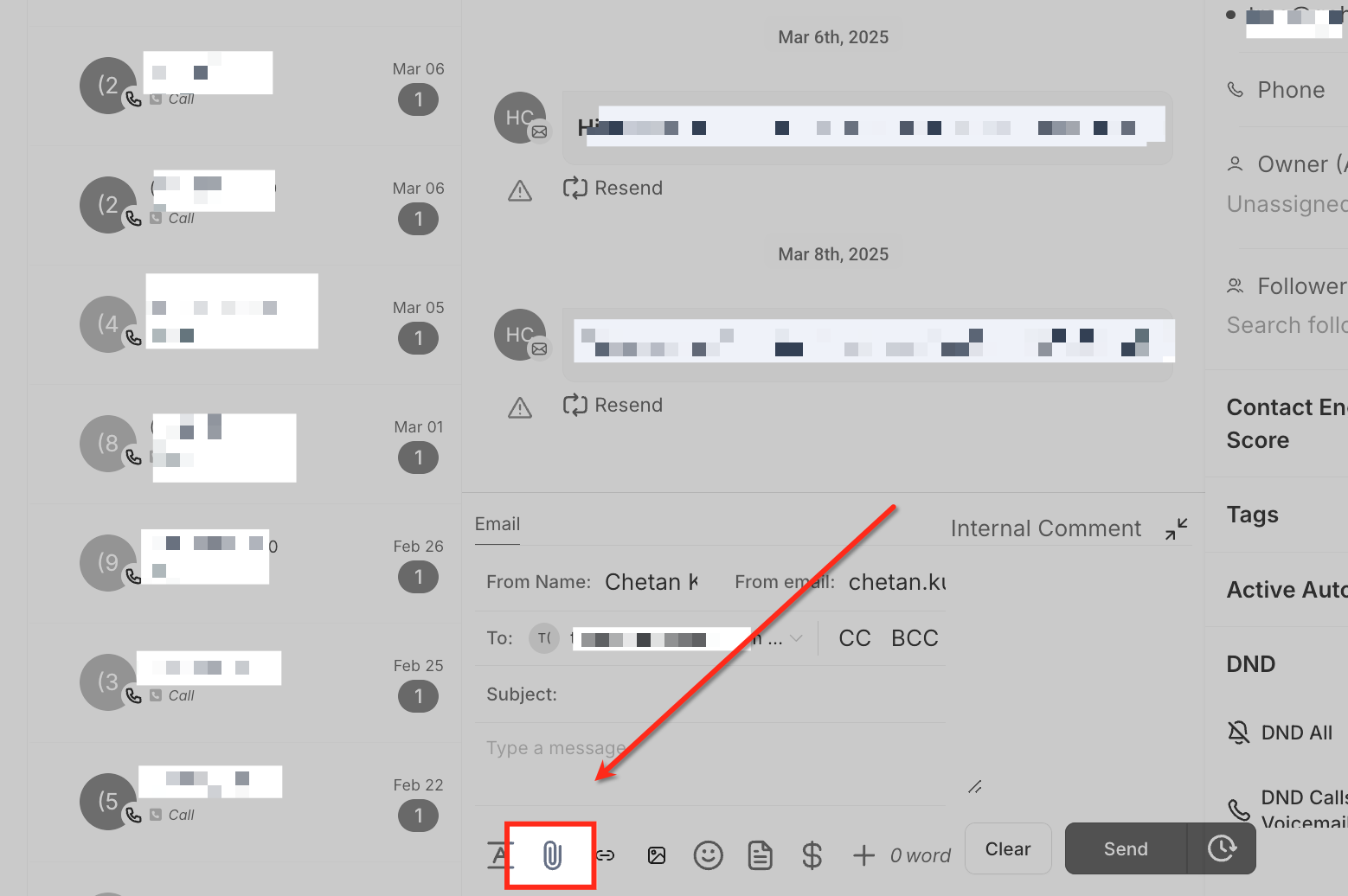
Attaching a File to a Message
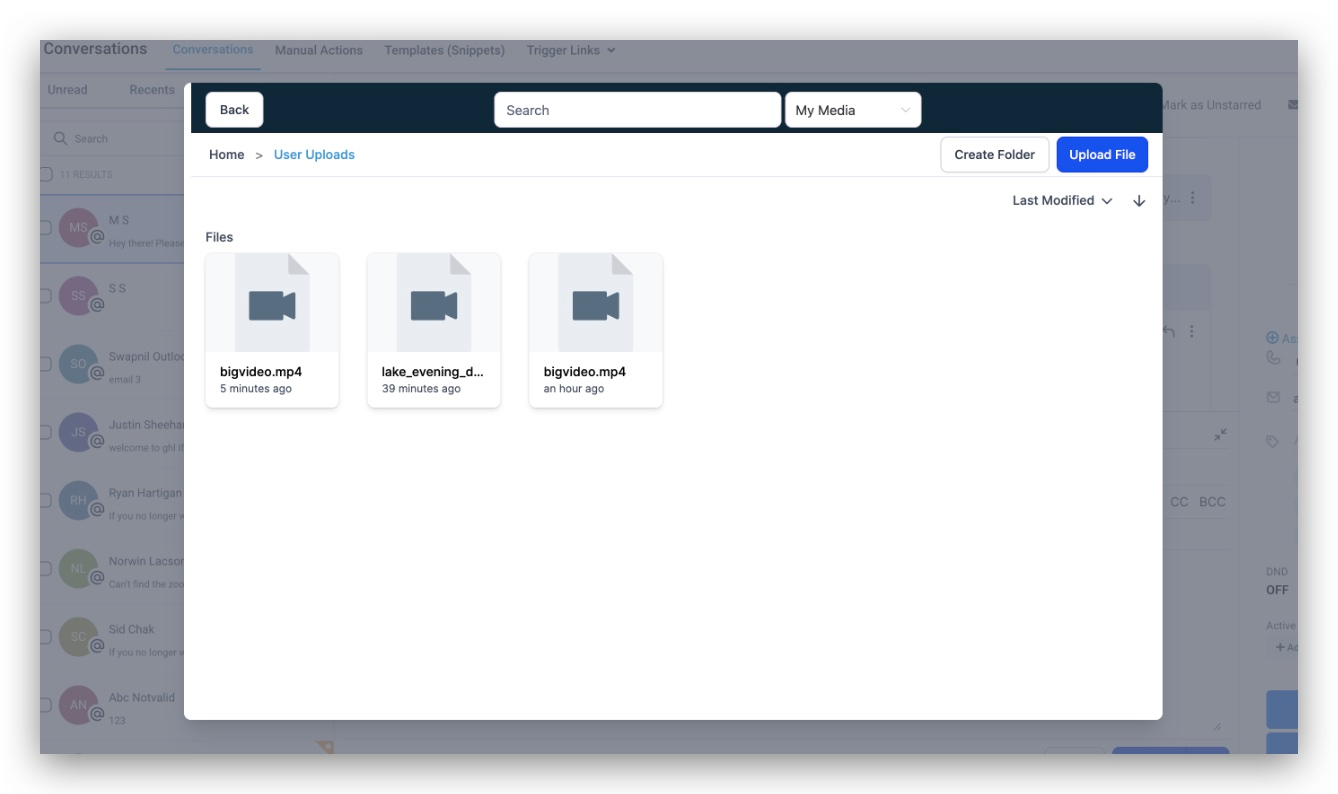
- Click the paperclip icon. Select a file from your device or choose one from the media library.
- The file will attach to your message.
-
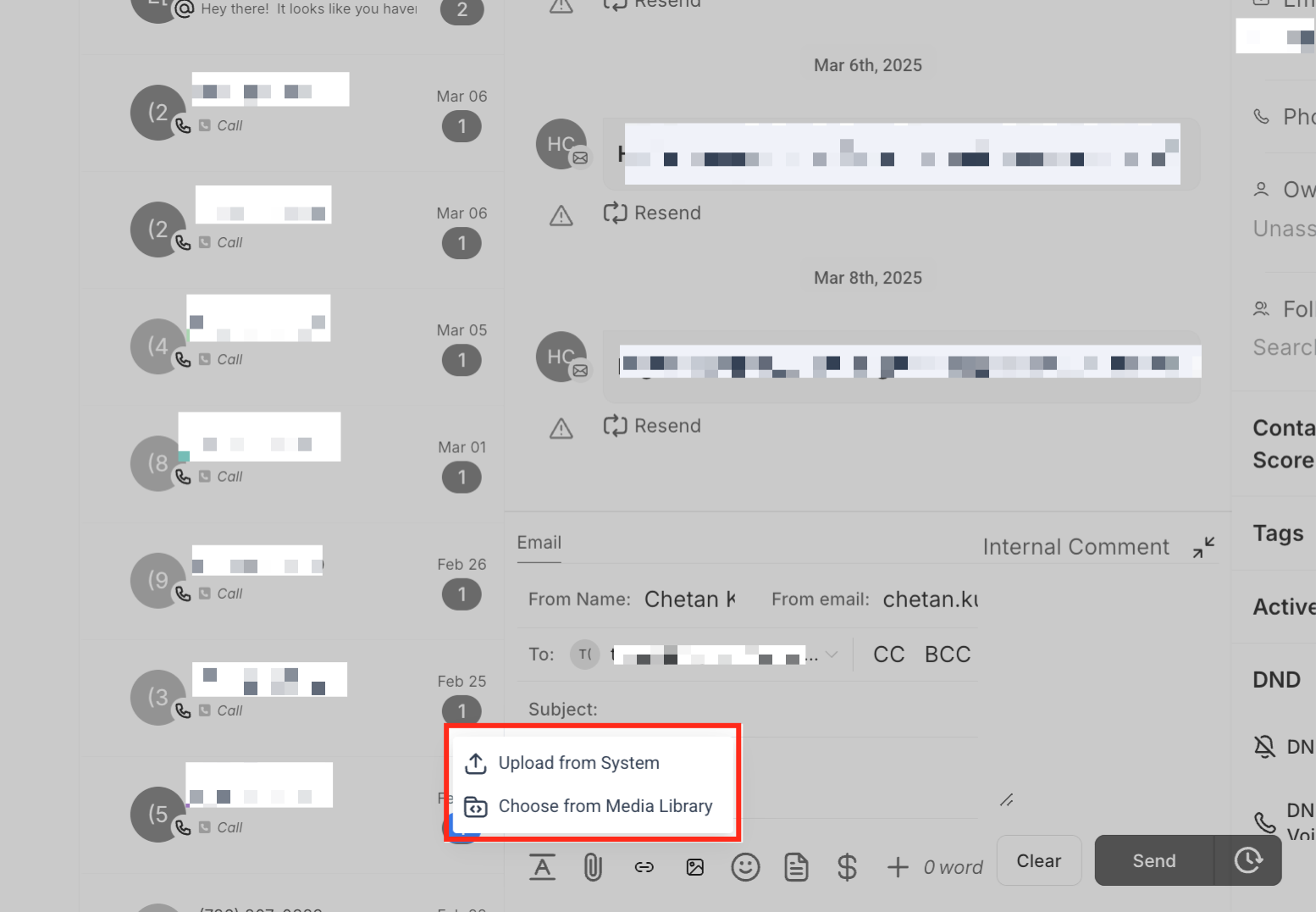
Choosing an Upload Method
Upload from Device: Select a file directly from your computer.
Use the Media Library: Reuse files that have been previously uploaded.
-
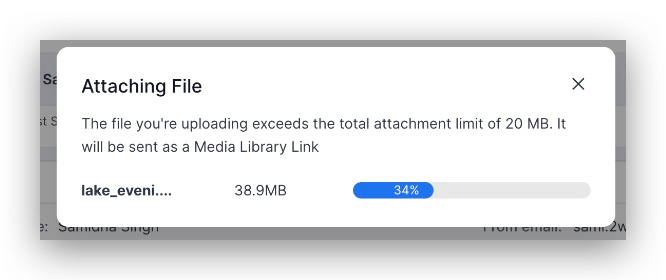
Automatic Media Library Uploads.
- Files larger than 20MB are automatically moved to the media library and shared via a link.
-
Interactive Video Thumbnails:
- Videos uploaded through the media library automatically generate animated GIF previews.
Frequently Asked Questions
File types: Images, documents, PDFs, and videos. Large files are sent via media library links.
Accessing the media library: Files can be reused or quickly accessed without needing to be re-uploaded.
Sending attachments via text: SMS files over the size limit are converted to media library links.
Interactive video thumbnails: Uploaded videos generate GIF previews for better engagement.
Final Note
Using attachments in Enrollio ensures that your messages, whether schedules, documents, or videos, are always engaging, well-organized, and easy to navigate.