
When managing your dance studio with Enrollio, you may sometimes encounter the following error when sending SMS messages:
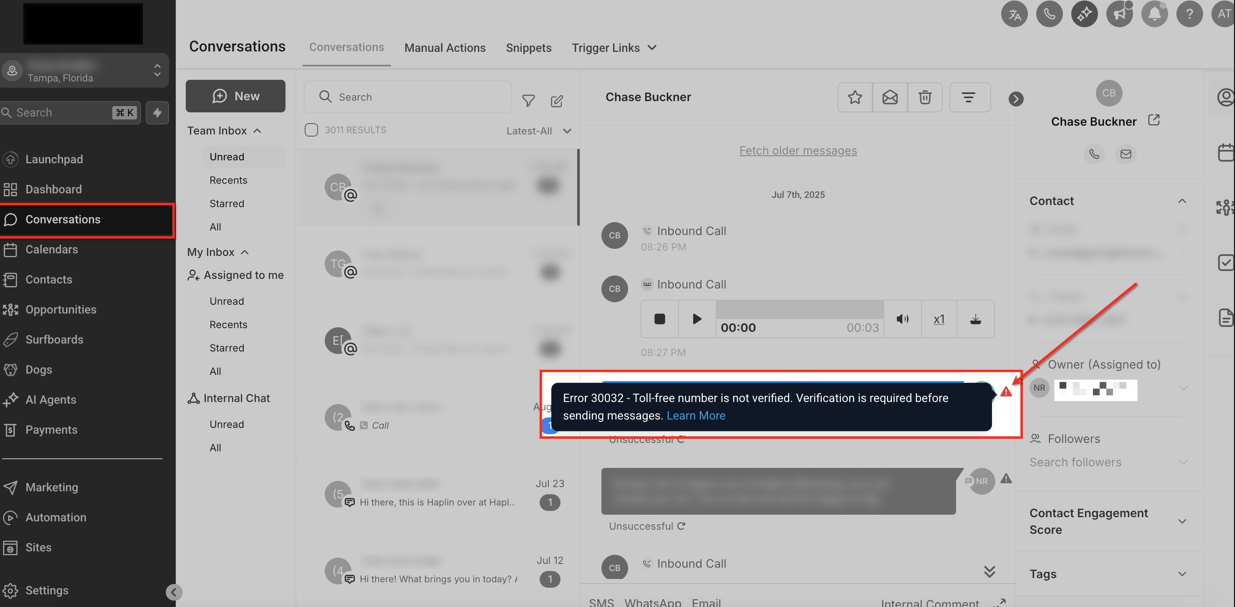
What This Means for Your Studio
Ensuring smooth communication is critical for class notifications, event updates, and emergency alerts. This error indicates that your SMS messages may not be delivered, potentially impacting timely updates to parents, teachers, and students.
How to Resolve the Issue
Verify Twilio Number Capabilities
Confirm that your Twilio number supports both SMS and voice communications.
Check if your country supports Twilio phone numbers with SMS/voice capabilities using Twilio’s international phone number guide.
In the Twilio console, verify if the number associated with Enrollio is SMS-capable.
If not, assign or purchase a new number that supports SMS.
Use Enrollio’s Phone Assignment Feature
If local regulations prevent obtaining a number with both capabilities, use Enrollio’s phone assignment feature to assign a dedicated SMS/voice-capable number exclusively for messaging.
Next Steps
Review Twilio’s list of countries and available phone number features.
Purchase or assign a compatible SMS/voice Twilio number for your studio.
Follow Enrollio’s instructions to set up your new number correctly.
By following these steps, your SMS communications will work reliably, keeping parents, teachers, and students informed.
Common Error Message:
"An error has occurred. Please try again. Error message: The From phone number is not a valid, SMS-capable inbound phone number or short code for your account."
This occurs when the Twilio number currently used by Enrollio is voice-only and cannot send SMS messages.