
The Contact Engagement Score feature helps you measure how actively a contact interacts with your business. This insight allows you to prioritize communication with leads and better nurture relationships.
Each interaction contributes points to the contact’s score based on its significance, while certain actions, such as enabling all Do Not Disturb (DND) channels, may deduct points. Track interactions such as email opens, calendar appointments, form submissions, and more to calculate accurate engagement scores.
Step 1: Create or Edit a Score Profile
Go to Settings → Manage Scoring.
Add a new score profile by entering a name and description.
Edit existing profiles as needed.
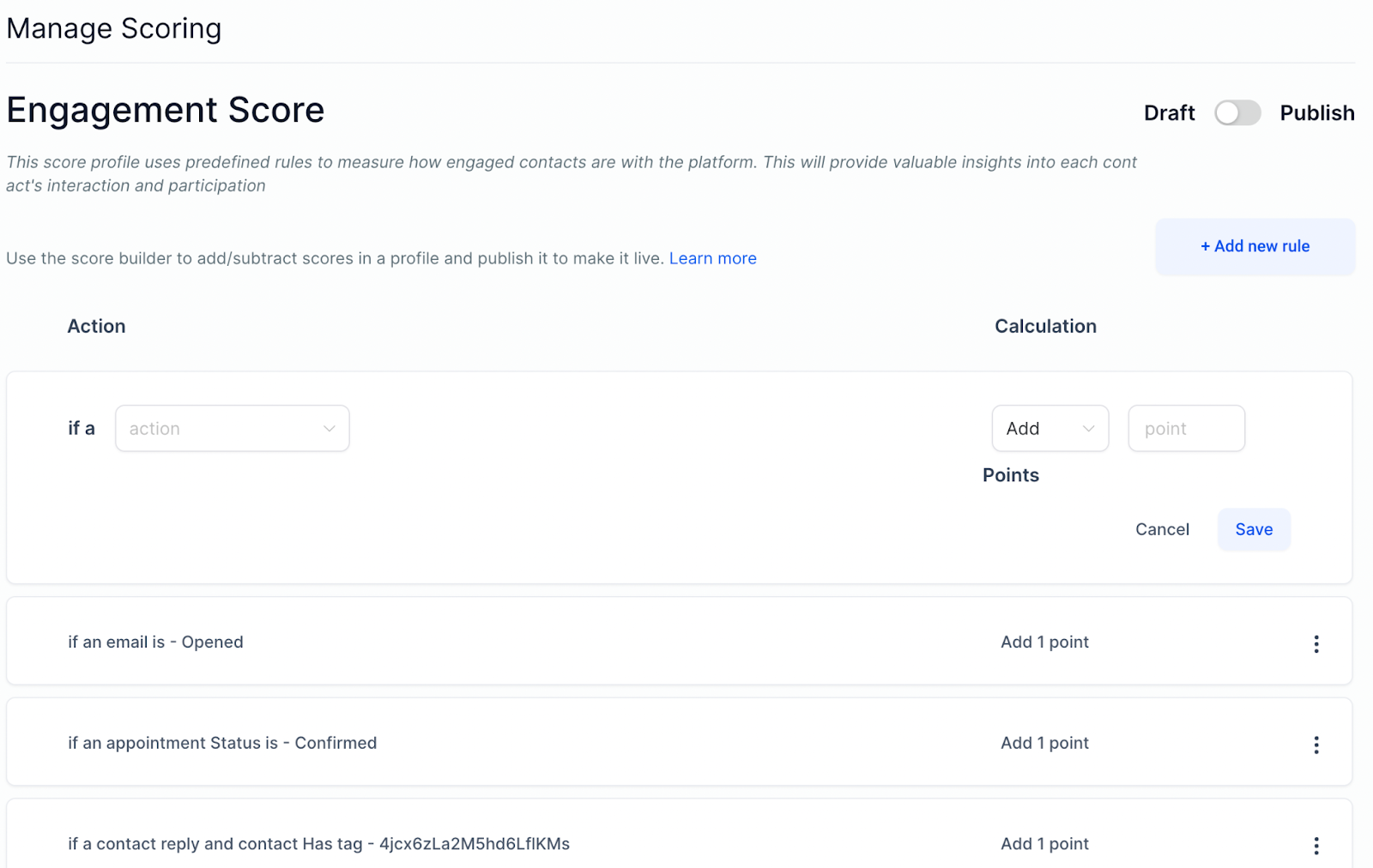
Step 2: Add Rules
Click Add New Rule to define scoring criteria or use the three-dot menu to edit existing rules.
Example: A completed payment adds points, whereas a contact who has enabled all DND channels subtracts points.
Publish the profile to ensure the score is applied to all contacts
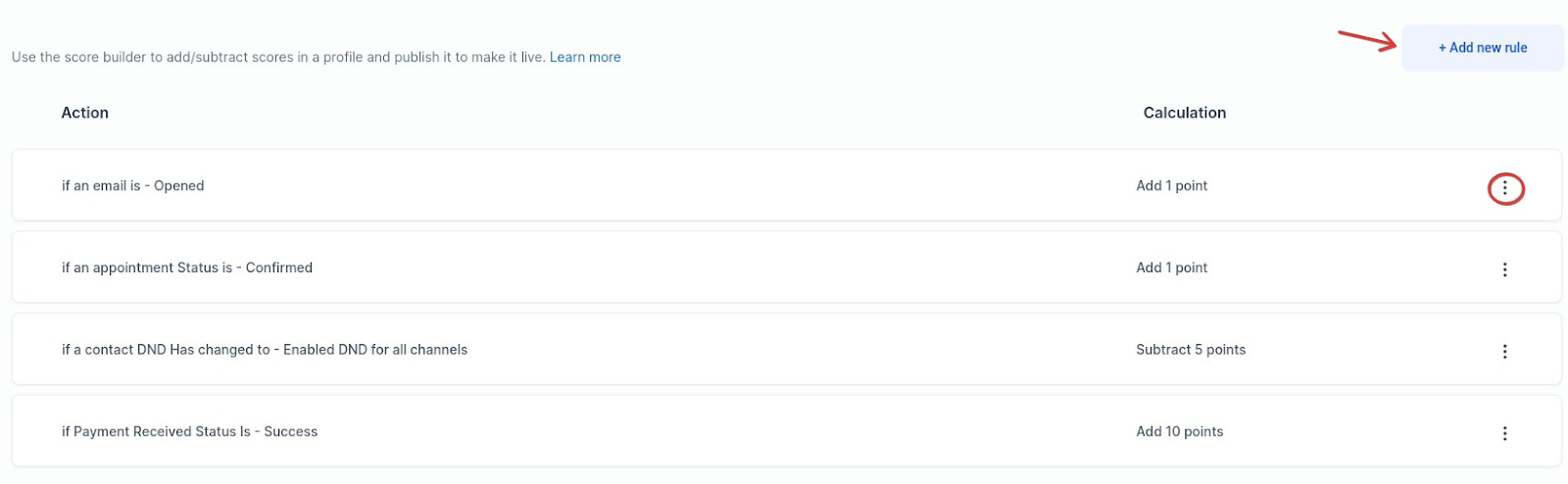
Step 3: Sorting and Filtering by Engagement Score
-
Go to the Conversations tab to view and update scores for each contact.
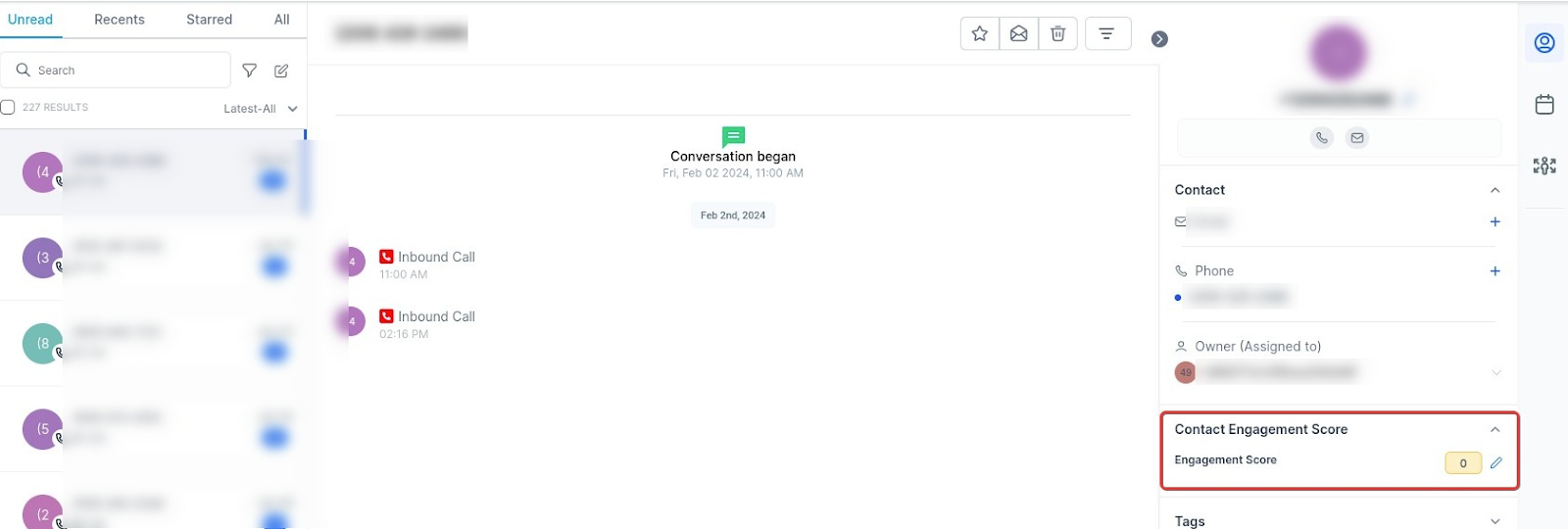
- Use the Contact tab to filter contacts by Engagement Score and create smart lists.
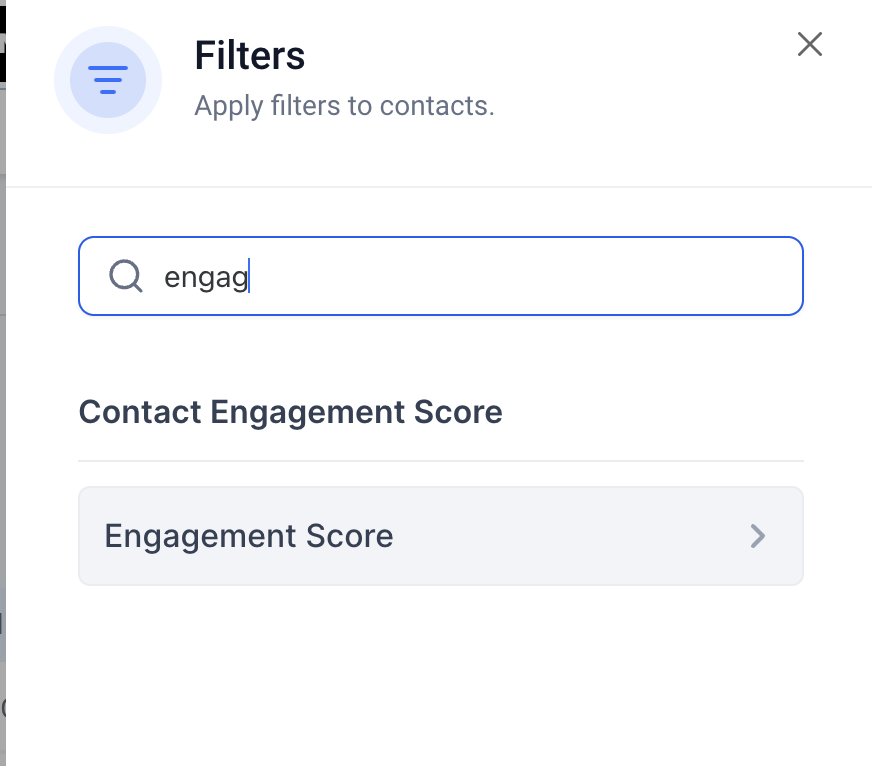
Note: The engagement score is only visible if you have published the score profile under Settings, Manage Scoring.