
Configure & Connect Purchased Domains
When you purchase a domain directly through Enrollio, you can manage all DNS settings without leaving the platform. This guide shows you how to configure DNS records and connect your domain to your enrollment pages and sites.
What is Purchased Domain Configuration?
Every domain has DNS (Domain Name System) settings that control where it points and how it works. When you purchase a domain through Enrollio, we become the domain registrar — which means you can manage everything in one place.
You can add, edit, and remove DNS records (like CNAME and A records) directly in your Enrollio dashboard.
Where to Find Domain Settings
Navigate to Settings > Domains > Purchased Domains.
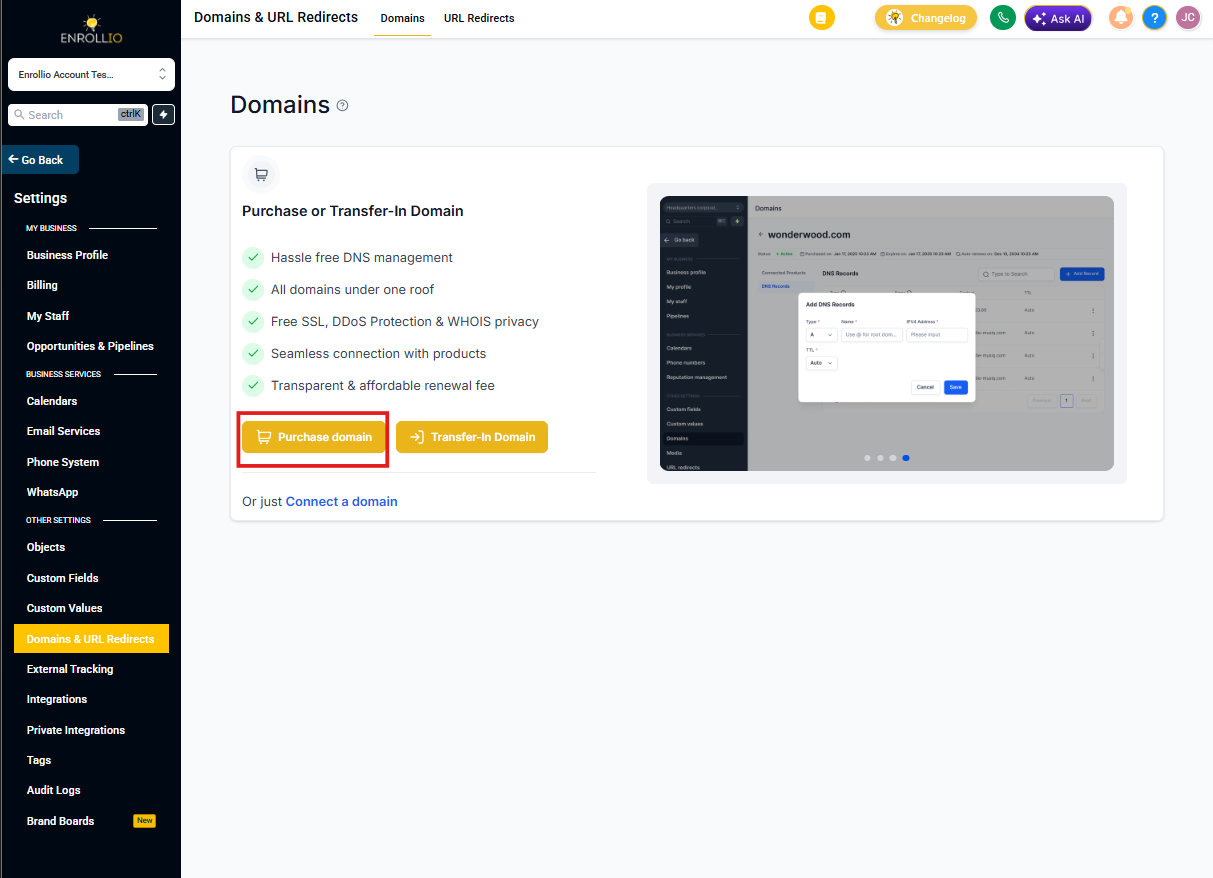
Managing Your Domain
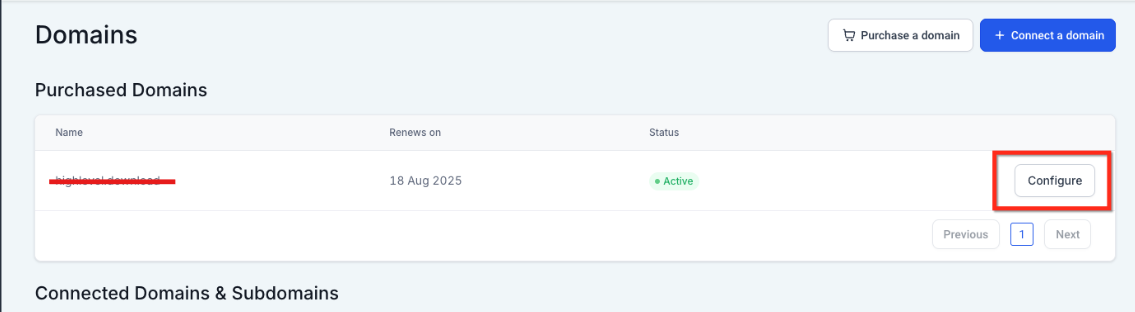
Click Configure next to your purchased domain to open the settings panel.
You have two main options:
- Add or edit DNS records manually
- Connect the domain to an enrollment page or site you've built
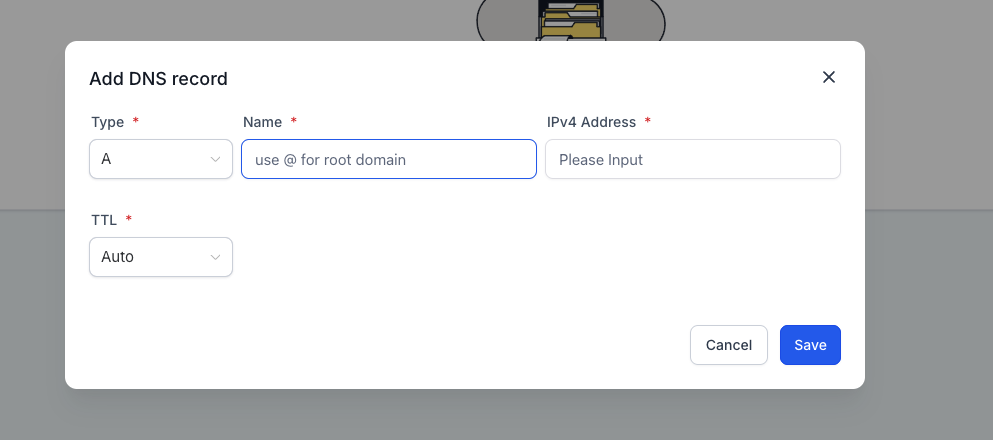
Adding DNS Records
You can add and edit these DNS record types:
- A
- CNAME
- AAAA
- MX
- TXT
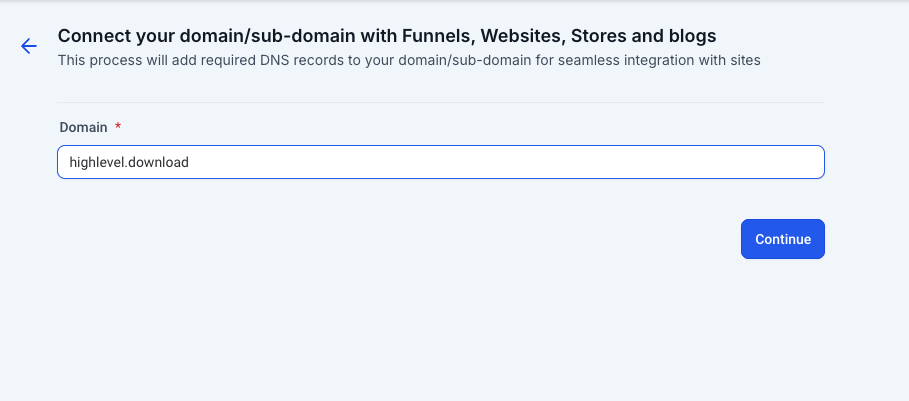
Connecting Your Domain to a Site
Follow these steps to connect your domain to an enrollment page or site:
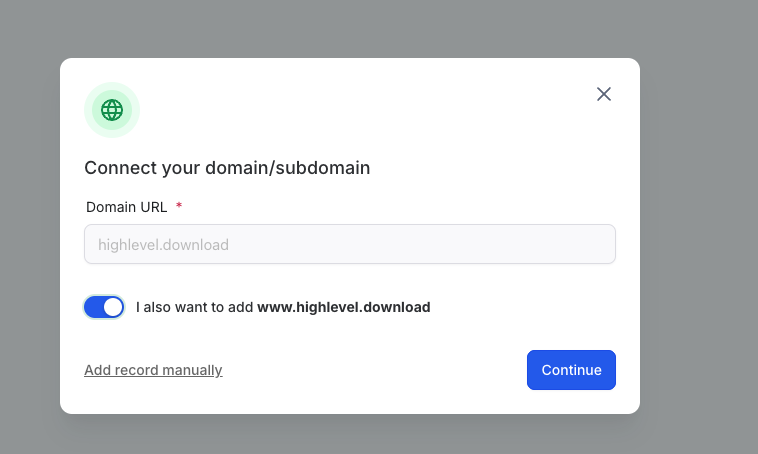
- Click Connect This Domain
- Click Continue
- Click Continue again
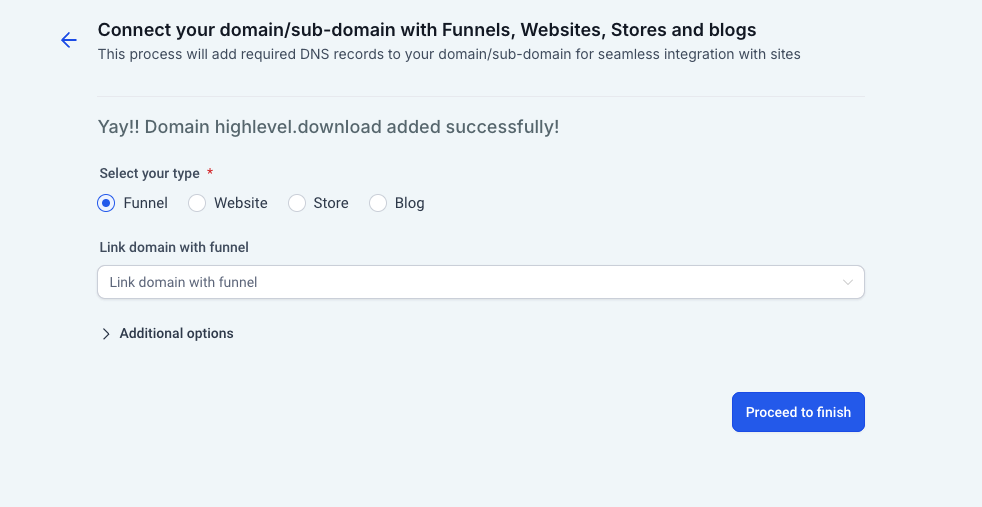
- Click Add Records
- Select the correct site type from the dropdown
- Click Proceed to finish
Your domain is now connected and ready to use.
Frequently Asked Questions
Can I use one domain for multiple sites at the same time?
No, a root domain (like yourchildcare.com) can only connect to one site at a time. However, you can create subdomains for different purposes — like tours.yourchildcare.com for tour booking pages or enroll.yourchildcare.com for enrollment applications.
What DNS records can I manage?
When you purchase a domain through Enrollio, you get full DNS control. You can add, edit, or delete A, CNAME, AAAA, MX, and TXT records without needing an external registrar or DNS tool.
Do I need to verify my domain after purchasing?
No. Domains purchased directly through Enrollio are automatically verified and ready to use. You can immediately configure DNS settings and connect the domain to your enrollment pages and sites.