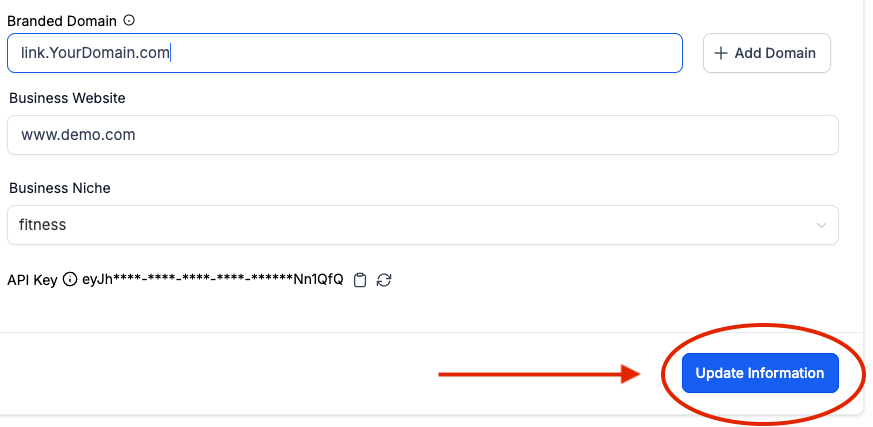
Add Your Brand Your Forms, Calendars, Surveys, Trigger Links, and More...
Creating your brand link will ensure that system-generated links will reflect your brand.
Step 1:
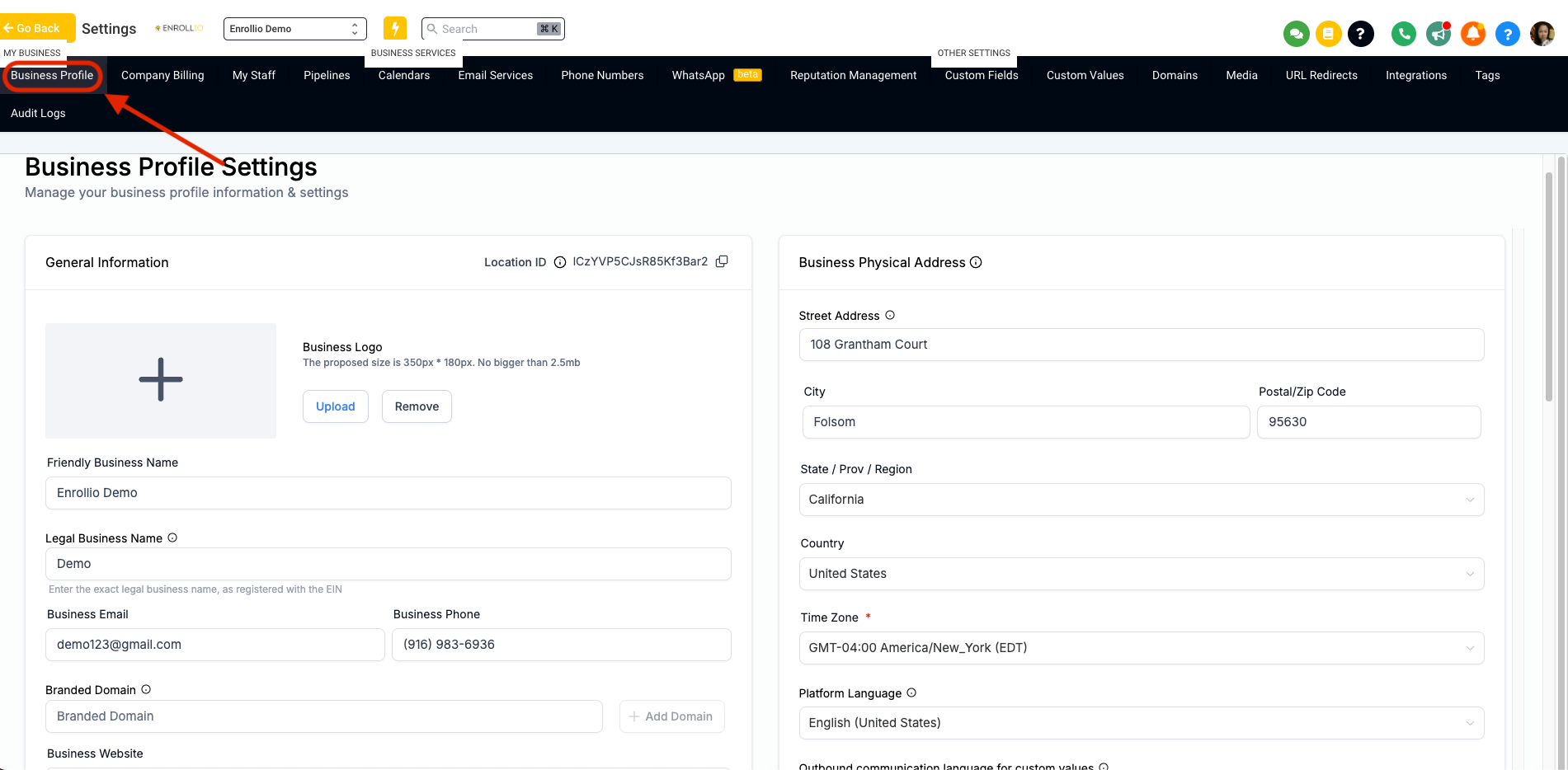
Go to Settings> Business Profile
Step 2:
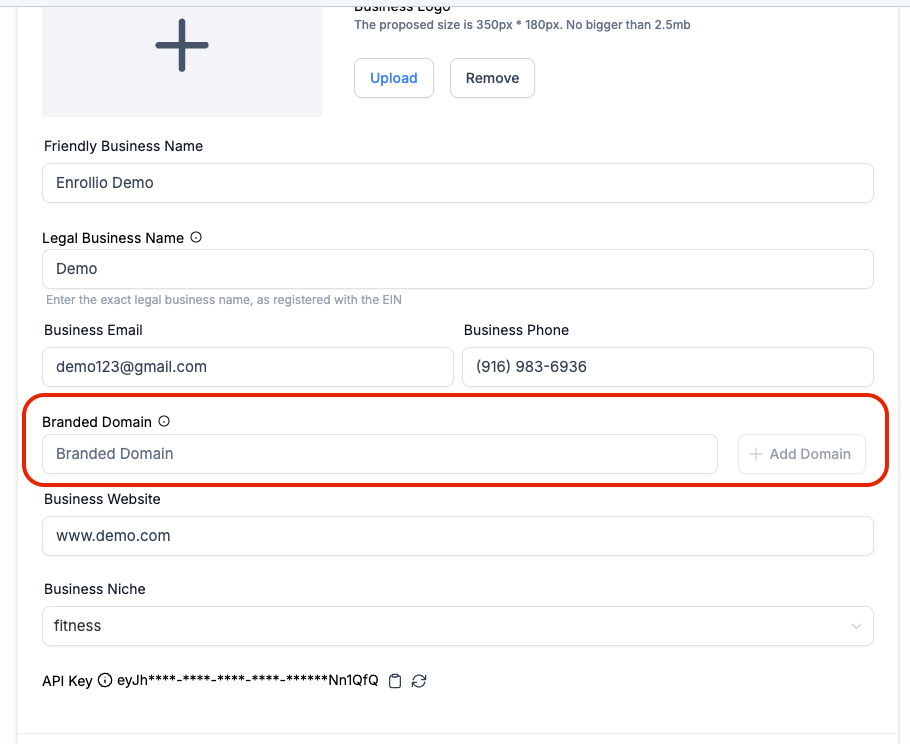
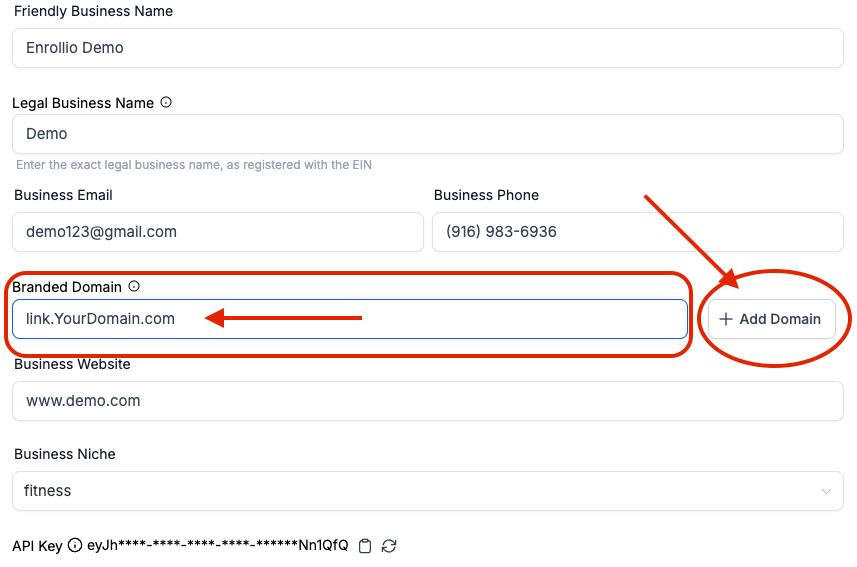
Scroll down and look for the Branded Domain section
Step 3:
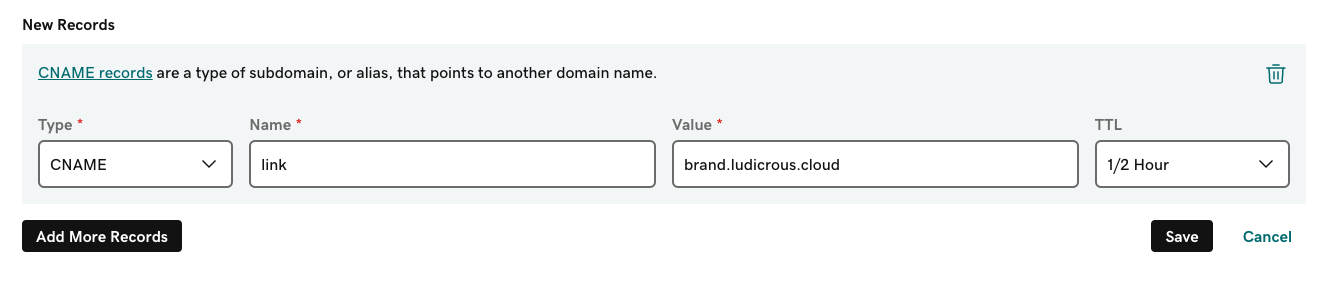
On your domain host, add a CNAME Record add the name for the link, and then add brand.ludicrous.cloud for the value
Step 4:
After adding the CNAME record go back to Enrollio and add the link to the Branded Domain section, then click add domain.
Step 5:
Click on update information and you're good to go