
Overview
Email deliverability is essential for ensuring appointment confirmations, reminders, and reschedule notifications reach students and families. Until now, all calendar-related messages were sent from the same domain, limiting control over performance and reputation.
What’s New
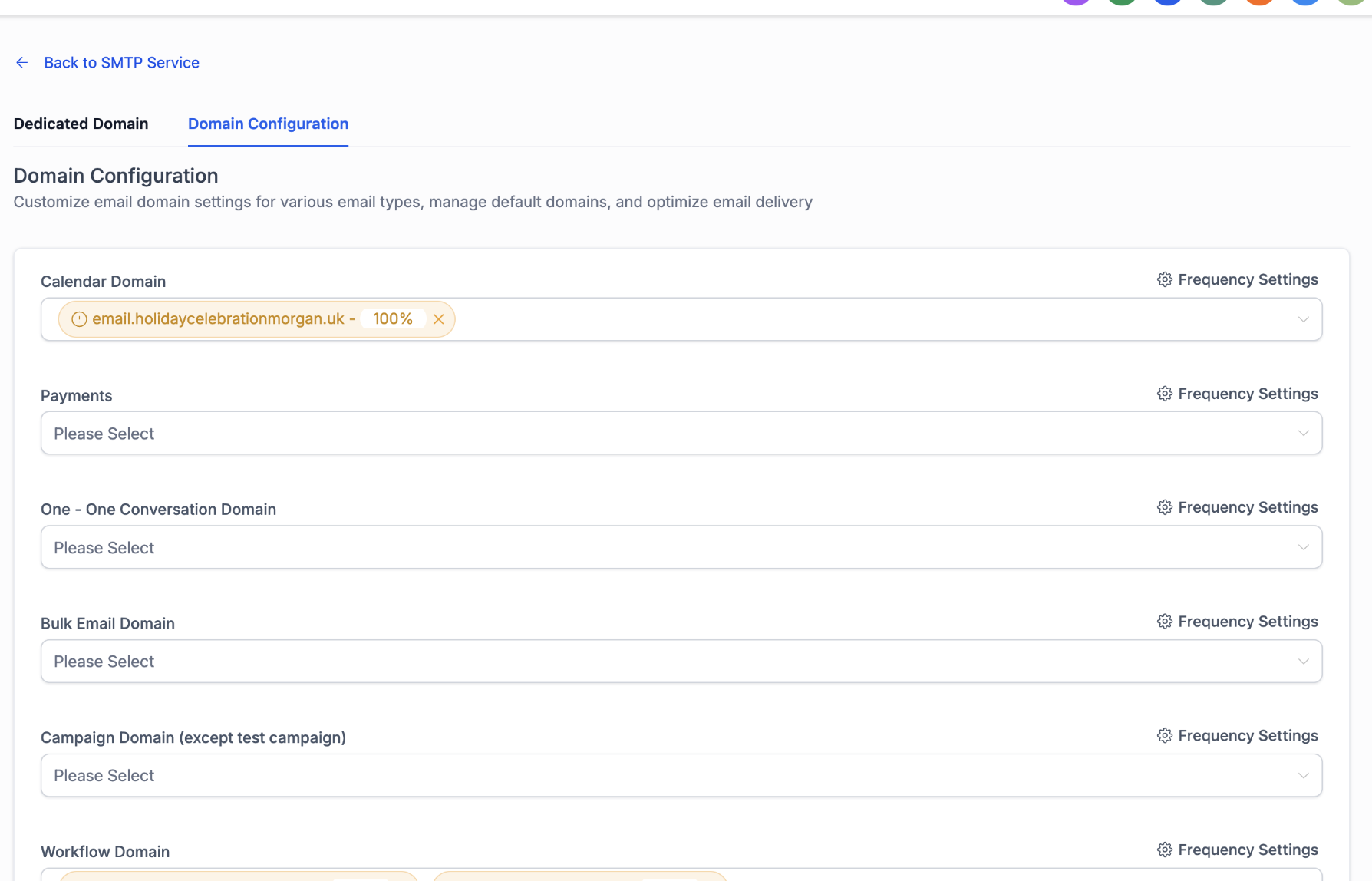
Enrollio now supports dedicated sending domains for Calendar emails. With this feature, you can:
Assign separate domains specifically for Calendar emails.
Configure up to five domains per category (confirmations, reminders, reschedule notifications, etc.).
Use percentage-based distribution control for flexible allocation.
This feature is available for all LC Email users. Configuration is done in:
Sub-account Settings → Email Service → SMTP Service → Domain Configuration
Benefits
Improved deliverability for appointment-related emails.
Better load distribution across multiple domains.
Reputation protection by isolating calendar traffic from other email streams.
Increased flexibility with percentage-based domain distribution.
How to Use
Ensure sub-accounts have created and verified domains.
Navigate to Domain Configuration under Email Service settings.
Add domains to the Calendar category.
Assign percentage distribution for each domain as needed.
Support
For any questions or assistance, please contact support@enrollio.ai