
Round robin distribution helps you automatically assign incoming tour requests and enrollment inquiries to available staff members. If your team changes or you need to adjust who receives new leads, you can easily reassign users in your round robin settings.
What Round Robin Does
Round robin evenly distributes prospective families among your team members. This ensures no single person gets overwhelmed, and every inquiry gets prompt attention from an available staff member.
When to Reassign Staff
You might need to update your round robin assignments when:
- A team member goes on leave or changes roles
- You hire new enrollment coordinators
- You want to balance tour loads differently across your team
- Staff availability changes (full-time to part-time, etc.)
How to Update Round Robin Assignments
In Automations
- Go to Automations in your Enrollio dashboard
- Find the automation using round robin assignment
- Click to edit the automation
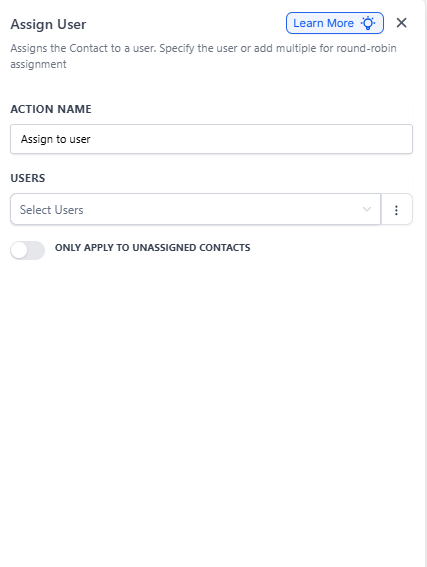
- Locate the Assign User action step
- Click the action to open settings
- Update the staff members in the round robin list
- Drag to reorder priority if needed
- Click Save
In Calendar Settings
If you use round robin for tour scheduling:
- Go to Calendars
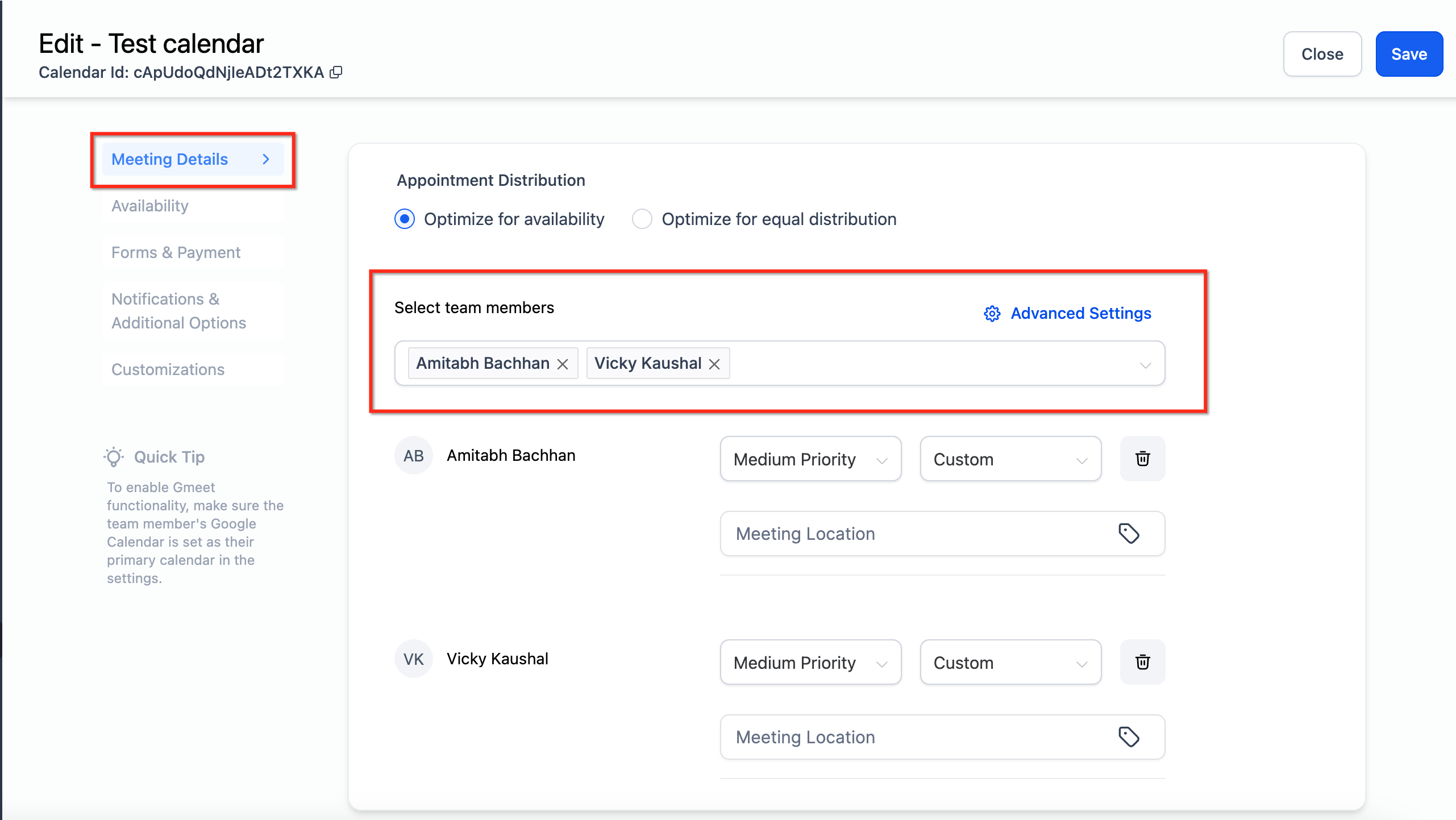
- Select the calendar you want to update
- Click Settings
- Scroll to Team Assignment or Round Robin section
- Add or remove staff members from the rotation
- Adjust the distribution method if needed (equal, weighted, etc.)
- Click Save Changes
Pro Tips
Tip: When removing someone from round robin, check your enrollment pipeline first. Reassign any active opportunities they're working on so nothing falls through the cracks.
Tip: Test your changes by submitting a test tour request. Confirm the right team member gets assigned before going live.
What Happens to Existing Assignments
Changing round robin settings only affects new inquiries moving forward. Families already assigned to a staff member stay with that person unless you manually reassign them in the enrollment pipeline.
Related Articles
- How to Automatically Assign Staff to Tour Requests
- Managing Team Member Assignments in Round Robin Calendars
- Tour Distribution Settings for Round Robin Calendars
- Automation Action - Assign User