
Why Add a Consent Checkbox?
When families book tours or consultations through your calendar, you're collecting their phone numbers. To stay compliant with A2P 10DLC regulations (the rules governing business text messaging), you need their explicit consent to send them text messages.
Enrollio's consent checkbox makes this automatic. When enabled, families check a box agreeing to receive texts from you — and Enrollio captures their consent along with their IP address as proof.
How to Enable the Consent Checkbox
The consent checkbox is enabled by default in your calendar settings, which we strongly recommend keeping on. Here's how to check or customize it:
- Go to Calendars in your Enrollio dashboard
- Select the calendar you want to edit (like your tour booking calendar)
- In the calendar settings, find the "Show consent checkbox" option
- Make sure it's toggled on
- Customize the consent text to match your needs (optional)
- Click Save
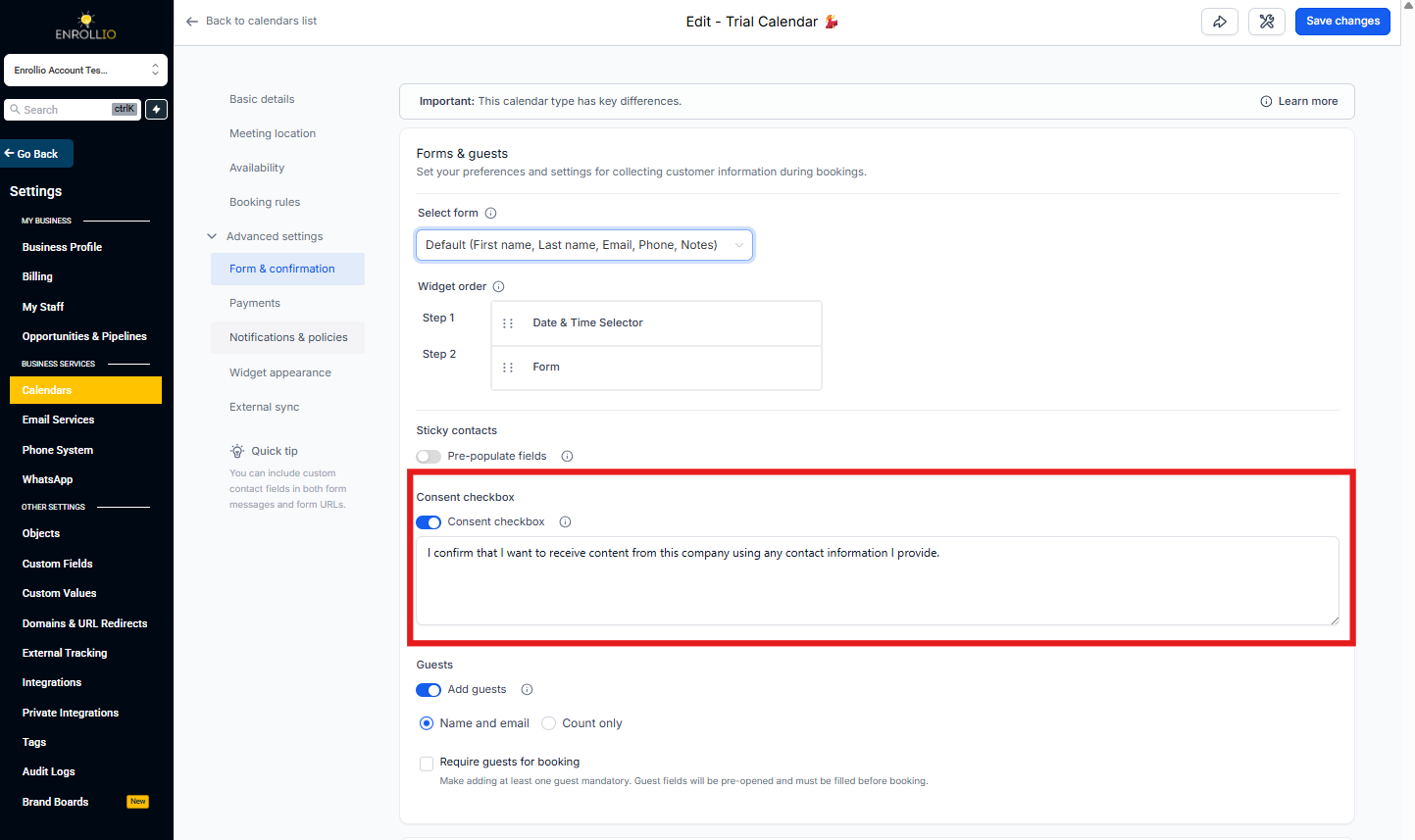
What Families See When Booking
When a prospective family fills out your booking form, they'll see the consent checkbox below the phone number field. They must check the box to complete their booking.
Where to View Consent Records
You can view consent details in two places:
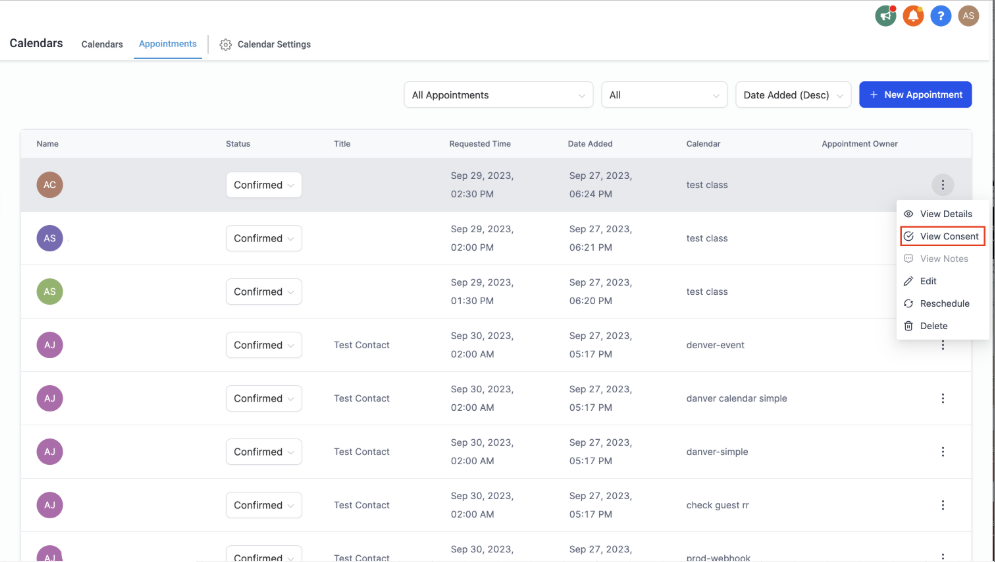
From the Appointment List
- Go to Calendars and view your appointment list
- Click the three dots menu next to any appointment
- Select "View Consent"
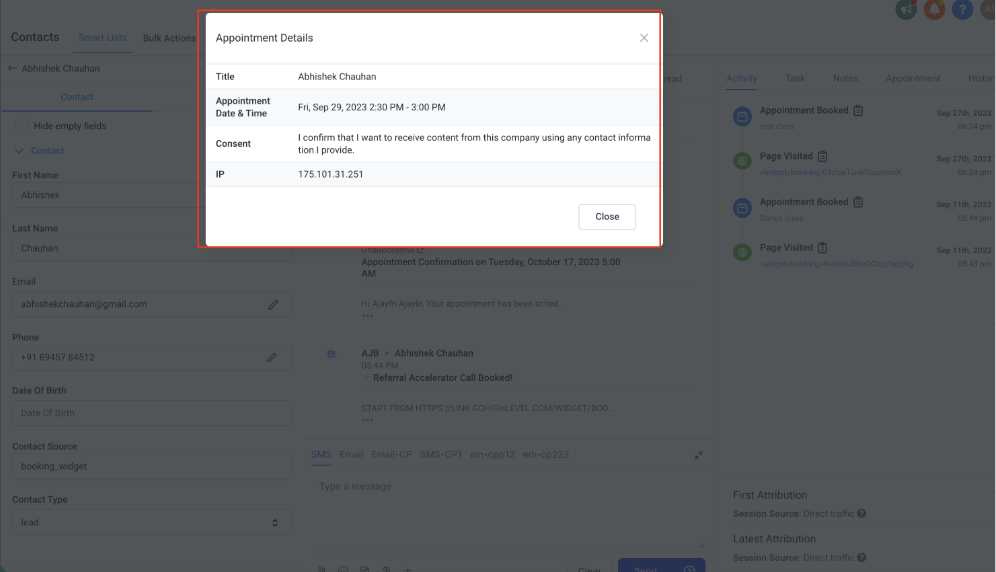
- You'll see the consent text the family agreed to and their IP address
From the Family's Activity Tab
- Open the family's contact record
- Click the Activity tab
- Look for appointments with a consent icon next to them
- Click the icon to see the consent details
Customizing Your Consent Text
You can customize the consent checkbox text to include your center's name or specific language. However, keep these limitations in mind:
- You cannot add clickable links or HTML formatting
- Keep the text clear and concise
- Make sure it clearly states the family is consenting to receive text messages
Frequently Asked Questions
Can I turn off the consent checkbox?
Yes, but we don't recommend it. Without documented consent, you risk compliance issues with telecom providers, which could result in your text messaging being blocked or restricted.
What is A2P 10DLC and why does it matter?
A2P 10DLC stands for "Application-to-Person 10-Digit Long Code" — it's the system that governs how businesses send text messages. Carriers require proof of consent to prevent spam. The consent checkbox provides that proof automatically.
Can I add links to my Privacy Policy in the consent text?
No, the consent checkbox doesn't support clickable links or HTML. Instead, add your Privacy Policy and Terms links elsewhere on your booking form — such as in a description block or your page footer.
What happens if a family doesn't check the consent box?
They won't be able to complete their booking. The checkbox is required when enabled.
How long do you keep consent records?
Consent records (including IP addresses) are stored permanently as part of the appointment record for compliance purposes.