
Never Miss a Family Inquiry — Even After Hours
Running a childcare center means you're always on the move — managing staff, caring for children, talking with parents. But prospective families are reaching out at all hours: during their lunch break, after putting their kids to bed, or between weekend errands. And when they finally take that step to contact you — filling out a form on your site or sending a message — they're ready to talk.
That's your moment.
But what happens if no one's there to respond? That silence could mean losing an enrollment to the center down the street. In childcare, trust is everything. Speed, professionalism, and consistency in communication set the best centers apart from the rest.
The solution? Automated inquiry capture and follow-up built inside Enrollio. This guide shows you how to create an always-on system that:
- Captures every prospective family inquiry across channels (even while you sleep)
- Sends timely, warm, personal responses
- Automatically books tours
- Builds relationships through nurturing messages
Let's set your center up for success from that very first contact.
Add a Lead Capture Form or Chat Widget
Whether a parent lands on your homepage or your infant program page, your site should make it effortless for them to express interest. Use an Enrollio form or chat widget to:
- Collect essential info: parent name, email, phone, child's age, program interest
- Trigger an automation (we'll set this up next)
- Connect directly to your Enrollio platform so the inquiry never slips through
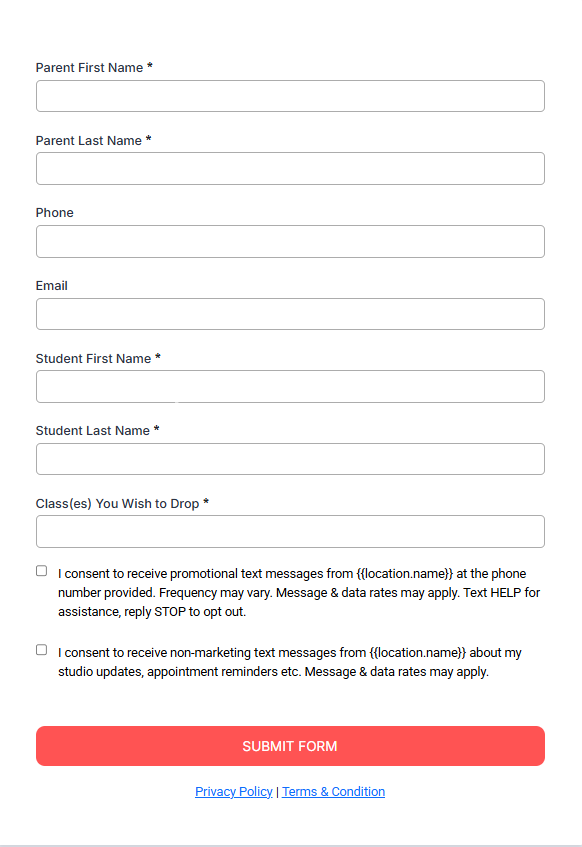
Pro tip: Pre-fill the form based on the page they landed on — if they're viewing your toddler program page, auto-select "Toddler Program" in the interest dropdown. This increases conversions.
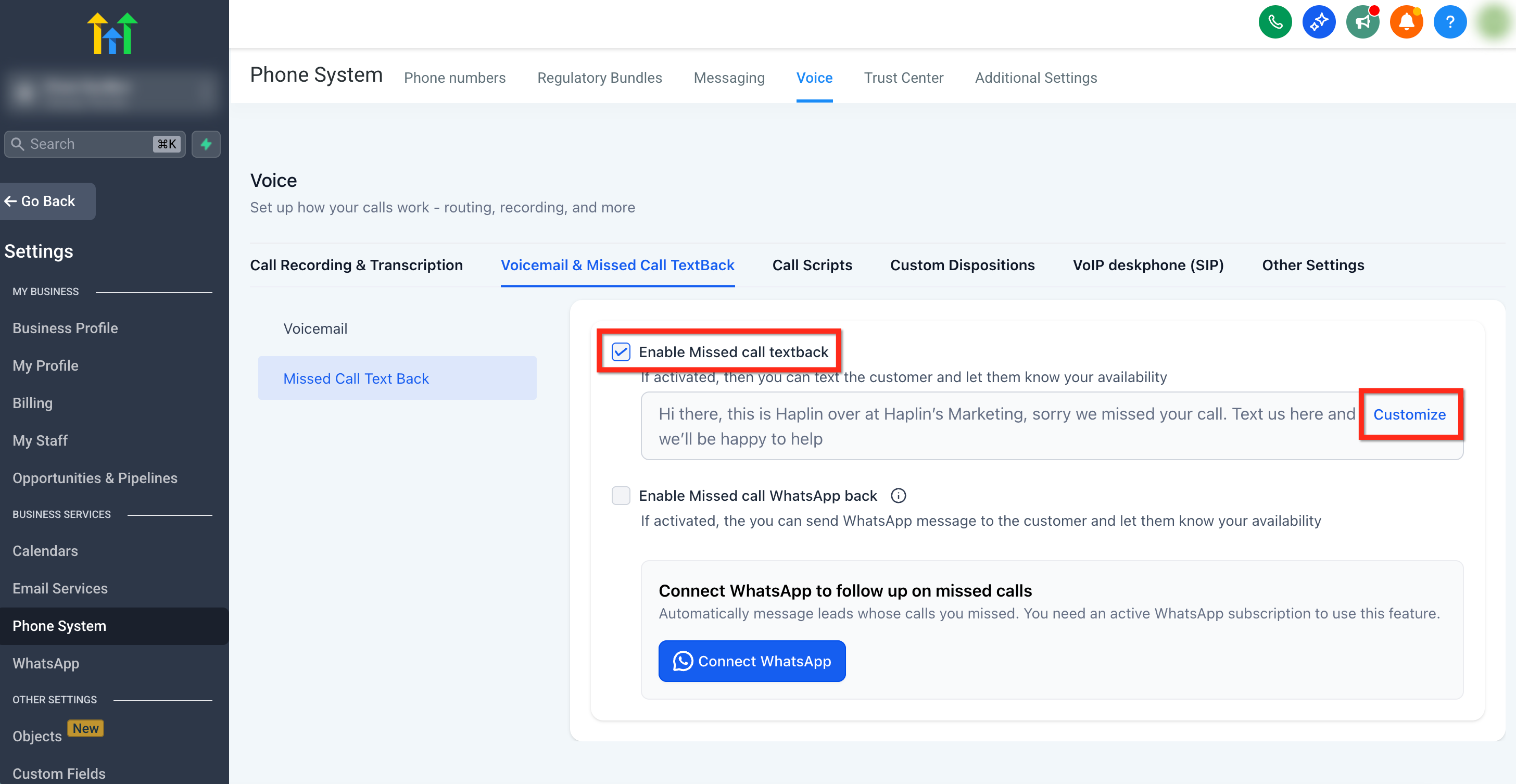
Enable Missed Call Text-Back
You're doing circle time with the preschoolers and your phone rings. You can't answer. Later, you check and it's just a missed call — no voicemail.
With missed call text-back, Enrollio will automatically reply to that number:
"Hi! Thanks for calling [Your Center Name]. We missed your call but would love to help. Are you looking to schedule a tour or learn about our programs?"
The family stays engaged. The conversation continues. You don't lose the opportunity.
Build a Follow-Up Automation (Your New Virtual Assistant)
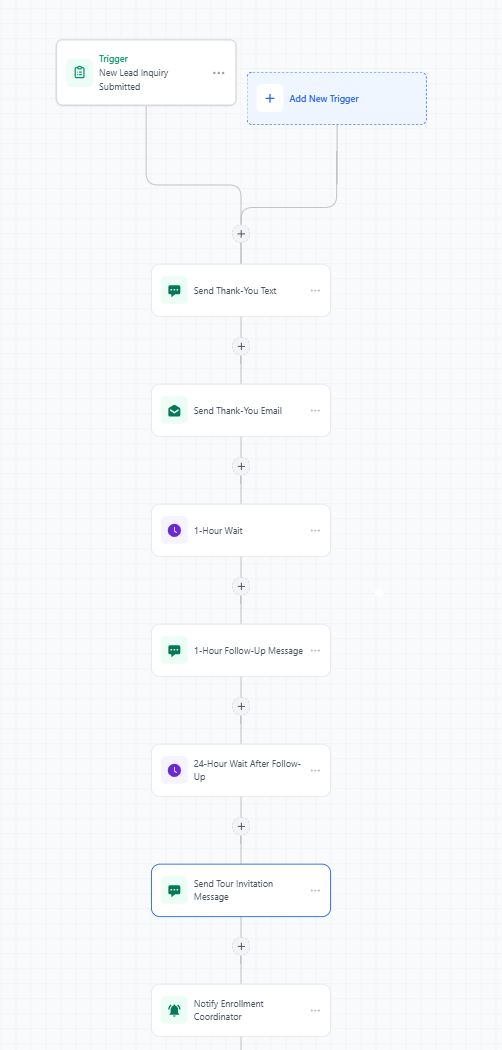
This is where the magic happens. Let's say a parent fills out your form asking about infant care. Inside Enrollio, you can build an automation that:
- Instantly sends a thank-you text and email
- Waits 1 hour and sends a gentle follow-up ("Still have questions about our infant program?")
- Waits 24 hours and offers a link to book a tour
- Notifies your enrollment coordinator via internal text or app alert
You're building trust, staying top-of-mind, and guiding them toward a tour — without lifting a finger.
Integrate Your Tour Calendar
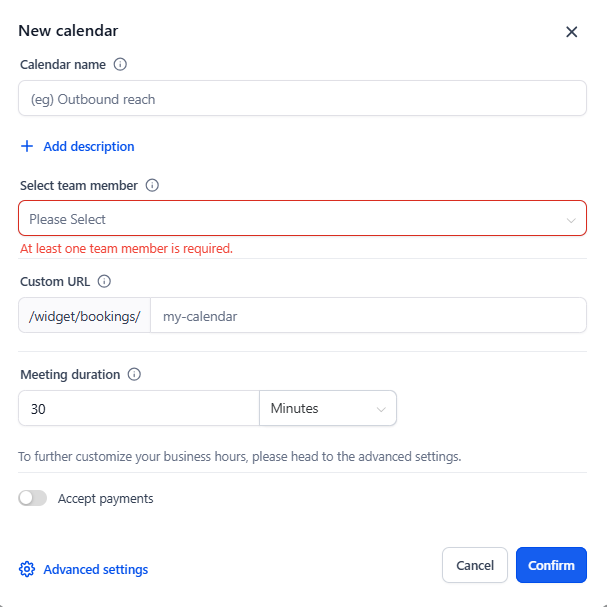
If a family is ready to visit, don't make them jump through hoops. Your follow-up messages should include direct links to:
- Book a center tour
- Schedule a call with your director
- Choose from available staff member calendars
With Enrollio's calendar integration, families can view real-time availability, select a date, and lock it in. You get notified. They get excited. Everyone wins.
Use Enrollio AI (Optional, But Powerful)
For busy centers or those who want 24/7 responsiveness, consider using Enrollio AI to automate responses to common questions about pricing, program details, enrollment availability, and tour scheduling via chat and text message.
It's like having a front desk assistant who never sleeps.
What This Looks Like in Action
"Before Enrollio, we were manually replying to families the next day — if we remembered. After automating our inquiry follow-up, we started booking 3–5 more tours per week just from faster responses. It changed everything." — Sarah, Director
Common Mistakes to Avoid
- Not following up within 15 minutes (automation solves this!)
- Sending generic responses — always personalize with child's age, program interest, and parent's name
- Not connecting your tour calendar for instant booking
- Failing to notify your team about hot leads
Quick Checklist
✅ Install an Enrollio chat widget or form on key pages
✅ Set up missed call text-back to capture offline inquiries
✅ Build a multi-step follow-up automation with email and text messages
✅ Add tour calendar links to all messages
✅ Enable Enrollio AI if you want even more automation
Need help getting this all set up? Let's make your center the top choice for families in your community.