
Overview
Smart Send helps you send emails at the best possible time to boost parent engagement. It analyzes recipient activity (opens, clicks, and interactions) from the past 60 days to recommend when families are most likely to interact with your email.
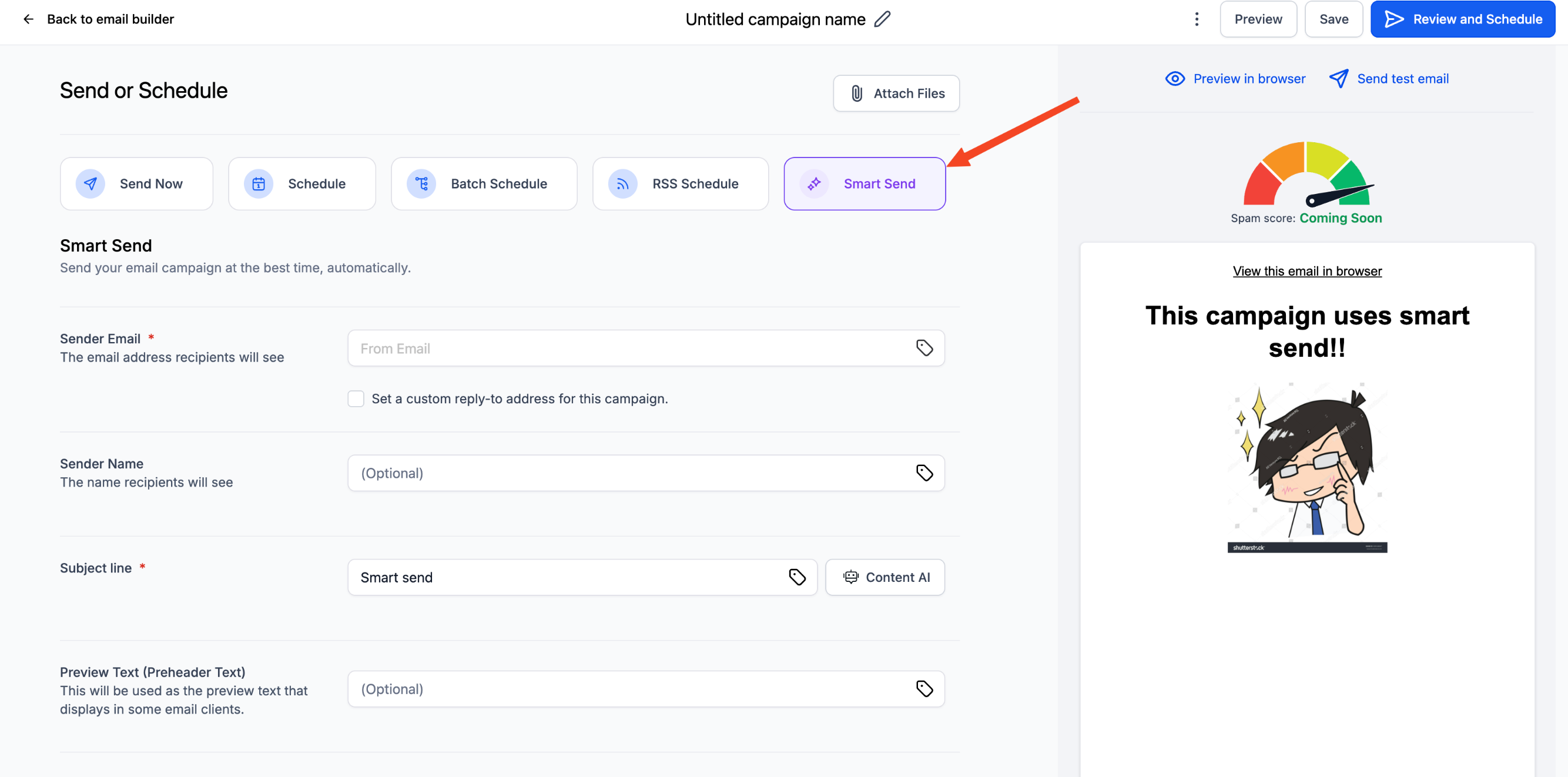
Available as an option on the Send & Schedule screen, Smart Send ensures higher open and click rates with zero guesswork, while giving you the flexibility to accept or override the recommendation.
What Is Smart Send?
Smart Send determines the best possible time to send emails for maximum engagement. It studies your families' activity patterns—when they typically open or click emails—and suggests the time that is statistically most likely to result in higher engagement.
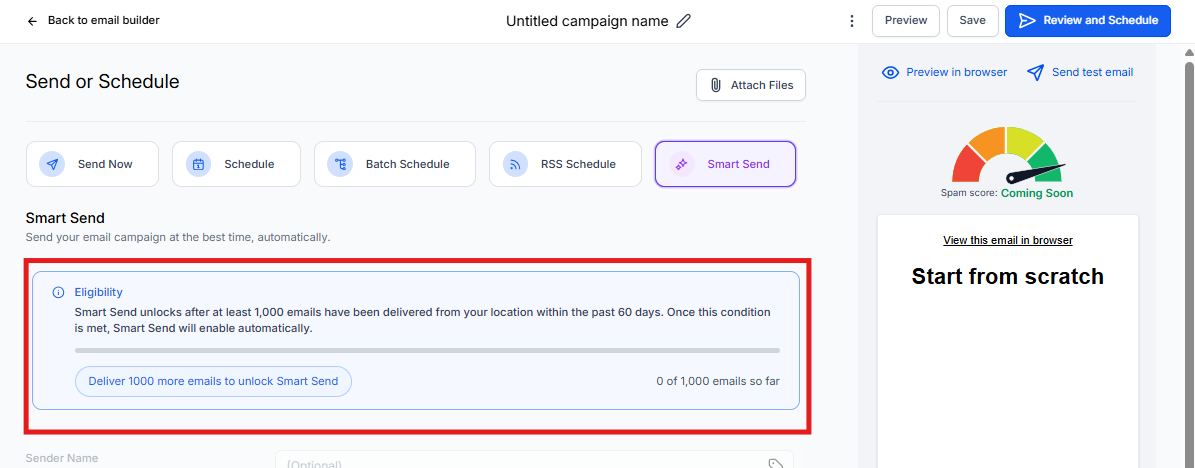
To ensure accuracy, Smart Send requires at least 1,000 delivered emails within the last 60 days for your account.
If eligible, you'll see a recommended send time displayed on your Send & Schedule screen.
Benefits
- Higher engagement: Automatically improves open and click rates by sending emails when families are most active.
- Seamless integration: Built directly into your existing Send & Schedule flow—no extra setup needed.
- Flexibility: Accept the recommendation or manually override it with a custom time.
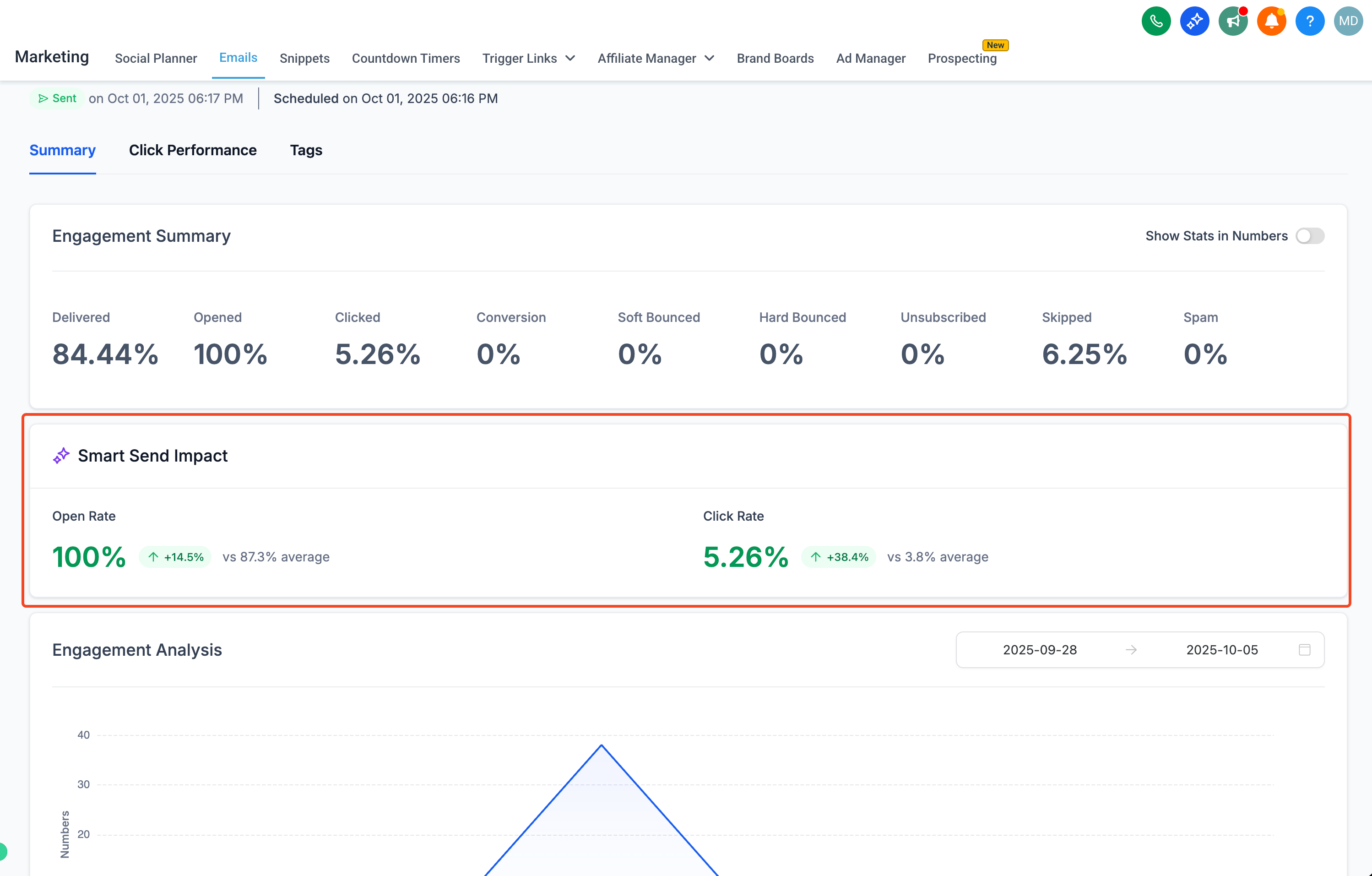
- Actionable insights: Post-send analytics show how Smart Send performed versus your usual engagement rates.
How to Use Smart Send
- Go to Marketing → Email Builder
- Click Campaigns → Create a new campaign
- After creating your campaign, click the Send or Schedule button
- Select the Smart Send option
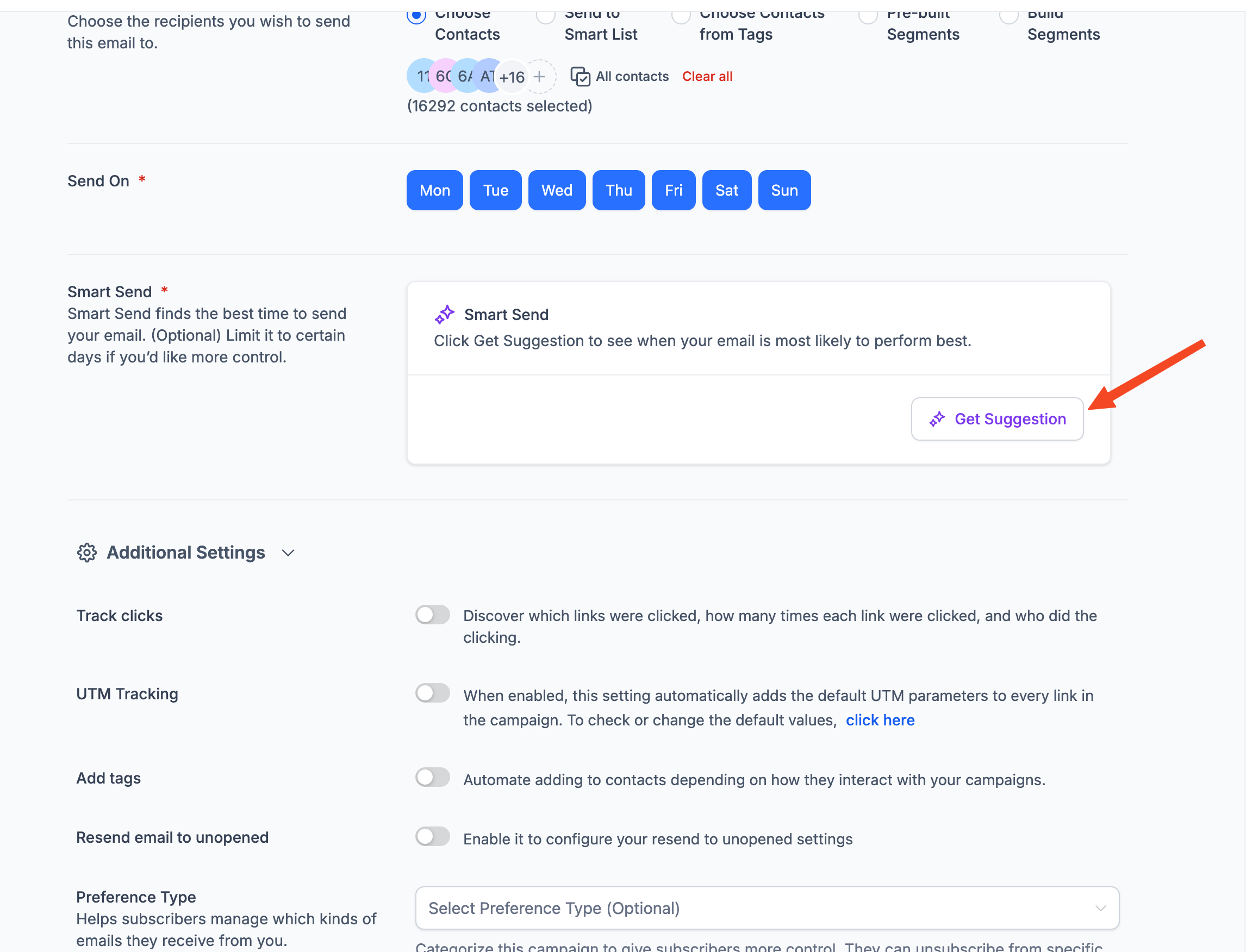
- Fill in all the required fields, then click Get Recommendation—the system analyzes your engagement data
- Review the recommended time and either accept it or choose your own
- Launch your campaign
After sending, check your analytics to see the engagement lift from Smart Send.
How It Works
The system reviews your recipients' email activity data (opens, clicks, and engagement events) from the past 60 days. Based on that data, it predicts the best time to send future campaigns.
The recommended send time is displayed before scheduling, allowing you to:
- Accept it and use Smart Send, or
- Override it manually with a custom date and time
After your campaign is sent, your analytics dashboard shows the engagement lift percentage—how much better Smart Send performed compared to your average results.
Smart Send System Behavior
| Scenario | What Happens |
|---|---|
| Not enough data yet | Smart Send is disabled (greyed out). Progress bar shows the minimum requirement (1,000 delivered emails in the last 60 days). |
| Recommended time in the past | For campaigns saved earlier where the recommended time has passed, the system prompts you to click "Try New Suggestion" to refresh the calculation. |
| System error or data retrieval issue | A banner appears with "Something went wrong. Please try again," prompting you to re-fetch the recommendation. |
| No recommendation available | A warning appears advising you to manually select a custom time and date. |
| Recipients updated after recommendation | The "Try New Suggestion" option instantly re-triggers analysis to reflect the new audience data. |
Frequently Asked Questions
Can I override the Smart Send recommendation?
Yes. You can manually select any custom send time if you prefer not to use the recommendation.
What happens if the suggested time has already passed?
You'll be prompted to click "Try New Suggestion," or the system will automatically adjust to the next closest available future time.
What if my account doesn't have enough data yet?
If your account has fewer than 1,000 delivered emails in the past 60 days, Smart Send will be disabled. Continue sending regular campaigns to families, and once you cross the threshold, it'll automatically unlock.
Does Smart Send work for all types of email campaigns?
Yes. Smart Send is available for all regular email campaigns sent to families. It works particularly well for newsletters, enrollment updates, and general communications where timing matters.