Introduction
Round Robin Calendars automatically distribute tour bookings among your staff members. This ensures fair scheduling while maximizing your available time slots—perfect for childcare centers managing tours, parent meetings, and consultations across multiple team members.
With Round Robin Calendars, parents see more available times, and your team's schedule stays balanced. New bookings are assigned automatically, so you never have to manually decide who handles the next tour.
For setup instructions, see our Round Robin Calendar Setup Guide.
How Tours Get Assigned
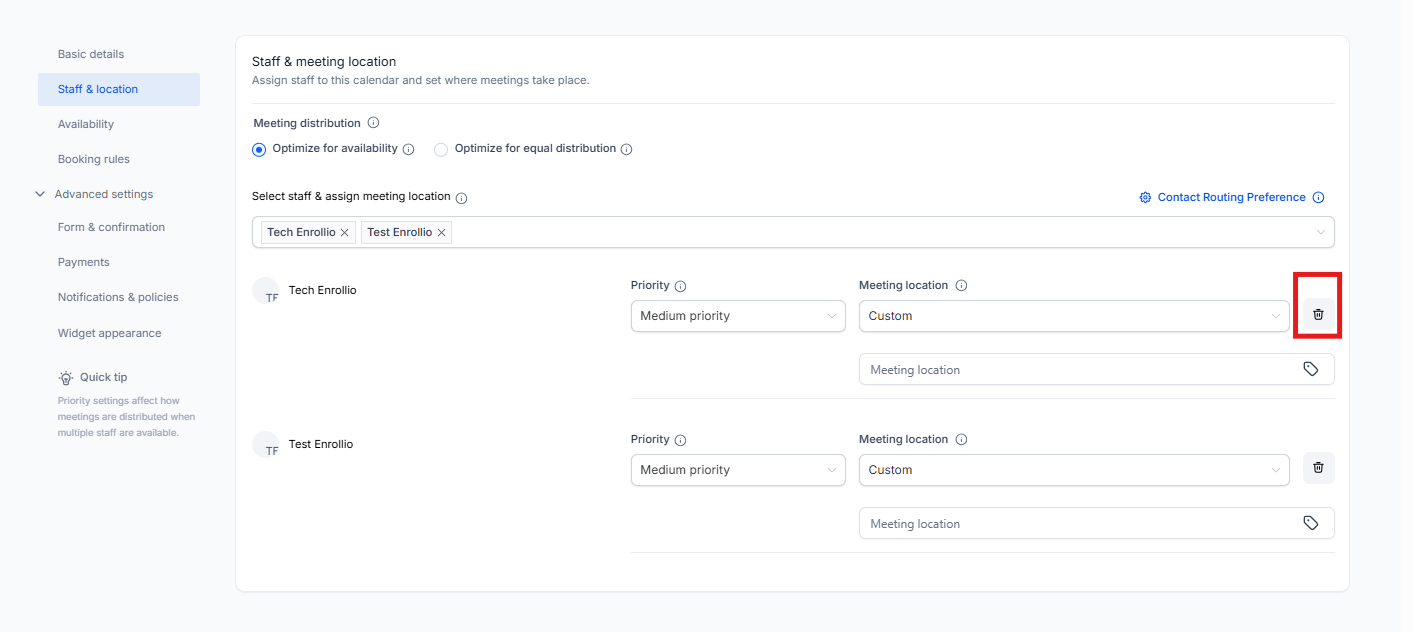
Enrollio offers two ways to distribute bookings: Optimize for Availability and Optimize for Equal Distribution. The right choice depends on how your center operates.
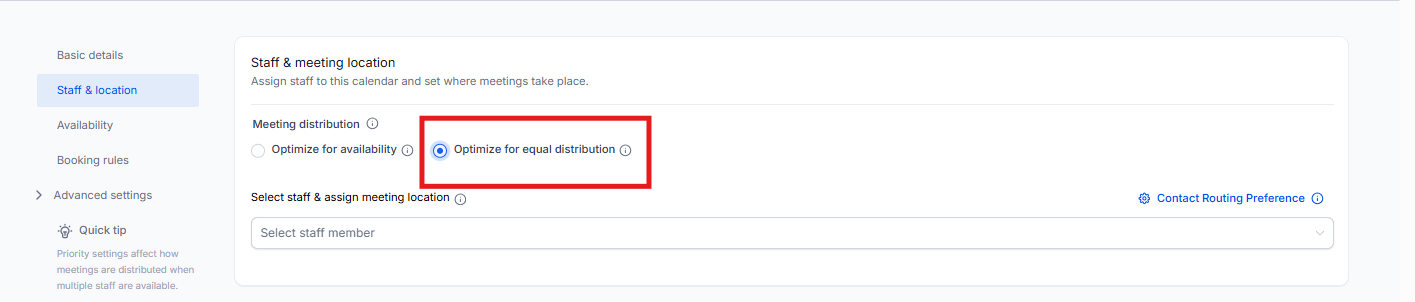
1. Optimize for Availability
This method prioritizes whoever is available at the time a parent books. If a staff member has an open slot, they get the tour.
Best for: Centers that need immediate availability—like last-minute tours or urgent parent consultations.
Key benefits:
- Tours go to whoever is free right away
- Makes the most of your team's open slots
- Parents see shorter wait times
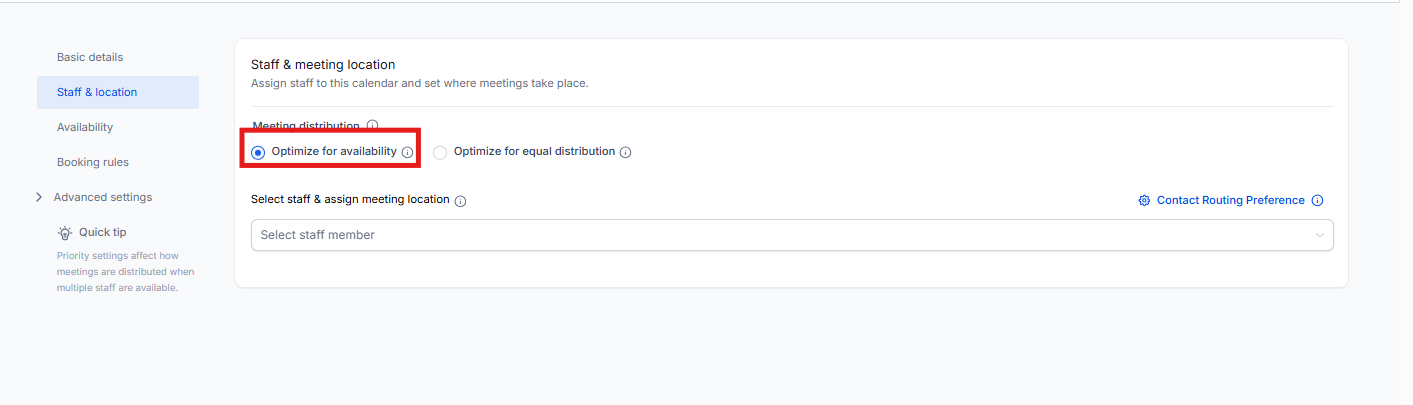
2. Optimize for Equal Distribution
This method rotates tour assignments evenly across your team, regardless of who happens to be free first. Everyone gets a fair share of bookings.
Best for: Centers that want to balance workload—especially helpful for enrollment coordinators or directors who all handle tours.
Key benefits:
- No one staff member gets overwhelmed with bookings
- Fair distribution across your team
- Works best when everyone has similar schedules
Setting Staff Member Priorities
You can assign priority levels to influence who gets tours first when multiple staff members are available at the same time.
For example, if your enrollment director and assistant director are both free, you can prioritize the director to take the booking first.
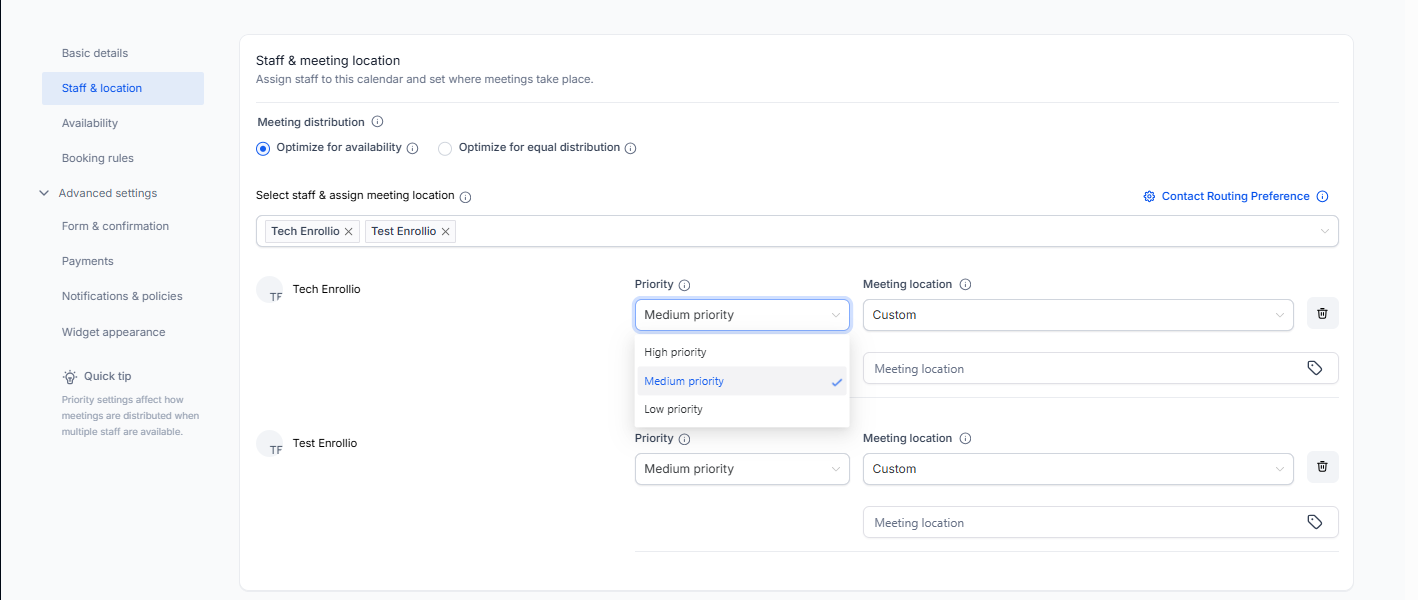
| Priority Level | How It Works |
|---|---|
| High Priority | This staff member gets the booking first if they're available |
| Medium Priority | Gets the booking if no high-priority staff are available |
| Low Priority | Only receives bookings when high and medium priority staff are unavailable |
Choosing Meeting Locations
When setting up your Round Robin Calendar, you can specify where each staff member conducts their tours or meetings. This gives you flexibility for in-person tours, virtual walkthroughs, or phone consultations.
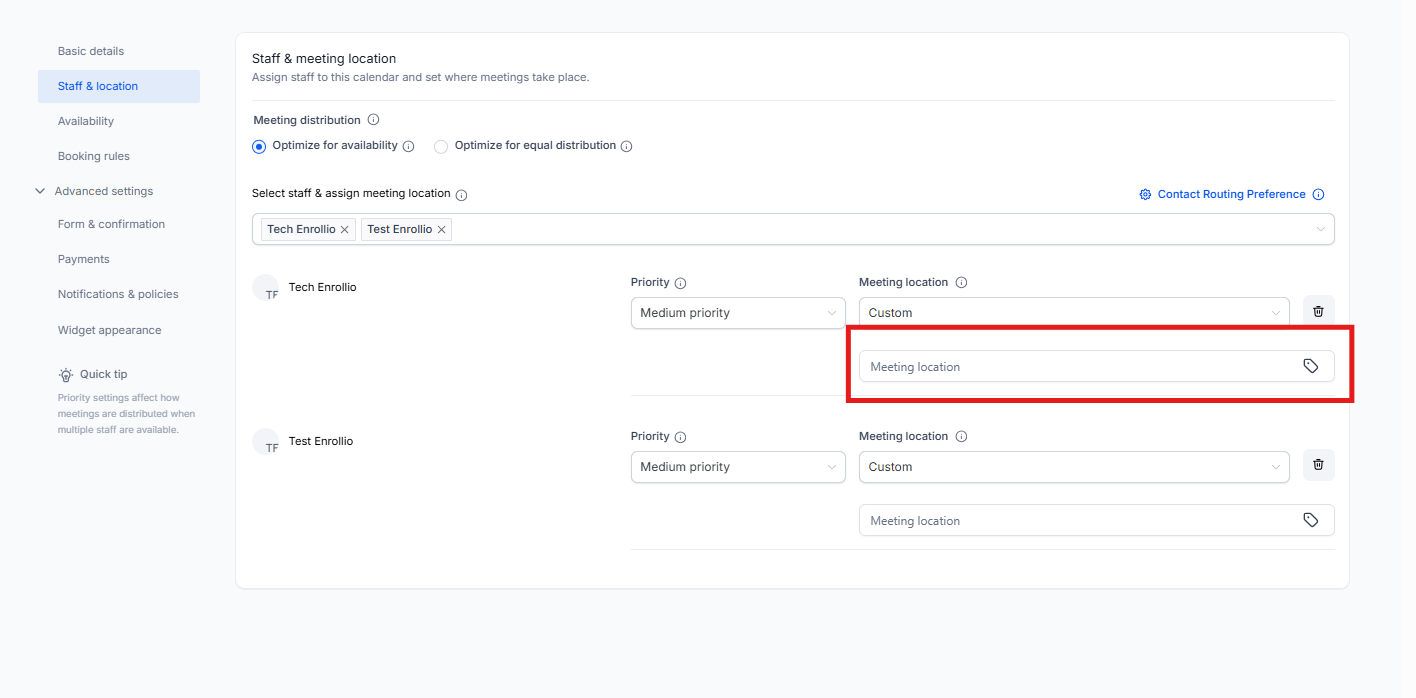
| Meeting Location | When to Use It |
|---|---|
| Zoom | For virtual tours via Zoom |
| Google Meet | For virtual tours via Google Meet |
| Phone | For quick phone consultations with parents |
| Full Address | For in-person tours at your center—parents will see your physical location |
| Ask the Booker | Let parents choose their preferred meeting format |
| Microsoft Teams | For virtual tours via Microsoft Teams |
Frequently Asked Questions
Can I change the distribution method after setup?
Yes. You can update your settings anytime in the calendar configuration panel.
What happens if a staff member is unavailable?
With Optimize for Availability, the booking automatically goes to the next available staff member.
With Optimize for Equal Distribution, the system skips unavailable staff and continues the rotation to the next person in line.
Can I remove certain staff members from the Round Robin Calendar?
Yes. You can add or remove staff from the rotation anytime in your calendar settings.