What You'll Learn
Personal Booking Calendars are perfect when you need simple one-on-one appointments — like parent tours, enrollment consultations, or director check-ins. This calendar type makes it easy to set up individual bookings without the complexity of managing multiple team members.
Why Use Personal Booking?
Many childcare centers were using Round Robin calendars even when they only needed one person taking appointments. Others tried using Event Calendars, not realizing those are designed for group events like open houses — not individual meetings with video conferencing.
Personal Booking Calendars solve this by giving you a dedicated calendar type for one-on-one appointments. It's streamlined, simple, and includes everything you need for tours and consultations.
How to Create a Personal Booking Calendar
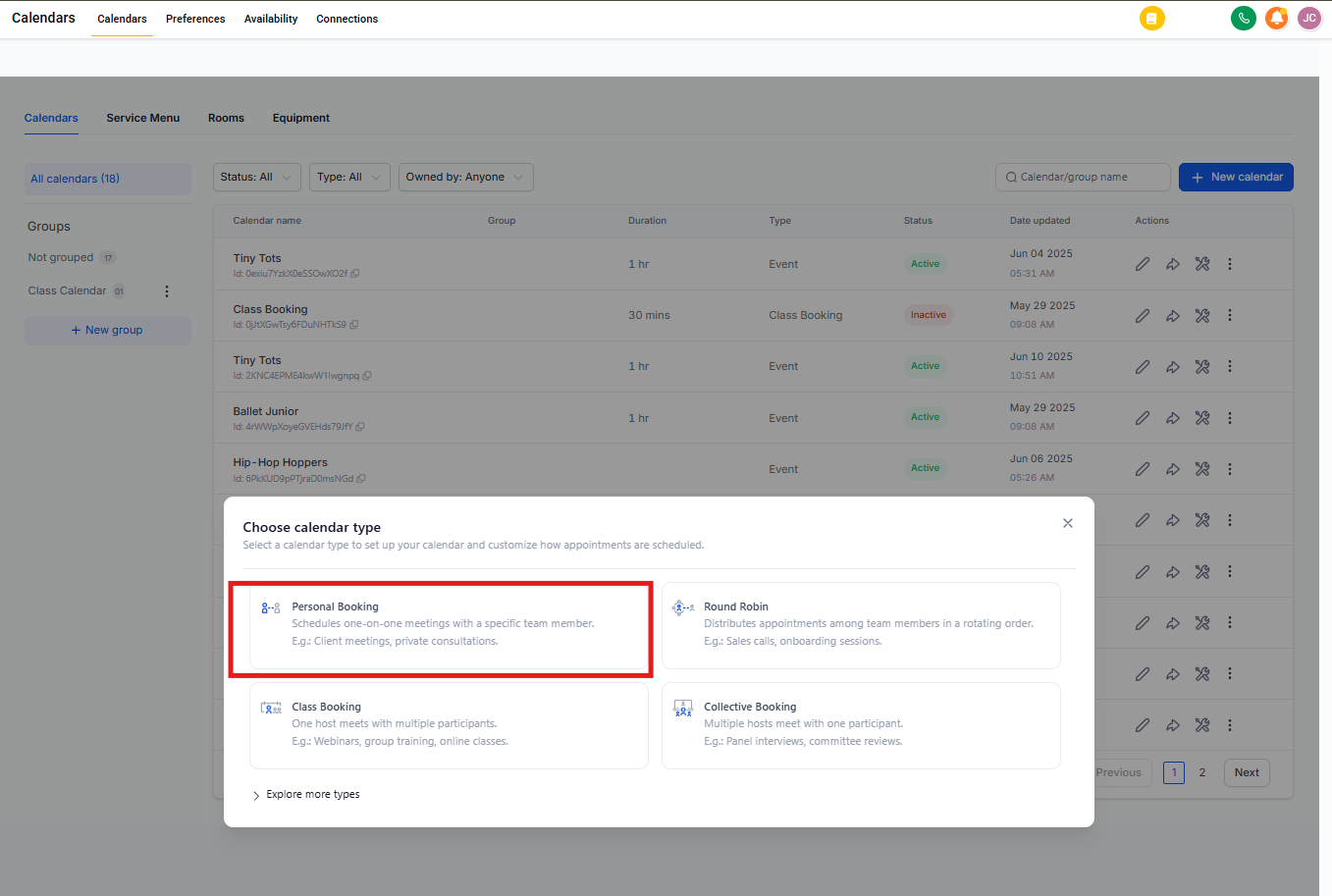
- Go to Calendar Settings in your Enrollio dashboard
- Click Create Calendar
- Choose Personal Booking from the calendar type options
- Configure your calendar preferences (availability, duration, buffer times, etc.)
Who Gets Added to the Calendar?
By default, the staff member who creates the calendar is automatically assigned to it. You can change this to assign it to another team member — like your enrollment coordinator or center director — after creation.
Personal Booking vs. Round Robin
Personal Booking Calendars include all the same features as Round Robin calendars, with one key difference: they're limited to one team member. If you need multiple staff members rotating through appointments, use Round Robin instead.
| Feature | Personal Booking | Round Robin |
|---|---|---|
| Team Members | One only | Multiple |
| Video Conferencing | ✓ Zoom & Google Meet | ✓ Zoom & Google Meet |
| Availability Rules | ✓ Full control | ✓ Full control |
| Buffer Times | ✓ Supported | ✓ Supported |
| Best For | Director tours, single coordinator | Team-shared tours, rotating staff |
Common Use Cases for Childcare Centers
- Parent Tours: Let prospective families book facility tours with your enrollment coordinator
- Enrollment Consultations: Schedule one-on-one meetings to discuss program fit and pricing
- Director Meetings: Allow current families to book check-ins with the center director
- Assessment Appointments: Set up individual developmental screenings or parent conferences
Next Steps
Once your Personal Booking Calendar is created, you'll want to:
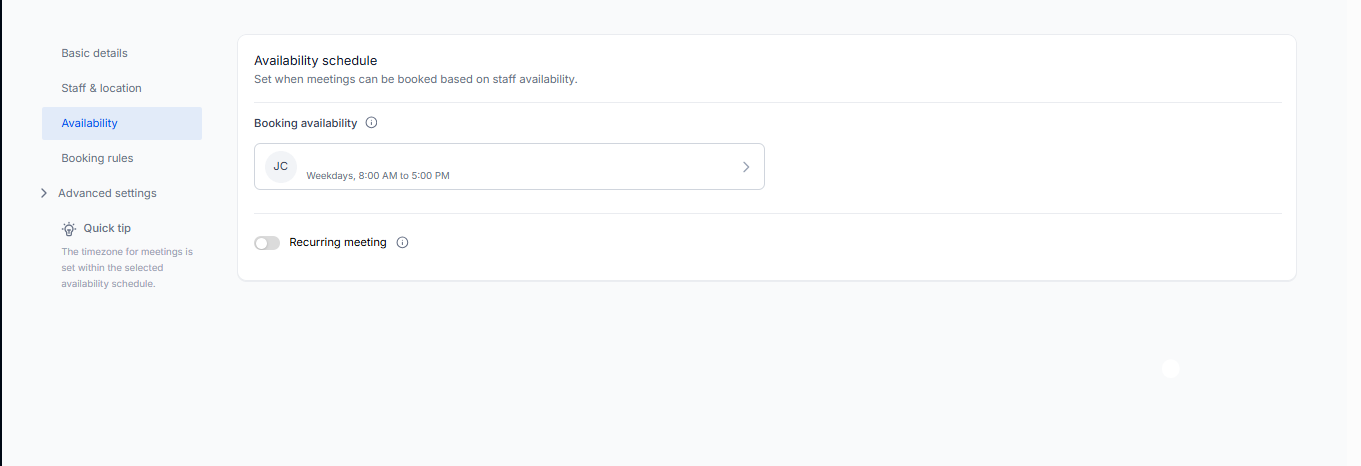
- Set your availability and working hours
- Add custom intake questions for parents
- Embed the booking widget on your enrollment site
- Connect your Google or Outlook calendar to prevent double-bookings