
Class Booking Calendar Overview
Class Calendars help you manage group events where multiple families can register for the same time slot. Perfect for parent orientations, open houses, playgroup sessions, and enrollment workshops.
With Class Calendars, you set how many spots are available per session (up to 9,999), and families can book themselves in — or you can register them directly.
What is a Class Booking?
A Class Booking is a one-to-many calendar that lets multiple families attend a single event. Think of it as group scheduling for things like:
- Parent orientation sessions
- Open house tours
- Enrollment workshops
- Parent education events
- Playgroup or trial class sessions
Each session has one staff member as the host, and you control how many families can attend.
Why Use Class Booking Calendars?
Efficient organization: Create one session and let multiple families register instead of booking them individually.
Control capacity: Set exactly how many spots are available to keep sessions at the right size.
Centralized management: See all registrations, cancellations, and reschedules in one place.
Better communication: Families get clear event details automatically, reducing no-shows and confusion.
Save time: Families can register, cancel, or reschedule themselves if you enable those options.
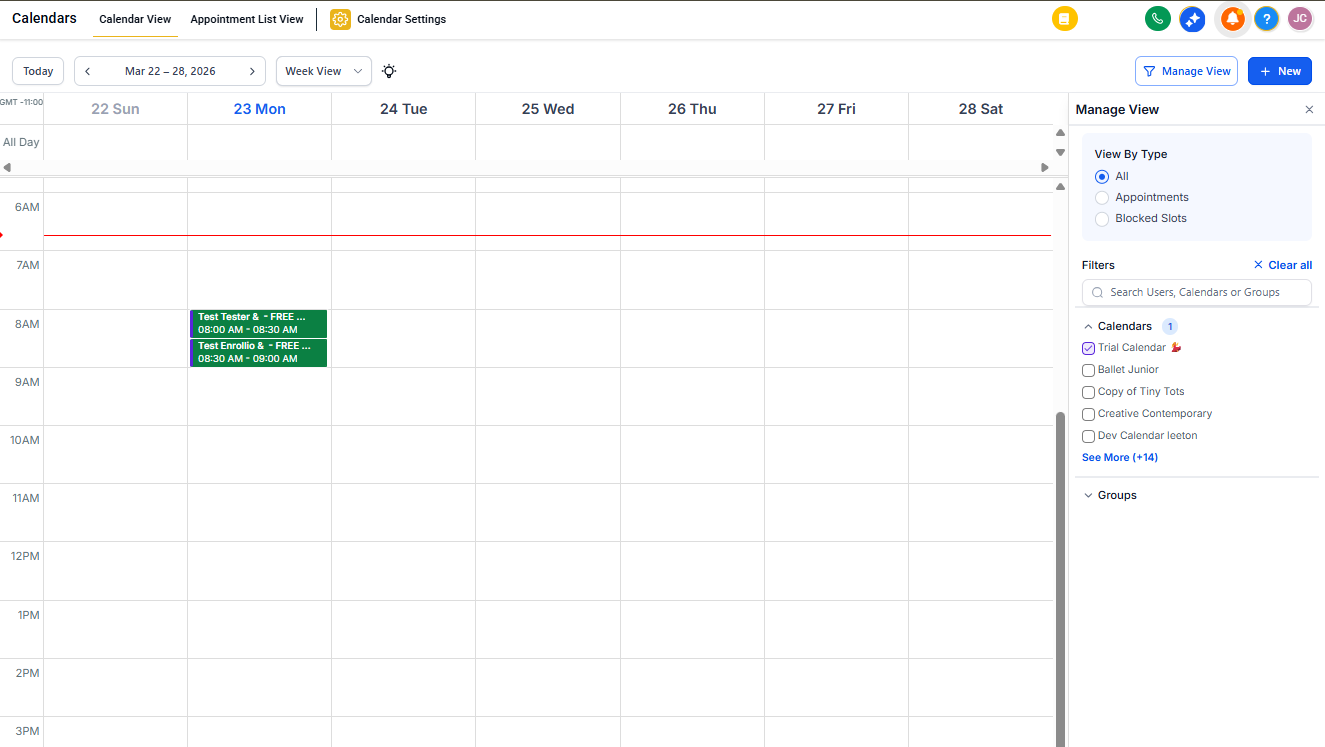
💡 Pro Tip: When you share your Class Booking Calendar link, it opens to the current month by default. If your event is scheduled for a future month, families will need to click the arrow to navigate forward. You may see "No available time slots" until they do.
Frequently Asked Questions
How can I send an email to all families registered for a class?
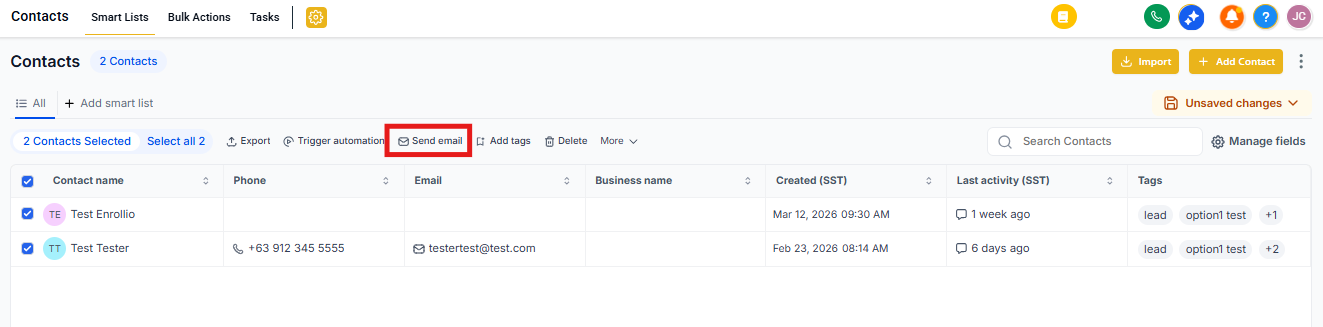
Go to Contacts and filter by the specific class appointment using Advanced Filters. Once you see the list of registered families, select them and use the bulk action to send an email.
If you'll communicate with this group regularly, create a Smart List filtered by that class appointment.
Can I cancel or reschedule a class appointment for just one family?
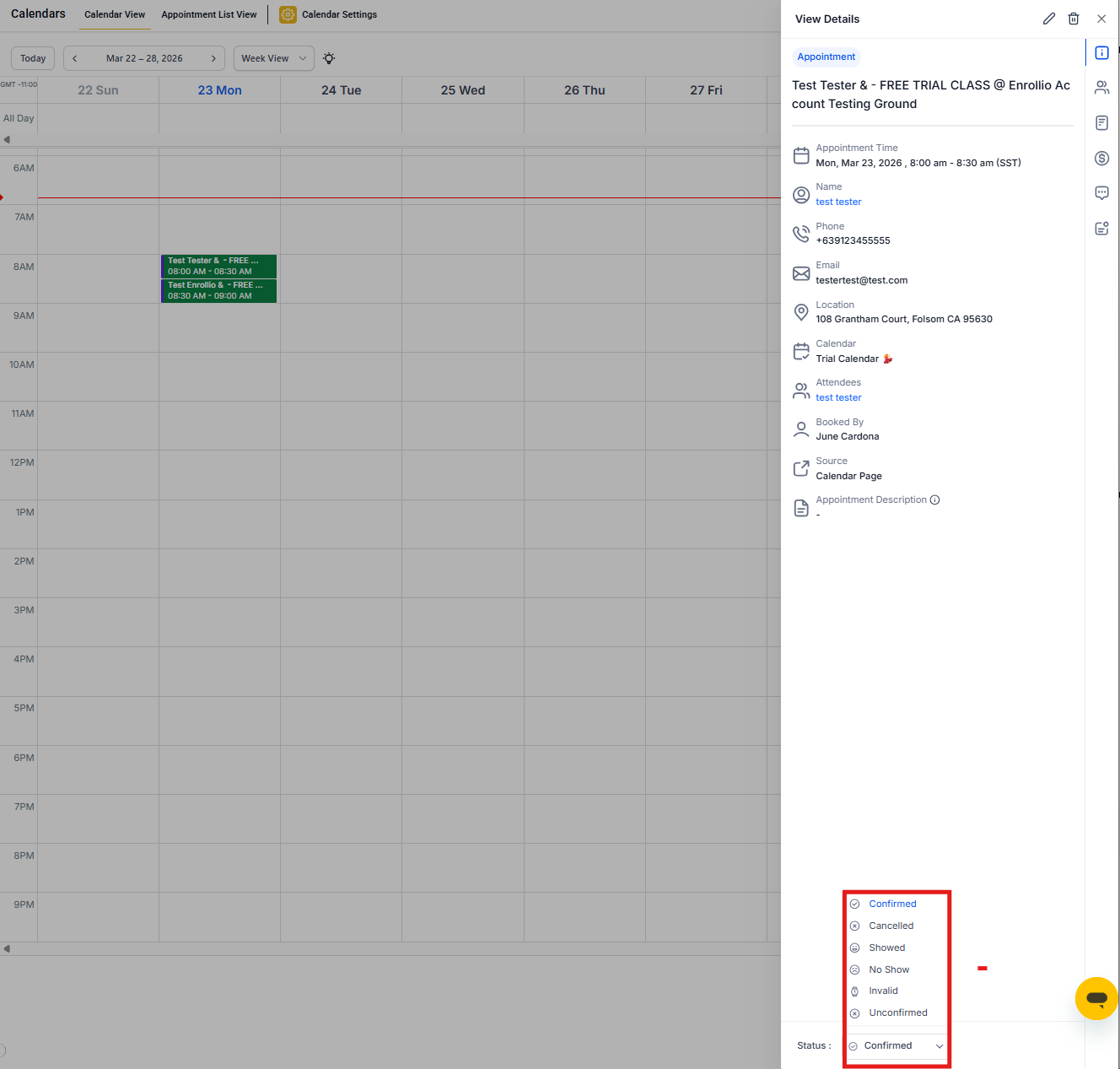
Yes. Click the options menu next to the family's name in the appointment, and you'll see options to cancel or reschedule just that family's registration.
Can I book families into a class appointment directly?
Absolutely. Click Book Appointment, select the family, choose your Class Booking Calendar, pick the time slot, and confirm the booking.
Can families cancel or reschedule their own class bookings?
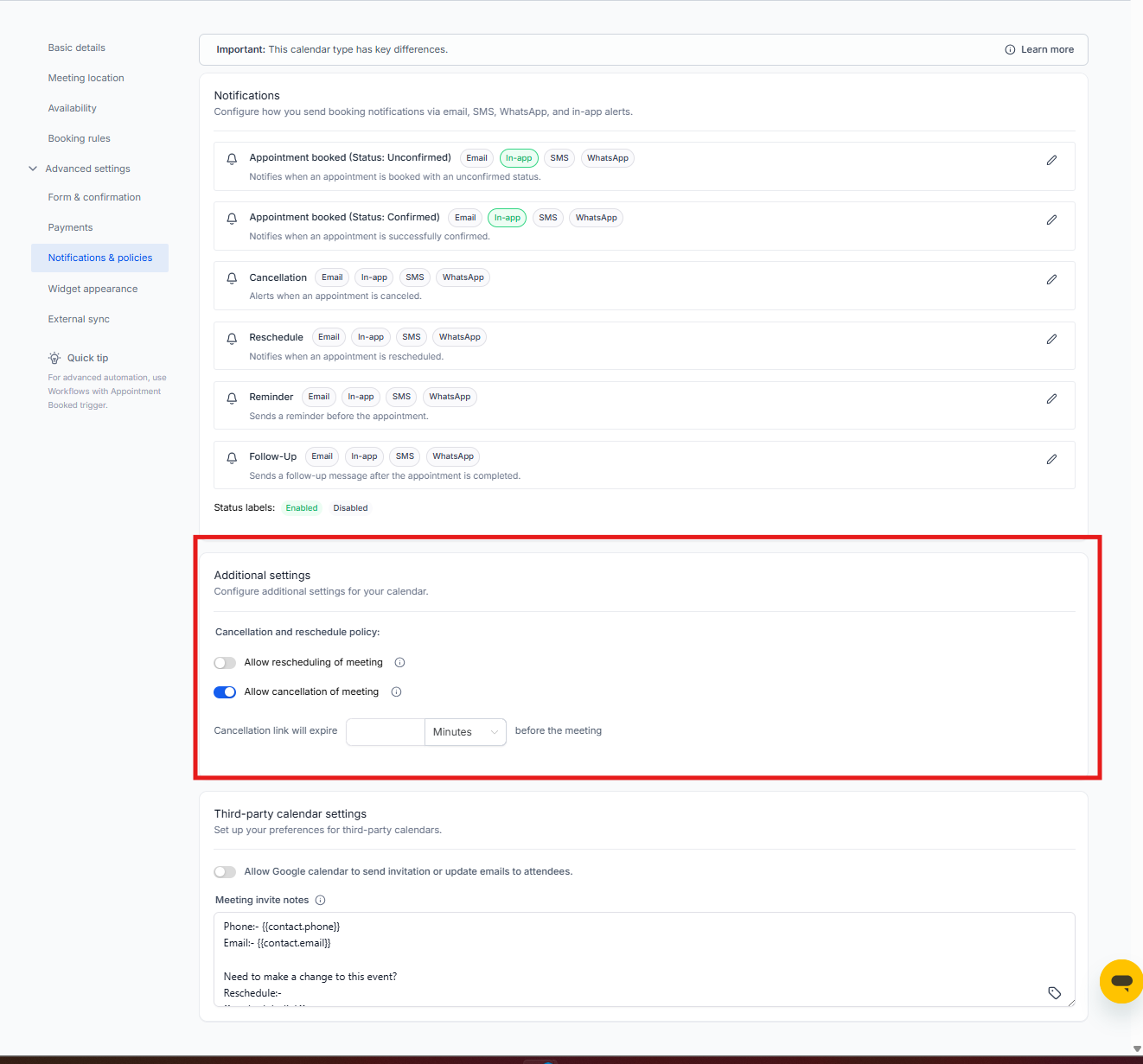
Yes, if you enable it. Go to your Calendar Settings, click the Confirmation tab, and turn on "Allow Cancellation" and "Allow Reschedule."
How do I cancel an entire class session with all attendees?
Go to Calendars, open the class appointment from Calendar View or Appointment List, and click the Delete (trash) icon. Confirm when prompted.
This removes the entire session and cancels all family registrations for that time slot.