
Collect Payments for Recurring Appointments
Recurring appointments let you schedule repeating sessions with families — like weekly tours, parent meetings, or orientation sessions. When you enable payments on your booking calendar, you have two options for collecting fees.
Payment Options for Recurring Appointments
Choose how you want to collect payment when families book recurring appointments:
Collect Payment for First Appointment Only
Payment is collected for the initial appointment only. The remaining appointments are confirmed, but you'll need to collect payment manually for each one.
Example: A family books 3 weekly tours at $50 each. You collect $50 at booking. You'll need to collect the remaining $100 manually before or during the subsequent appointments.
Collect Payment for All Appointments
The total amount is collected upfront at the time of booking, covering all appointments in the series.
Example: A family books 3 weekly tours at $50 each. You collect $150 at booking, and all three appointments are paid in full.
Note: The final amount charged may vary depending on how many appointments are actually available to book. This can change based on your calendar availability and how you've configured unavailability settings.
Important: Recurring appointments do not support partial payments. Families must pay the full amount for either the first appointment or all appointments, depending on your selection.
How to Set This Up
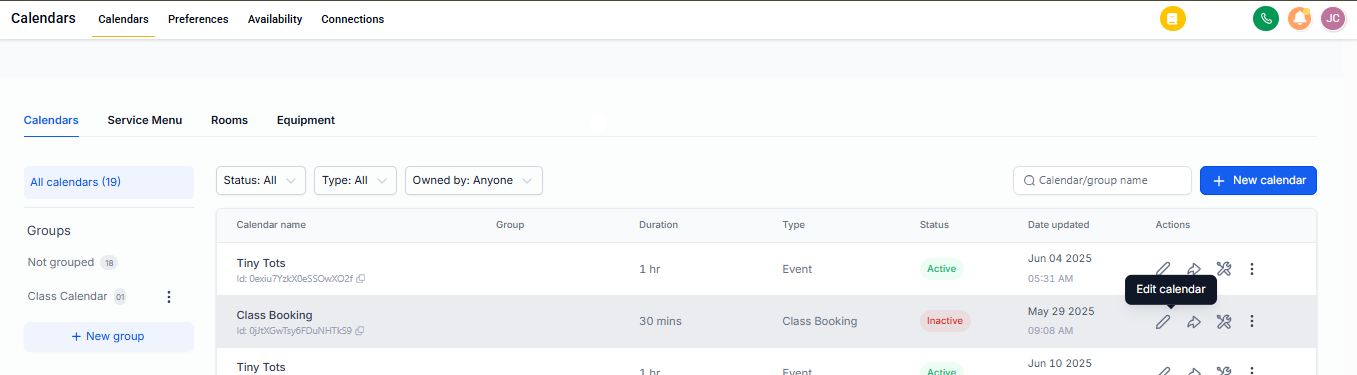
Step 1: Go to Calendar Settings
Navigate to Calendar Settings and select the calendar you want to configure for recurring appointments.
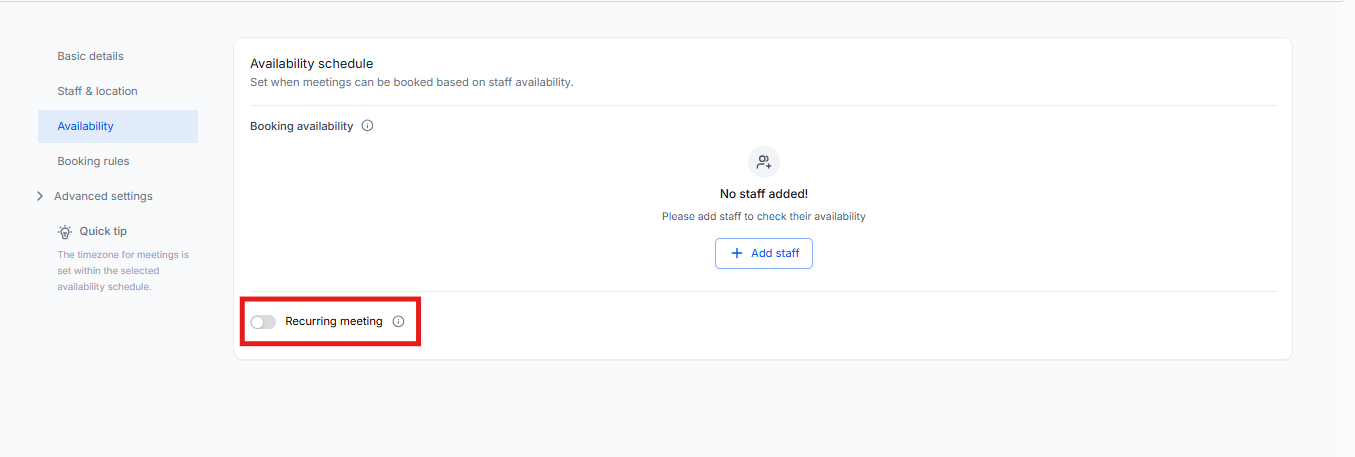
Step 2: Enable Recurring Appointments
Make sure recurring appointments are enabled for this calendar. Go to the Availability tab and confirm that Recurring Appointments is turned on.
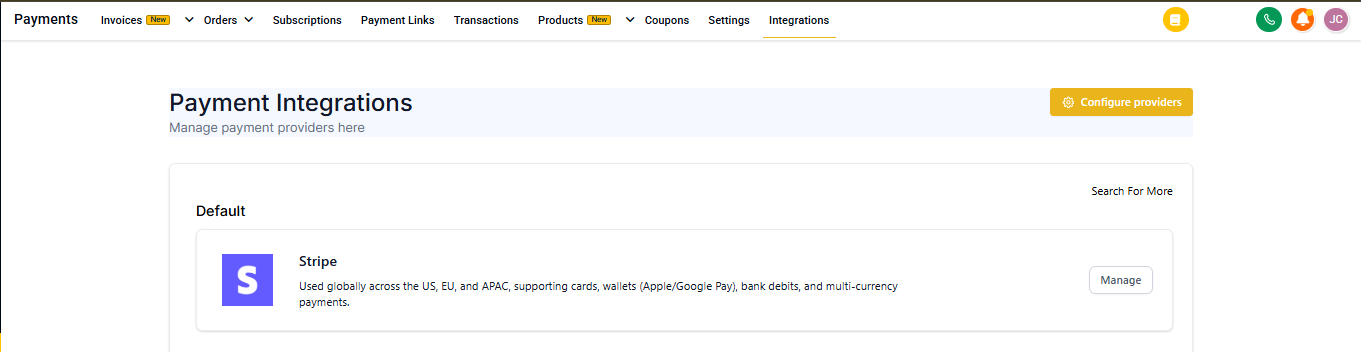
Step 3: Connect Your Payment Provider
Verify that your payment provider is integrated with Enrollio. Go to Settings → Payments → Integrations to confirm your Stripe or other payment processor is connected.
Step 4: Configure Payment Options
In your selected calendar, click the Forms and Payments tab. Under Accept Payments, you'll see two options for recurring appointments:
- Collect Payment for First Appointment Only
- Collect Payment for All Appointments
Select your preferred option and click Save.
Pro Tip: If you run weekly parent orientations or tour sessions, collecting payment for all appointments upfront reduces administrative work and ensures commitment from families.
What Happens Next
When families book recurring appointments through your calendar, they'll be charged according to the option you selected. You'll receive payment confirmation, and the appointments will appear on your calendar.
If you selected payment for all appointments, the full amount is processed immediately. If you selected payment for the first appointment only, you'll need to collect payment for the remaining appointments manually before each session.