
Overview
The "Look Busy" feature helps create a sense of urgency for families booking tours or appointments by hiding a percentage of your available time slots. This makes your calendar appear more in-demand, encouraging families to book sooner rather than waiting.
Important: This only affects what families see on your public booking widget. Your full schedule remains visible and bookable when you or your staff create appointments inside Enrollio.
How It Works
When you enable Look Busy, you choose what percentage of time slots to hide from families viewing your booking calendar. The system randomly hides that percentage of slots across your available times.
As families book appointments, the number of visible slots stays consistent until your actual availability matches what's being displayed. At that point, the widget shows your true available slots.
Example
- 4 slots available, 50% hidden: Families see only 2 available slots
- 10 slots available, 50% hidden: Families see only 5 available slots
This creates urgency without actually reducing your booking capacity — families can still book any of your real available times, they just see fewer options initially.
How to Enable Look Busy
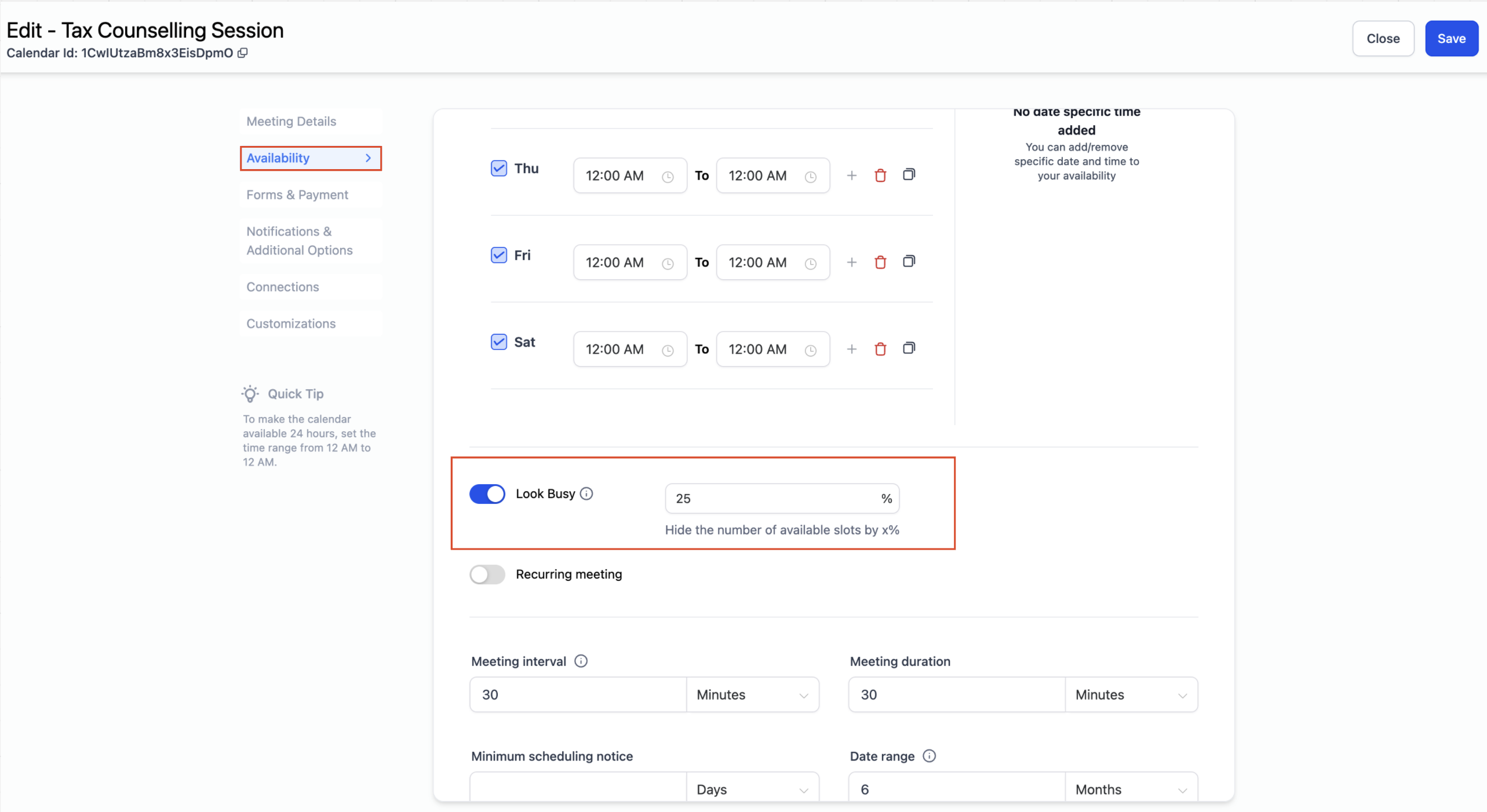
- Go to Settings → Calendars
- Select the calendar you want to modify
- Click the Availability tab
- Find the Look Busy option and toggle it on
- Enter the percentage of slots you want to hide (e.g., 50 for 50%)
- Click Save
Supported Calendar Types
Look Busy works with these calendar types:
- Event Calendar
- Personal Calendar
- Round Robin Calendar
- Collective Calendar
- Service Calendar
Important Notes
Not Available For
Class Booking: The Look Busy feature doesn't apply to class bookings. For classes, families always see actual available seats.
Internal Booking
Staff View: When you or your staff create appointments using the in-app calendar, you'll see all available slots regardless of the Look Busy setting. This feature only affects the public booking widget that families use.
Recurring Appointments
Future Dates: When a family books a recurring appointment (like weekly tours), some future slots might appear hidden due to Look Busy. However, the system will still book all recurrences based on the first appointment's date, time, and repeat settings.