
Overview
If you're sending messages to parents and the rescheduling link appears blank or broken, this usually means the appointment wasn't properly created or the link placeholder is missing required information.
Common Causes
No confirmed appointment exists: The rescheduling link only generates when there's an active, confirmed appointment in the system. If the parent hasn't booked yet or the appointment was deleted, the link will be blank.
Wrong custom value used: Make sure you're using the correct placeholder in your message template. The reschedule link placeholder must match exactly what Enrollio expects.
Calendar integration issue: If your calendar isn't properly connected, appointment details may not sync correctly, causing link generation to fail.
How to Fix It
Step 1: Verify the Appointment Exists
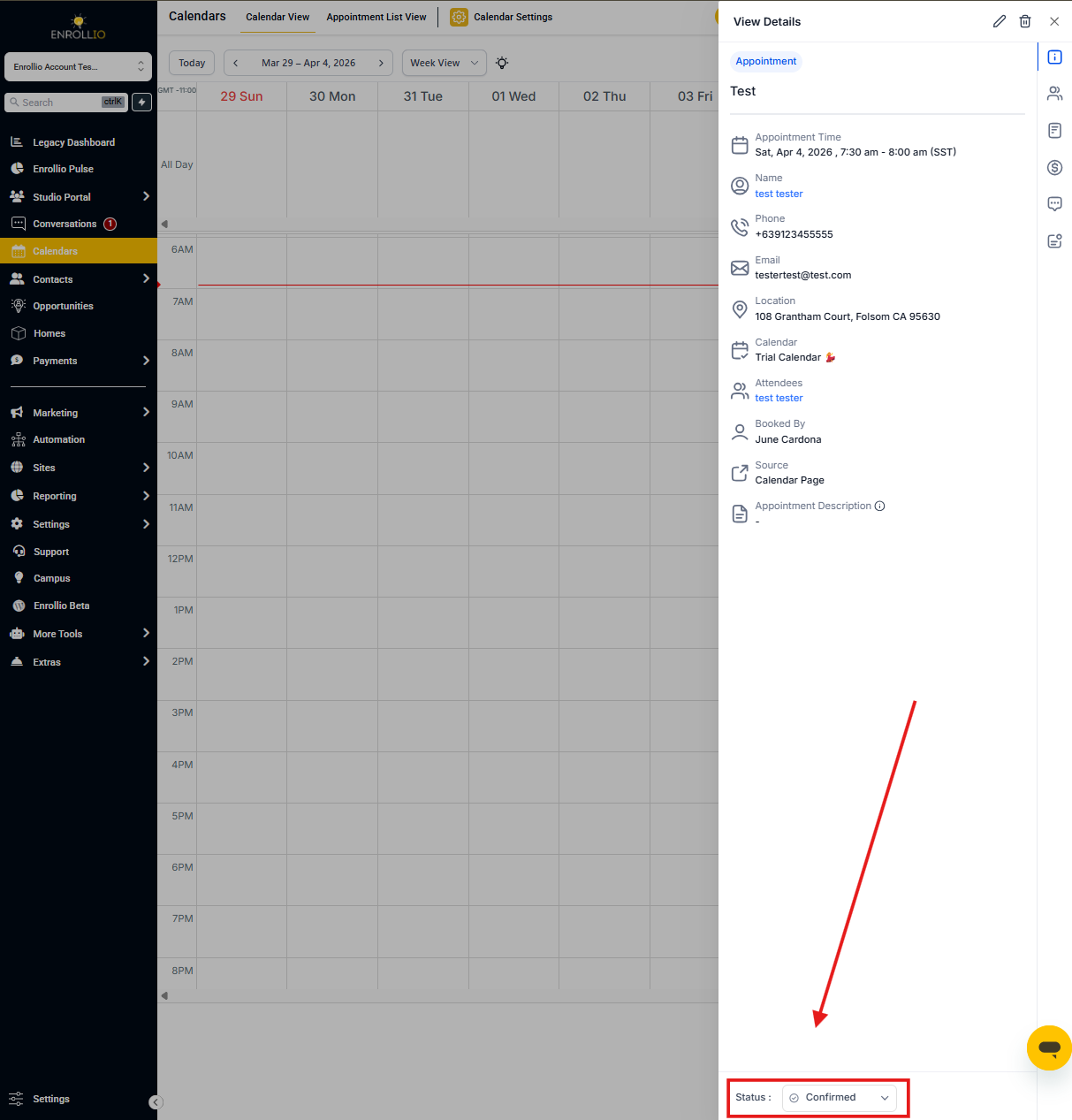
- Go to Calendars in your Enrollio dashboard
- Search for the parent's name or the appointment date
- Confirm the appointment shows as "Confirmed" — not pending or cancelled
Step 2: Check Your Message Template
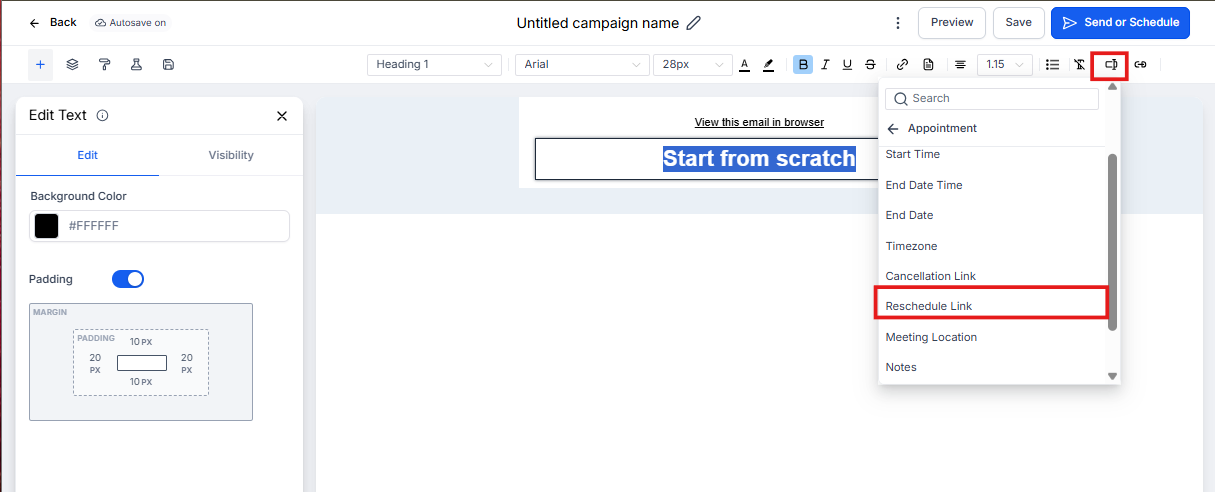
- Open the message or automation where you're sending the rescheduling link
- Look for the custom value placeholder in your text
- Verify you're using the correct reschedule link placeholder (not the booking link or other appointment values)
- Test the message by sending it to yourself first
Step 3: Review Calendar Permissions
- Click Settings in the left navigation
- Select Calendars
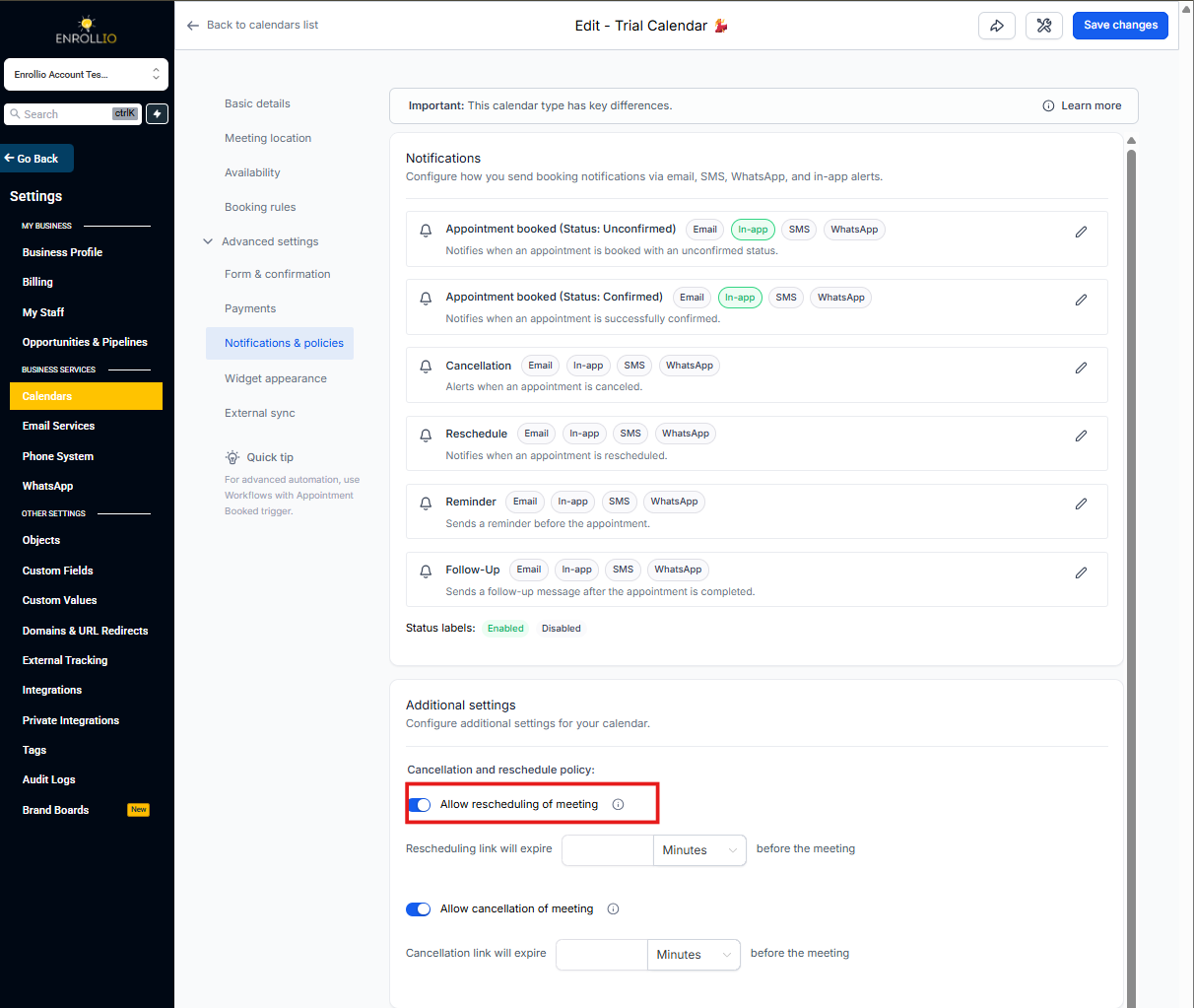
- Confirm your calendar is active and properly integrated
- Check that rescheduling is enabled in your calendar settings
Pro Tips
Test before you send: Always send a test message to yourself or a team member before using it with parents. This catches broken links before families see them.
Timing matters: Rescheduling links only work for future appointments. If the appointment time has passed, the link won't generate.
Check your tour calendar too: If you're using separate calendars for tours versus enrollments, make sure the rescheduling link matches the right calendar type.
Still Having Issues?
If the link is still blank after checking these items, reach out to Enrollio support. Include a screenshot of your message template and the appointment details so we can help troubleshoot quickly.