
When you connect Stripe to your tour calendar, you can collect deposits or fees automatically when parents schedule appointments — perfect for tour deposits, registration fees, or consultation charges.
Why Use Stripe with Your Calendar
Collecting payment upfront ensures families are serious about their appointment. You can charge a deposit that applies to enrollment, a non-refundable tour fee, or a consultation charge.
Setting Up Stripe on Your Calendar
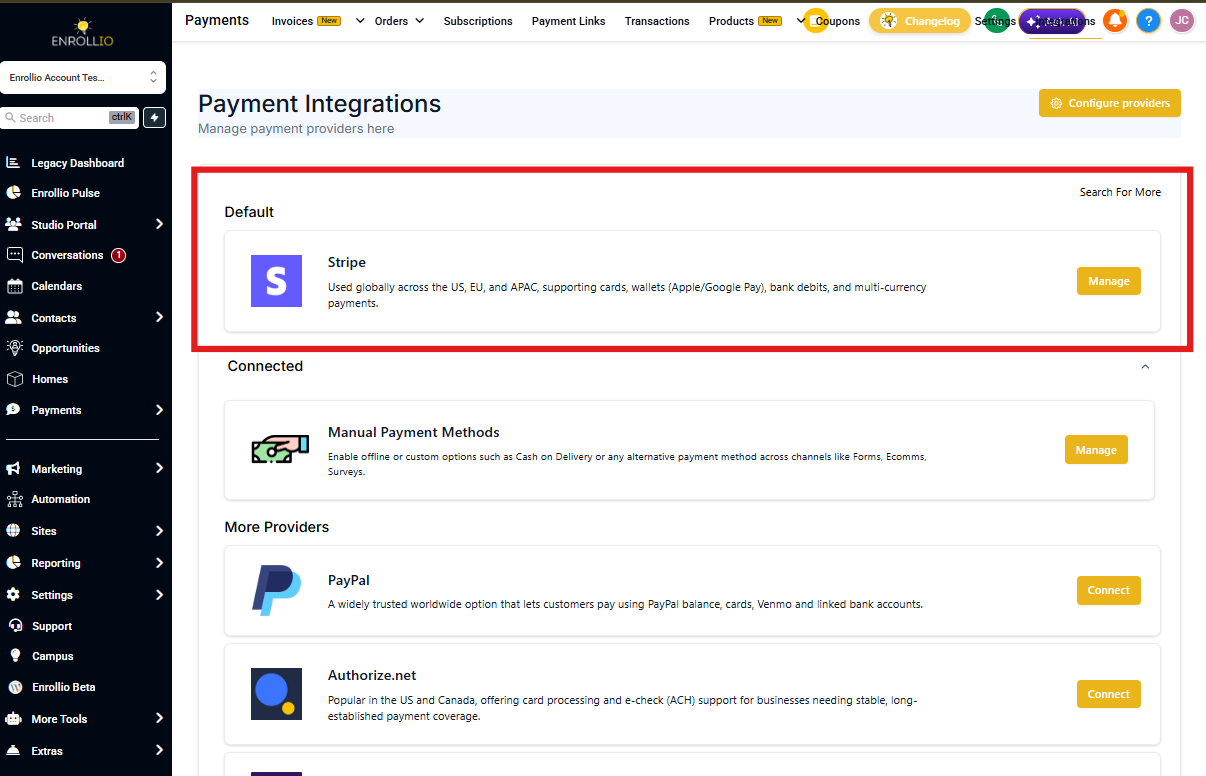
Step 1: Connect Stripe to Enrollio
Before you can collect payments through your calendar, you need to connect your Stripe account. Go to Settings Integrations Stripe and follow the connection process.
Step 2: Add Payment to Your Calendar
- Open your calendar in Enrollio
- Click the calendar you want to add payment collection to
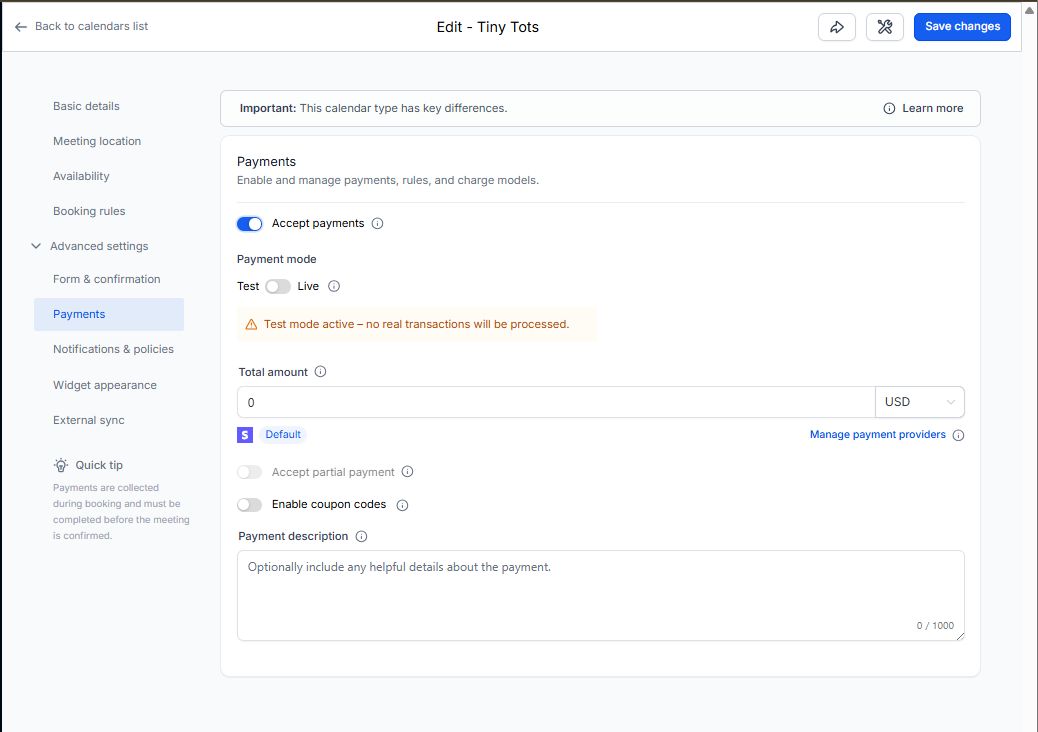
- Scroll to the Payment section in calendar settings
- Toggle on "Collect Payment"
- Select Stripe as your payment provider
- Set your payment amount and description
- Save your calendar settings
What Parents See
When a parent books a tour, they'll enter their payment information during the booking process. The charge processes immediately when they confirm their appointment.
Pro Tip: In your payment description, clearly explain what the fee covers. For example: "$25 tour deposit applies to your enrollment fee" or "$50 consultation fee — non-refundable."
Handling Refunds
If you need to refund a parent's payment, you'll handle that directly in your Stripe dashboard. Enrollio shows you which families have paid, but refund processing happens in Stripe.
Troubleshooting
Payment option not showing? Make sure you've connected Stripe in your Settings Integrations first.
Parents seeing an error? Check that your Stripe account is active and in good standing. Test mode won't process real payments.