
What is Zoom Integration with Enrollio Calendars?
Zoom integration with Enrollio calendars automatically creates Zoom meeting links for scheduled appointments with families. When parents book a tour or meeting, they get a ready-to-join video link without you lifting a finger.
This integration eliminates the need to manually create meeting links and keeps your virtual tours and parent meetings running smoothly.
Key Benefits of Zoom Integration
Save time and give families a professional experience from the first interaction. Here's what you get:
- Automatic Zoom Link Generation: Every tour or parent meeting automatically includes a Zoom link — no manual work required.
- Fewer Manual Errors: Never forget to send meeting details or links to prospective families.
- Saves Time: Focus on tours and enrollments instead of copying and pasting Zoom links.
- Streamlined Scheduling: Your appointment management runs like clockwork.
- Professional Experience for Families: Every parent gets a consistent, fully prepared meeting invite.
- Multi-Location & Multi-User Sharing: Connect the same Zoom account across multiple locations and let multiple staff members use it for their bookings.
How To Set Up Zoom Integration
Enrollio gives you two ways to connect your Zoom account. Both work perfectly — choose whichever feels easier to you.
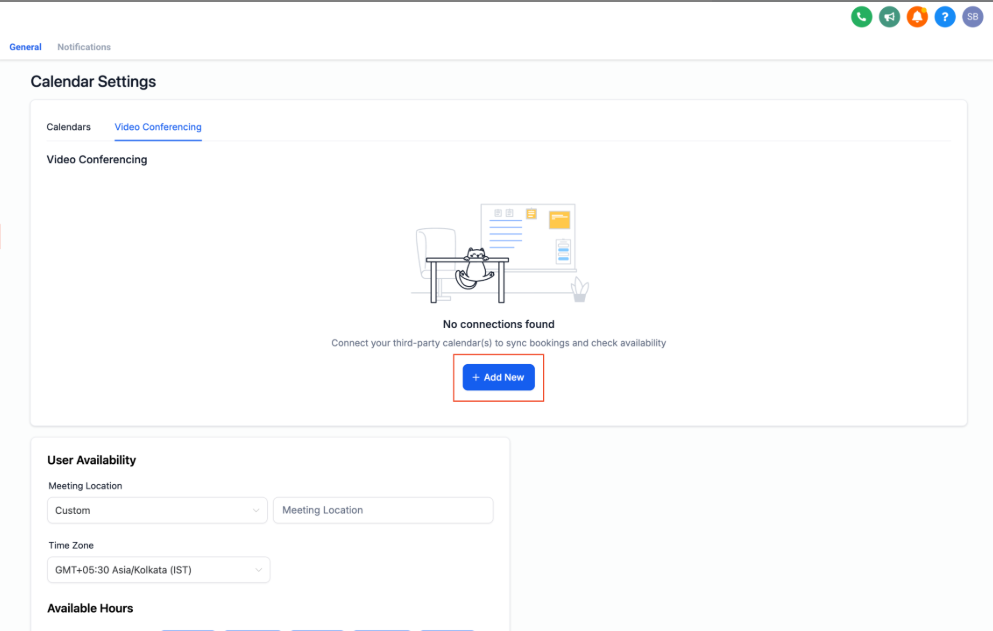
Method 1: Connect Zoom from "My Profile"
- Click Settings in the navigation bar, then select My Profile.
- Navigate to the Calendar section.
- Click the Video Conferencing tab.
- Click the blue + Add New button.
- Click Connect next to Zoom.
- Sign in to your Zoom account when the login window appears and authorize access.
Method 2: Connect Zoom via Calendar Settings
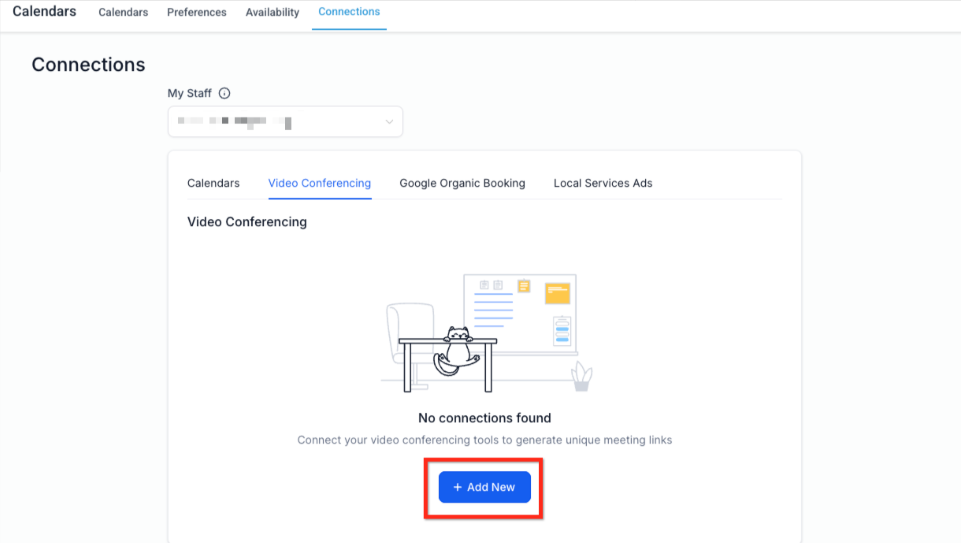
- Go to Settings in the navigation bar and click Calendar Settings.
- Click the Connections tab.
- Select Video Conferencing from the navigation bar under Connections.
- Click the blue Add New button.
- Click Connect next to Zoom.
- Sign in to your Zoom account and authorize access.
Check Your Connection Status
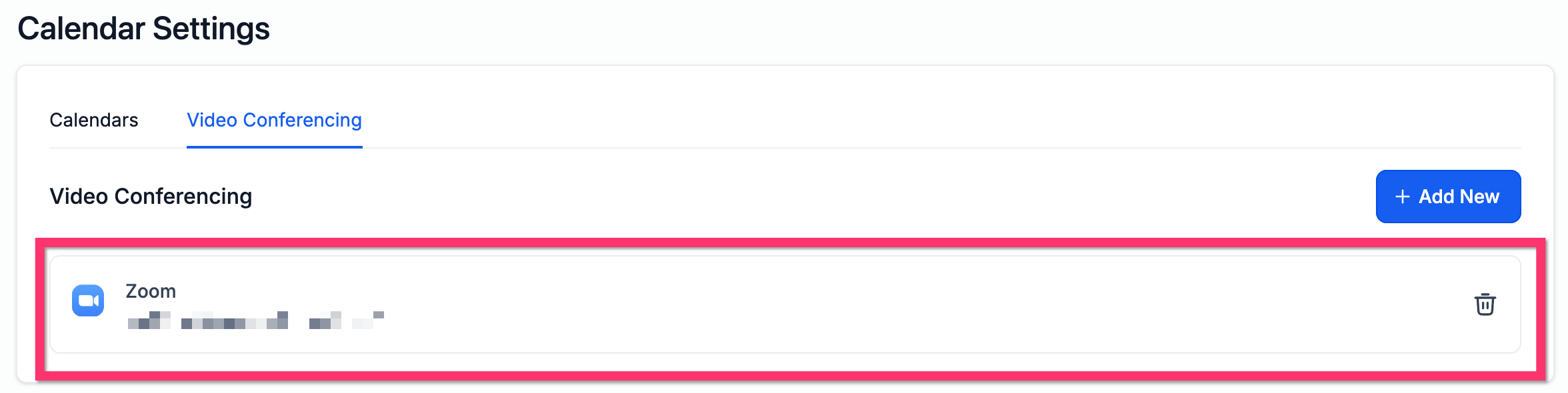
Want to confirm everything's working? Go to My Profile → Calendar Settings → Video Conferencing. If your Zoom account is connected, it will show up there.
If Zoom gets disconnected and you reconnect it later, Enrollio automatically generates Zoom links for any upcoming appointments that were missing them. You won't need to update each appointment manually.
Frequently Asked Questions
Do I need a paid Zoom account to integrate with Enrollio?
No, a free Zoom account works perfectly. Paid plans offer longer meeting times and extra features, but they're not required.
Can I assign different Zoom accounts to different calendars?
Zoom integration is tied to your user profile, so you can only connect one Zoom account per user. If you have multiple staff members, each person can connect their own Zoom account.
How do I disconnect or change my Zoom account?
Go to Calendar Settings → Connections → Video Conferencing or My Profile → Calendar Settings → Video Conferencing. Click Disconnect next to Zoom, then reconnect with a different account if needed.
Will Zoom links be included automatically in appointment emails and text messages?
Yes! If Zoom is selected as the meeting location and your notification templates use the {{appointment.location}} merge field, the link will automatically appear in your messages.
Why is my Zoom meeting link missing from confirmation emails?
Check two things: make sure the meeting location is set to Zoom, and confirm that your message template includes the {{appointment.location}} merge field.
Can I use both Zoom and Google Meet at the same time?
You can have both connected to Enrollio, but only one video conferencing platform can be active per user profile or calendar at a time.
Is the Zoom integration available in all Enrollio plans?
Yes, Zoom integration is available across all plan tiers.
Which calendars support dynamic Zoom links?
Personal Booking, Round Robin, Service, and Collective Calendars all support Zoom integration and generate new Zoom links for each appointment booked.
Related Articles
- How To Create Service Calendars
- How to Integrate Google with Enrollio Calendars
- Multiple Meeting Location Selector in Calendar
- Round Robin Calendars: The Setup Guide
- Assigning a Primary Calendar
- Setting Up Linked Calendars & Conflict Calendars