
What is a Location?
A location is where your tours and appointments take place — your center, a satellite location, or any physical address where families meet with your team.
When you set up your Enrollio account, we automatically create a default location using the business address from Settings Business Profile. For single-location centers, you're all set — just update these details anytime if needed.
To edit your default location, go to Calendar Settings Services Locations tab, click Edit, and make your changes.
Managing Multiple Locations
If you operate multiple centers or satellite locations, you can enable the Multiple Locations feature. This is perfect for childcare businesses with multiple branches.
To enable multiple locations:
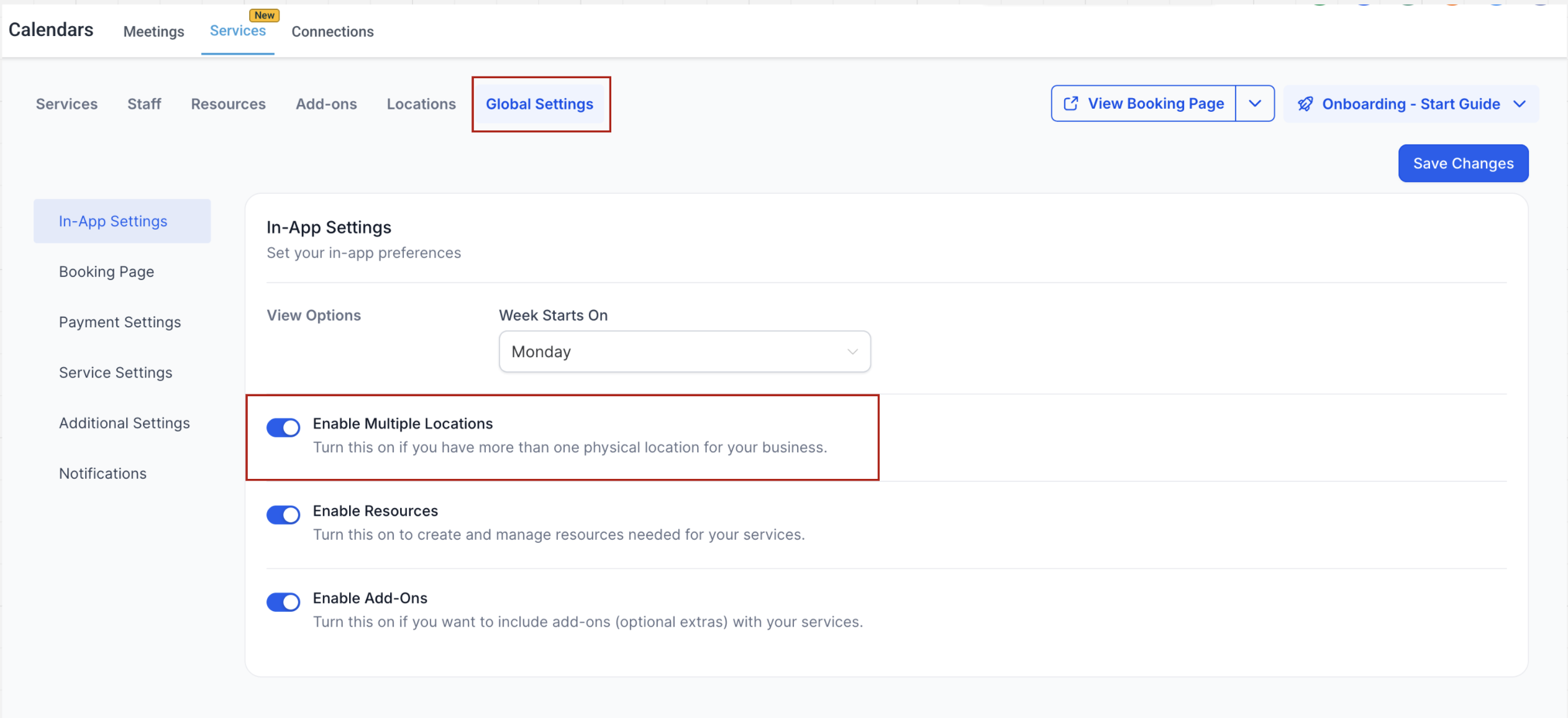
- Go to Calendar Settings Services
- Under Global Settings, toggle on Enable Multiple Locations
- Add your locations under the Locations tab
How to Add New Locations
Once you've enabled multiple locations, adding new ones is straightforward:
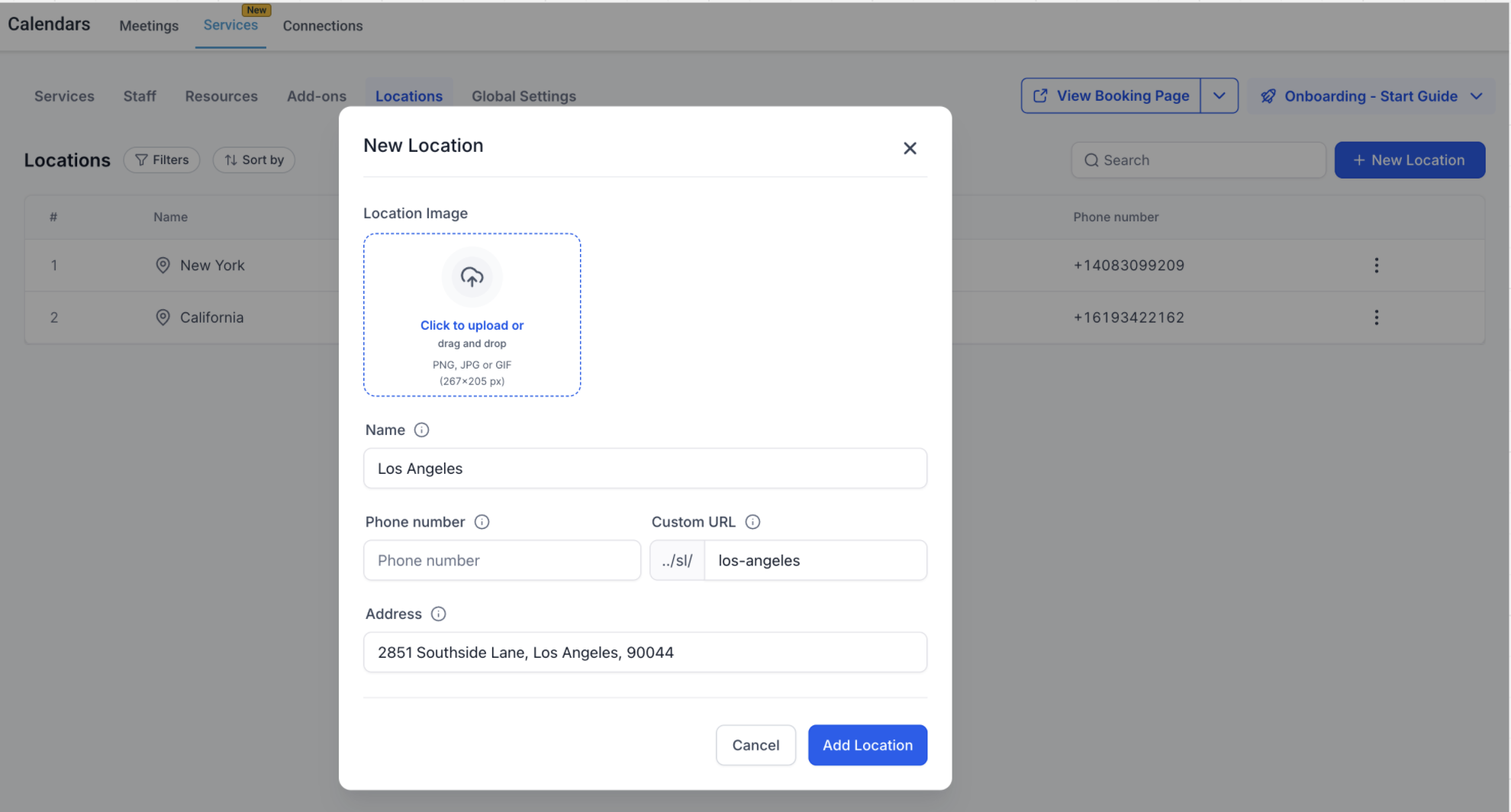
- Navigate to the Locations tab
- Click Add New
- Upload a location image (families will see this when booking tours)
- Enter the location name, phone number, and address
- Click Save Location
Setting Staff Availability for Locations
After creating locations, you need to assign staff availability so tours and appointments are properly scheduled at the right location.
To configure staff availability:
- Go to Calendar Settings Services Staff
- Click Edit on a staff member
- Navigate to the Assign Services tab and assign the appropriate services (like tours or enrollment meetings)
- Go to the Weekly Working Hours tab
- Add working hours based on when this staff member is available at each location
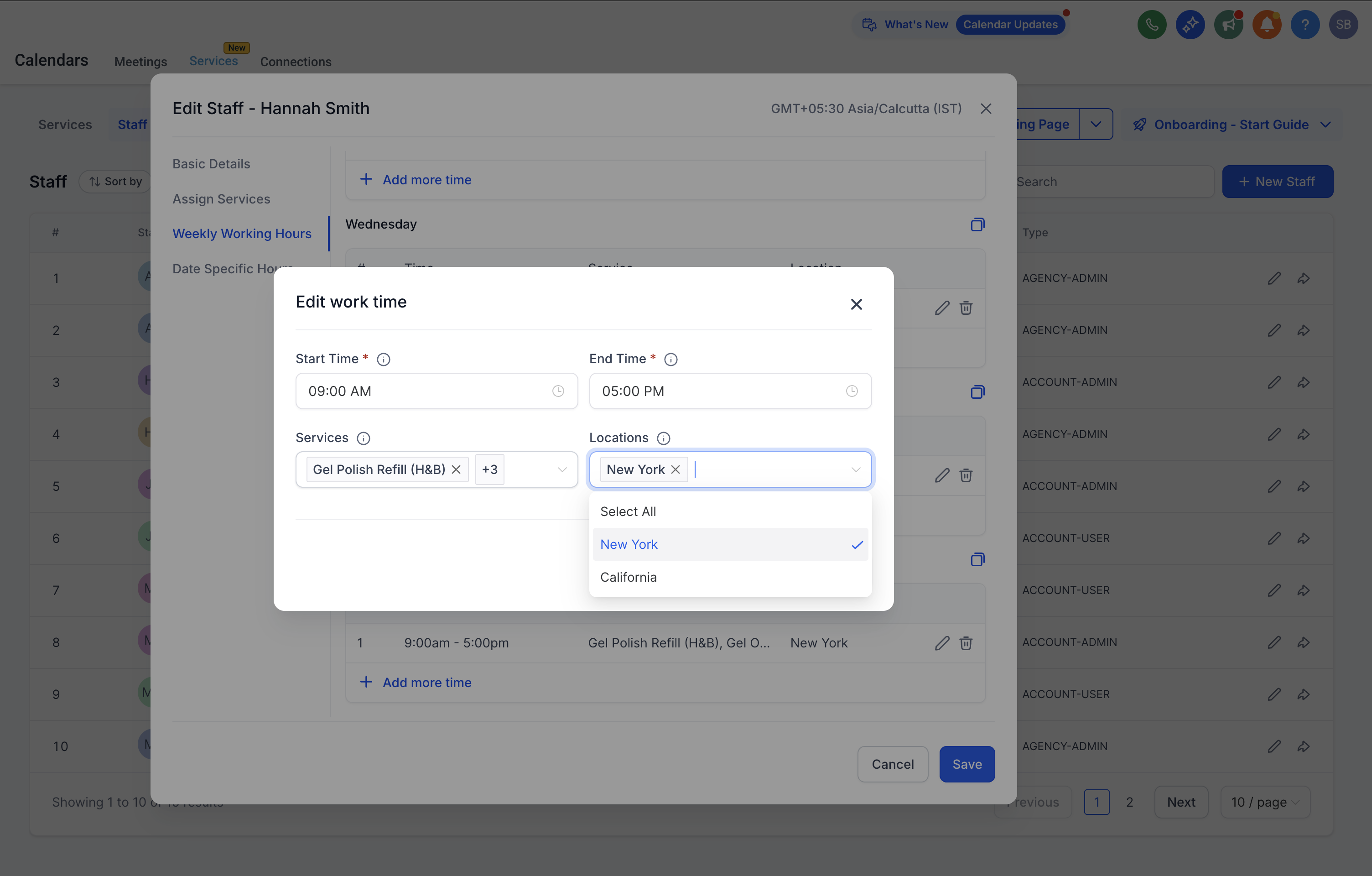
Staff members can be assigned to multiple locations with different schedules — perfect for directors who split time between centers or touring coordinators who work at various locations throughout the week.
Frequently Asked Questions
Do I need to create a location if I only operate one center?
No. Your default location is automatically created using the address in your Business Profile. You only need to add locations if you operate multiple centers or satellite locations.
Can I edit the default location?
Yes. Go to Calendar Settings Services Locations tab, click Edit, and update the details.
Can I use an online location like Zoom or Google Meet?
Online locations aren't directly supported yet. As a workaround, create a static video conferencing link and paste it in the Address field. Families will receive this link in their confirmation.
What happens if I don't assign staff availability to a location?
That location won't appear as an option during the booking process. Staff availability must be configured for each location you want to offer.
Can staff members work at multiple locations?
Yes. Staff can be assigned to multiple locations with different schedules, giving you flexibility across your centers.
Where will families see location information?
Families see the location details (including the image, name, and address) on the booking page when scheduling their tour, and in their appointment confirmation email and text reminders.
Can I delete a location?
You can delete additional locations you've created. However, the default location cannot be deleted — you can only edit its details.