
Overview
The Multiple Location Selector lets you offer families multiple tour locations directly in your calendar settings. When parents book a tour through your booking widget, they can choose their preferred location — perfect for childcare centers with multiple campuses or flexible meeting options.
How It Works
Once you configure multiple locations in your calendar, parents see all available options when booking. They select their preferred location, and that choice appears on their confirmation page, in confirmation emails, and throughout Enrollio wherever the tour location is displayed.
Before You Start: Important Limitations
Keep these limitations in mind:
- Multiple locations only work with Event Calendars and Round Robin calendars that have one team member
- This feature requires the Neo booking widget
Setting Up Multiple Tour Locations
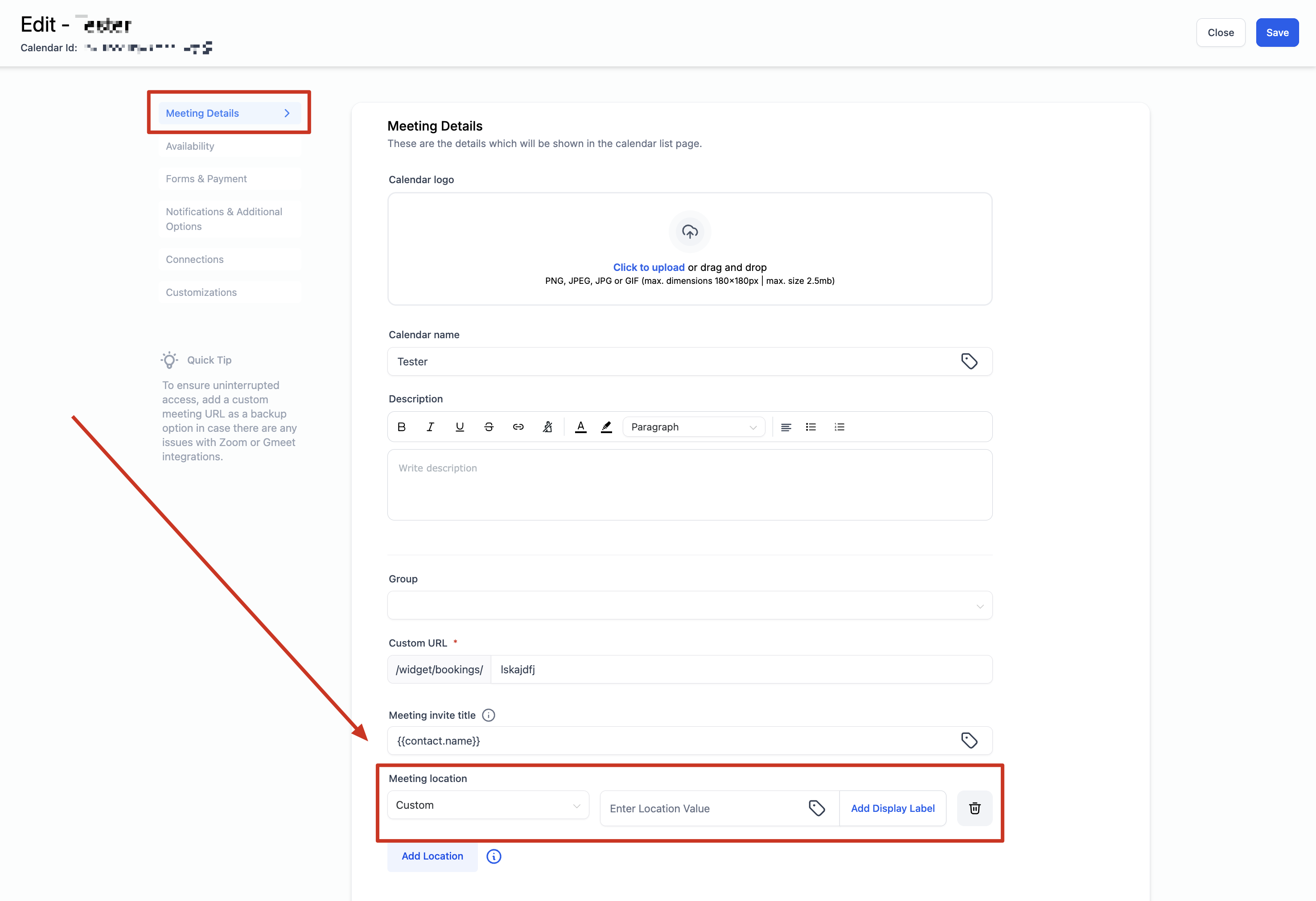
For Event Calendars
- Navigate to Settings and select Calendars
- Click on the calendar you want to configure
- Scroll down to the Meeting Location section
- Click "+ Add Location"
- Choose and configure your desired locations (see options below)
- Click Save
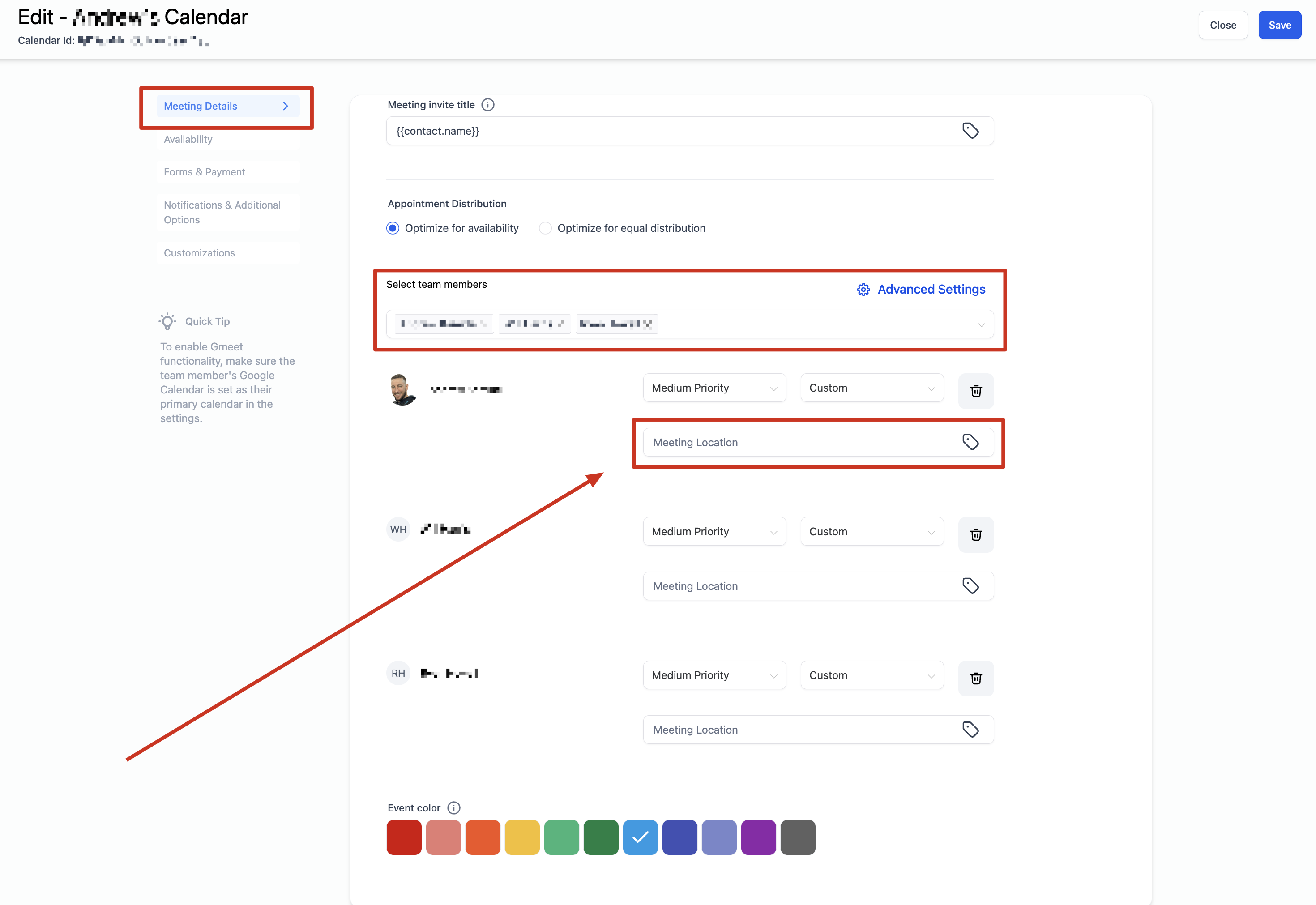
For Round Robin Calendars
- Navigate to Settings and select Calendars
- Click on the calendar you want to configure
- Scroll down to the Team Members section
- Click "+ Add Location"
- Choose and configure your desired locations (see options below)
- Click Save
Available Location Types
Event Calendars
Phone: The default value is your account's phone number, but you can edit it to any phone number you prefer — like a direct line to your enrollment coordinator.
Address: The default value is your center's business address, but you can change it to any location. Great for satellite locations or off-site tour meetups.
Custom: Enter any custom value — like a specific building entrance, a static Zoom link, or special instructions. Note: Event Calendars don't generate dynamic video conferencing links.
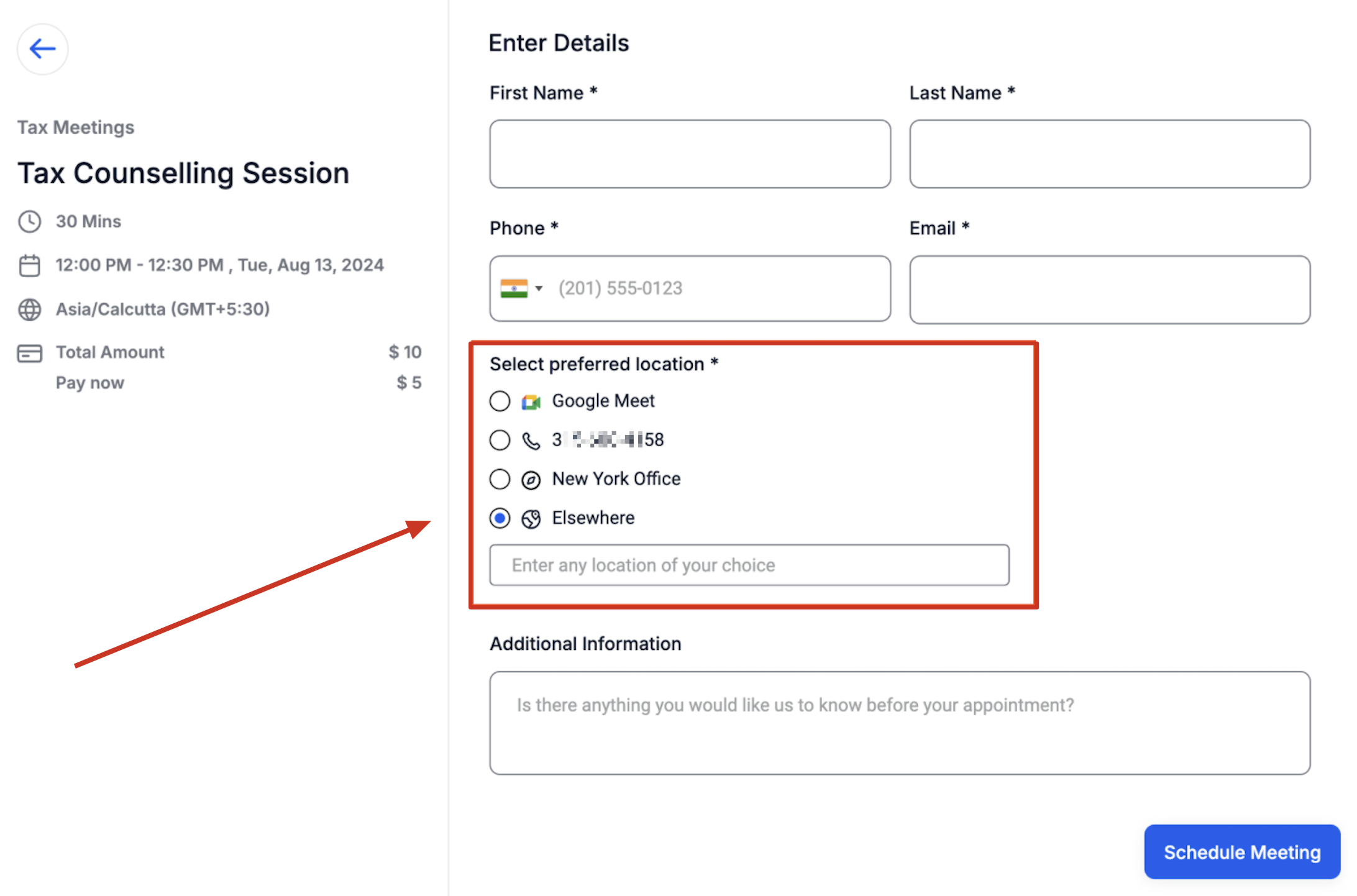
Ask the Parent: Let parents enter their preferred meeting location. This is useful for home visits or flexible meetup spots. When you have multiple locations configured, this option appears as "Elsewhere" on the booking widget.
Round Robin Calendars
Phone: Works the same as Event Calendars — edit the default phone number as needed.
Address: Works the same as Event Calendars — edit the default address as needed.
Custom: Works the same as Event Calendars — enter any custom value or instructions.
Zoom: Unique Zoom links are automatically generated for each tour if you've integrated Zoom. Make sure Zoom is connected in Settings My Profile Calendar Settings Video Conferencing.
Google Meet: Unique Google Meet links are automatically generated if you've integrated Google and selected Google Calendar as your linked calendar in Settings My Profile Calendar Settings.
Ask the Parent: Works the same as Event Calendars — parents enter their preferred location, which appears as "Elsewhere" on the booking widget.
What Parents See When Booking
All your configured locations appear on the booking widget. Parents select their preferred option during the booking process. Their choice then appears:
- On the confirmation page
- In the confirmation email
- In any automated follow-up messages
- In the appointment details throughout Enrollio
- In your calendar view