
Overview
Accidentally deleted a tour calendar? No problem. Enrollio lets you restore deleted calendars along with all their appointments — so you can undo mistakes without losing your scheduled tours, parent meetings, or staff appointments.
When you delete a calendar in Enrollio, all appointments on that calendar are deleted too. The restore feature brings everything back in one step.
How to Restore a Deleted Calendar
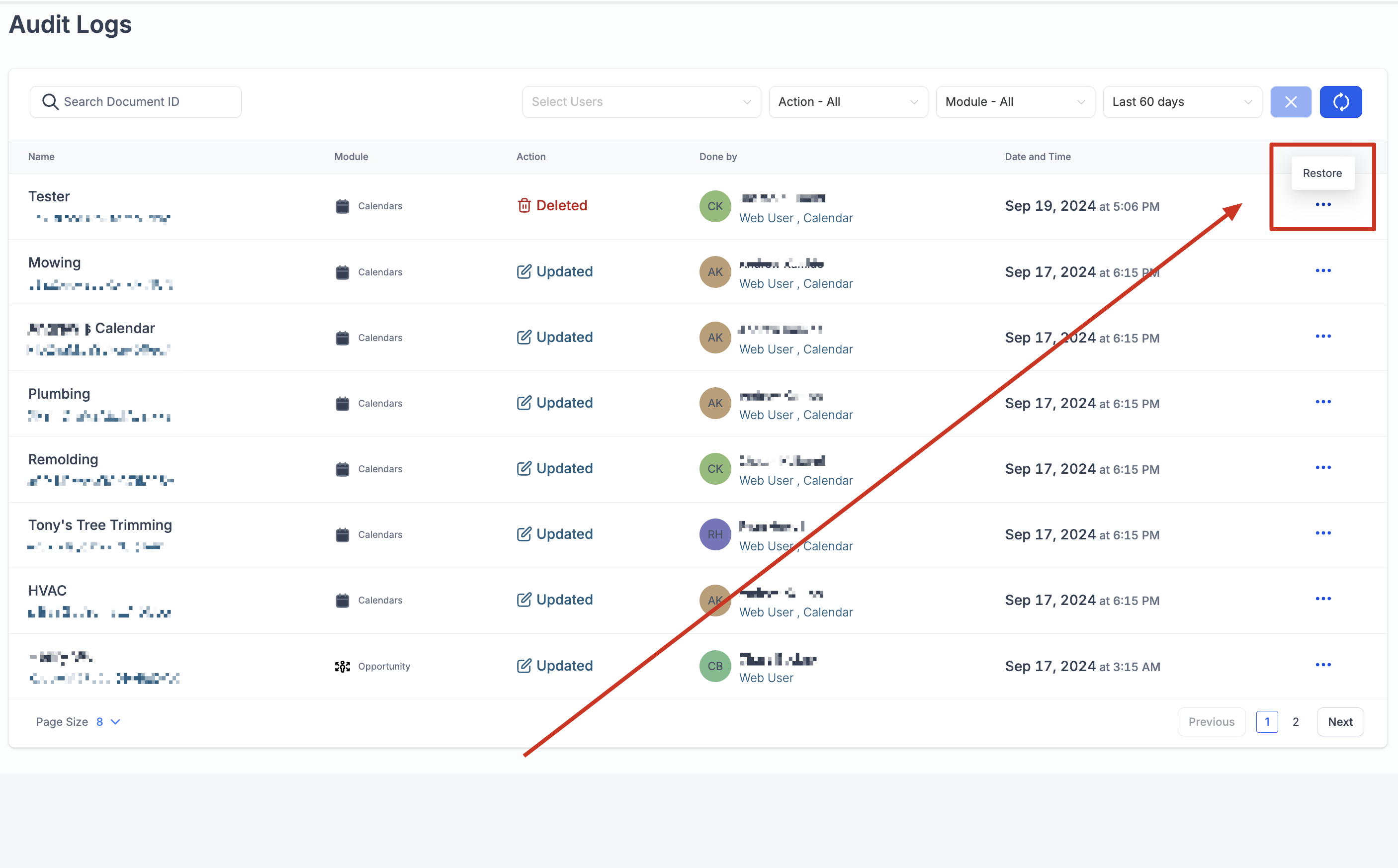
- Navigate to Settings → Audit Logs
- Find the log entry for your deleted calendar
- Click the three dots next to the entry and select Restore
- Your calendar and all its appointments will be restored immediately

Important Things to Know
Which Appointments Get Restored
When you restore a calendar, Enrollio automatically restores appointments that were deleted because the calendar was deleted — not appointments you deleted separately.
Specifically: appointments deleted within 30 minutes (before or after) of when the calendar was deleted will be restored. Appointments you deleted at other times won't come back.
Example
Say you delete your "Tour Appointments" calendar on May 15th at 10:00 AM. All appointments on that calendar are immediately deleted. When you restore the calendar, all those appointments come back.
But if you had manually deleted a specific tour appointment earlier that morning at 9:00 AM, that one won't be restored — because you deleted it separately, not as part of the calendar deletion.
Time Limits
Audit logs are kept for 60 days. After that, you won't be able to restore deleted calendars. If you realize you need a calendar back, restore it as soon as possible.