
What is a Primary Calendar?
Your Primary Calendar is the main calendar that controls how Enrollio syncs with your external calendar (Google, Outlook, or iCloud). When you set a Primary Calendar, Enrollio will automatically push new tour appointments to your external calendar and can pull events from your external calendar into Enrollio.
This is especially useful for team calendars where multiple staff members schedule tours and appointments with prospective families.
How Primary Calendar Sync Works
Your Primary Calendar has two main jobs:
- Write appointments to your external calendar: When someone books a tour or appointment in Enrollio, it automatically appears in Google Calendar, Outlook, or iCloud
- Read events from your external calendar: Events from your external calendar can sync back into Enrollio
Setting Up Your Primary Calendar
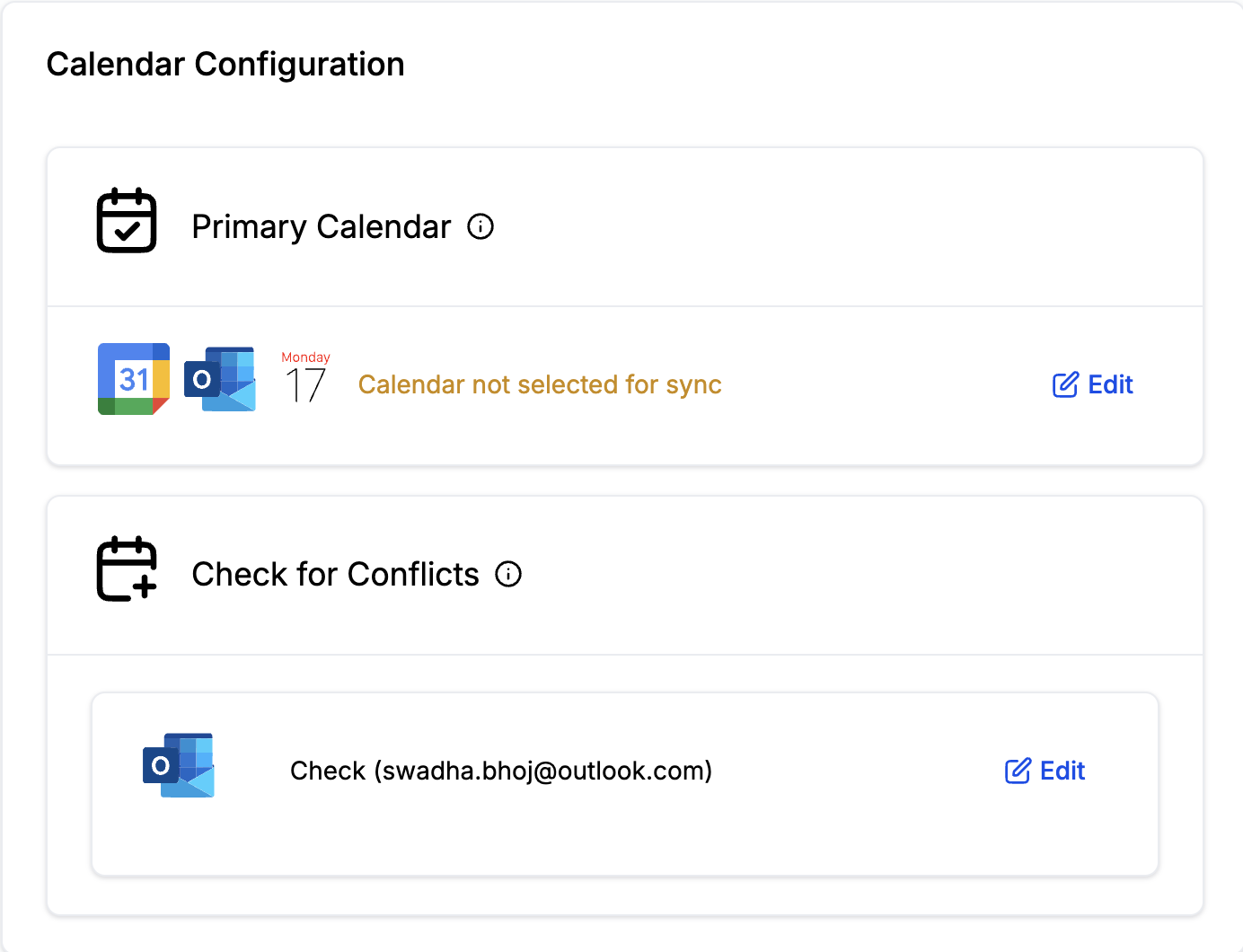
Navigate to Settings → My Profile. You'll see two main calendar settings: Primary Calendar and Check for Conflicts.
Primary Calendar Dropdown
This dropdown shows all the external calendars you've connected to Enrollio. If a calendar appears disabled, it may be included in your conflict checking calendars or may not have write permissions in Google.
Select the calendar where you want Enrollio to push your tour appointments and bookings.
Allow Contact Creation
This setting controls whether events from your Google or Outlook calendar should create appointments in Enrollio.
Select "None" if you only want Enrollio to push appointments to your external calendar (one-way sync).
Select a calendar if you want events from Google or Outlook with attendees to automatically create appointments in Enrollio. When you select a calendar from this dropdown, appointments will be created in that specific Enrollio calendar. The dropdown shows all team calendars you're part of.
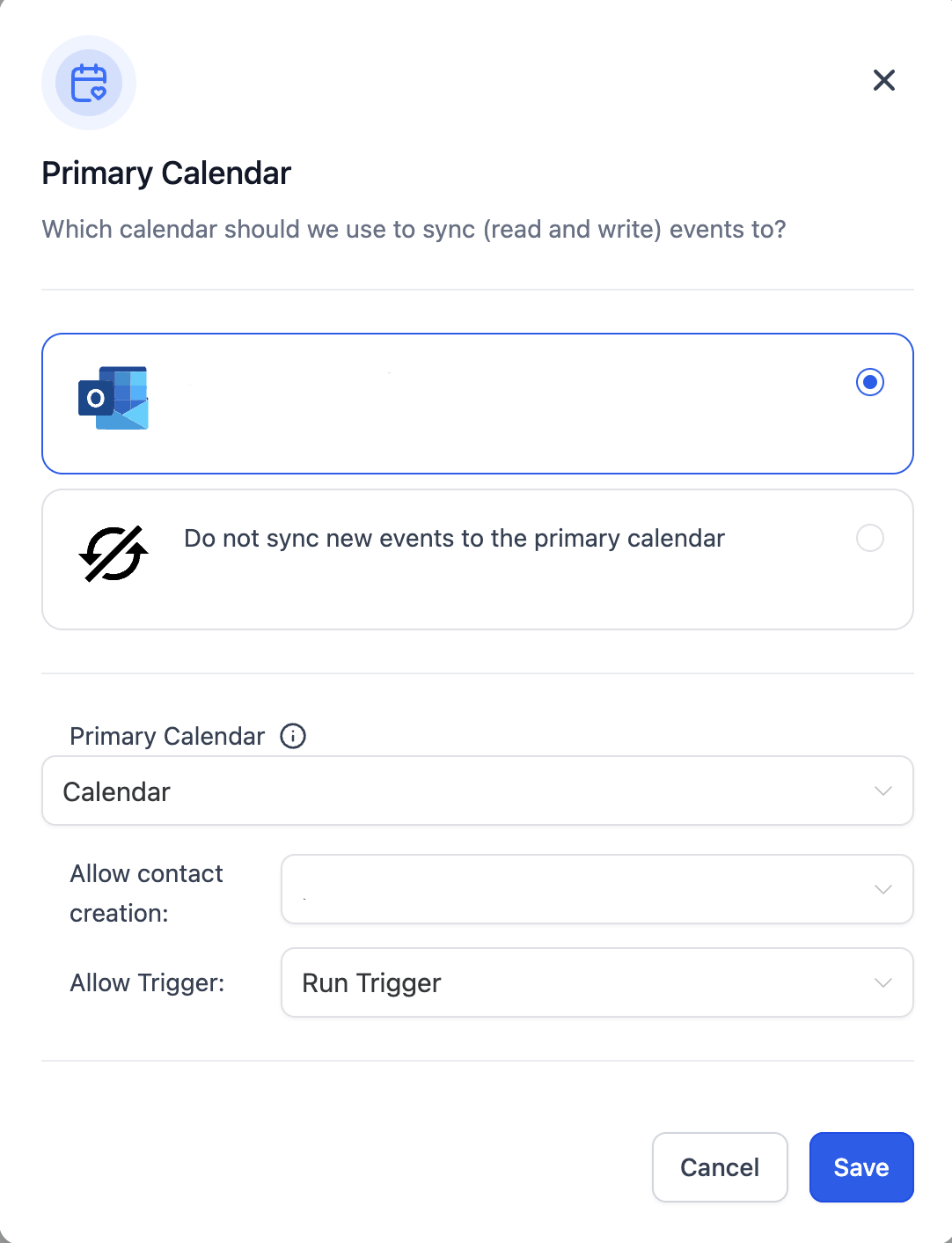
Allow Trigger
This option only appears if you've selected a calendar for contact creation. It controls whether automations fire for appointments synced from Google or Outlook.
Enable this if you want your standard appointment automations (like confirmation texts to parents) to run for synced appointments.
Disable this if you want to skip automations for appointments that come from your external calendar. This is useful if you're syncing personal appointments that don't need parent notifications.
Common Use Cases
Tour Coordinator Syncing Tours
Your tour coordinator wants all Enrollio tour bookings to appear in their Google Calendar, and they want personal appointments in Google to show as busy time in Enrollio.
Setup: Select Google Calendar as Primary Calendar, enable Allow Contact Creation and select your Tours calendar, enable Allow Trigger so parents get confirmation messages.
Director with Separate Personal Calendar
Your director schedules tours in Enrollio but also has personal appointments they don't want to trigger parent notifications.
Setup: Select Outlook as Primary Calendar, enable Allow Contact Creation but disable Allow Trigger to prevent automations from firing on personal appointments.
Staff Member Who Only Wants One-Way Sync
A staff member wants their Enrollio appointments to show in their calendar app, but they don't need external events to sync back to Enrollio.
Setup: Select their calendar as Primary Calendar, set Allow Contact Creation to "None".