
Enrollio AI Post-Tour Booking Actions
When a parent books a tour through Enrollio AI, you can now control what happens next. Choose to pause automated responses or trigger specific automations — giving you complete control over the parent experience.
The Challenge
Once a parent successfully books a tour, Enrollio AI continues the conversation by default. But many childcare owners told us they needed two specific capabilities:
- Pause AI responses: Stop automated messages once a tour is booked
- Trigger automations: Kick off specific follow-up sequences immediately after booking
The Solution
We've added two powerful settings to your tour booking configuration in Enrollio AI. You'll find these options when setting up appointment booking for your tours.
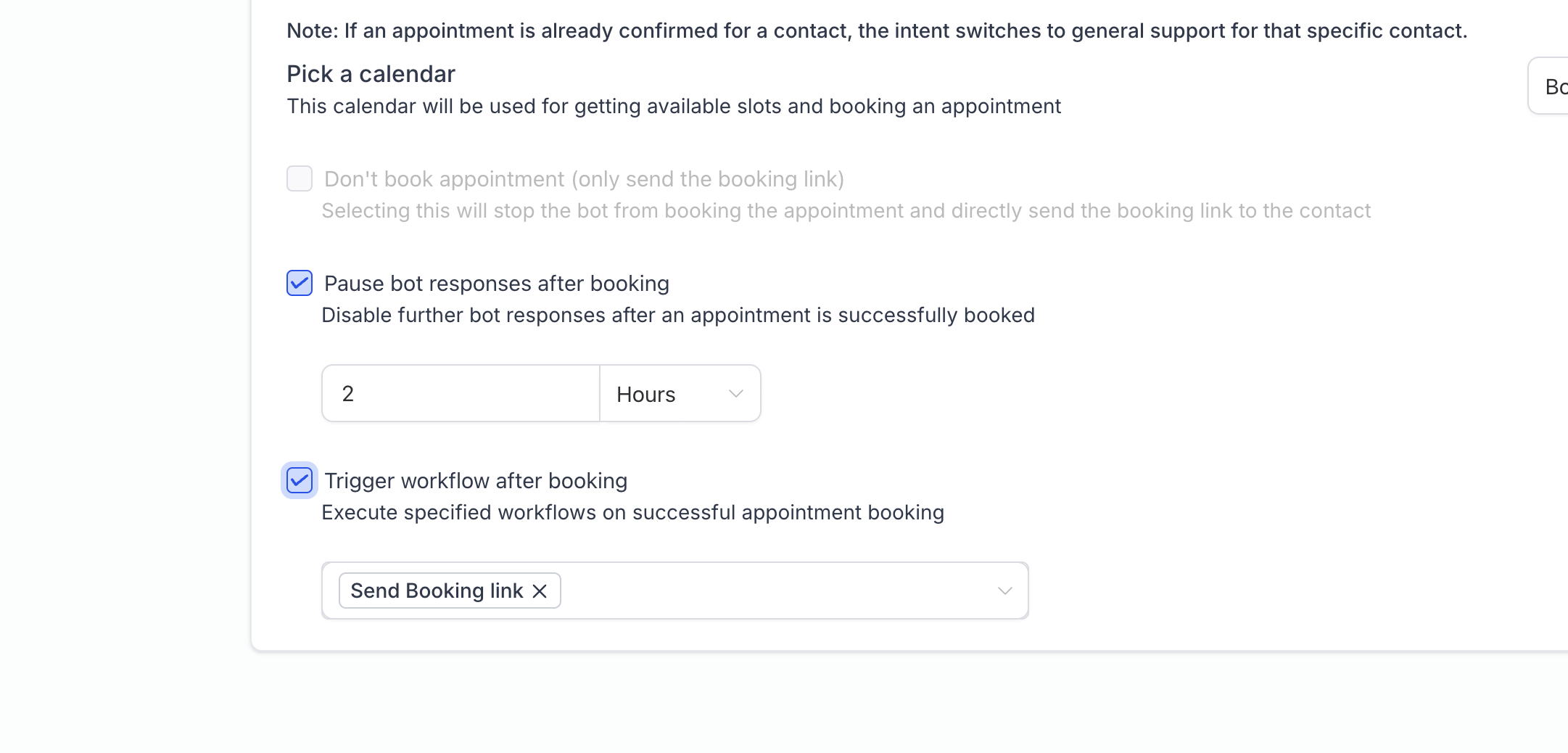
Put the AI to Sleep
This option pauses Enrollio AI after a parent books a tour. You decide how long the AI stays quiet — whether that's a few hours, a day, or longer. During this time, no automated responses will be sent, letting your team take over the conversation personally.
When to use this: Perfect when you want to personally reach out after a tour booking, or when you need time to prepare for the visit without additional automated messages.
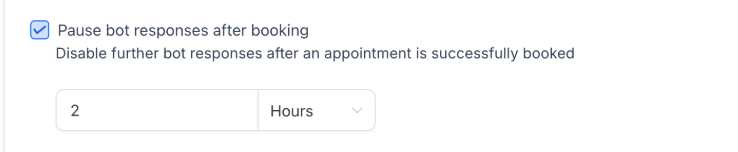
Trigger Automations
Launch one or more automations the moment a tour is booked. Use the dropdown menu to select which automations should run — you can choose multiple.
Common automation examples:
- Send tour confirmation and preparation details
- Alert your staff about the new tour booking
- Add the family to your tour follow-up sequence
- Create a task for tour setup and room preparation
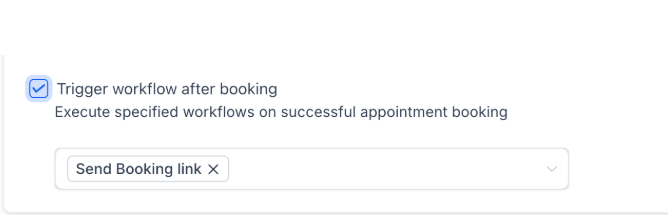
Use Both Together
You can enable both settings at the same time. For example, trigger a confirmation automation immediately, then pause the AI for 48 hours while you prepare for and conduct the tour. This gives you the perfect blend of automation and personal touch.
How to Set This Up
- Navigate to Settings Enrollio AI
- Click on your appointment booking configuration
- Scroll to the post-booking actions section
- Enable Put the AI to Sleep and set your preferred duration (optional)
- Enable Trigger Automations and select which automations to run (optional)
- Click Save
What Happens Next
After a parent books a tour, your selected actions happen automatically:
- If you enabled automations, they trigger immediately
- If you enabled the AI sleep mode, automated responses stop for your specified duration
- Your team can take over the conversation manually at any time
This feature gives you complete control over the post-booking experience, letting you balance automation with the personal touch that childcare families expect.