
What Causes the Google Calendar Integration to Break?
When your Google Calendar integration stops working, it's usually caused by one of these issues:
- You changed your Google account password
- You revoked permissions for Enrollio in your Google settings
- Google detected suspicious activity and automatically blocked access
- Security tokens expired or were invalidated
When this happens, your calendar stops syncing and new tour appointments won't appear in Google Calendar.
How to Fix a Broken Google Calendar Integration
When your Google calendar disconnects, you need to re-authenticate the connection. This is a quick two-step process that takes about two minutes.
Step 1: Remove the Disconnected Google Calendar
- Navigate to Settings in your account
- Select My Profile
- Go to Calendar Settings
- Click the Delete icon next to your connected Google account
- Check the acknowledgement box in the popup
- Click Confirm
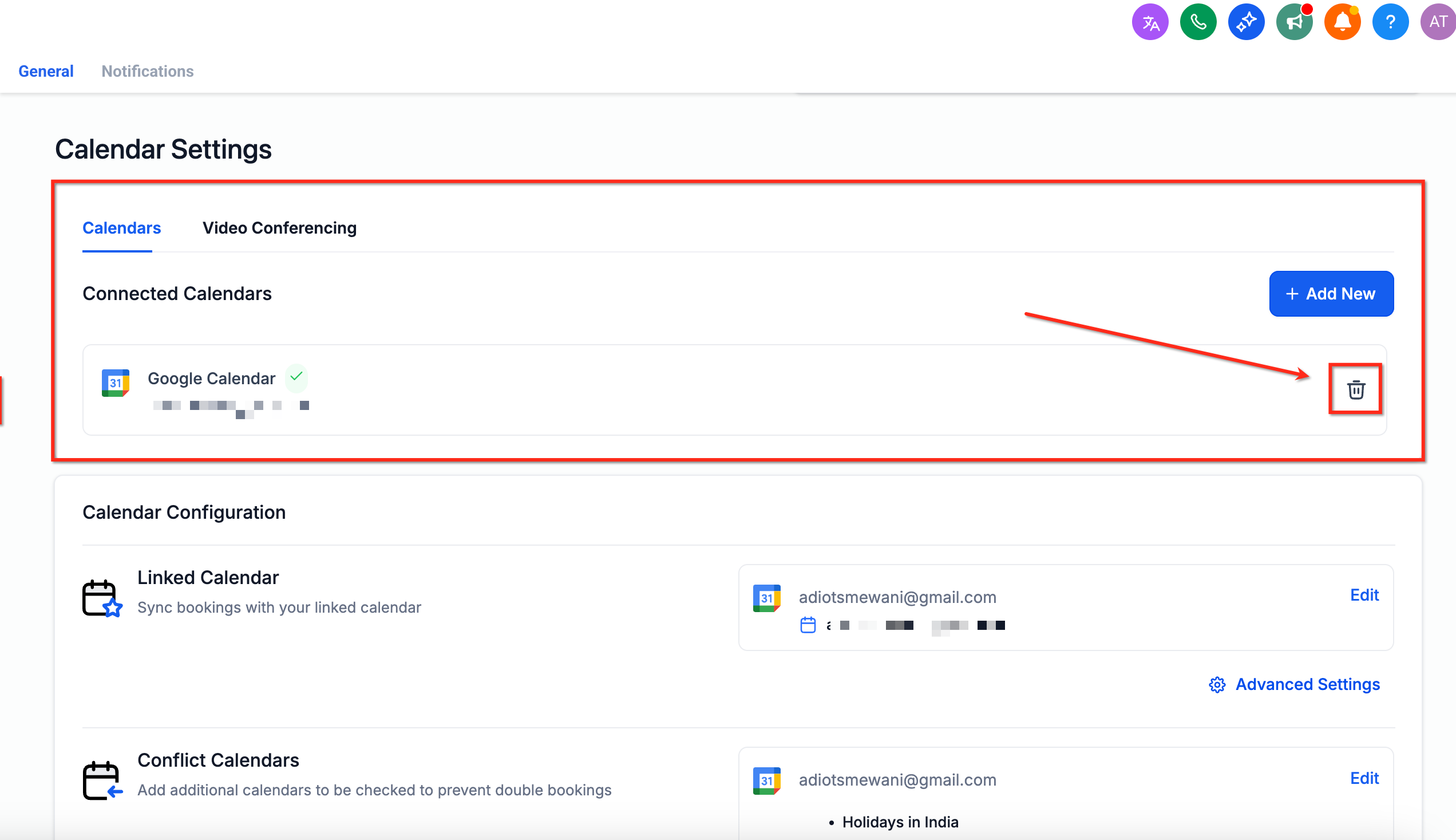
Step 2: Reconnect Your Google Calendar
- Stay in Settings > My Profile
- Under Calendar Settings, click + Add New
- Select Google Calendar
- Follow the Google authentication prompts to grant Enrollio access
- Select which Google calendar you want to sync with
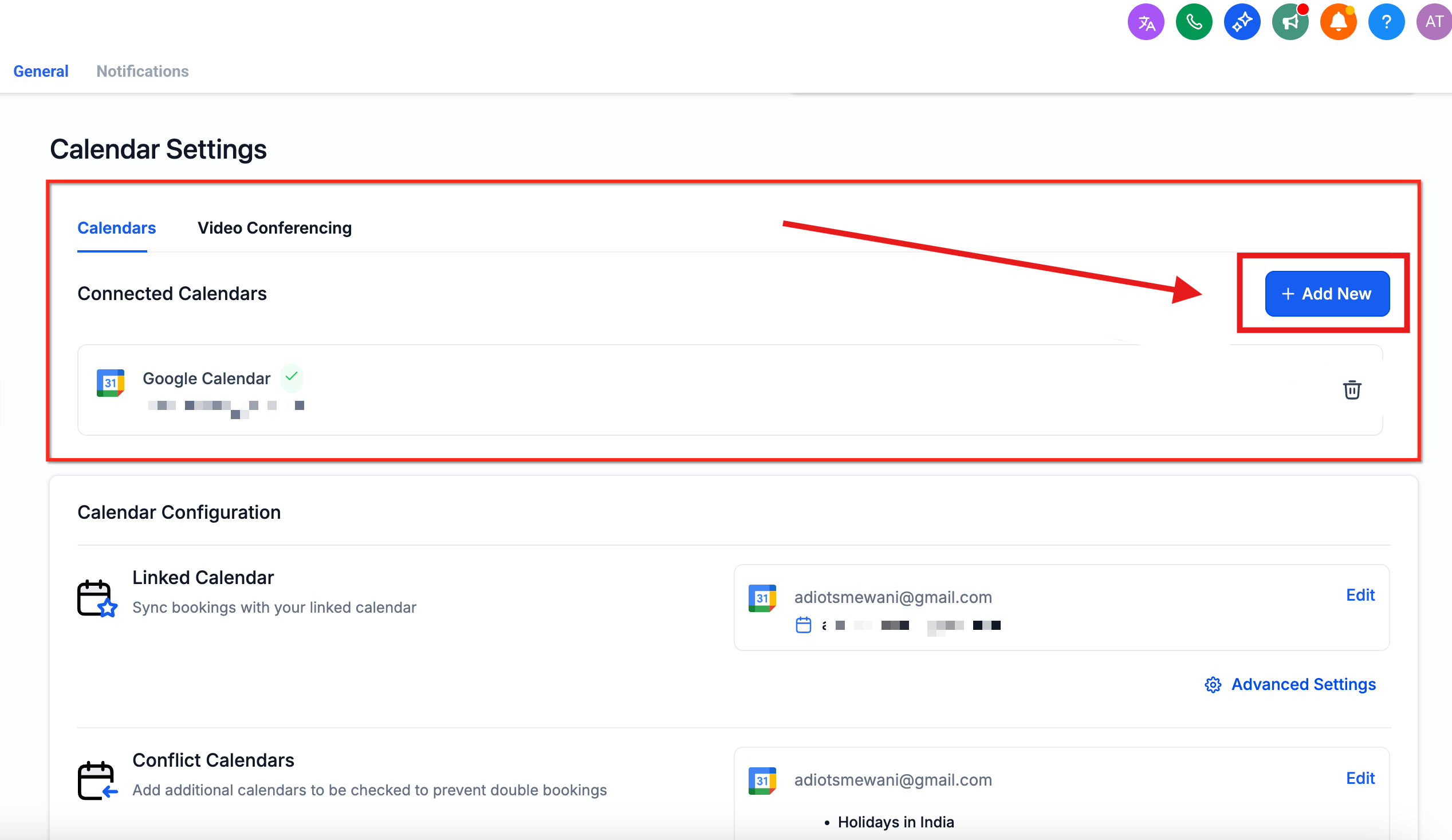
Step 3: Test Your Connection
Create a test tour appointment in Enrollio and verify it appears in your Google Calendar within a few seconds. If you're still experiencing sync issues after testing, contact our support team for help.
Frequently Asked Questions
How do I know if my Google Calendar integration is broken?
New tour appointments won't appear in your Google Calendar, or you'll see a "disconnected" message in your Calendar Settings. You might also notice that changes you make in Enrollio aren't syncing to Google.
Do I need to reconnect after changing my Google password?
Yes. Changing your Google password automatically revokes third-party access for security reasons. You'll need to follow the steps above to reauthorize Enrollio.
Will I lose existing appointments if the calendar disconnects?
No. All your tour appointments and bookings in Enrollio remain intact. Once you reconnect, syncing will resume and new appointments will flow to Google Calendar again.
Can I sync multiple Google calendars with Enrollio?
Each staff member can connect one primary Google calendar for syncing. If you need to switch which calendar syncs, use the Calendar Settings screen to disconnect and reconnect with a different calendar.