
What is a One-Time Booking Link?
A One-Time Booking Link is a unique scheduling link to your calendar that automatically expires after a single appointment is booked. Unlike your permanent calendar link, this link provides one-time access to your availability.
Why Use One-Time Booking Links?
One-Time Booking Links give you more control over who can schedule time with you. They're perfect when you want to offer a tour or consultation to a specific prospective family without sharing your full calendar availability.
These links automatically expire after each booking, preventing unwanted appointments and ensuring families can't share your availability with others. Once someone books using the link, they'll need a new link to schedule again.
How to Share a One-Time Booking Link
To create and share a one-time link to your calendar:
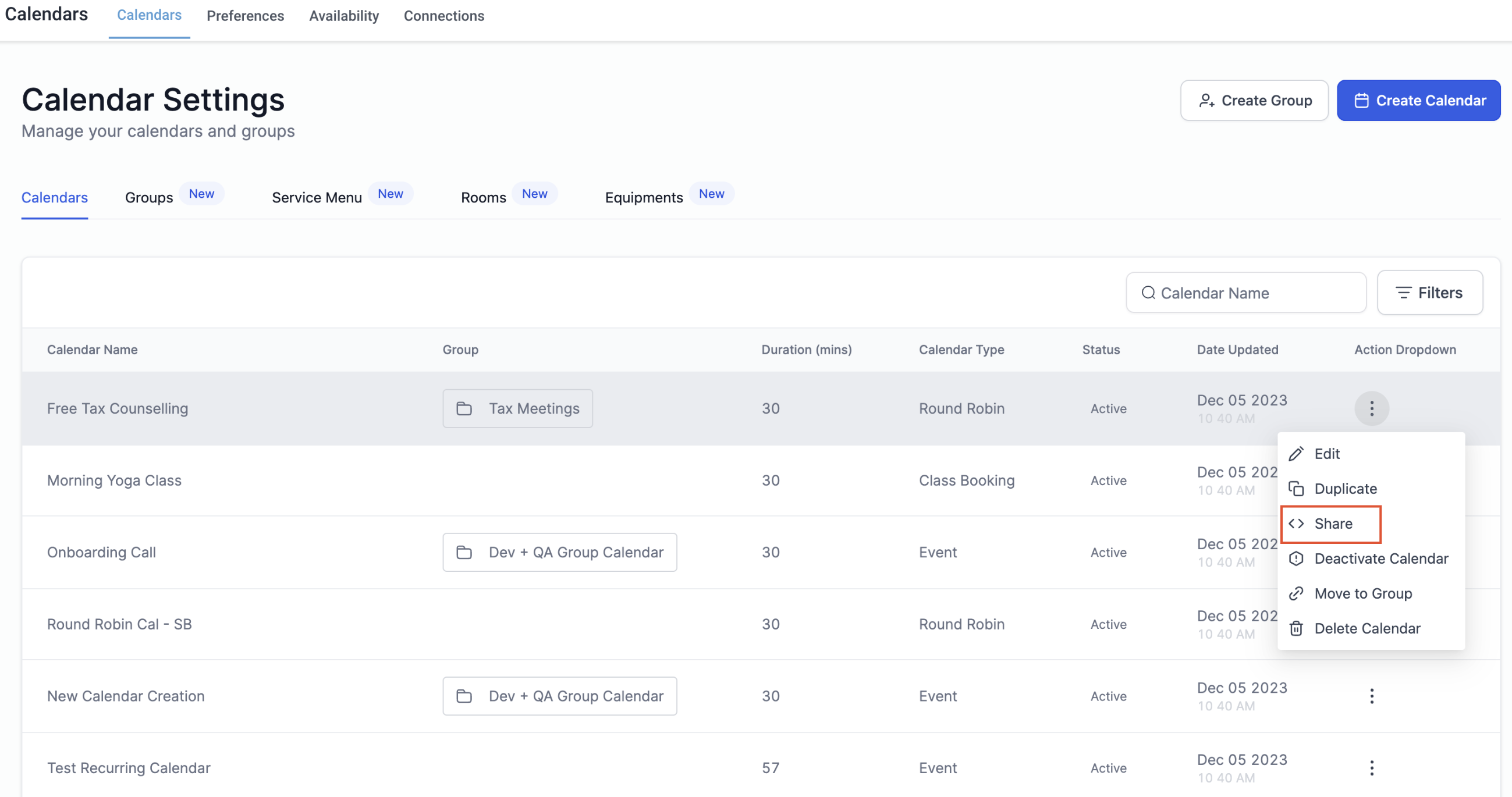
- Navigate to Calendar Settings and select Calendars
- Click the three dots next to your calendar and select Share
- In the sharing options, click the One Time Link tab
- Click Copy to copy the link to your clipboard
- Paste the link in an email, text message, or anywhere you communicate with the family
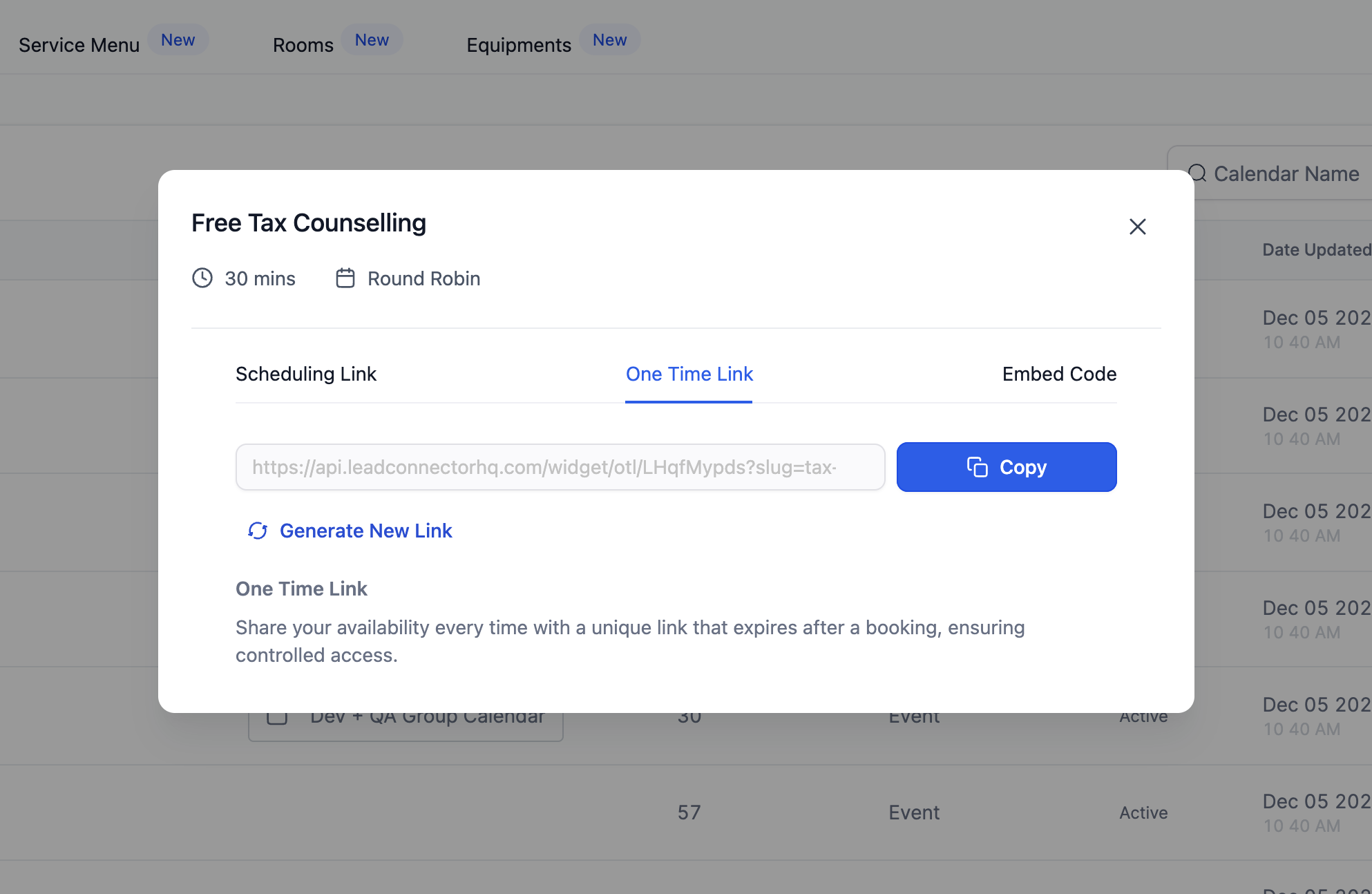
Need a fresh link? Click Generate New Link to create a new URL anytime.
What Happens After Someone Books
Once a family uses your One-Time Link to schedule an appointment, the link expires immediately. If anyone tries to use the same link again, they'll see a message indicating the link has expired and they should contact you directly.
This ensures only valid, current links are used for scheduling and protects your calendar from unauthorized access.
Related Articles
- Creating Booking Calendars for Tours
- Sharing Calendar Links from Your Mobile App
- Automation Action: Generate One-Time Booking Link