
Getting Started - Add Your First Family
Add your first family effortlessly and begin building meaningful relationships right away.
TABLE OF CONTENTS
Add a New Family
Let's start by adding your first family to Enrollio. Building your parent database begins with this simple step:
- Navigate to Contacts in the main menu.
- Click the Add Contact button.
- Enter the family details (parent name, email, phone, child's name, etc.).
The more information you provide upfront, the easier it will be to personalize your communication with families.

If you don't see the field you need, use the Create Custom Fields section below to add it.
- Click Save.
Edit an Existing Family
Keep your family information current and accurate. Editing contacts is quick and straightforward:
- Navigate to Contacts.
- Click on a family's row to open their contact card.
- Make your updates on the left-hand side.
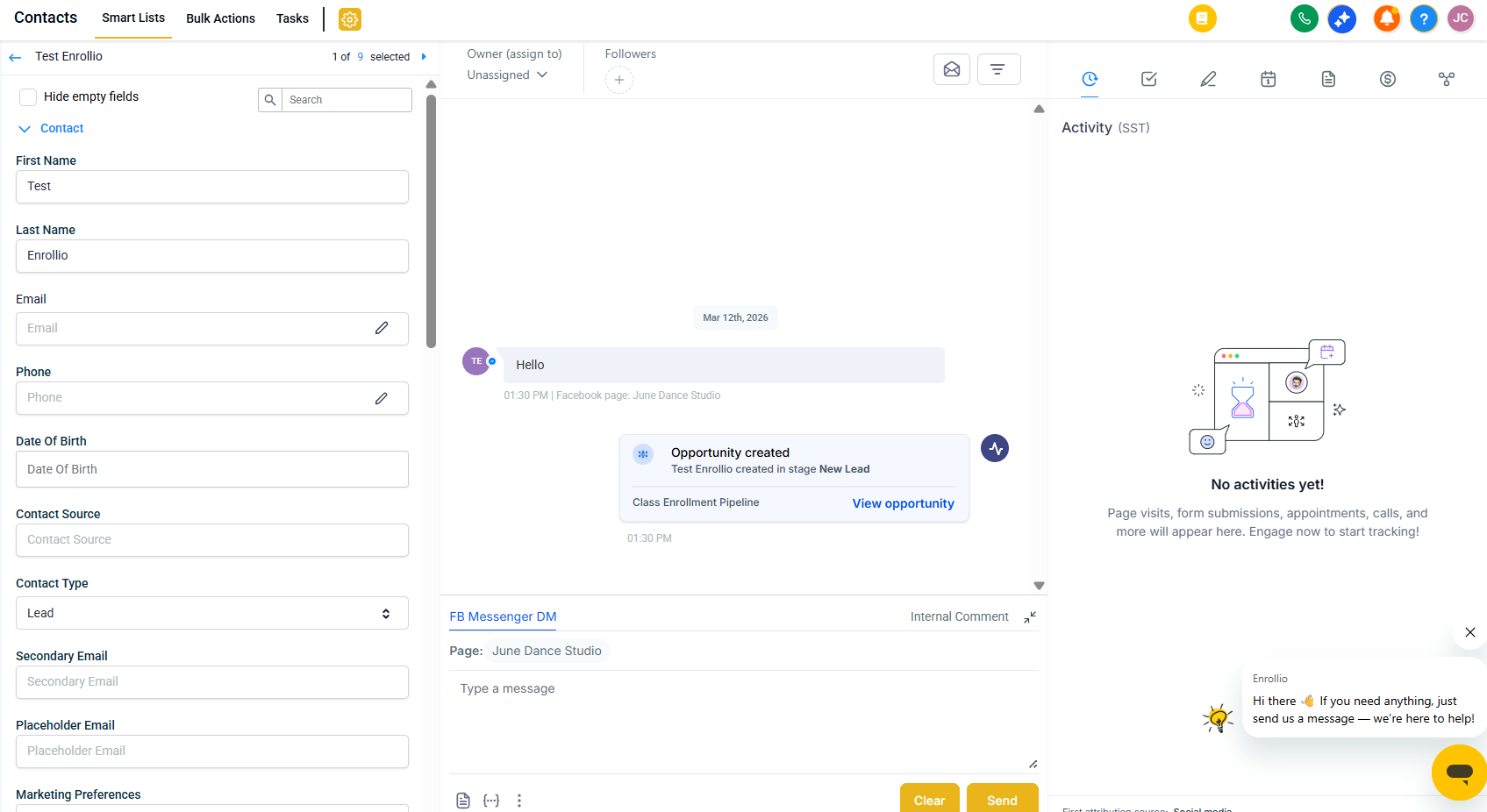
If you need to add information to a field that doesn't exist yet, use the Create Custom Fields section below.
- Click Save to apply your changes.
Delete an Existing Family
Important: Deleting a family removes all associated data including:
- Conversations and text message history
- Notes
- Enrollment opportunities
- Tasks and appointments
- Manual actions
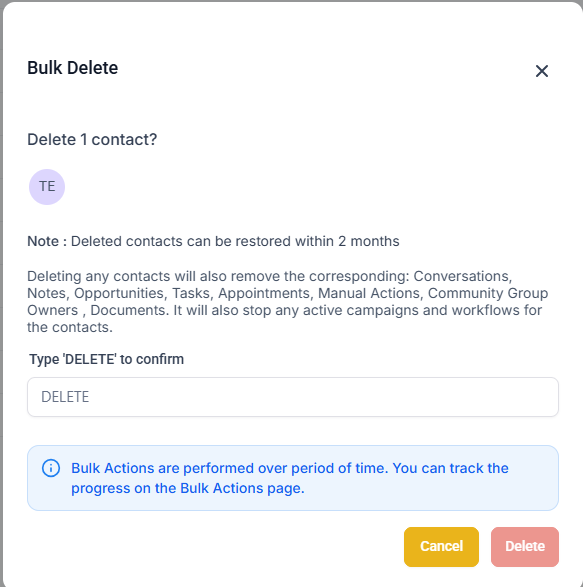
Deleted families can be restored within 2 months. Any active automations for these contacts will stop immediately.
To delete a family:
- Navigate to Contacts in the main menu.
- Select the family using the checkbox to the left of their name.
- Click the Delete button.
- Type DELETE in the confirmation window.
- Click Delete to confirm.
Create Custom Fields
Custom fields let you track the information that matters most to your childcare center. Whether it's a child's allergies, preferred pickup time, or sibling information, you can capture it all.
- Navigate to Settings > Custom Fields.
- Click Add Field.
- Choose the type of field you want to create (text, dropdown, date, etc.).
- Complete the field details including name, group, and placeholder text.
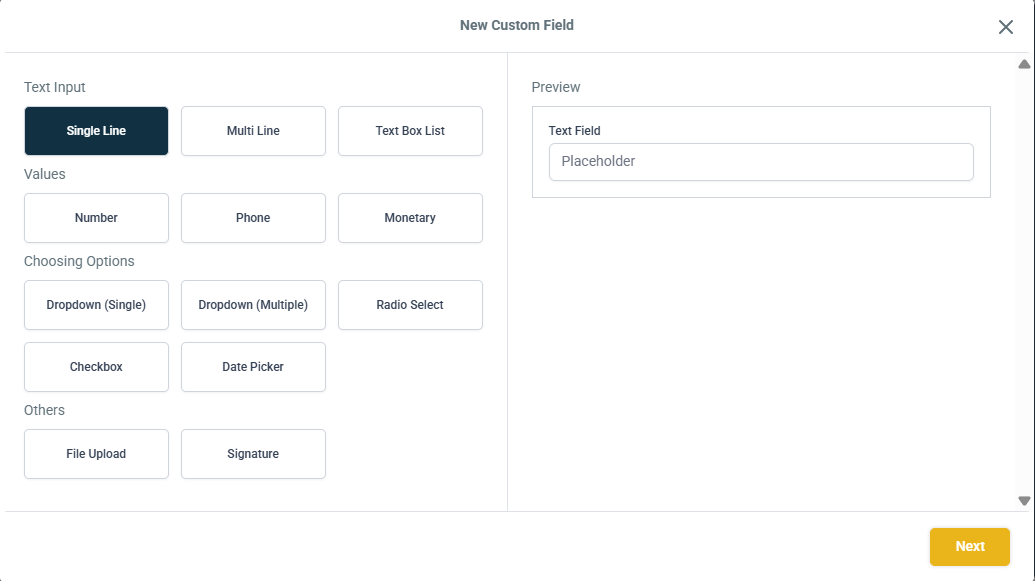
Clear field names help your team understand exactly what information to enter.
- Click Save.