
Overview
Managing appointments effectively requires flexibility in how times are displayed. Previously, Enrollio offered a Labs flag that let users toggle between viewing appointments in either the user’s timezone or the business timezone. This limited personalization and control.
What’s New
A new setting now allows users to view appointments in their preferred timezone. Key details include:
This setting is user-specific and does not affect availability or scheduling.
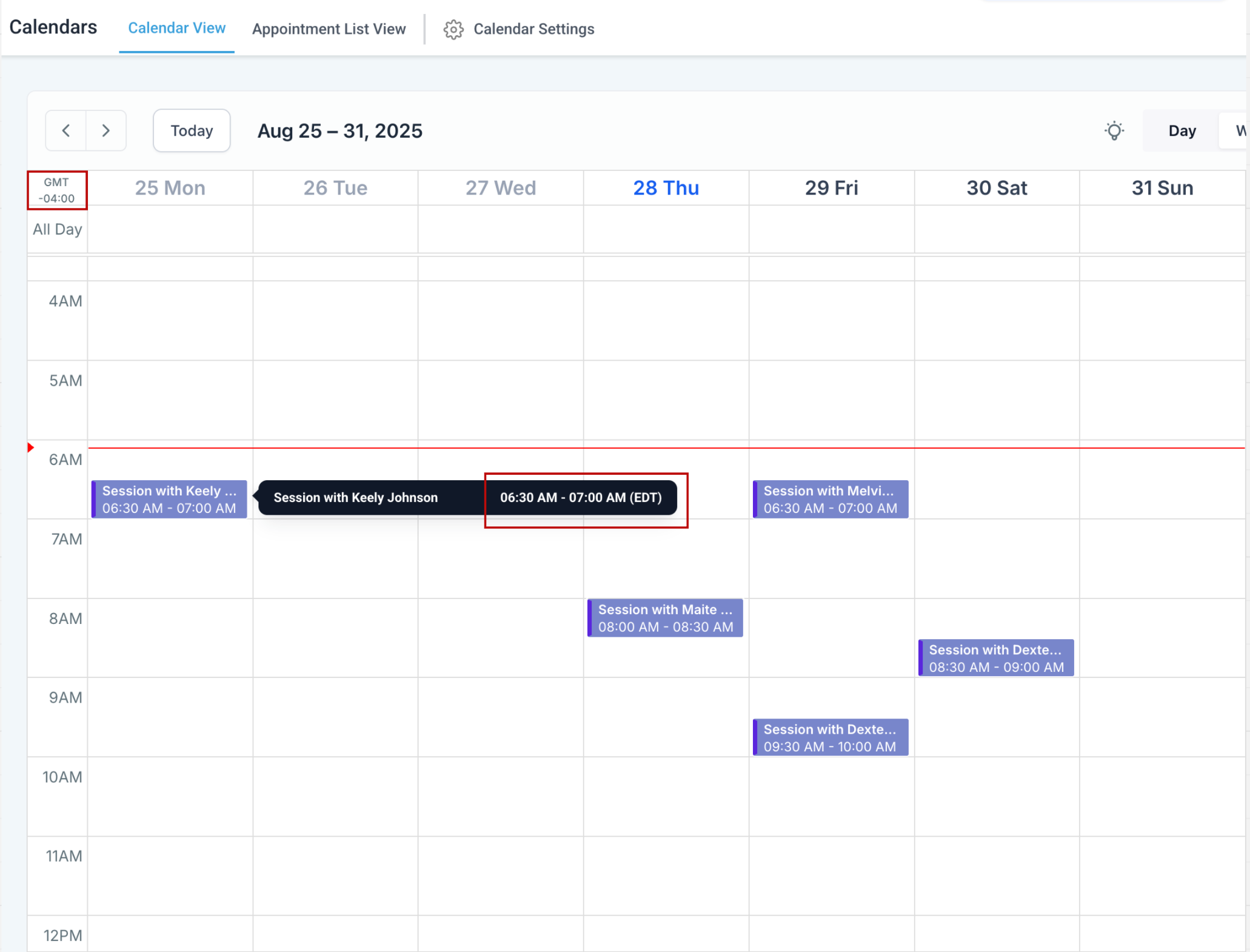
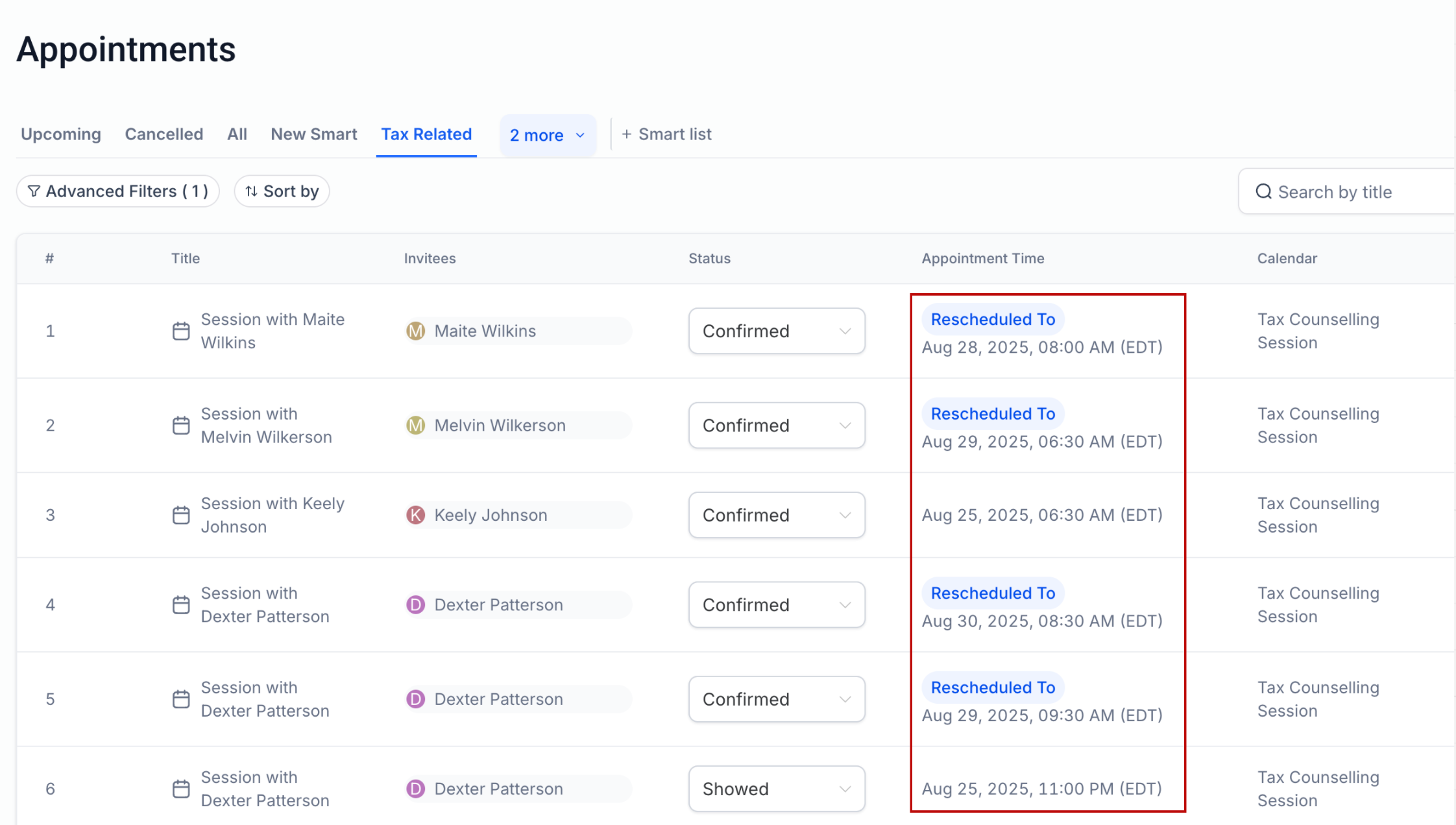
Appointment times will display in the selected timezone without altering business hours or booking options.
The new feature replaces the previous Labs flag for timezone viewing.
Benefits
Greater flexibility in managing and reviewing appointments.
User control over how appointment times are displayed.
Preserves availability settings so scheduling remains accurate and unaffected.
How to Use
Go to Calendar Settings → Preferences.
Select View Appointments In → Choose Timezone.
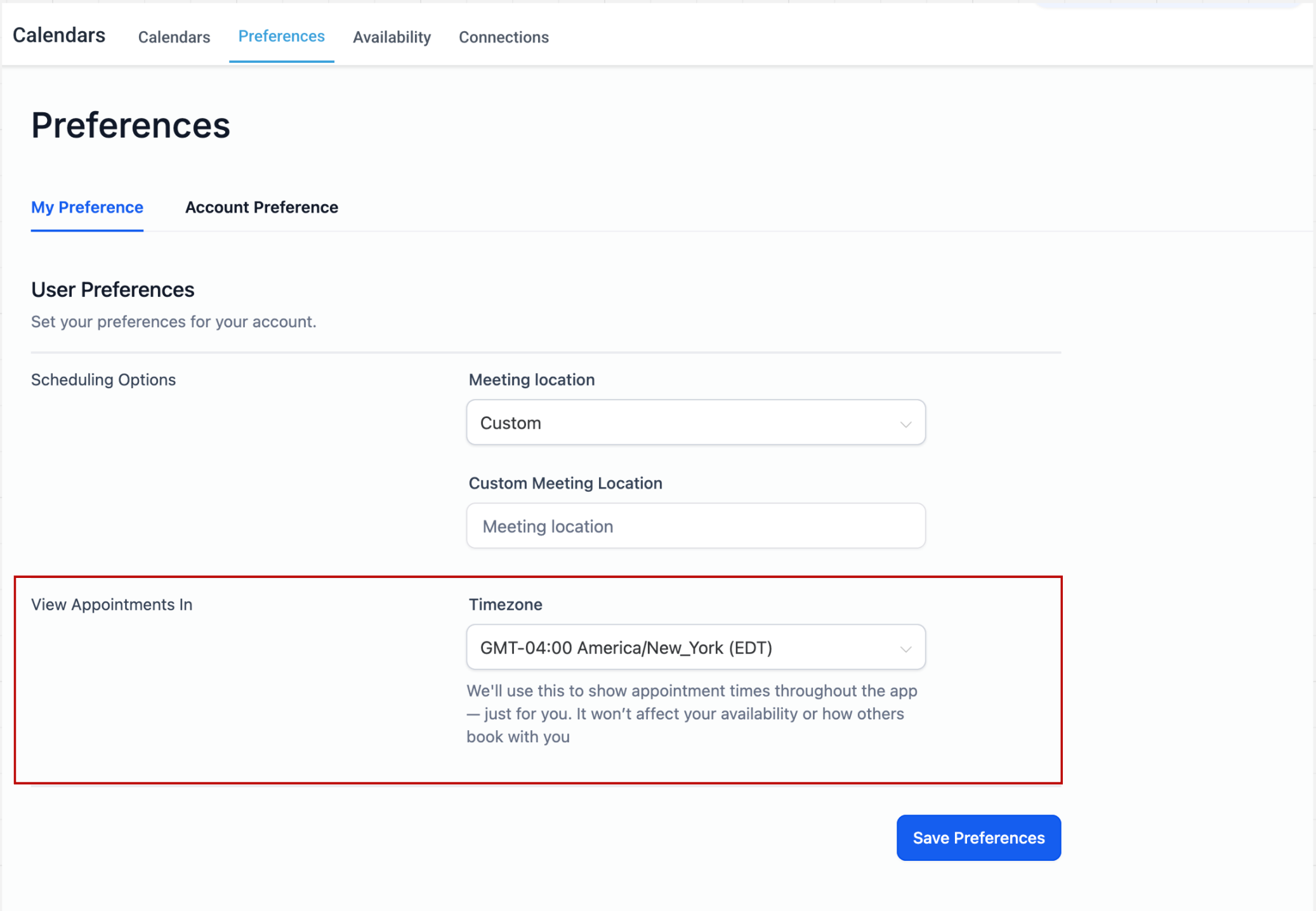
Click Save Preferences.
Support
For any questions or assistance, please contact support@enrollio.ai