
How to Delete Contacts and Their Data in Enrollio
Keeping your contact list up to date is essential for smooth studio management. With Enrollio, deleting contacts and their associated data is quick and straightforward. Here’s how:
Navigate to Your Studio’s Sub-Account
Log in to your studio’s specific Enrollio sub-account.Access Contacts
Click on the Contacts tab to view all student and parent entries.
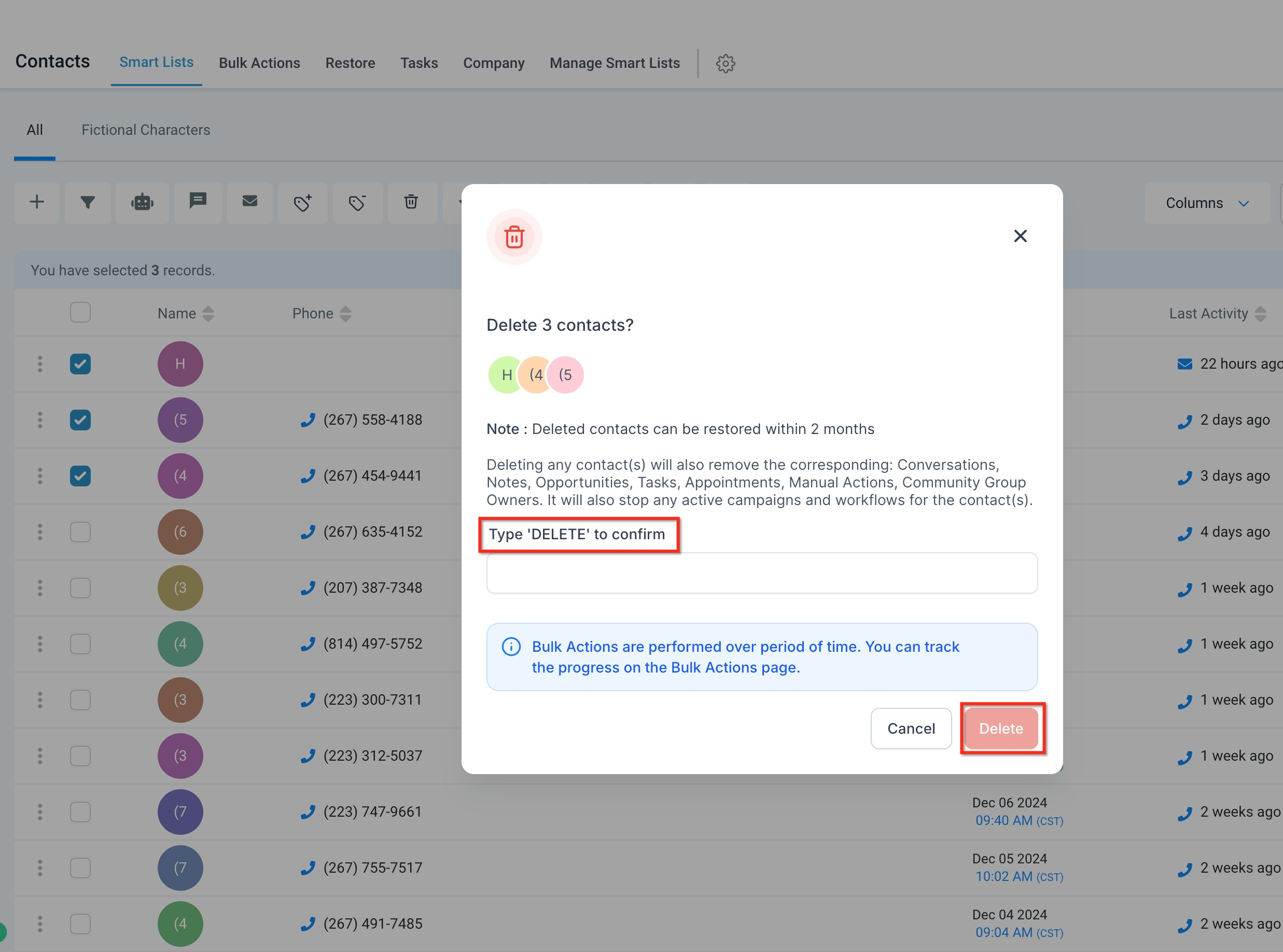
Select Contacts to Delete
Search for or select the contact(s) you wish to remove, such as former students or inactive parents.Delete the Contact
Click the Trashcan icon and confirm the deletion. On the confirmation screen, type DELETE in the text box to finalize the action.Monitor Bulk Deletions
If you’re deleting multiple contacts at once, you can track the status on the Bulk Actions page.
Note: Deleted contacts can only be restored within 2 months, so be sure to confirm before proceeding.
By following these steps, you can keep your Enrollio contact list clean and current—allowing you to focus on what matters most: teaching and inspiring your dancers!