
What is the Outlook Calendar Integration?
Enrollio’s Outlook Calendar integration lets you:
Link your Outlook Calendar to Enrollio
View and manage all your dance class schedules, rehearsals, and studio events
Create or update appointments in Enrollio that automatically appear in your Outlook Calendar
What Are the Benefits of This Integration?
Using this integration in your studio means:
Keeping track of all your dance classes and events without switching between multiple apps
Managing studio schedules in one unified calendar system
Reducing scheduling errors by having all your events—classes, rehearsals, and special events—synced automatically
Saving time so you can devote more energy to your dancers and studio operations
Who Will Benefit from This Integration?
This feature is ideal for dance studio owners and managers who:
Need to coordinate regular class schedules, rehearsals, and recital preparations
Manage appointments for private lessons or studio space rentals
Schedule multiple events and performance practices without conflicts
Operate in busy environments where keeping every step in sync is crucial to a smooth performance
How to Connect to Outlook Integration
To connect your Outlook account with Enrollio, simply:
Navigate to Settings > Profile within your Enrollio account
Locate the Integrations section and select Outlook
Grant Enrollio permission to access your Outlook Calendar
Ensure the logged-in user is part of your studio’s sub-account so the Profile option appears in Settings
How to Configure Your Calendar to Use Outlook Integration
Once connected, set up your calendar configuration using two segments:
Primary Calendar Configuration
-
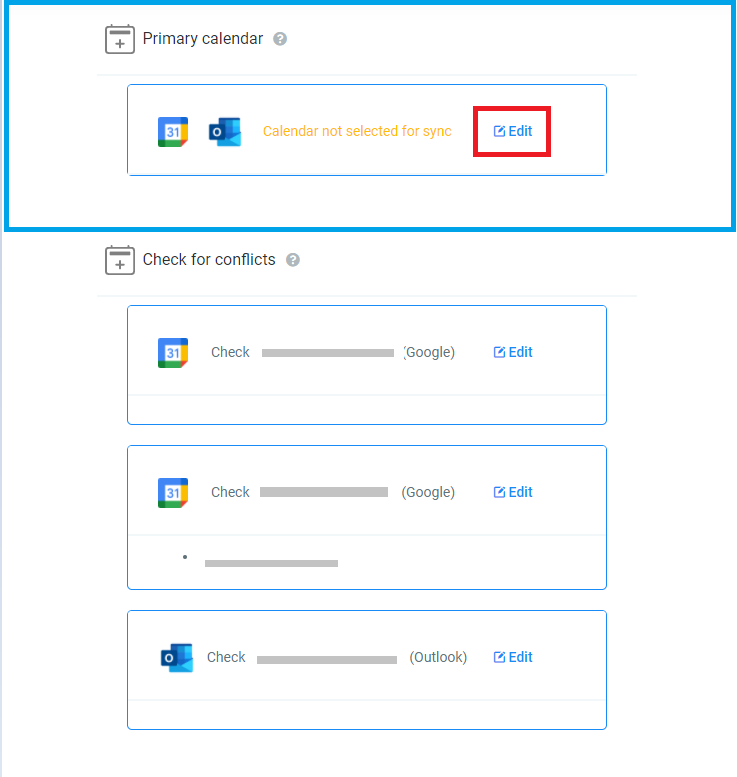
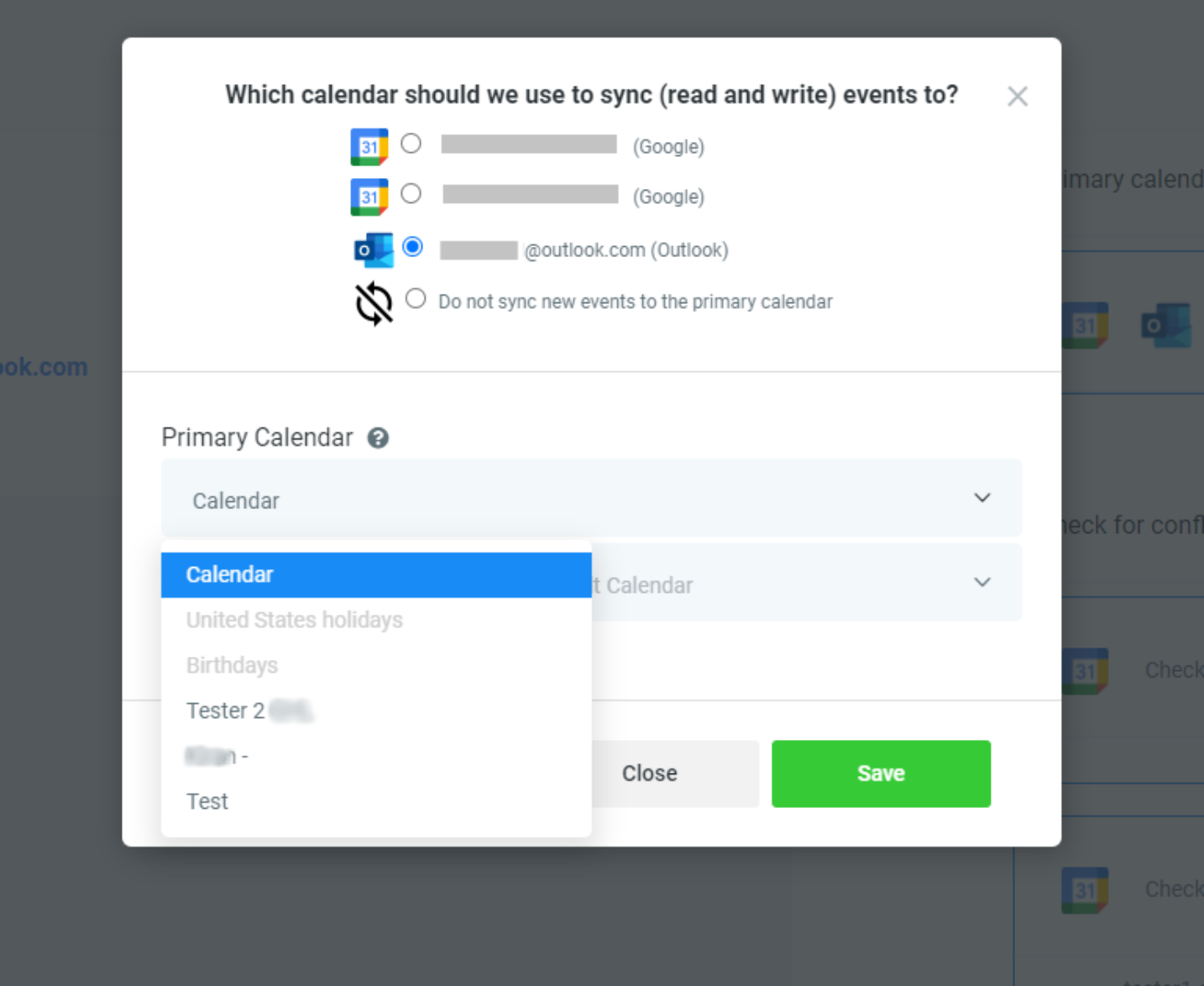
Click the Edit button under Primary Calendar Choose your desired Outlook calendar from the dropdown (ideal for your main dance class schedule)
This configuration allows Enrollio to read from and write to your Outlook Calendar
-
Tip: If schedules or events are not syncing, try:
Editing the Primary Calendar
Selecting “Do not sync events to the primary calendar”
Saving, then reselecting the same calendar to refresh the sync
Check for Conflicts Configuration
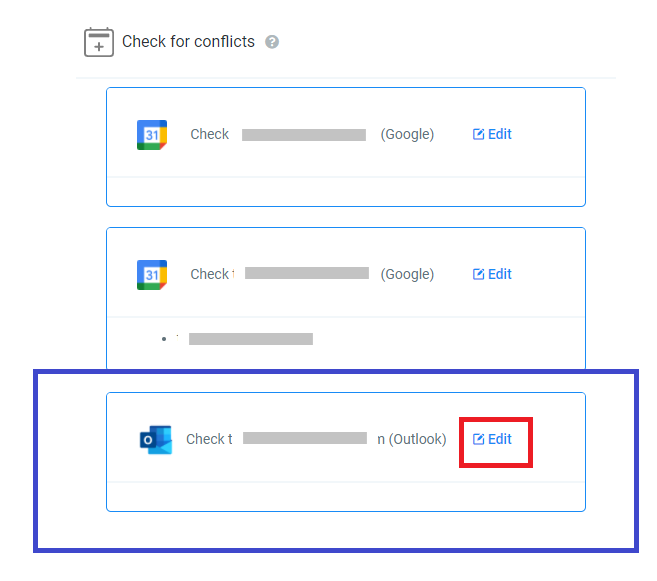
Click the Edit button under Check for Conflicts
Select the specific Outlook calendar that Enrollio should use to check for scheduling conflicts (e.g., overlapping classes or bookings)
Frequently Asked Questions (FAQ)
Will Outlook integration work with all calendar types?
Outlook integration does not work with Event Calendars. It fully supports Round Robin, Collective, and Service Calendars—ideal for rotating class schedules and group rehearsals.
Can I connect two different Outlook accounts to one user?
No. Each user can connect only one Outlook account.
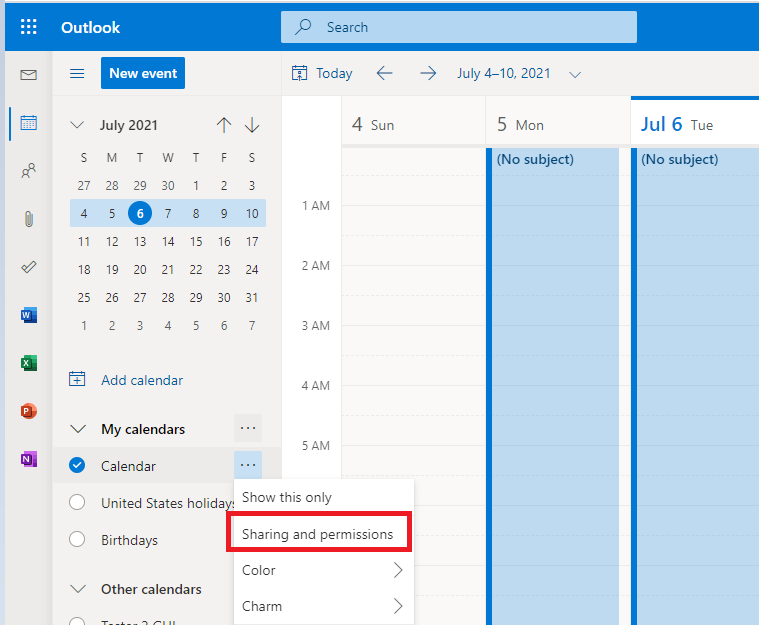
Workaround: Connect a new Outlook account for a second user, then share the calendar from the original account.
Can an admin connect Outlook integration for all instructors or team members?
No. Each team member or instructor must log in and connect their own Outlook account.
Can I use both Google Calendar and Outlook at the same time?
Yes! You can use Outlook for your primary calendar and Google Calendar for conflict checking, or vice versa.
Can I write appointments to both Google and Outlook calendars simultaneously?
No. New events can only be written to one primary calendar at a time.
Is this feature supported on my billing plan?
Outlook integration is available only on the Freelancer 297 and Agency Pro 497 plans.
If your plan doesn’t support it, you’ll see a message in Enrollio saying Outlook integration is unavailable for your account.
Limitations and Supported Accounts
Each user can connect only one Outlook integration per sub-account.
The same Outlook account cannot be used across multiple sub-accounts.
-
Only Office 365 and Outlook.com accounts are supported.
Outlook Desktop (on-premise) accounts are not supported.
-
To confirm proper syncing:
Log into Outlook Calendar online
If your events appear there, they will sync with Enrollio