
Public Document Links for E-Signing
Public Document Links let you quickly share and collect signatures on standard agreements without adding a parent or family to your contacts. With a simple link, anyone can access, review, and sign your document—perfect for quick enrollment forms, photo release waivers, or last-minute field trip permissions.
What You Can Do
- Create Public Documents – Build shareable documents directly in Documents & Contracts Templates
- Share Instantly – Each published document gets a unique link you can text, email, or post
- Track Responses – View and download all signatures and responses in one place
- Keep Your Automations – Public Document Links work independently; your existing automation templates stay the same
How to Create and Share a Public Document
Step 1: Create Your Public Document
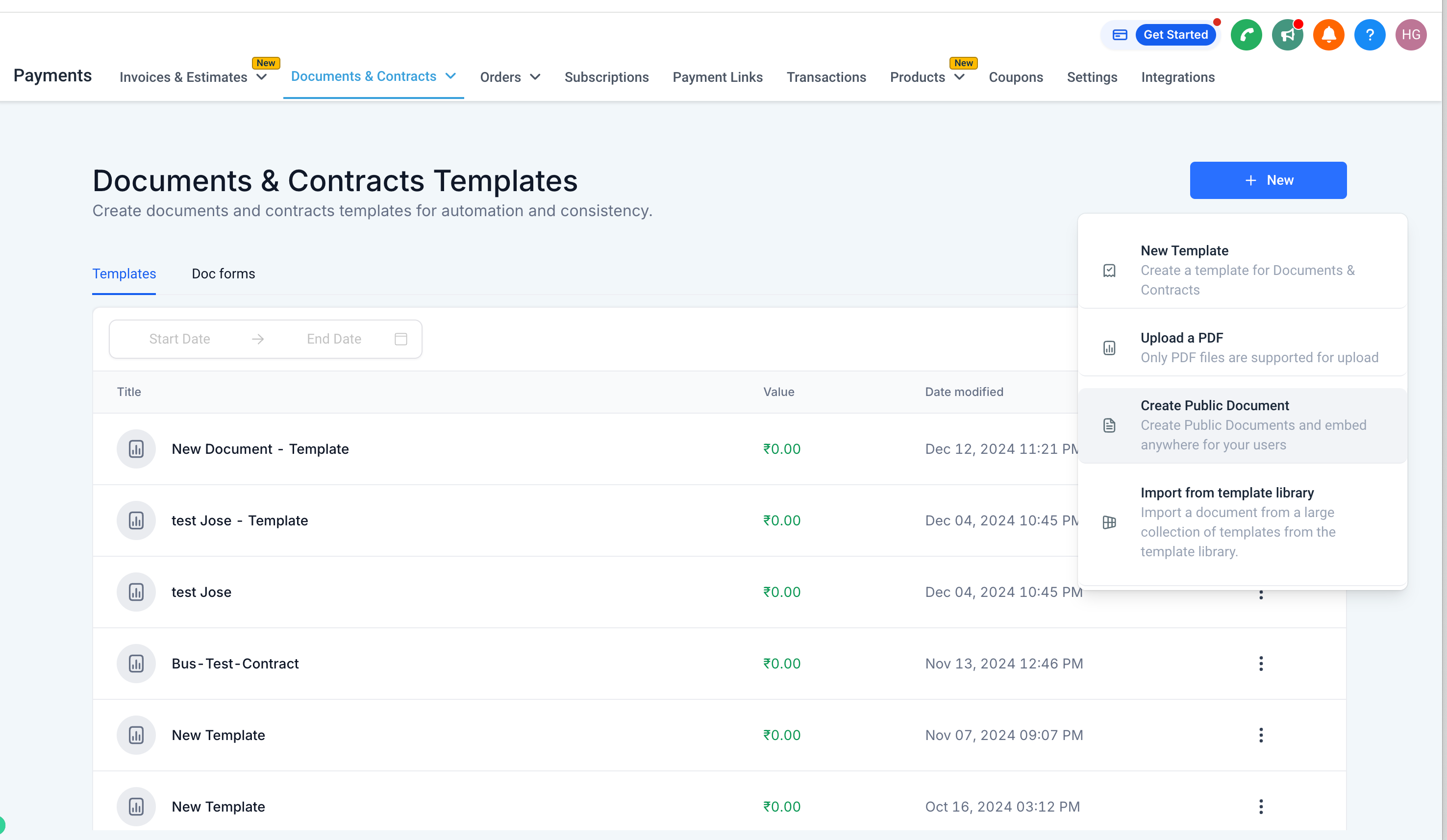
- Go to Documents & Contracts Templates
- Click New Template Publish, or select New Create Public Document
- Build your document (enrollment form, waiver, permission slip, etc.)
- Publish when ready
Step 2: Share the Link
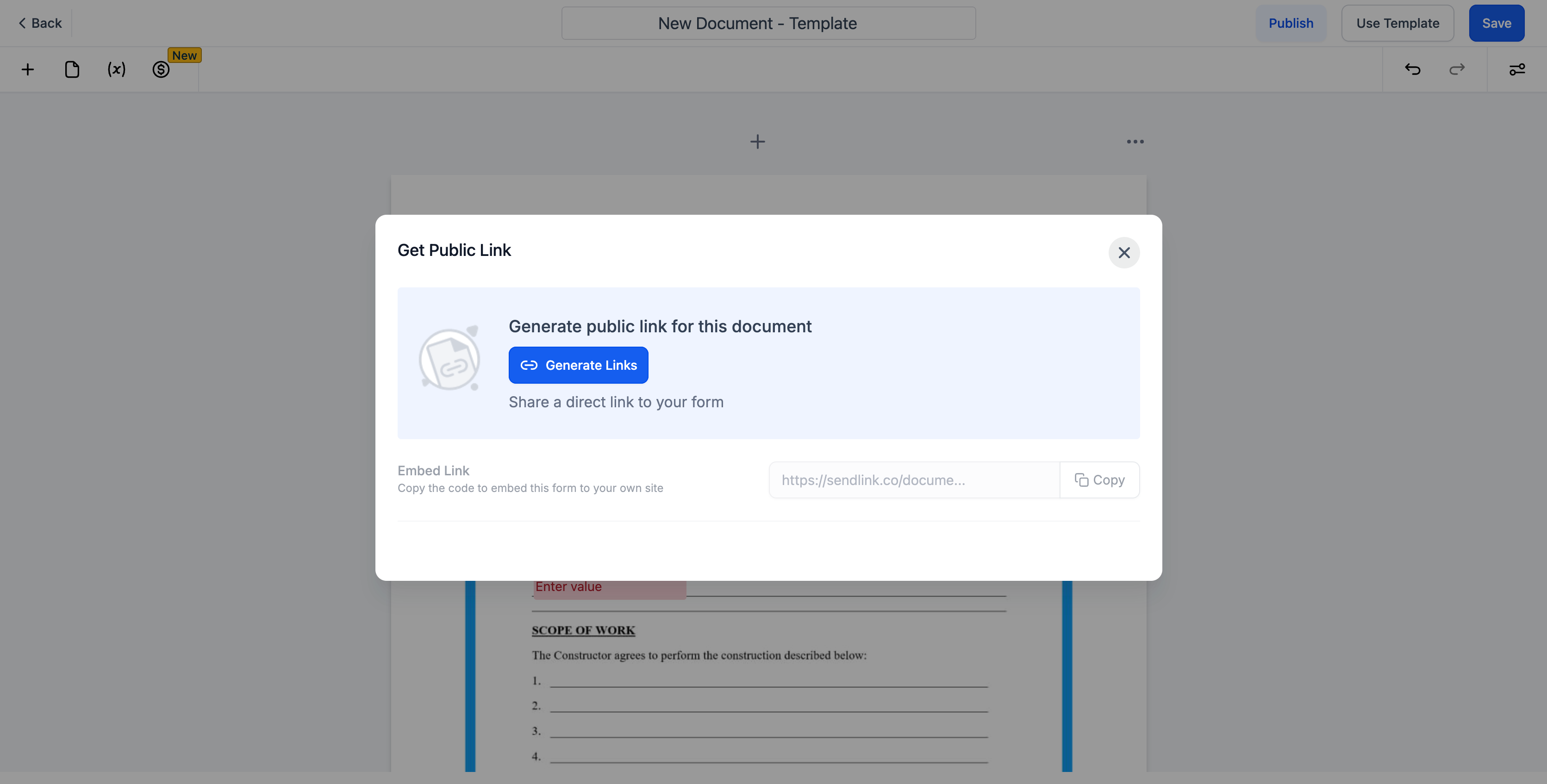
- Once published, copy the generated public link
- Share it with parents via text message, email, or post it on your enrollment site
Step 3: Parents Sign the Document
When parents open your link, they'll:
- Enter their first name, last name, and email
- Review and sign the document
- Automatically receive a signed copy via email
Step 4: View and Download Signatures
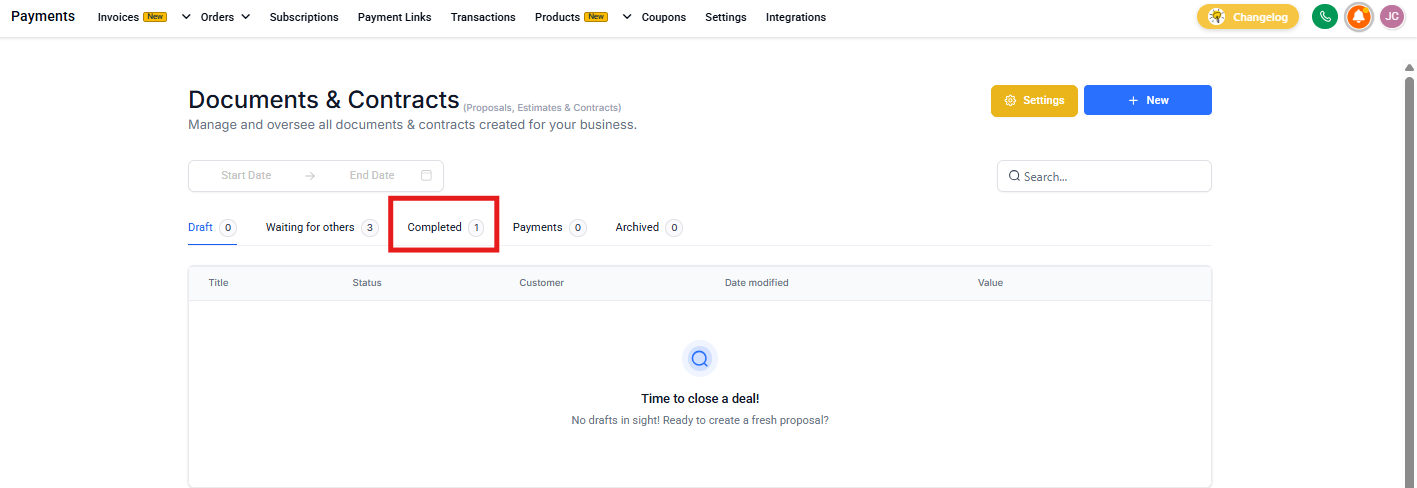
- Go to the Responses section in Documents & Contracts
- View all signed documents
- Download individual signatures or export in bulk
Step 5: Turn Off the Link When Done
To stop accepting new signatures, unpublish the document anytime. The link will immediately stop working.
When to Use Public Document Links
Public Document Links are ideal when you need:
- Quick signatures – Last-minute permission slips or waivers without adding parents to your system
- Public forms – Photo release forms you can post on your website or share at events
- Simple distribution – One link multiple families can use (like a general enrollment interest form)
- Fast turnaround – Emergency contact updates or COVID screening forms you need signed immediately
Frequently Asked Questions
Can I still use my existing document templates in automations?
Yes. Public Document Links are completely separate. All your existing templates work exactly the same in automations.
Do parents need an Enrollio account to sign?
No. They only need to provide their name and email address.
Where do I find signed documents?
All signed copies and responses are stored in Documents & Contracts Responses.
Do parents get a copy of what they signed?
Yes. A signed copy is automatically emailed to them as soon as they complete the document.
Can I turn off a link after sharing it?
Yes. Unpublishing the document disables the link immediately, even if parents already have the URL.
How many families can sign through one Public Document link?
There's no limit. Multiple families can sign using the same link until you unpublish it.
Will signatures from public links create new parent contacts?
No. Public Document Links don't automatically create contacts in your system. If you want to track these families, you'll need to manually add them or use a different enrollment form.