
Please Note: While Enrollio provides tools to help you collect and manage family data, your legal team or outside counsel are the best resource for compliance advice. This article is for informational purposes only and is not legal advice.
Why This Matters
Under GDPR and other data privacy laws, childcare businesses must have a legally recognized reason—called a "legal basis"—to collect and process personal data from families.
Typical legal bases include:
- Informed consent (explicit permission from the parent or guardian)
- Contractual obligations (to provide enrollment or childcare services the family has signed up for)
- Legitimate interests (business purposes that don't override family privacy rights)
What is Personal Data?
Personal data is any information that can identify an individual, such as:
- Parent or child name, email address, phone number
- Location data, IP addresses
- Payment details, enrollment history
- Emergency contact information
How to Collect Consent from Families
Enrollio provides built-in consent collection tools across each touchpoint where you interact with families. Each data-collection area allows you to link your Privacy Policy / Terms of Service and include customizable consent checkboxes.
Enrollment Pages and Landing Pages
Personal data can be collected through integrated Forms & Surveys, Order Forms, Calendars, and Webchat on your enrollment pages.
Forms & Surveys
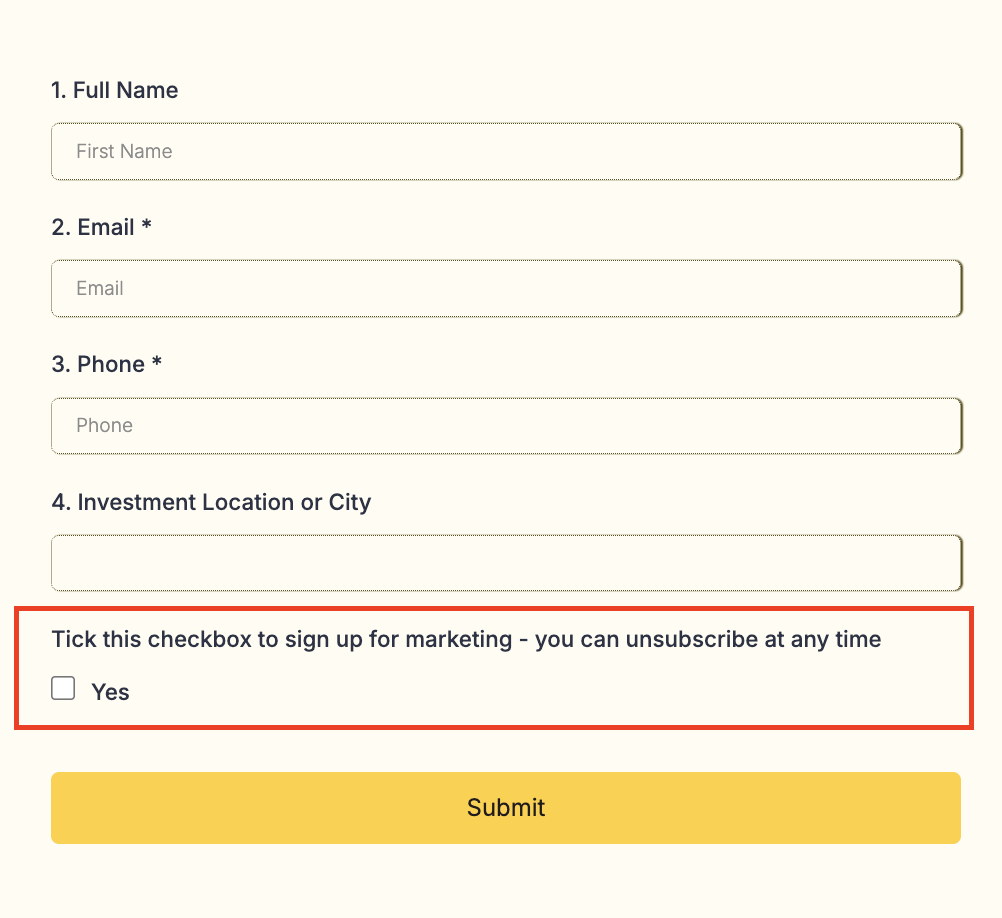
Use the Custom Checkbox element in Form Builder and add your own disclosure language based on your business practices and applicable regulations.
Consent will be tracked under the parent/family custom value field.
Webchat
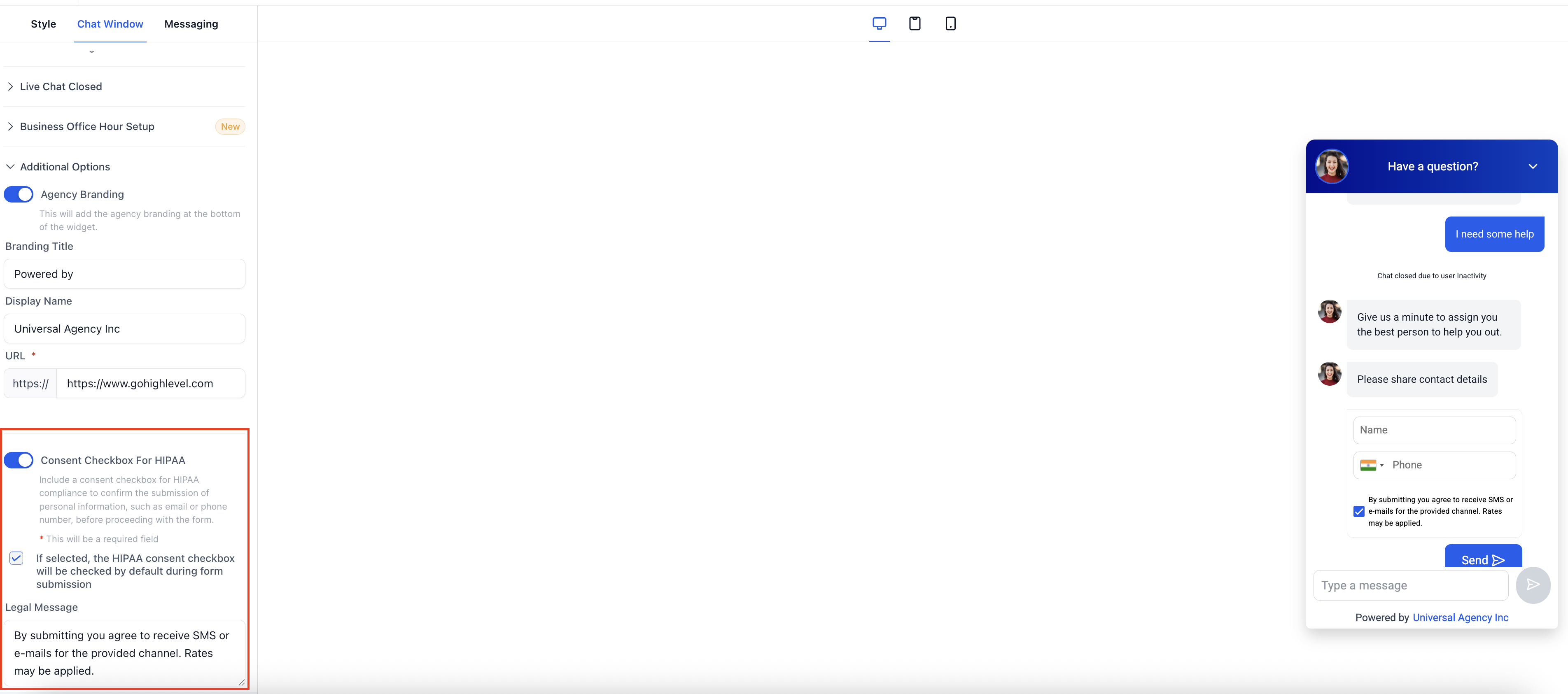
Add your own disclosure language based on your business practices and applicable regulations.
Highlight "Privacy Policy," click Link, and paste your URL. You can also configure this in the Legal Message description box.
Calendars (Tour Bookings)
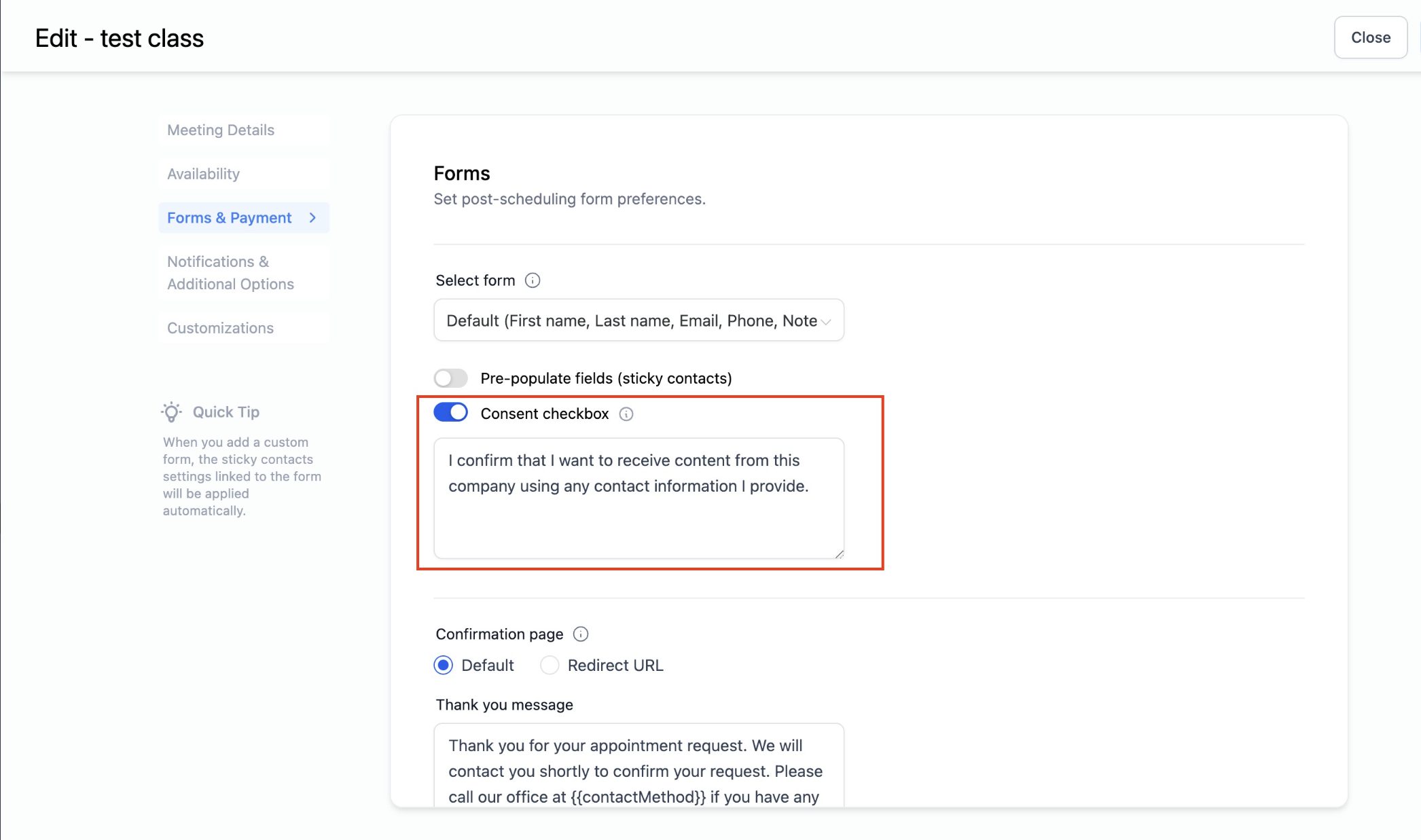
You can customize the consent checkbox text to align with your specific requirements when families book tours.
Order Forms
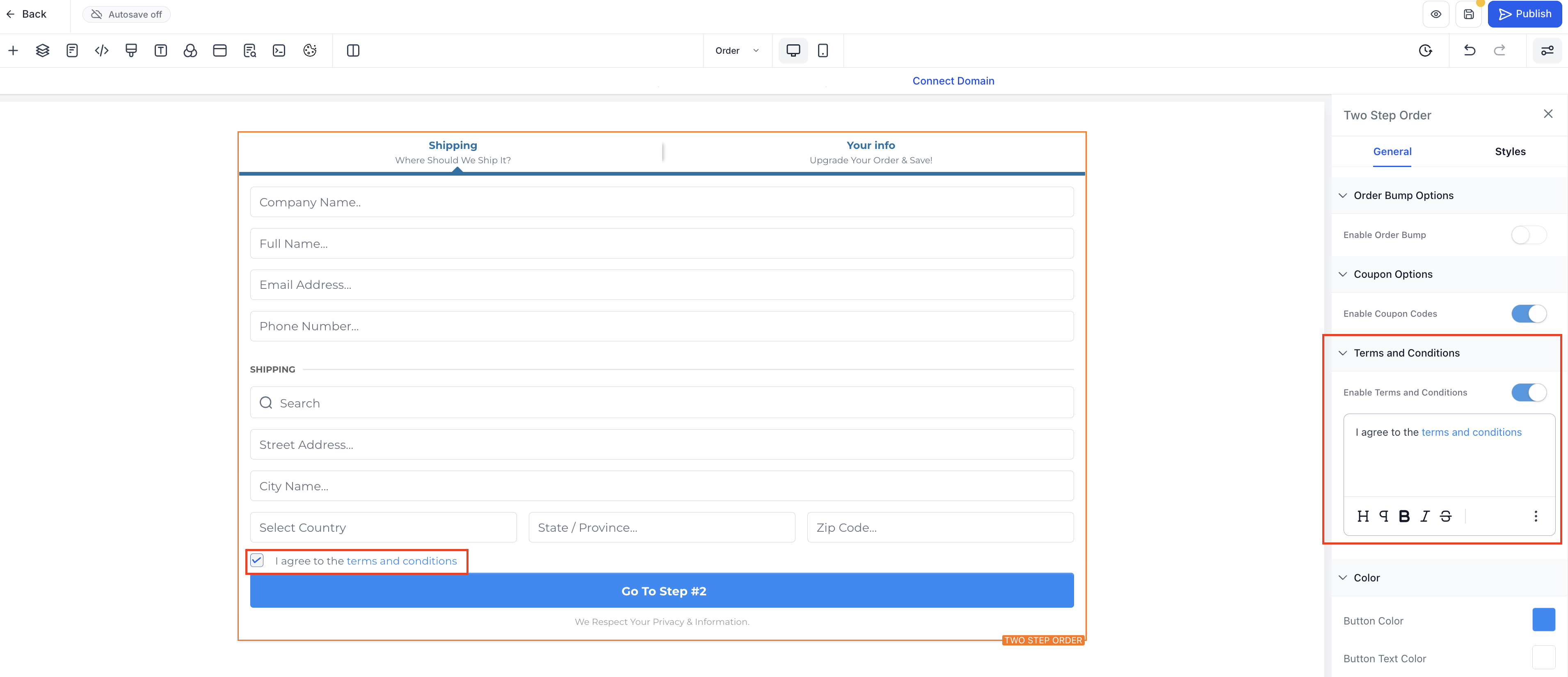
Enable the Terms & Conditions checkbox in the Order Form settings.
Add your own disclosure language based on your business practices and applicable regulations. Highlight "Privacy Policy," click Link, and paste your URL.
How to Track Legal Basis
You can track your legal basis for processing in Enrollio by using tags and custom fields:
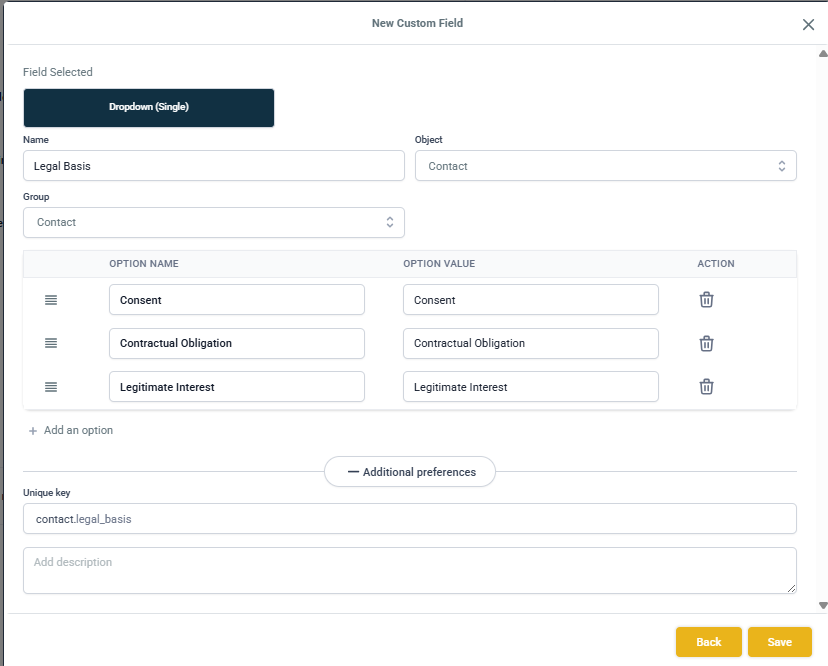
Set Up Custom Fields
- Create a custom field (e.g., "Legal Basis") under Parents/Families in your contact settings
- Add values that match your business needs: Consent, Contractual Obligation, Legitimate Interest
Use Tags for Easy Filtering
Create a tag for each legal basis if you want quick filtering:
Example tags: Consent-Given, Contractual Obligation, Legitimate Interest
- Apply the tag to contacts manually or via automation
Automate Legal Basis Tracking
Set up an automation to assign legal basis when families take action:
- When an enrollment form is submitted, automatically assign the corresponding tag and update the custom field
- When a tour is booked, tag the family with the appropriate legal basis
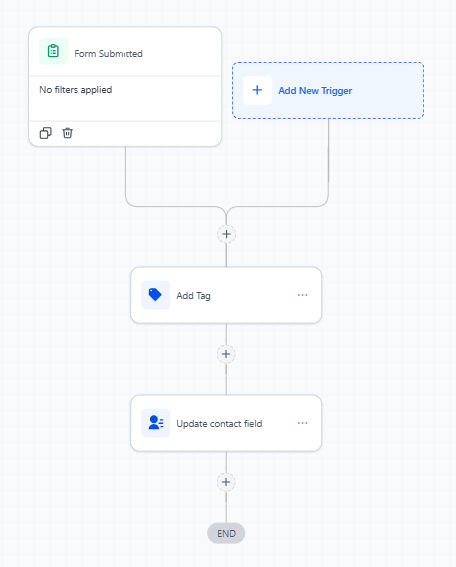
Pro Tip: The value will be stored in the custom field under the family record, making it easy to filter, export, or review your data collection practices whenever needed—especially helpful during compliance audits.