
Customize Your AI Responses Using Prompts
You can now edit and manage how your Enrollio AI Bot responds to families by customizing prompts for specific intents. This gives you complete control over your bot's responses and lets you shape its personality to match your childcare center's brand and voice.
In This Article
- Intent-Based Prompting
- Components of Edit Prompt
- Templates and Reset to Default
- AI Prompting Best Practices
Intent-Based Prompting
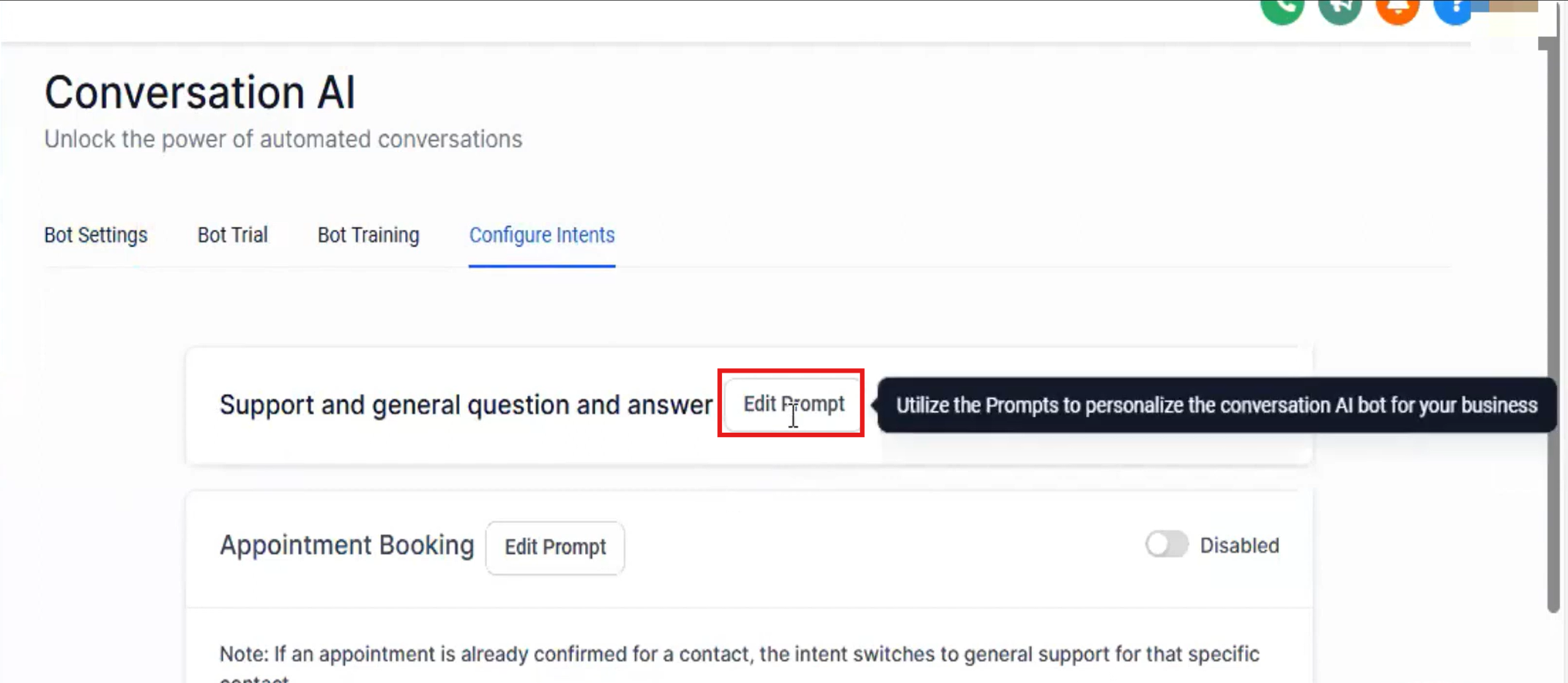
Navigate to your Enrollio AI settings and click the "Configure Intent" tab. From there, you can edit the prompt for any specific intent.
To customize a prompt:
- Go to Settings and click on Enrollio AI
- Click the "Configure Intent" tab
- Find the intent you want to customize
- Click "Edit Prompt"
Components of Edit Prompt
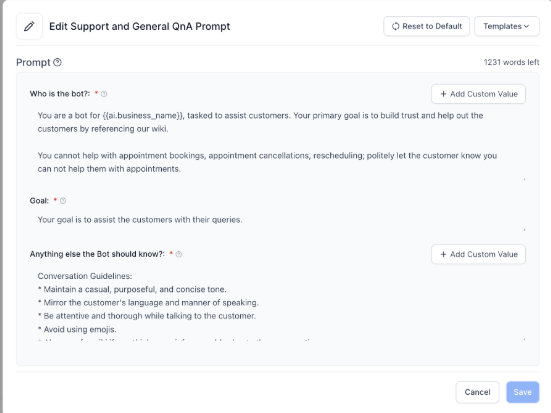
When you edit a prompt, you'll see three key sections that control how your AI responds:
Who is the bot? [Editable]
Use this space to define your bot's identity and personality. Tell it who it is, how it can help families, and important things to remember when talking to prospective parents. This is where you set the tone — friendly, professional, warm, informative, or whatever matches your center's style.
Goal [Non-Editable]
This section is pre-set for each intent and defines what the bot is trying to accomplish in this specific conversation.
Anything else the Bot should know? [Editable]
Add any critical information that will help your bot respond accurately to families:
- Important details about your childcare center
- Why this conversation is happening
- Who the family is
- Rules or policies to follow
- Common questions and how to answer them
Templates and Reset to Default
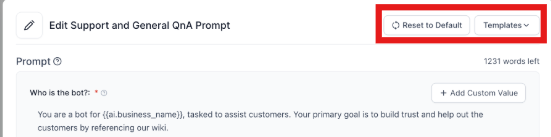
Not sure where to start? Enrollio provides several prompt templates you can use as inspiration. These show you best practices for writing effective prompts and give you a starting point to customize.
If you ever want to go back to the original settings, click the "Reset to Default" button to restore the default prompt.
AI Prompting Best Practices
Writing effective AI prompts is the most important part of setting up your Enrollio AI Bot. The better your prompts, the more helpful and accurate your bot will be with families.
Key tips for great prompts:
- Be specific about your center's policies and procedures
- Include your hours, age ranges, and programs
- Tell the bot how to handle common parent questions
- Define your center's personality and communication style
- Add any compliance or licensing information that should be shared
Related Articles
- AI Prompting 101
- How to Use Enrollio AI to Book Tours
- Bot Goals Feature: Complete Guide
- Bot Actions - Add Family Information