
This guide explains how to import snapshots in Enrollio so you can quickly apply pre-built configurations to new client accounts without starting from scratch.
What You'll Learn
- How to import a snapshot from a share link
- How to import a snapshot from an email
- How to load a snapshot into a client account
Note: Imported snapshots are stored at the Enrollio level under Settings Account Snapshot Imported Snapshots. They won't automatically appear inside a client account. You'll need to manually load them into specific client accounts.
Import Snapshot from Share Link
- Log into Enrollio in your web browser
- Open a new tab in your browser
- Paste the snapshot share link into the address bar and press Enter
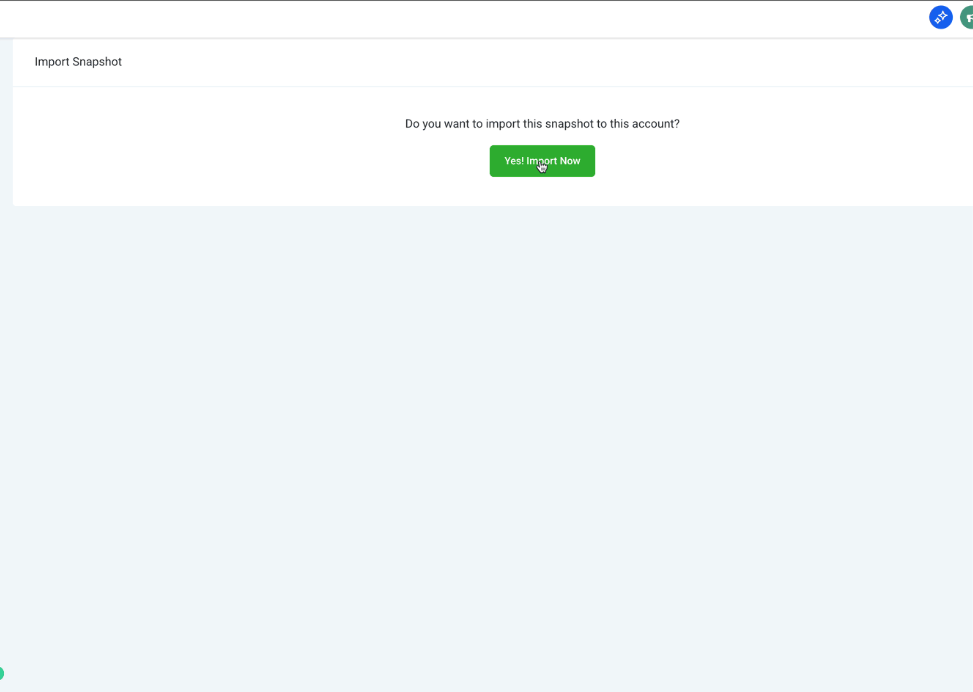
- Click Yes! Import Now
Import Snapshot from Email
- Log into Enrollio in your web browser
- Open the snapshot share email
- Click Click here in the email
- Click Yes! Import Now
Load Snapshot into a Client Account
Once you've imported a snapshot, here's how to apply it to a specific client account.
Step 1: Navigate to Client Account Management
- Click Client Accounts from your Enrollio menu
- Find the client account where you want to load the snapshot
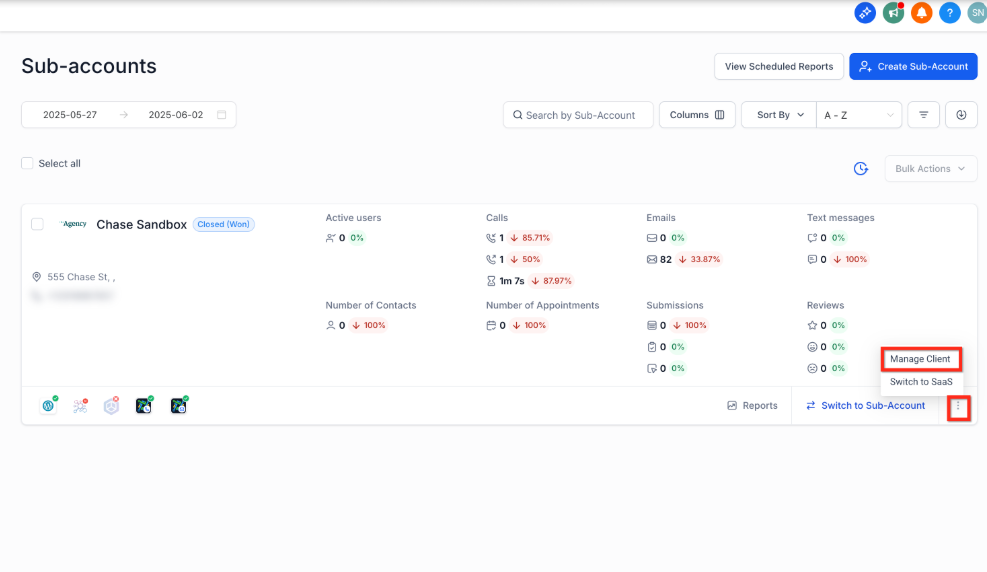
- Click the three dots next to the Switch to Client Account button
- Click Manage Client
Step 2: Load the Snapshot
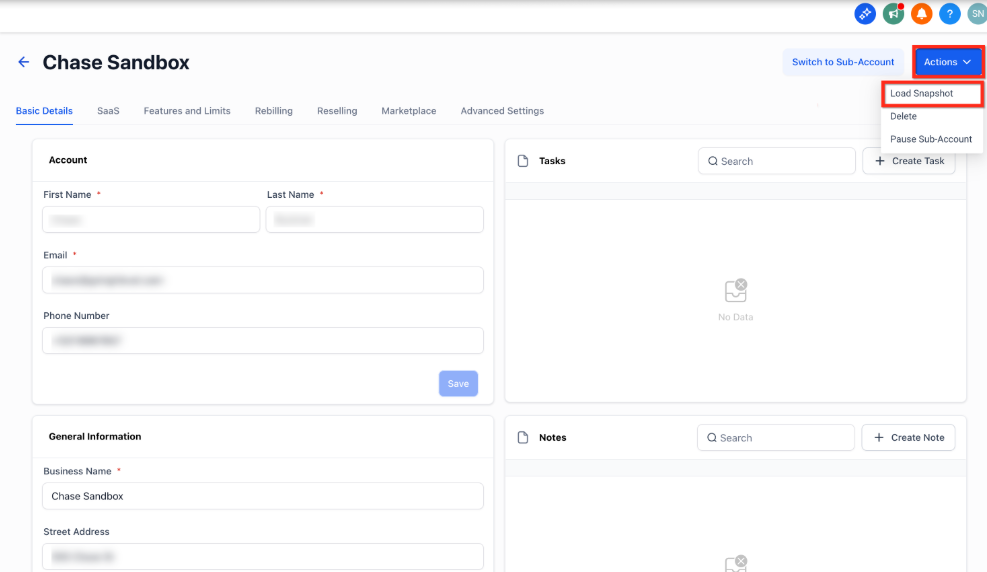
- Click Actions on the client account management page
- Select Load Snapshot from the dropdown
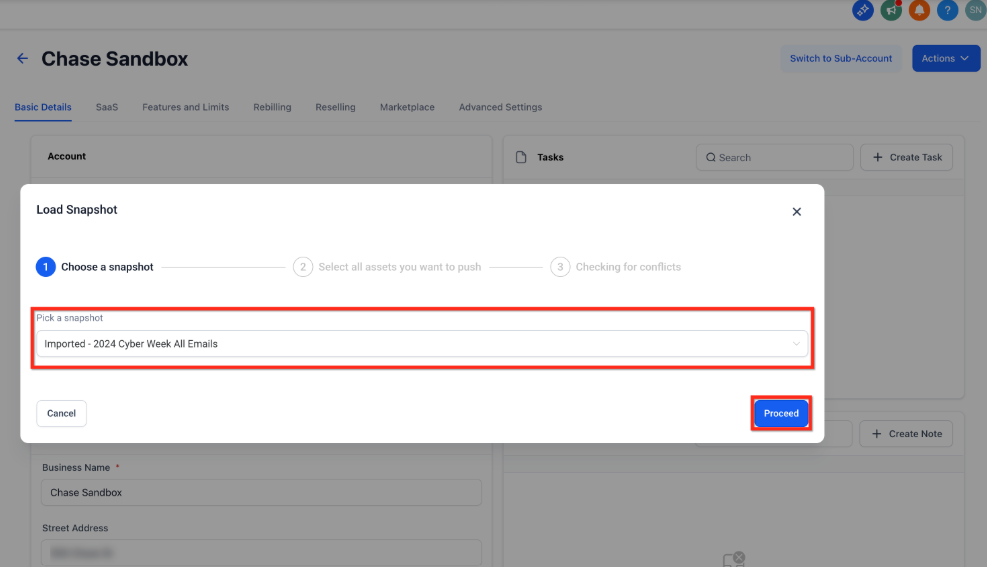
- Choose a snapshot from your imported list
- Click Proceed
Step 3: Select Assets
- Review the snapshot assets (enrollment pages, automations, email templates, etc.)
- Select the assets you want to push to this client account, or skip any you don't need
- Click Proceed
Step 4: Review Conflicts
- Click the + icon to check for any conflicts with existing assets
- Review any conflicts and decide how to handle them
- Click Proceed
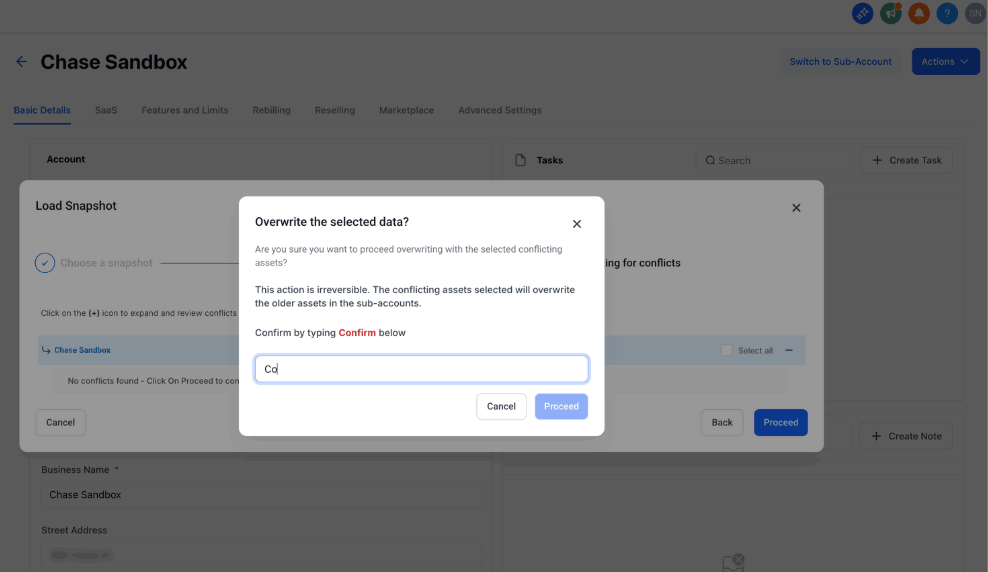
Step 5: Confirm Loading
- Type Confirm in the confirmation box
- The snapshot will begin loading into your client account
Pro Tip: Before loading a snapshot into a live client account, test it in a demo account first. This lets you preview exactly what will be imported and catch any issues early.
Related Articles
- Snapshots Overview
- How to Create New Snapshots
- How to Share Snapshots
- Load Snapshots Into Existing Client Accounts
- Refresh or Update Snapshots