
Overview
Need to send enrollment contracts or service agreements where parents can choose from optional add-ons — like extended care, meals, or enrichment programs? You can now add optional items to your product lists, letting parents select what they need right in the contract.
What You Can Do
- Add optional services to any contract or quote
- Let parents choose quantities for items like meal plans or supply kits
- Set limits on minimum and maximum quantities
- Auto-calculate totals based on what parents select
The product list is assigned to the primary signer (usually the parent or guardian) by default, and the total amount updates automatically based on their selections.
How to Set Up Optional Services
Step 1: Add Your Product List
- Open your document or contract template
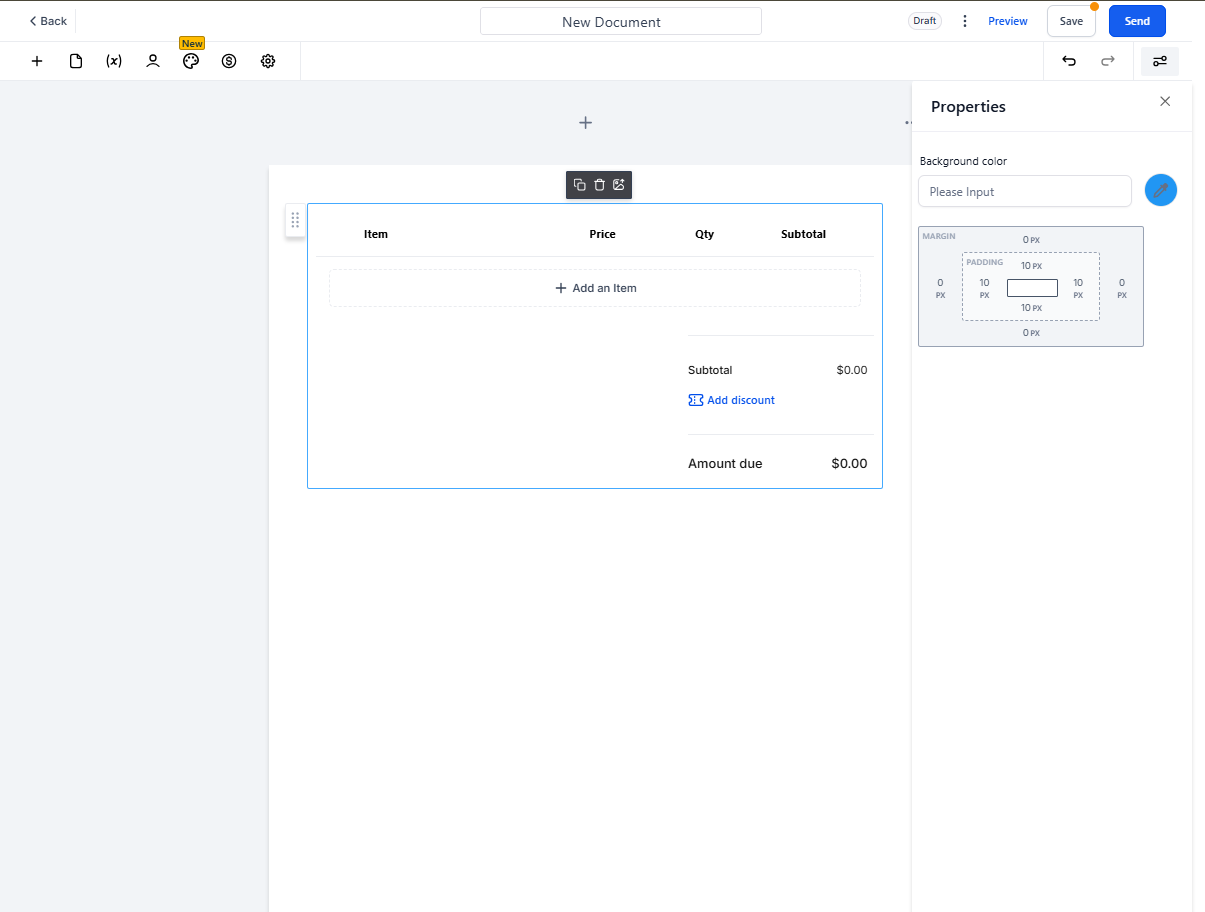
- Add a Product List element where you want the service options to appear
Step 2: Add a New Product
- Click to add a new line item to your product list
- Enter the service name, description, and price
Step 3: Enable Quantity Editing (If Needed)
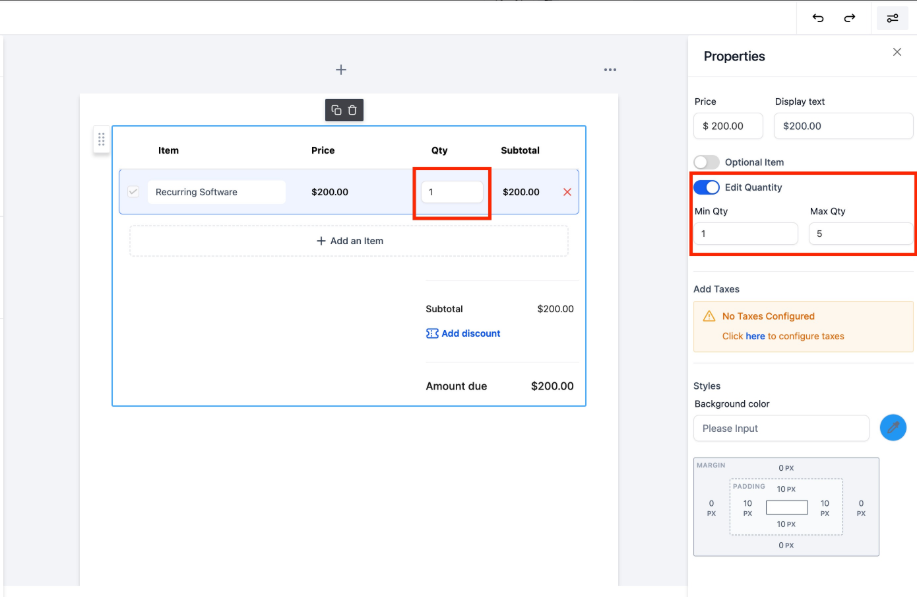
- Toggle on Edit Quantity if you want parents to be able to choose how many of this item they need
- Set minimum and maximum quantity limits
Example: Let parents choose 1-5 meal vouchers per week, but require at least 1.
Step 4: Make the Item Optional
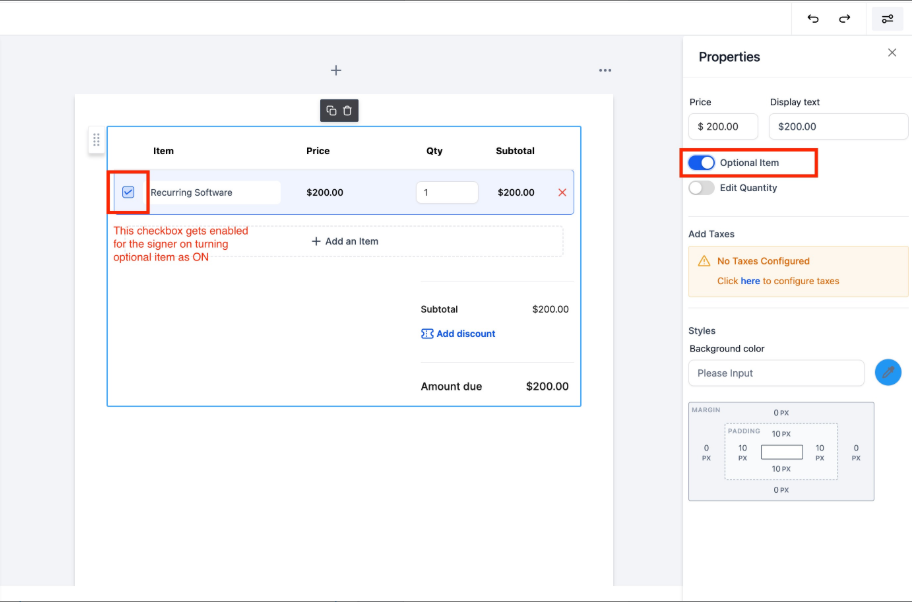
- Toggle on Optional Item to let parents uncheck services they don't want
- Items marked as optional will appear with a checkbox parents can select or deselect
What Parents See
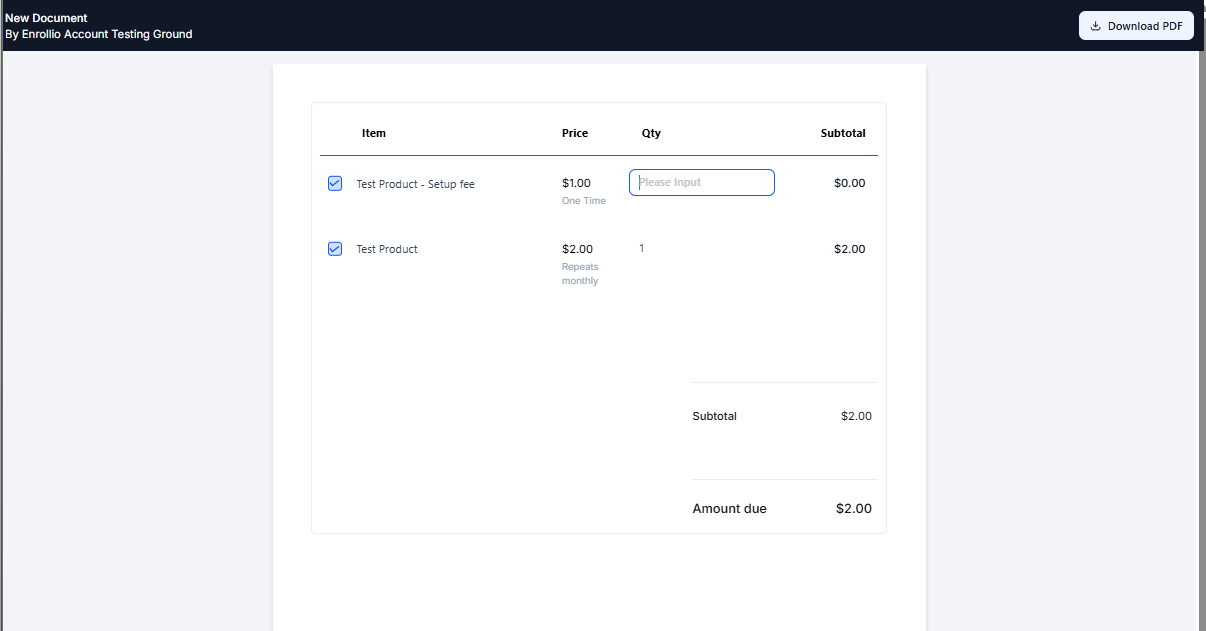
When parents receive your contract, they'll see:
- All required services (already selected)
- Optional services with checkboxes to add or remove
- Quantity selectors for items you've made editable
- A live-updating total that reflects their choices
Pro Tip: Use optional items for common add-ons like transportation, extended hours, hot lunch programs, or enrichment classes. This saves you from creating multiple contract versions for different service packages.
Common Use Cases
- Extended care packages: Let parents choose morning care, afternoon care, or both
- Meal programs: Allow selection of breakfast, lunch, snacks, or full meal plans
- Supply kits: Offer optional art supplies, nap mats, or seasonal gear
- Enrichment programs: Add music, sports, or language classes as opt-in services