
Business Profile Settings - Authorized Representative
Your Authorized Representative is a real person who can verify and speak for your childcare business during compliance reviews—especially for text messaging approvals (A2P 10DLC brand and campaign registration). Adding accurate, reachable representative information prevents verification delays and speeds up your approval process.
To learn more about Business Profile Settings and how to navigate to this panel, see: Business Profile Settings Overview
Why This Matters for Your Childcare Business
When you use Enrollio to send text messages to parents and prospective families, carriers need to verify your business is legitimate. Your Authorized Representative is the person they'll contact if questions come up. Make sure this information is current and the person is easy to reach.
Adding Your Authorized Representative
If your center has an authorized representative, add their information here. If you're the owner or director handling compliance yourself, add your own information.
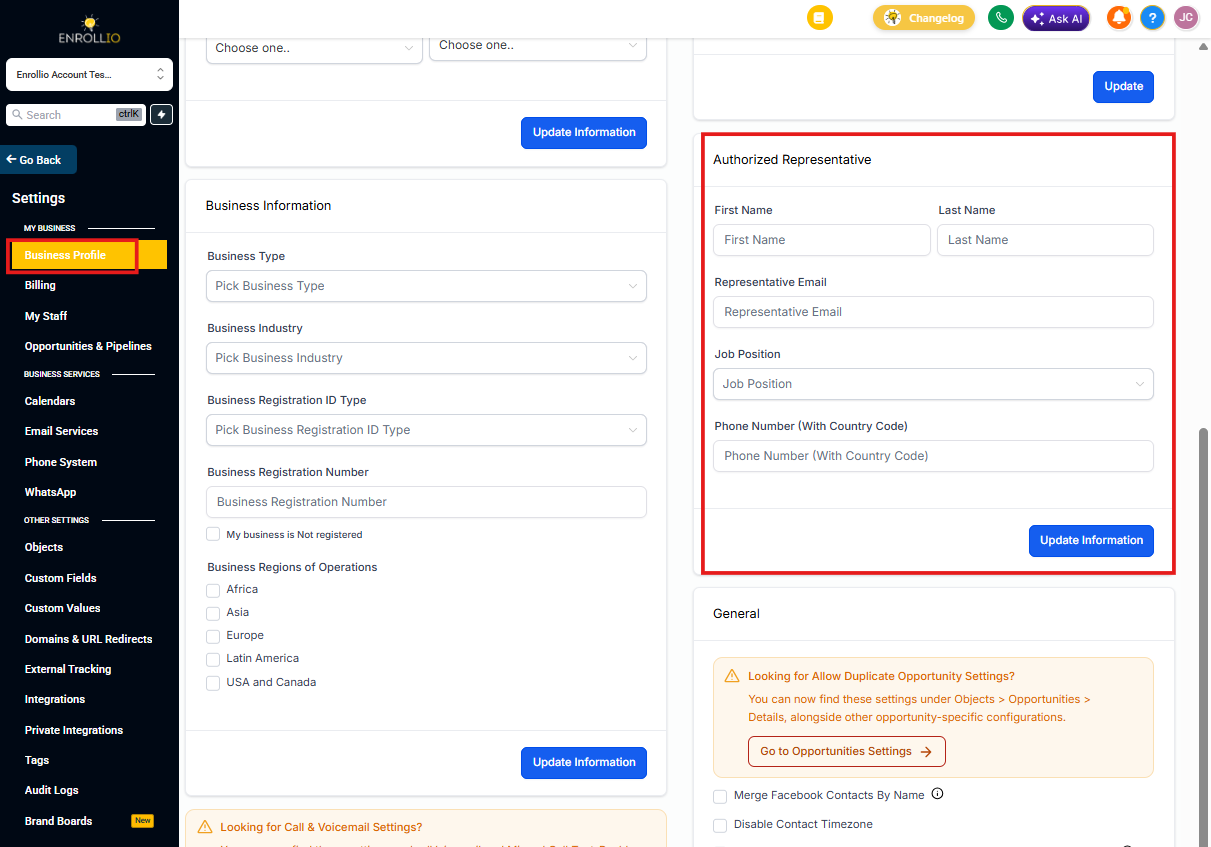
Representative Name
Enter the representative's full legal name exactly as it appears on your HR records or business documents. Use their complete first and last name—avoid nicknames or shortened versions.
Provide an email address that's actively monitored. Verification questions and compliance notices will be sent here, so make sure someone checks it regularly.
Job Position
Specify the person's title or role that shows they have authority to represent your childcare business. Examples include:
- Owner
- Director
- Executive Director
- CEO
- Compliance Officer
Phone Number
Enter a reachable phone number for time-sensitive verification calls or text messages. Include your country code (for US numbers, that's +1).
Saving Your Changes
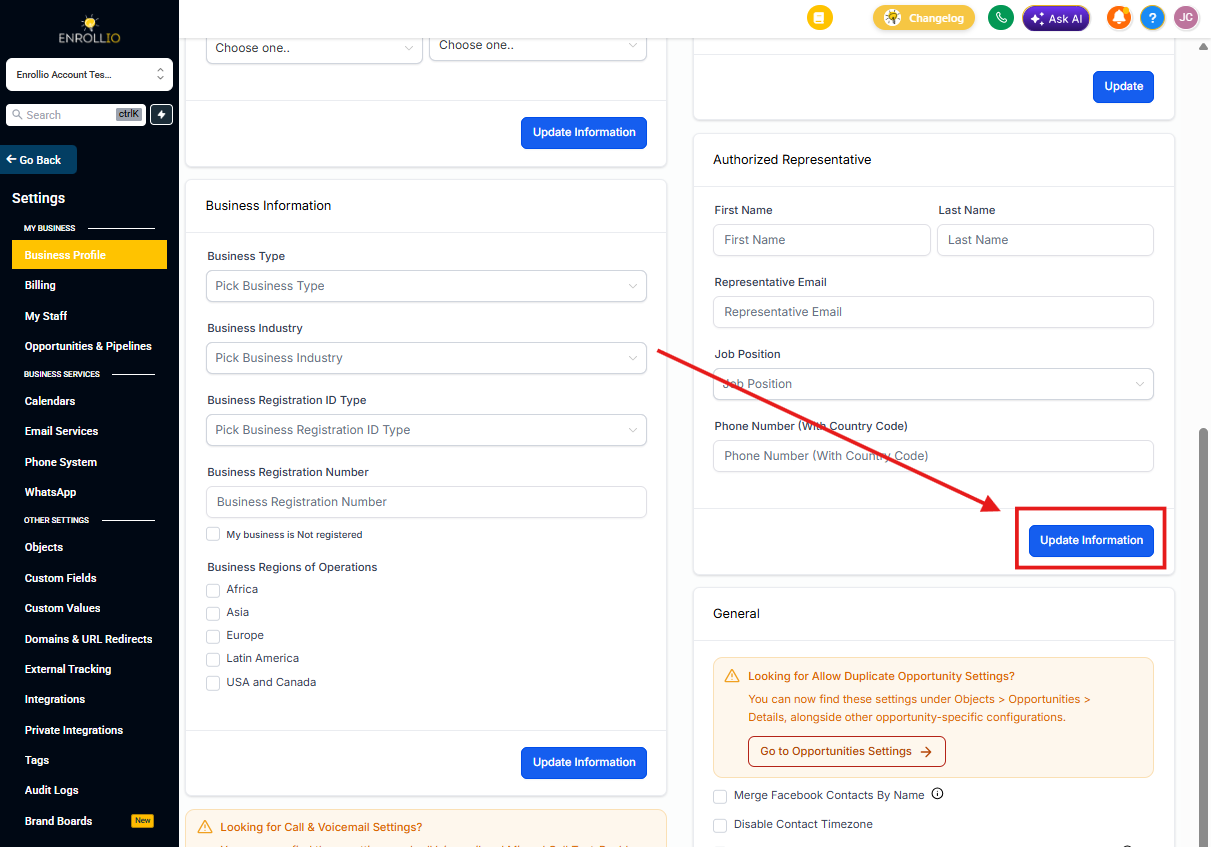
When you're finished entering information, click the blue Update Information button to save your changes.
Keep This Information Current
If your representative changes roles or leaves your center, update this page immediately. Outdated contact information can delay important verifications and affect your ability to text parents.