
Email attribution helps you understand which email campaigns are actually driving enrollment results. When a parent opens your email about your preschool program and enrolls a few days later, Enrollio tracks that connection so you know what's working.
What is the Attribution Window?
The attribution window is the timeframe Enrollio uses to connect a parent's action (like scheduling a tour or completing an enrollment) back to a specific email campaign.
Default setting: 5 days
Research shows that most parents who act on an email do so within 5 days. After that window, they've likely forgotten the original email or been influenced by other touchpoints.
How Email Attribution Works
Here's a real-world example using the default 5-day window:
- Day 1: You send an email about your summer program openings
- Day 3: A parent opens the email and clicks through to view pricing
- Day 4: That same parent returns to your site and completes an enrollment application
Result: The enrollment gets attributed to your summer program email because it happened within the 5-day window.
However, if that parent enrolled on Day 10, it would not be attributed to the original email — too much time has passed.
Customize Your Attribution Window
You can adjust the attribution window to match how your enrollment process typically works.
- Navigate to Marketing → Email
- Click Settings
- Find the Attribution Window field
- Adjust the number of days (you can go shorter or longer than 5 days)
- Click Save
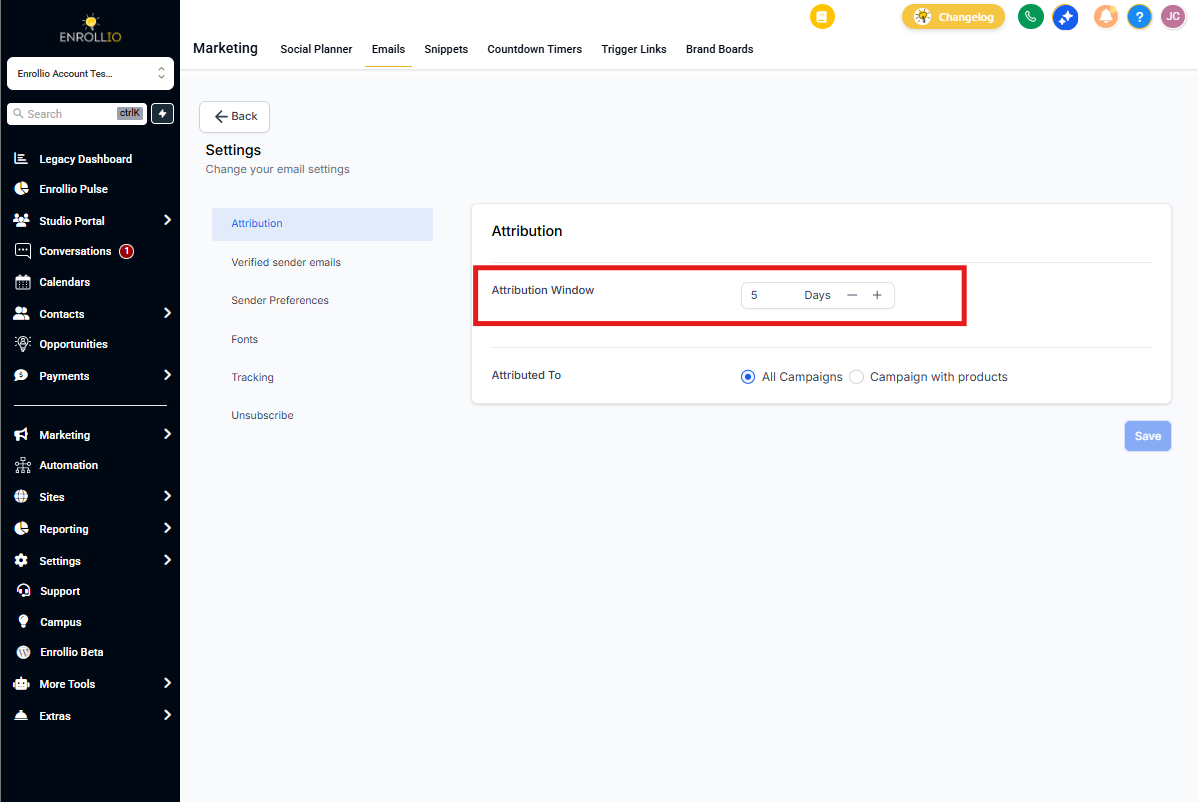
Pro Tip: If you run longer enrollment cycles (like annual re-enrollment campaigns), consider extending your attribution window to 7-10 days to capture families who take more time to decide.
Attribution Style: What Gets Counted?
You can also control which types of campaigns count toward attribution.
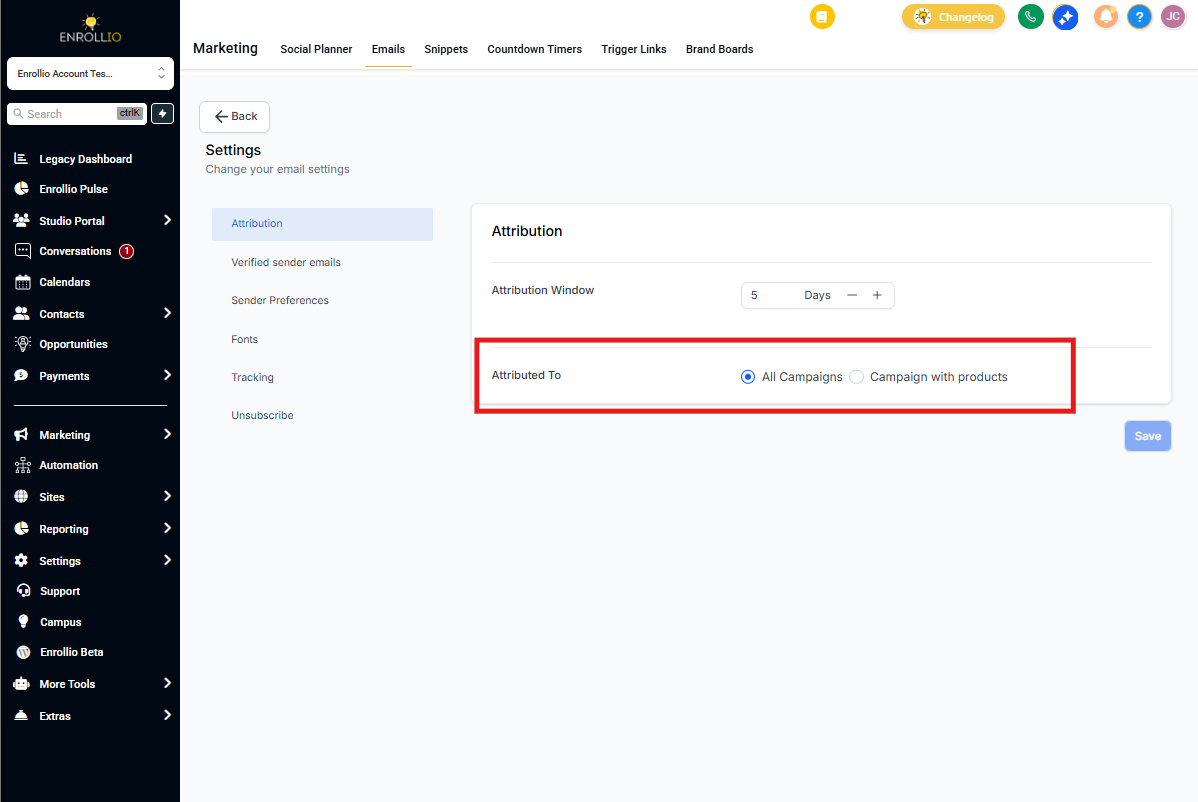
All Campaigns (default): Any email — newsletters, tour invites, program updates — can receive attribution credit. This gives you a complete picture of your email marketing impact.
Product Element Specific: Only emails that specifically promote a program or service (like "Fall Enrollment Now Open") receive attribution credit. Use this if you want to focus only on direct promotional campaigns.
Change Your Attribution Style
- Go to Marketing → Email
- Click Settings
- Find Attribution Style
- Toggle between All Campaigns and Product Element Specific
- Click Save
Why This Matters
Accurate attribution helps you:
- Know which emails actually drive enrollments vs. just opens
- Identify which topics and offers resonate with prospective families
- Make smarter decisions about where to focus your marketing time
- Calculate real ROI on your email campaigns
Experiment with your attribution settings to find what gives you the clearest picture of campaign performance. The right settings depend on your typical enrollment timeline and how families engage with your center.