
Call Logs for Voice AI Agents
The Call Logs feature gives you complete visibility into every call handled by your Voice AI agents. Whether you need to review performance, understand parent interactions, or ensure quality control, Call Logs provide detailed insights in one place.
Key Features
Phone Number
See exactly which parents or prospective families your agents interacted with. Click any phone number to open the family's contact details page instantly.
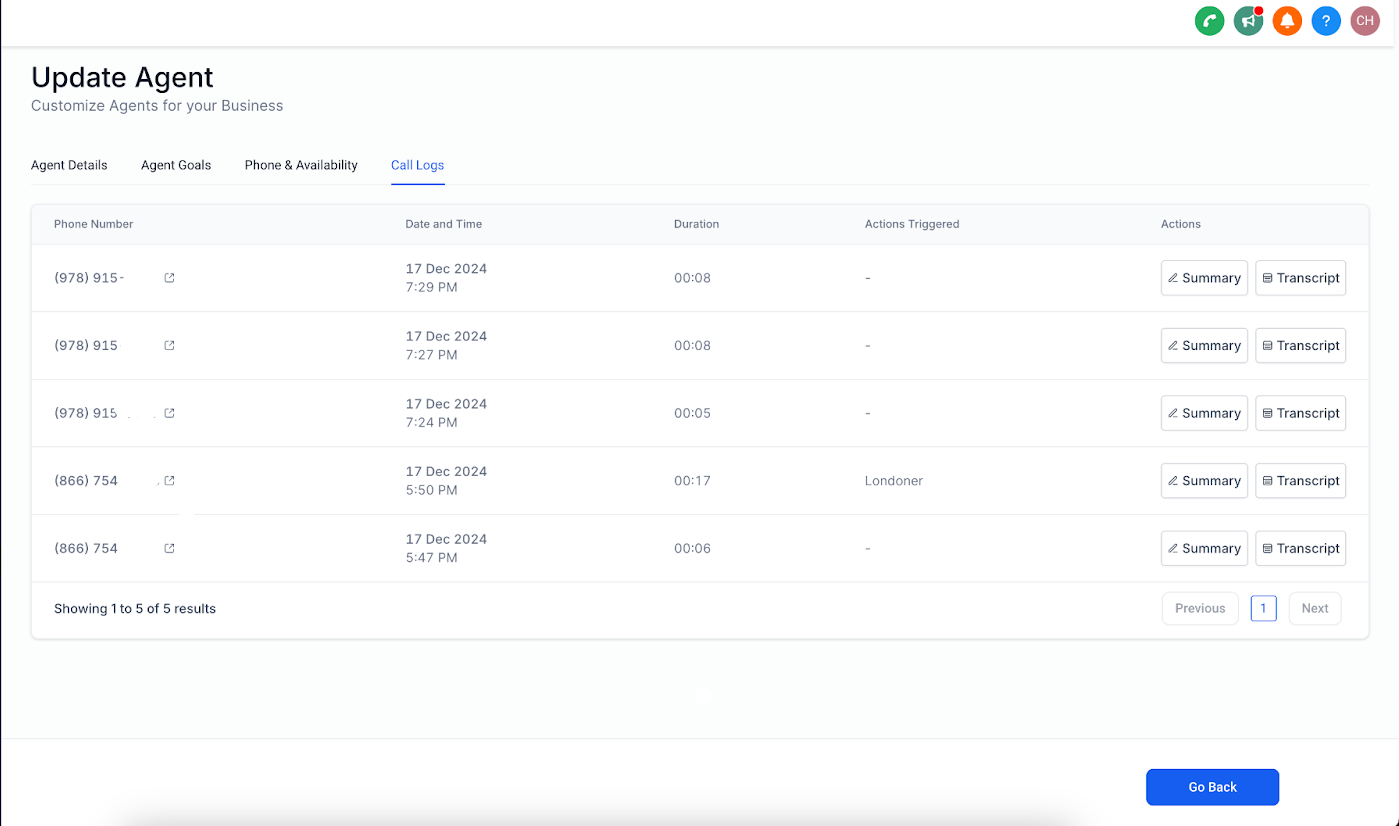
Call Time & Duration
Get accurate information on when each call took place and how long it lasted. This helps you understand peak inquiry times and conversation patterns.
Actions Triggered
Review the actions performed during the call — like scheduling a tour, adding to a waitlist, or sending follow-up information. This gives you better visibility into your enrollment workflow.
Call Summary
View a concise overview of the call along with all details collected by the agent during the conversation. Perfect for quick reviews without listening to entire calls.
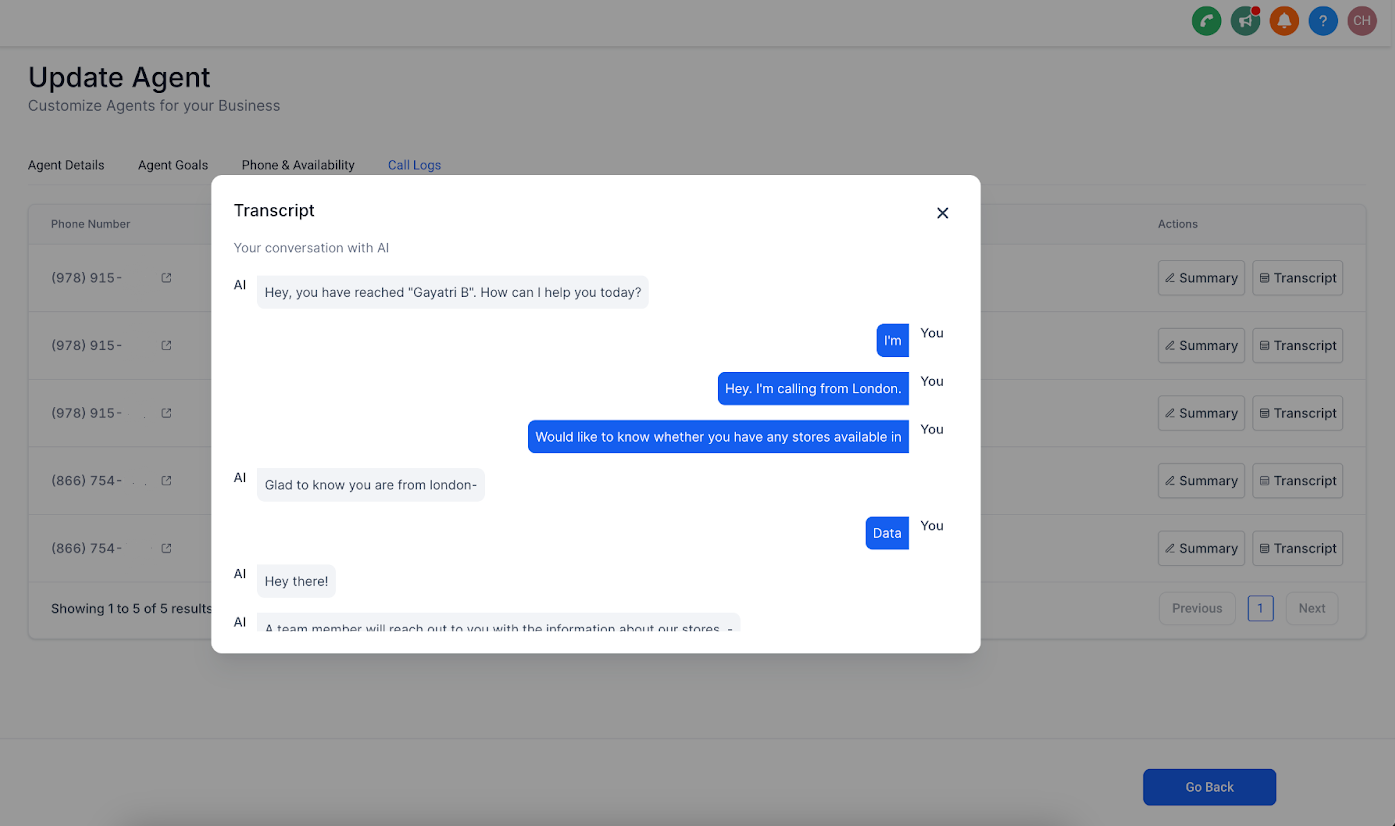
Call Transcript
Access the complete conversation for clarity, quality control, and deeper insights into parent questions and concerns.
How to Access Call Logs
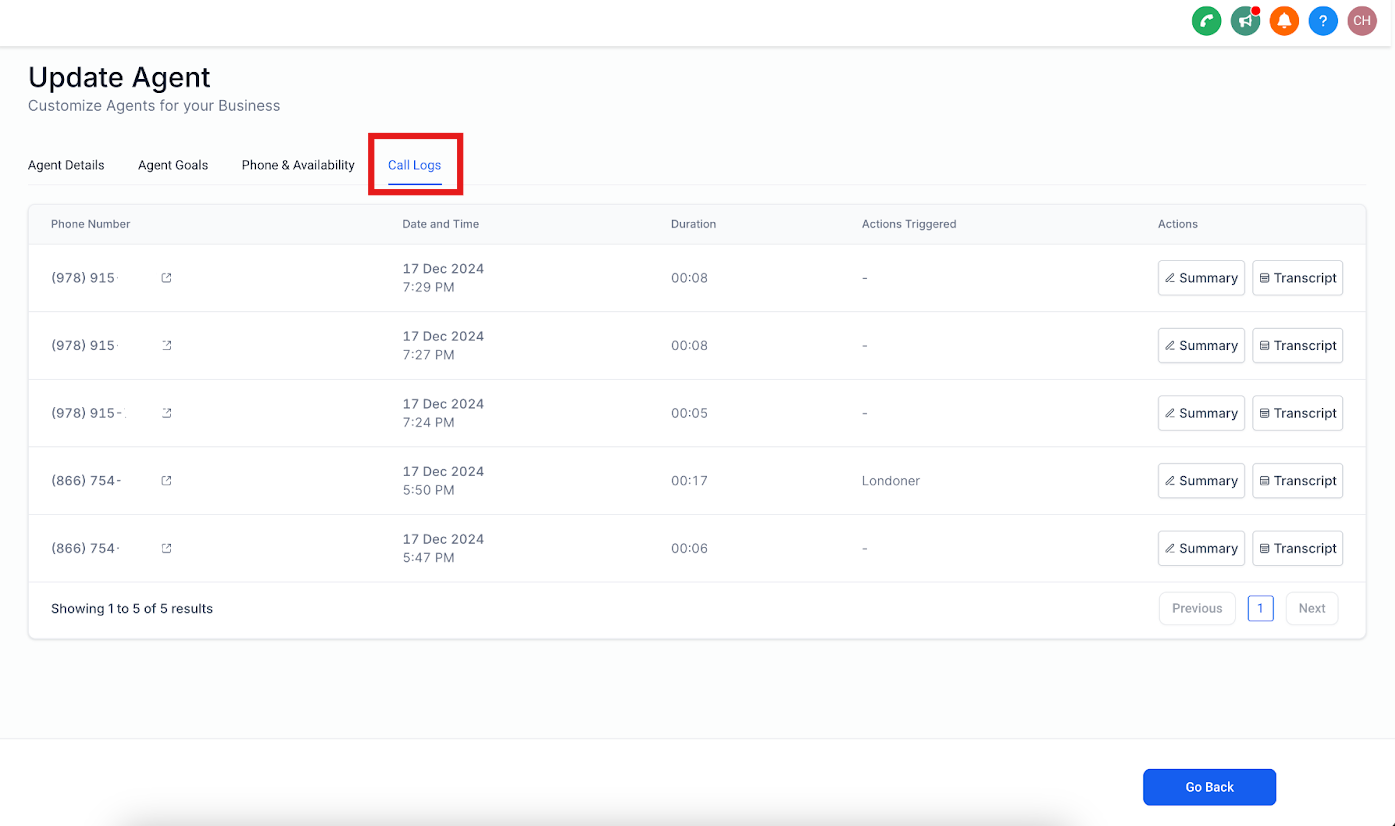
- Navigate to your Voice AI Agent Details page
- Scroll down to the Call Logs section
- View all logs neatly organized by agent for quick reference
Benefits
- Track agent performance: See how your AI agents handle parent inquiries and tour requests
- Gain transparency: Understand exactly what parents are asking about and how conversations flow
- Optimize your process: Use insights to improve scripts, add common questions to your knowledge base, and refine your enrollment process
Frequently Asked Questions
Can I download call transcripts?
Currently, call transcripts can be viewed in the platform. Download options may be available in future updates.
How far back can I view call logs?
Call logs are available for all calls handled since the feature was activated for your account.
Are call logs available for all agents?
Yes, any Voice AI agent with call activity will have logs visible in their Agent Details page.
Can I filter or search call logs?
Yes, you can search by phone number or filter by date range to find specific conversations quickly.