
You can customize your Enrollio dashboard by editing widgets to show the metrics and information that matter most to your childcare business.
Step 1: Switch to Edit Mode
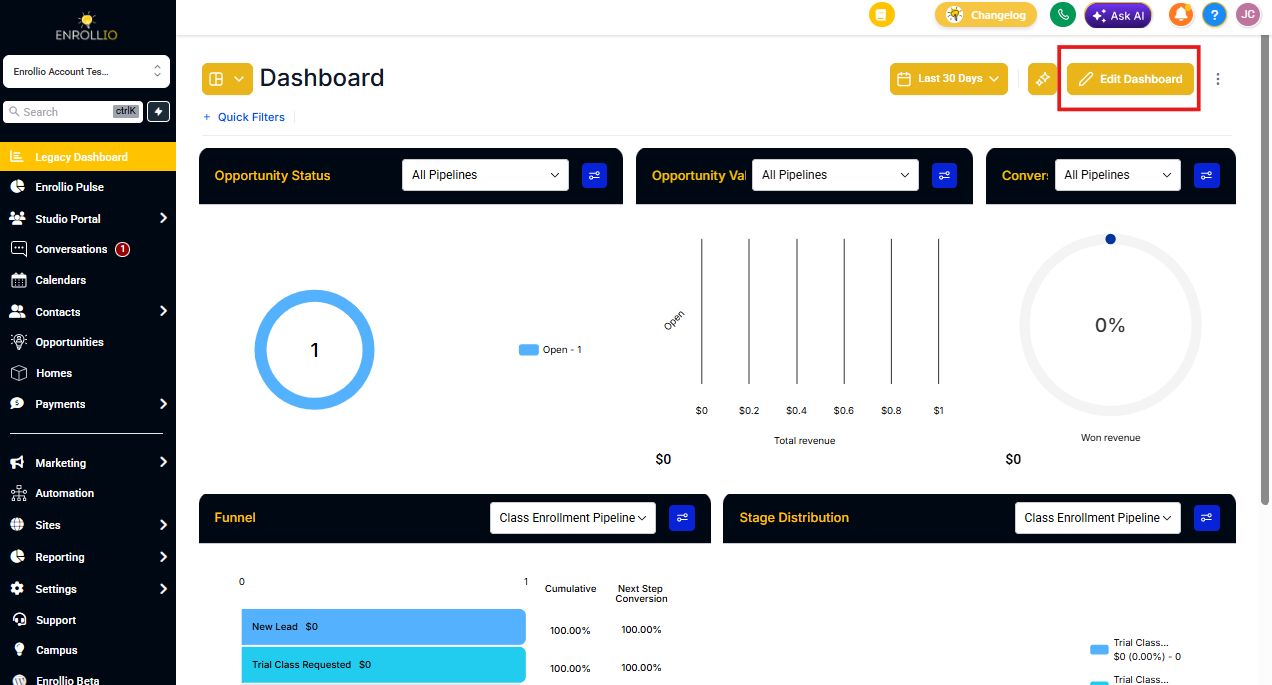
On your dashboard, click the EDIT button in the top-right corner.
Step 2: Choose the Widget You Want to Edit
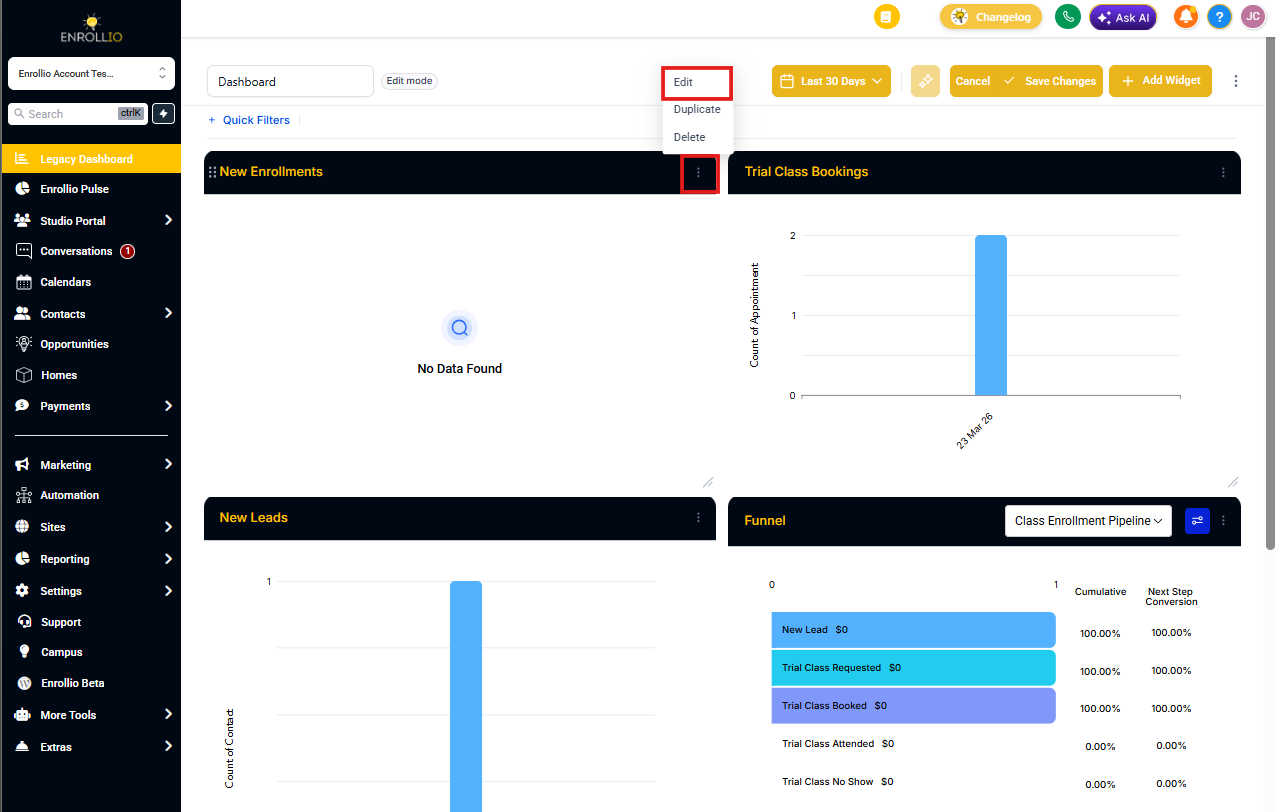
Find the widget you want to customize. Click the three-dot menu (⋯) in the top-right corner of that widget.
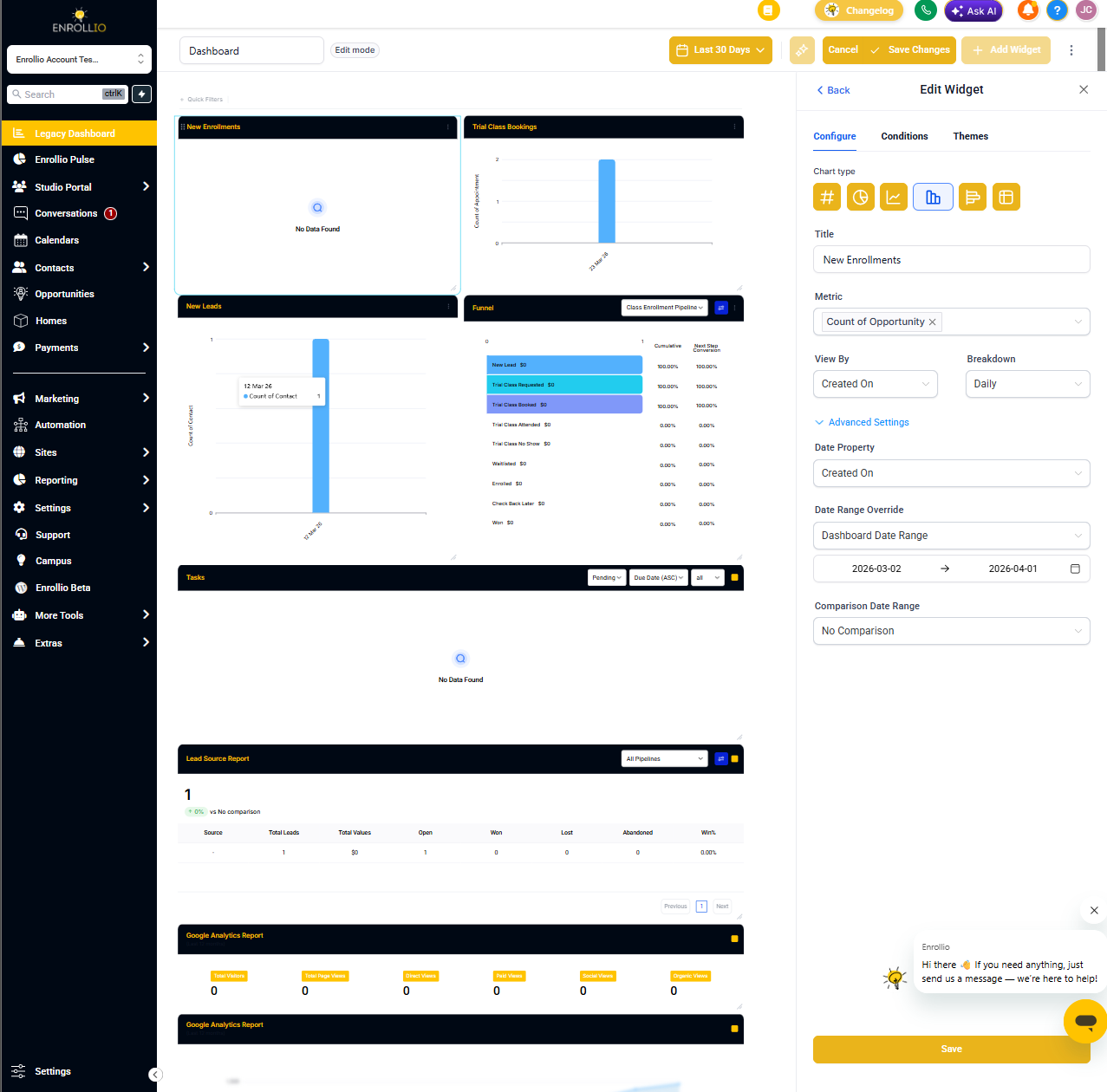
From the dropdown menu, select Edit. An editing panel will appear on the right side of your screen.
Step 3: Apply Your Customizations
Make your changes in the editing panel. You can adjust what data the widget displays, change date ranges, or modify how information appears.
When you're done, click Save, then click Save Changes to apply your updates to the dashboard.
Note: Some default widgets cannot be edited. These general widgets provide standard metrics and views for all Enrollio users.